
1. Introduction
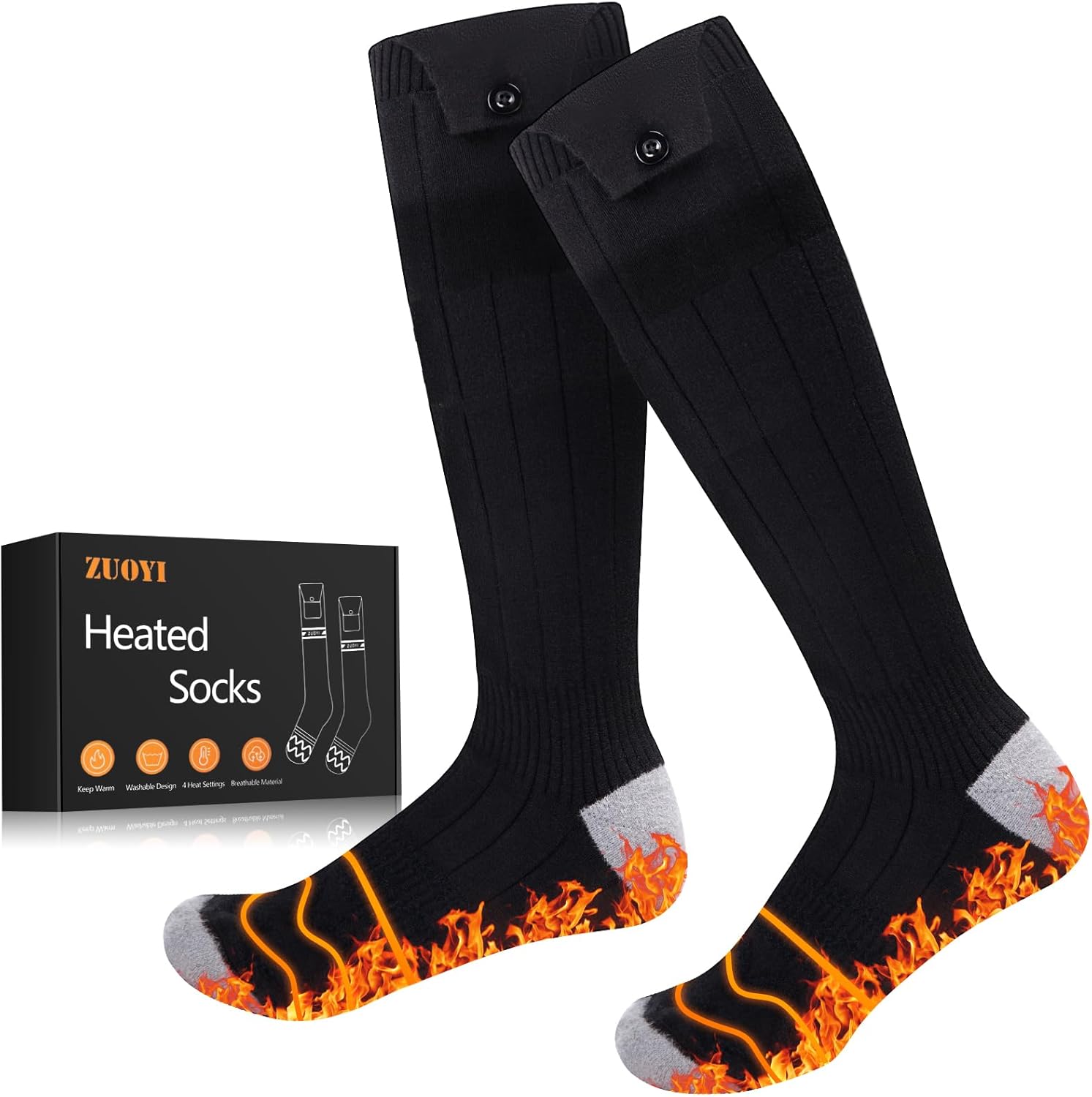
Thank you for choosing ZUOYI Heated Socks. These socks are designed to provide warmth and comfort in cold conditions, making them ideal for various indoor and outdoor activities. Please read this manual thoroughly before use to ensure proper operation and maintenance.
Key Features:
- Soft & Comfortable: Made from premium polyester mix fiber, offering softness, breathability, and elasticity.
- Enhanced Heating Area: Features heating elements that cover the entire foot, providing comprehensive warmth.
- Adjustable Heat: Four temperature levels (104°F to 149°F) for personalized warmth.
- Long-Lasting Power: Up to 8 hours of continuous heat on the lowest setting with 5000mAh rechargeable batteries.
- Unisex Design: One size fits most adults (US sizes 6-14).
- Washable: Designed for easy cleaning (hand or machine wash with care).
2. Package Contents
Ensure all items are present in your package:
- 1 Pair of ZUOYI Heated Socks
- 2 Rechargeable 5000mAh Lithium-Polymer Batteries
- 1 Dual USB Charging Cable
- 1 Laundry Bag (for machine washing)
- 1 User Manual
3. Setup
3.1 Charging the Batteries
- Connect the dual USB charging cable to both battery packs.
- Plug the USB-A end of the cable into a compatible USB power adapter (not included).
- Charge the batteries for approximately 4 hours until all indicator lights are solid, indicating a full charge.

3.2 Connecting Batteries to Socks
- Locate the small pocket on the upper cuff of each sock.
- Inside the pocket, you will find a small cable. Connect this cable to the DC port on the battery pack.
- Carefully slide the connected battery pack into the sock pocket.
- Secure the battery in the pocket using the button closure to prevent it from falling out during activity.
4. Operating Instructions
4.1 Powering On/Off and Adjusting Heat Levels
- After connecting the battery, press and hold the power button on the battery pack for 3 seconds to turn the socks on. The indicator lights will illuminate.
- Short press the power button to cycle through the 4 heat levels:
- Level 4 (Ultra Heat): 140-149°F (approx. 3-3.5 hours)
- Level 3 (High Heat): 122-131°F (approx. 3.5-4 hours)
- Level 2 (Medium Heat): 104-113°F (approx. 5-6 hours)
- Level 1 (Low Heat): 95-104°F (approx. 7-8 hours)
- To turn the socks off, press and hold the power button for 3 seconds until the indicator lights turn off.

5. Sizing and Fit
ZUOYI Heated Socks are designed as one size fits most, accommodating US adult sizes 6-14. The elastic material ensures a snug and comfortable fit for various foot and calf sizes. The high-calf design allows for comfortable wear with boots without interference.

6. Maintenance
6.1 Washing Instructions
To ensure the longevity of your heated socks, follow these washing guidelines:
- Always remove batteries before washing the socks. Batteries should be kept dry at all times.
- Hand wash is recommended for best results.
- If using a washing machine, place the socks in the provided laundry bag to protect them. Use a gentle cycle with cold water.
- Do not bleach, iron, or dry clean.
- Hang to dry completely before reinserting batteries and using.

7. Troubleshooting
- Q: The socks only heat for about 30 minutes then turn off when I first use them.
- A: Batteries are not typically shipped with a full charge. Please charge them for approximately 3 hours upon receiving the product to ensure they are fully charged before initial use.
- Q: Do the socks work in sub-zero temperatures?
- A: Yes, the socks are designed to provide extra warmth in cold conditions, including sub-zero temperatures, to keep your feet comfortable during outdoor activities.
8. Specifications
| Feature | Detail |
|---|---|
| Brand | ZUOYI |
| Model Name | XY-9801C |
| Size | Unisex-Adult (US 6-14) |
| Color | Black & Gray |
| Material | Polyester |
| Battery Type | Lithium-Polymer |
| Battery Capacity | 5000 mAh |
| Charging Time | 4 Hours |
| Lower Temperature Rating | 104°F (40°C) |
| Upper Temperature Rating | 149°F (65°C) |
| Reusability | Rechargeable |
| Recommended Uses | Indoor Use and Outdoor Activities (Hunting, Camping, Hiking, Skiing, Walking, Fishing, Cycling, Outdoor Work) |
9. Warranty & Support
ZUOYI Heated Socks come with a 1-year manufacturer's warranty. For any product inquiries, technical support, or warranty claims, please refer to the contact information provided in your product packaging or visit the official ZUOYI website.