
1. Introduction
This manual provides detailed instructions for the T-Wolf TF800 Gaming Combo, a 4-in-1 package designed for an enhanced gaming experience. The combo includes a backlit keyboard, a gaming mouse, a stereo headset with microphone, and a mouse pad. Please read this manual carefully before using the product to ensure proper setup and operation.

Image: T-Wolf TF800 Gaming Combo retail box. The box displays the included keyboard, mouse, headset, and mouse pad, highlighting features like floating keycaps, highlight light, multimedia keys, and ergonomic design.
2. Package Contents
Ensure all the following items are present in your package:
- 1 x T-Wolf Gaming Keyboard
- 1 x T-Wolf Gaming Mouse
- 1 x T-Wolf Gaming Headset
- 1 x T-Wolf Gaming Mouse Pad
3. Setup Instructions
Follow these steps to set up your T-Wolf TF800 Gaming Combo:
3.1 Keyboard Setup
- Locate an available USB 2.0 port on your computer.
- Plug the USB connector of the keyboard into the USB port.
- The operating system will automatically detect and install the necessary drivers.
- The keyboard backlight will illuminate upon successful connection.
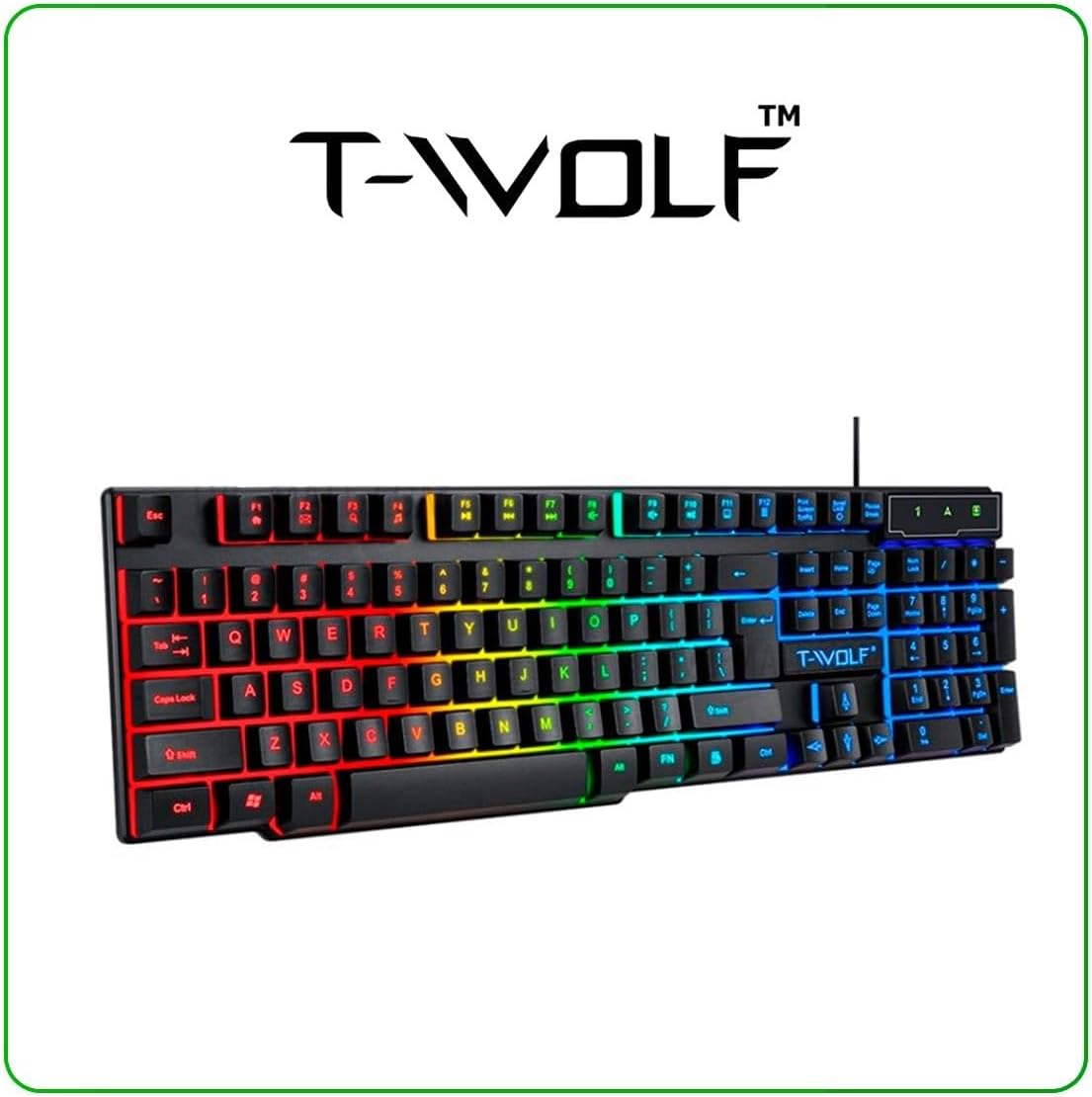
Image: T-Wolf Gaming Keyboard. This image shows the full 104-key layout with vibrant RGB backlighting, including the 'Ñ' key.
3.2 Mouse Setup
- Locate another available USB 2.0 port on your computer.
- Plug the USB connector of the mouse into the USB port.
- The operating system will automatically detect and install the necessary drivers.
- The mouse LED lighting will activate upon successful connection.

Image: T-Wolf Gaming Mouse. This image displays the ergonomic design of the mouse with multi-color RGB lighting accents.
3.3 Headset Setup
- Locate the 3.5mm audio jack on your computer (usually marked with a headphone icon).
- Plug the 3.5mm connector of the headset into the audio jack.
- If your computer has separate microphone and headphone jacks, you may need a Y-splitter (not included) or connect to a combined audio jack.
- Adjust the volume using the in-line control on the headset cable.
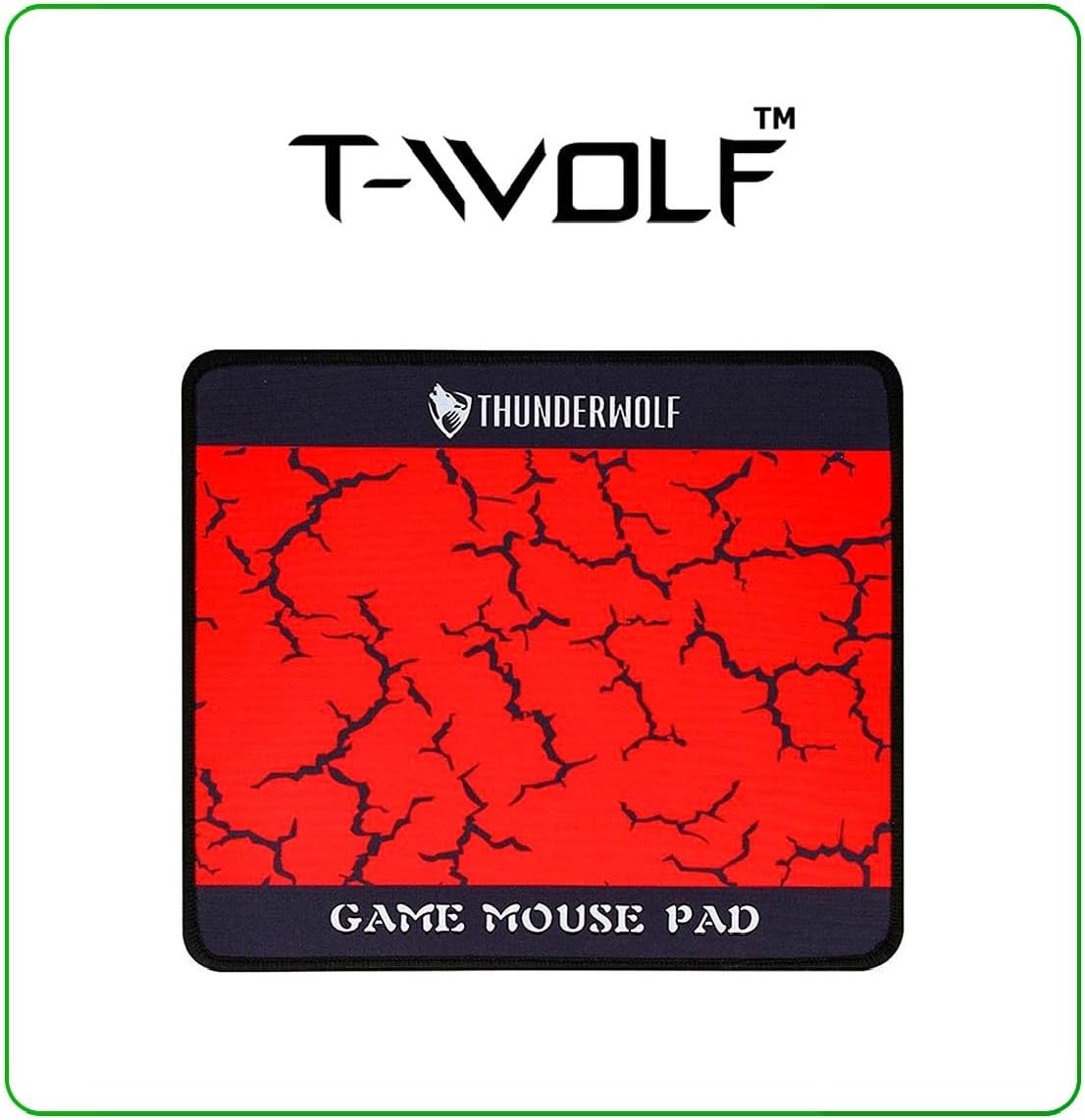
Image: T-Wolf Gaming Headset. This image shows the over-ear headset with a flexible microphone and red accents.
3.4 Mouse Pad Placement
- Place the mouse pad on a flat, clean surface.
- Ensure the non-slip rubber base is in full contact with the desk to prevent movement during use.
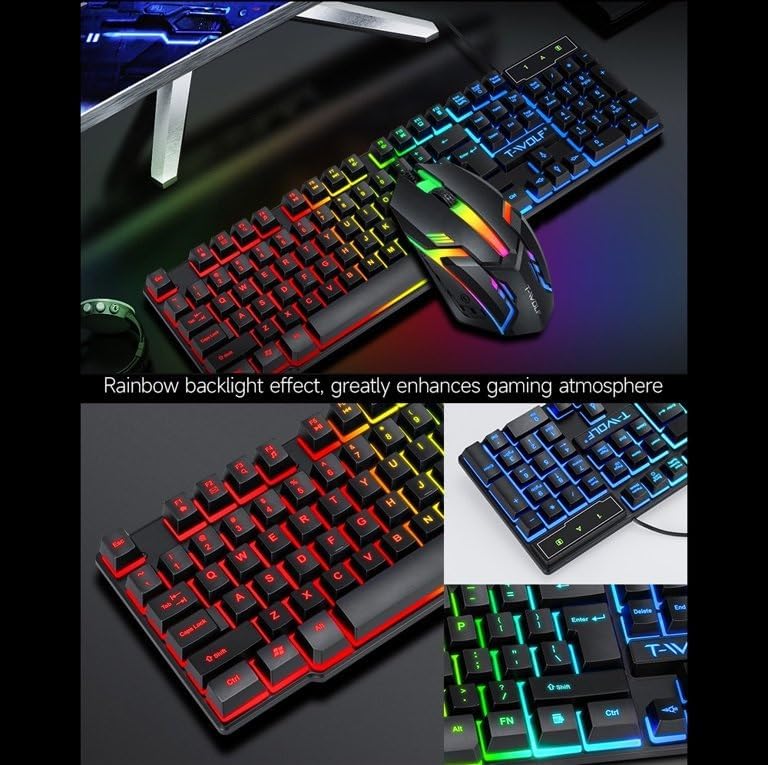
Image: T-Wolf Gaming Mouse Pad. This image features the mouse pad with a red cracked pattern and a black border, designed for optimal mouse precision.
4. Operating Instructions
4.1 Keyboard Operation
- Backlight Control: The keyboard features a 3-color LED backlight (Red, Blue, Green). Press the Scroll Lock key to toggle the backlight ON/OFF.
- Multimedia Keys: Utilize the dedicated multimedia keys (usually F-keys combined with Fn) for quick access to volume control, media playback, and other functions. Refer to the keyboard layout for specific key assignments.
- Ergonomic Design: The keyboard is designed for comfortable typing during extended use.

Image: T-Wolf Keyboard and Mouse. This image illustrates the rainbow backlight effect on both the keyboard and mouse, enhancing the gaming atmosphere.
4.2 Mouse Operation
- DPI Adjustment: The mouse supports adjustable DPI settings (up to 1200 DPI). Use the DPI button (typically located near the scroll wheel) to cycle through different sensitivity levels.
- LED Lighting: The mouse features 4-color circular breathing LED lighting, which activates automatically when connected.
- Buttons: The mouse has 3 buttons for standard operation.
4.3 Headset Operation
- Volume Control: Adjust the audio volume using the in-line control wheel located on the headset cable.
- Microphone Usage: The microphone is foldable. Position it appropriately for clear voice communication. Ensure your computer's audio settings recognize the headset microphone as the input device.
- Stereo Sound: The headset provides stereo sound for deep bass and crisp treble.

Image: T-Wolf Gaming Headset in use and with dimensions. This image shows a user wearing the headset and provides detailed dimensions (200x130x100mm) for the headset.
5. Maintenance
Proper maintenance ensures the longevity and optimal performance of your gaming combo.
- Cleaning:
- Use a soft, dry cloth to wipe down the keyboard, mouse, and headset.
- For stubborn dirt, slightly dampen the cloth with water or a mild cleaning solution. Avoid harsh chemicals.
- Do not immerse any component in water.
- The mouse pad can be gently hand-washed with mild soap and water, then air-dried.
- Storage:
- Store the combo in a cool, dry place away from direct sunlight and extreme temperatures.
- Avoid placing heavy objects on the keyboard or headset to prevent damage.
- Cable Management: Avoid sharp bends or kinks in the cables to prevent internal wire damage.
6. Troubleshooting
If you encounter any issues with your T-Wolf TF800 Gaming Combo, refer to the following common problems and solutions:
- Keyboard/Mouse Not Responding:
- Ensure the USB connectors are securely plugged into the computer's USB ports.
- Try plugging the devices into different USB ports.
- Restart your computer.
- Check if the Scroll Lock key is pressed (for keyboard backlight).
- Headset No Sound/Microphone Not Working:
- Ensure the 3.5mm audio jack is fully inserted into the correct port.
- Check the in-line volume control on the headset cable and ensure it is not muted or set to minimum.
- Verify your computer's audio settings:
- For output, ensure the headset is selected as the default playback device.
- For input, ensure the headset microphone is selected as the default recording device.
- Test the headset on another device if possible to rule out a device-specific issue.
- LED Lights Not Working:
- For the keyboard, press the Scroll Lock key to toggle the backlight.
- Ensure the devices are properly connected via USB.
- Some systems may require specific drivers or software for advanced lighting control, though basic functionality should be plug-and-play.
7. Specifications
Detailed specifications for each component of the T-Wolf TF800 Gaming Combo:
7.1 Keyboard Specifications
| Backlight System | 3-color LED (Red, Blue, Green) |
| Key Layout | 104 keys, includes 'Ñ' |
| Connection Interface | USB 2.0 |
| Cable Length | 1.45 meters (4.8 feet) |
| Key Stroke Life | 1 million times |
| Dimensions | 430 x 130 x 30 mm |
| Weight | 650g |
7.2 Mouse Specifications
| DPI | 1200 |
| Buttons | 3 |
| Backlight | 4-color circular breathing LED |
| Connection Interface | USB 2.0 |
| Cable Length | 1.35 meters (4.4 feet) |
| Stroke Life | 2 million times |
| Weight | 95g |
7.3 Headset Specifications
| Speaker Diameter | 50mm |
| Impedance | 32Ω ±15% |
| Frequency Response | 20Hz-20kHz |
| Cable Length | 1.8 meters |
| Rated Power | 25mW |
| Max Input Power | 100mW |
| Plug Type | 3.5mm |
| Microphone Sensitivity | -58dB ±3dB |
| Dimensions | 200 x 130 x 100 mm |
| Weight | Not specified in detail, but generally lightweight |
7.4 Mouse Pad Specifications
| Size | 300 x 250 x 2 mm |
| Material | Cloth surface, Rubber base |
| Features | Ultra-smooth weave surface, Anti-slip bottom |
| Weight | 122g |
8. Warranty Information
This T-Wolf TF800 Gaming Combo comes with a standard manufacturer's warranty against defects in materials and workmanship. The specific duration and terms of the warranty may vary by region and retailer. Please retain your proof of purchase for warranty claims. For detailed warranty information, refer to the documentation provided at the point of purchase or contact your retailer.
9. Customer Support
If you require further assistance or have questions not covered in this manual, please contact your retailer or the product manufacturer's customer support.
- Retailer Support: Refer to the contact information provided by your purchase retailer.
- Manufacturer Support: For general inquiries, please visit the official T-Wolf website (if available) or search for T-Wolf customer service online.

