
anyloop ALK1
anyloop Smart Watch for Kids Instruction Manual
Model: ALK1
1. Product Overview
The anyloop Smart Watch for Kids is a versatile and durable device designed for children aged 4-16. It combines fun educational games with essential health and activity tracking features, promoting a healthy and active lifestyle. This manual provides detailed instructions for setting up, operating, and maintaining your smart watch.
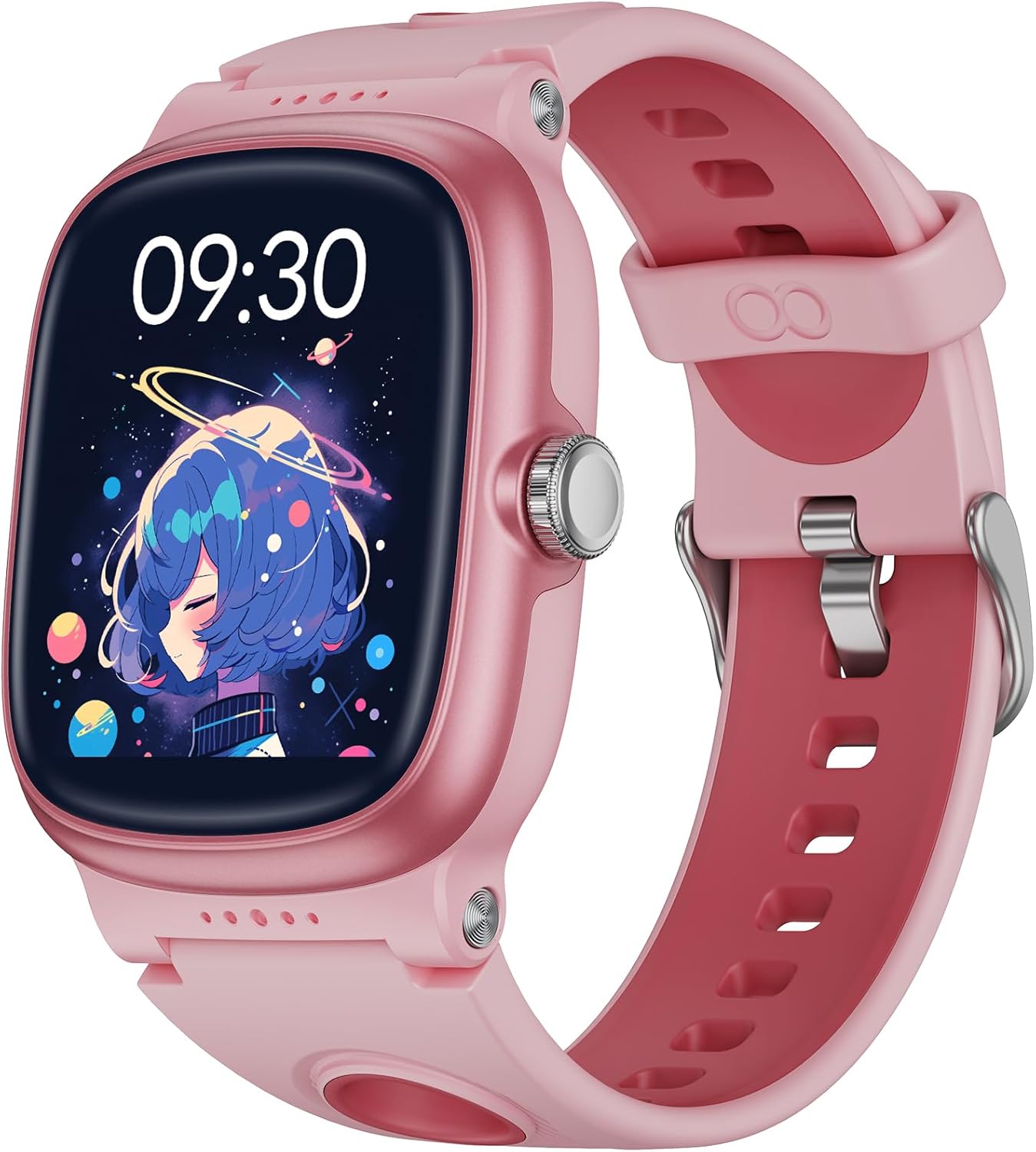
Figure 1: anyloop Smart Watch for Kids (Pink)
This image shows the main pink smart watch with a vibrant display, highlighting its modern design and user interface.
2. Getting Started
2.1 Charging the Device
Before first use, fully charge the smart watch. The watch features a built-in 430 mAh large-capacity rechargeable battery.
- Connect the magnetic charging cable to the charging port on the back of the watch.
- Connect the USB end of the cable to a standard USB power adapter (not included) or a computer's USB port.
- A full charge takes approximately 2 hours.
- Once fully charged, the watch can be used continuously for 5-7 days, with a standby time of up to 20 days.

Figure 2: Charging the Smart Watch
This image illustrates the magnetic charging process, emphasizing the long battery life and quick charging time.
2.2 Initial Setup and App Connection
To unlock the full potential of your anyloop Smart Watch, connect it to the anyloop APP on a compatible smartphone (iPhone iOS 9.0+ & Android 5.0+).
- Download the "anyloop" APP from your device's app store.
- Open the app and create a family account.
- Follow the in-app instructions to pair your smart watch via Bluetooth.
- Once paired, you can track your child's health data, set goals, and customize watch settings.

Figure 3: Family Account in anyloop APP
This image demonstrates the family account feature within the anyloop app, allowing parents to monitor their child's health and activity data.
3. Operating the Smart Watch
3.1 Navigation and Touchscreen
The 1.5" HD color touch screen allows for intuitive navigation. Swipe left/right, up/down, and tap to access various functions and menus.
3.2 Health Tracking Features
The smart watch is equipped with advanced sensors to monitor key health metrics:
- 24/7 Heart Rate Monitoring: Provides real-time heart rate tracking and alerts for elevated heart rates.
- Sleep Tracker: Automatically tracks sleep quality (deep, light sleep, and awake times) to help develop regular sleep habits.
- Stress Level Measuring: Helps in monitoring and caring for children's mental well-being.
- Blood Oxygen Monitoring: Track blood oxygen levels at any time.
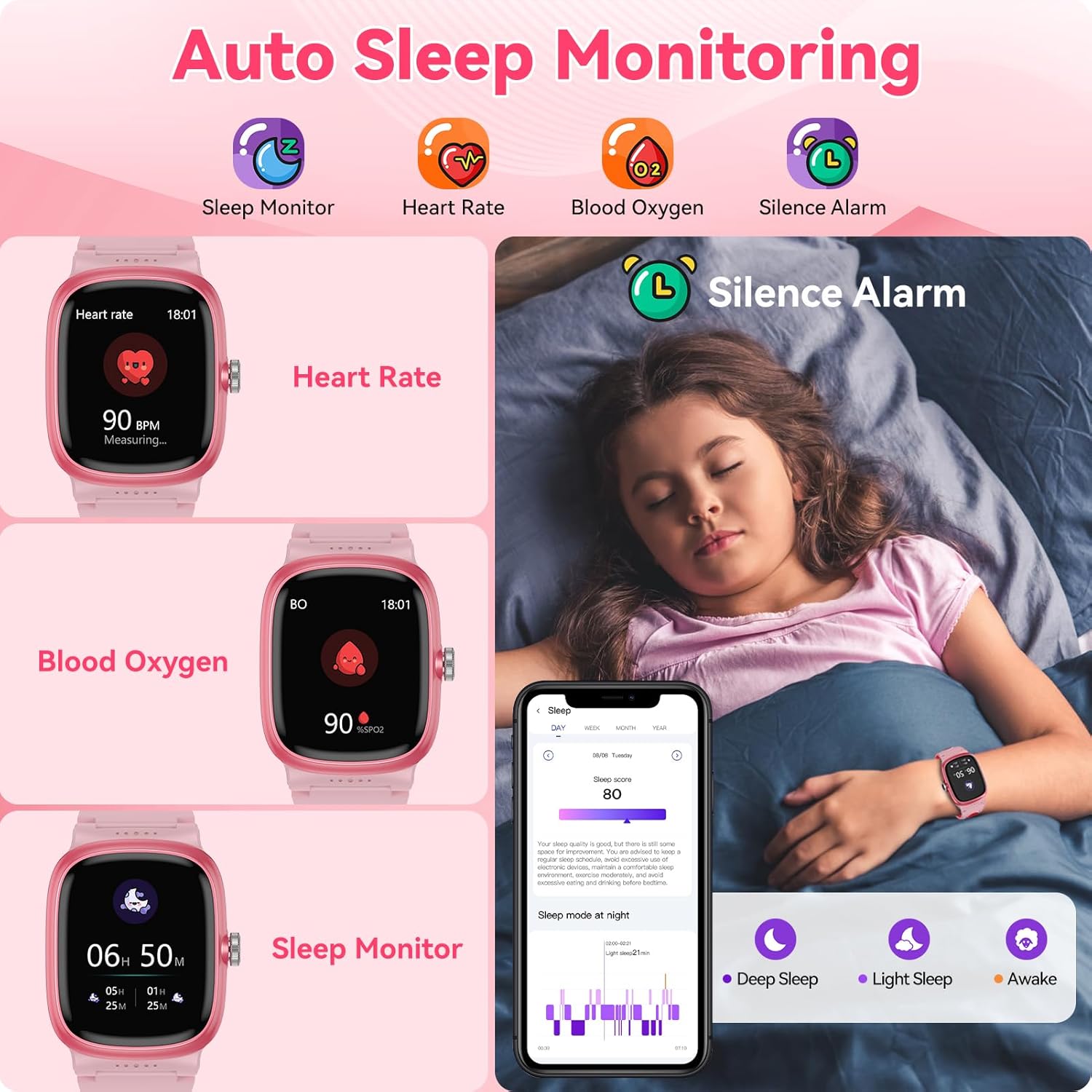
Figure 4: Health Monitoring Features
This image visually represents the watch's capabilities in monitoring sleep, heart rate, and blood oxygen, crucial for a child's health.
3.3 Activity Tracking
The kids fitness watch supports over 20 sports modes, recording various activity metrics:
- Sports Modes: Walking, running, cycling, football, basketball, and more.
- Real-time Data: Records calories burned, steps taken, and distances covered directly on the watch.
- Goal Setting: Set achievable exercise goals through the anyloop APP to encourage physical activity.

Figure 5: All-Day Activity Tracking
This image shows children engaged in physical activity, with the smart watch prominently displaying their steps, calories, and distance, emphasizing its fitness tracking capabilities.
3.4 Smart Features and Customization
Beyond health and fitness, the anyloop Smart Watch offers a range of smart features:
- Educational Games: Features 8 fun educational games to entertain and stimulate creativity.
- Customizable Dials: Choose from 200+ customizable dials or upload a favorite photo as wallpaper.
- Vibration Reminders: Includes vibration alarms for gentle waking, water intake, and sedentary reminders.
- Other Smart Functions: Weather display, flashlight, calculator, timer, alarm, calendar, and camera control (via app).

Figure 6: Multi-functional Features
This image showcases the wide array of functions available on the smart watch, from basic utilities to health monitoring and entertainment.

Figure 7: Educational Games
This image captures children enjoying the built-in educational games on the smart watch, emphasizing its entertainment and cognitive stimulation aspects.

Figure 8: Personalize Your Watch Dials
This image illustrates the extensive customization options for watch faces, including the ability to upload personal photos, allowing children to personalize their device.

Figure 9: Message Reminders and Camera Control
This image highlights the watch's ability to display message reminders and control a smartphone camera remotely, adding practical utility.
4. Durability and Battery Life
- IP68 Waterproof: The watch is designed to withstand daily activities such as hand washing, showering, rainy days, and sweating. Note: Not suitable for hot showers, underwater diving, ocean surfing, or saunas.
- Long Battery Life: With a 430 mAh battery, the watch offers 5-7 days of continuous use and up to 20 days of standby time on a 2-hour charge.

Figure 10: IP68 Waterproof Design
This image shows children enjoying water activities while wearing the smart watch, emphasizing its IP68 waterproof capability for everyday use.

Figure 11: Ultra Long Battery Life
This image highlights the watch's impressive battery performance, showing its quick charge time and extended usage and standby periods.
5. Maintenance and Care
- Cleaning: Wipe the watch and strap regularly with a soft, damp cloth. Avoid harsh chemicals or abrasive materials.
- Drying: After exposure to water, ensure the watch is completely dry before charging or prolonged storage.
- Storage: Store the watch in a cool, dry place away from direct sunlight and extreme temperatures.
- Strap Care: The silicone strap is designed for comfort and durability. Clean it regularly to prevent skin irritation.
6. Troubleshooting
Common Issues and Solutions:
| Issue | Possible Cause | Solution |
|---|---|---|
| Watch not turning on | Low battery | Charge the watch for at least 30 minutes. |
| Cannot pair with app | Bluetooth off, app not updated, watch not in pairing mode | Ensure Bluetooth is on, update the app, restart both watch and phone, try pairing again. |
| Inaccurate health data | Improper fit, sensor obstruction | Ensure the watch is snug on the wrist (not too tight or loose). Clean the sensor on the back of the watch. |
| Short battery life | Frequent use of power-intensive features (games, bright screen) | Reduce screen brightness, limit game usage, disable unnecessary notifications. |
| Weather feature not working | No internet connection, location services off | Ensure the watch is connected to Wi-Fi or paired with a phone with internet access. Check location settings in the app. |
If issues persist, please refer to the "Help Center" section within the anyloop APP or contact customer support.
7. Specifications
| Feature | Detail |
|---|---|
| Model Number | ALK1 |
| Screen Size | 1.5 Inches |
| Display Resolution | 240 x 240 |
| Battery Capacity | 430 mAh Lithium Polymer |
| Battery Life (Usage) | 5-7 days |
| Battery Life (Standby) | Up to 20 days |
| Charging Time | Approx. 2 hours |
| Waterproof Rating | IP68 |
| Connectivity | Bluetooth |
| Operating System | Wear OS 2.0 |
| Item Weight | 3.2 ounces |
| Wrist Size Compatibility | 4.1'' - 7.1'' |
8. What's in the Box
- anyloop Smart Watch (Model ALK1)
- Watch Band (pre-attached)
- Magnetic Charging Cable
- User Manual (this document)

Figure 12: Package Contents
This image displays the items included in the product packaging: the smart watch, its charging cable, and the user manual.
9. Official Product Video
Video 1: anyloop Multifunctional Game Kids Smart Watch Overview
This video provides a comprehensive overview of the anyloop Smart Watch, showcasing its various features including activity tracking, sleep monitoring, heart rate tracking, IP68 waterproofing, and the range of multifunctional capabilities. It highlights the watch's design and user interface in action.
10. Warranty and Support
anyloop products are manufactured with high-quality standards. For any questions, technical support, or warranty claims, please contact anyloop customer service through the official website or the "Help Center" section within the anyloop APP.
Please retain your proof of purchase for warranty purposes.
Related documentsALK1


Ask a question about this manual
Ask about setup, troubleshooting, compatibility, parts, safety, or missing instructions. Manuals+ will review the question and use this page’s manual context to help answer it.