
BTQILEYOO Y20-2X
BTQILEYOO Y20-2X Motorcycle Helmet Bluetooth Headset User Manual
Model: Y20-2X
Introduction
Thank you for choosing the BTQILEYOO Y20-2X Motorcycle Helmet Bluetooth Headset. This manual provides detailed instructions for the setup, operation, and maintenance of your new device. Please read it thoroughly before use to ensure optimal performance and safety.
Product Features
- Multifunctional Connectivity: Connects to two mobile phones simultaneously, allowing seamless switching between music, navigation, and calls.
- Superior Audio Quality: Features a 40mm graphene diaphragm for Hi-Fi stereo sound and dual noise cancellation with a windproof sponge for clearer calls.
- Extended Battery Life: Built-in 1000mAh battery provides up to 25 hours of music playback, approximately 10 hours with lights on, and up to 18 months of standby time. Supports TYPE-C fast charging and displays battery level on your phone.
- Durable and Waterproof: IPX6 waterproof rating ensures reliable performance in various weather conditions, including dust, rain, storm, snow, and temperatures down to -20°F.
- Smart Control: Automatic call answering within 10 seconds for enhanced safety. Voice control button activates Siri or Google Assistant for hands-free operation.
- Two-Person Intercom: Supports communication between two riders within a 1000-meter range, compatible with various intercom Bluetooth headsets.
- Flash Color RGB Lighting Effect: Integrated RGB lighting for enhanced visibility and style.
- Bluetooth 5.3 Technology: Ensures stable connection and lower power consumption.
What's in the Box
The BTQILEYOO Y20-2X package includes the following components:
- Y20-2X Bluetooth Headset Unit
- Headset Speakers with Microphone (two options: small mic and adjustable boom mic)
- Helmet Mounting Clip
- USB Type-C Charging Cable
- Adhesive Pads for Speaker Installation
- User Manual (this document)

Image: The main Y20-2X Bluetooth headset unit.

Image: Diagram showing the function keys and ports on the Y20-2X headset.
Setup and Installation
Follow these steps to properly install your BTQILEYOO Y20-2X headset on your motorcycle helmet.
1. Attaching the Headset Unit
- Identify a suitable location on the left side of your helmet, near the bottom edge, where the headset unit can be securely mounted without obstructing your vision or helmet functionality.
- Slide the metal clip of the mounting bracket between the helmet shell and the inner padding. Ensure it is firmly in place.
- Align the headset unit with the mounting bracket and slide it down until it clicks securely into place.

Image: Demonstrates the split installation method for the headset unit on a helmet.
Video: A detailed guide on unboxing and installing the BTQILEYOO Y20-2X headset, including attaching the unit to the helmet and connecting the internal components.
2. Installing Speakers and Microphone
- Carefully remove the helmet's inner padding to expose the ear recesses.
- Attach the adhesive pads to the back of the speakers. Place one speaker into each ear recess inside the helmet, ensuring they are positioned comfortably over your ears when wearing the helmet.
- Choose your preferred microphone:
- For full-face helmets, the smaller, wired microphone can be discreetly placed inside the chin bar.
- For open-face or modular helmets, the adjustable boom microphone is recommended for better voice pickup. Position it close to your mouth.
- Route the speaker and microphone cables neatly under the helmet padding to the headset unit's connection port. Ensure cables are not tangled or exposed.
- Plug the speaker and microphone cable into the designated port on the headset unit.
- Reinstall the helmet's inner padding, ensuring all wires are tucked away and do not interfere with comfort or safety.
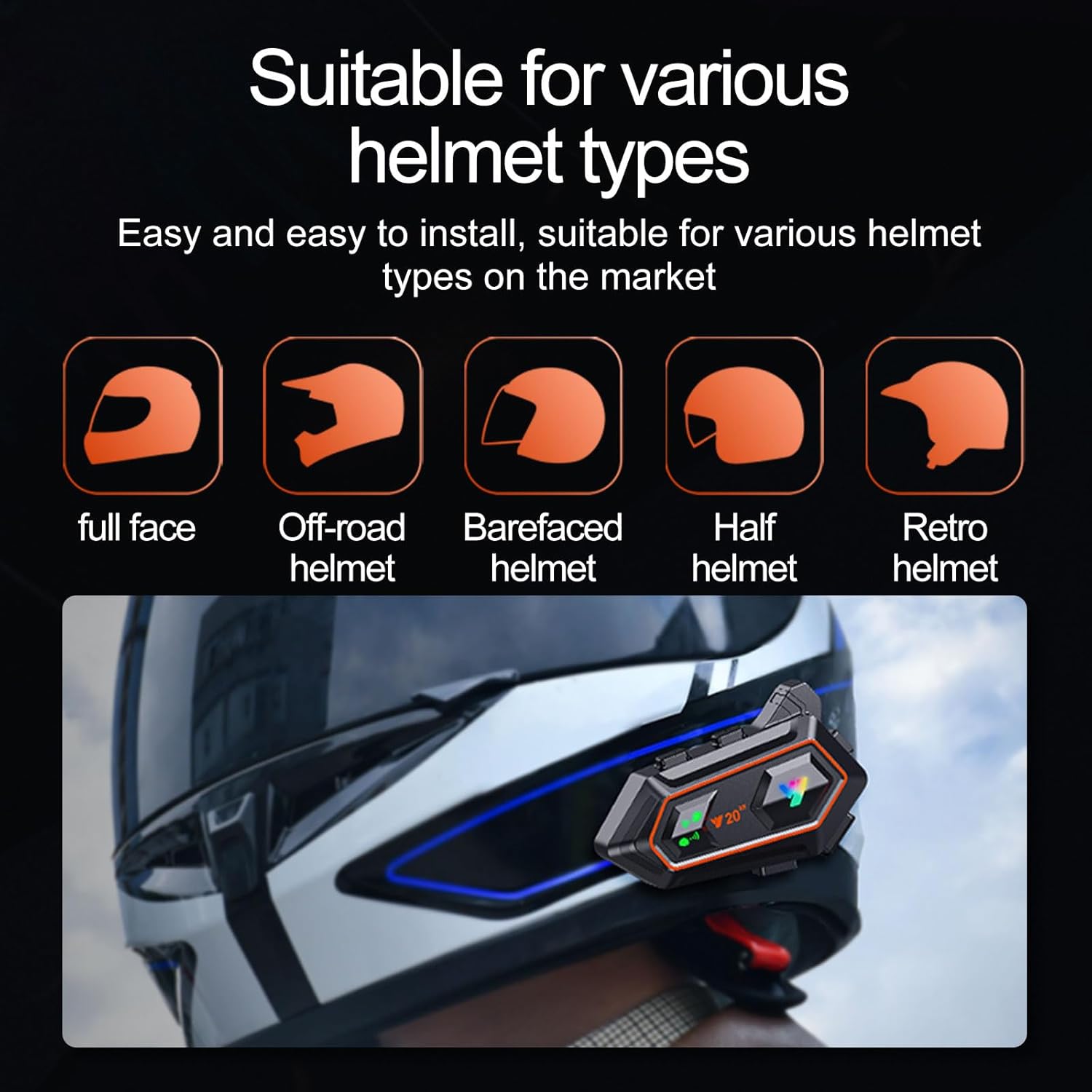
Image: The Y20-2X headset is suitable for various helmet types including full-face, off-road, barefaced, half, and retro helmets.
Operating Instructions
Power On/Off and Pairing
- Power On: Press and hold the Power/Play/Pause/Answer/End button (main button) for 3 seconds until the indicator light flashes.
- Power Off: Press and hold the Power/Play/Pause/Answer/End button for 5 seconds until the indicator light turns off.
- Bluetooth Pairing:
- With the headset off, press and hold the Power/Play/Pause/Answer/End button for approximately 7 seconds until the indicator light flashes red and blue alternately, indicating pairing mode.
- On your mobile phone or Bluetooth device, search for "Y20-2X" in the Bluetooth settings and select it to connect.
- Once successfully paired, the indicator light will flash blue slowly.
- Connect Two Mobile Phones: The Y20-2X can connect to two mobile phones simultaneously. Pair the first phone, then disable its Bluetooth. Pair the second phone. Re-enable Bluetooth on the first phone, and both should connect.

Image: The Intelligent One Drag Two feature allows connecting two mobile phones simultaneously for flexible use.
Music Playback
- Play/Pause: Short press the Power/Play/Pause/Answer/End button.
- Next Song: Short press the "Next Song" button (usually the '+' button).
- Previous Song: Short press the "Previous Song" button (usually the '-' button).
- Volume Up: Long press the "Next Song" button.
- Volume Down: Long press the "Previous Song" button.
Phone Calls
- Answer Call: Short press the Power/Play/Pause/Answer/End button when a call comes in. The headset supports automatic answering after 10 seconds.
- End Call: Short press the Power/Play/Pause/Answer/End button during a call.
- Reject Call: Long press the Power/Play/Pause/Answer/End button when a call comes in.
- Redial Last Number: Double-press the Power/Play/Pause/Answer/End button.

Image: The automatic answering feature allows for safer and more convenient call management while riding.
Voice Assistant
- Activate Voice Assistant: Short press the AI button (usually located on the side of the unit) to activate Siri or Google Assistant.
Intercom Function (Two-Person Talking)
- The Y20-2X supports two-person intercom communication up to 1000 meters.
- To initiate intercom, ensure both headsets are powered on and paired with each other (refer to specific pairing instructions for intercom mode in the quick start guide, if provided, or general Bluetooth intercom pairing procedures).
- Press the Intercom button (if available, otherwise consult the quick start guide for exact button functions).

Image: The headset supports dual 1000-meter intercom, suitable for communication between two riders.
RGB Lighting Effects
- The Y20-2X features flash color RGB lighting. Specific controls for changing light modes or turning them on/off are typically integrated with other buttons or a dedicated light button. Refer to the quick start guide for exact button functions.
Charging and Battery
- Charging: Connect the provided USB Type-C cable to the charging port on the headset unit and to a USB power source (e.g., computer, wall adapter). The charging indicator light will illuminate during charging.
- Battery Status: The battery level can be displayed on your connected mobile phone.
- Battery Life: A full charge provides approximately 25 hours of music playback or 10 hours with RGB lights active. Standby time is up to 18 months.
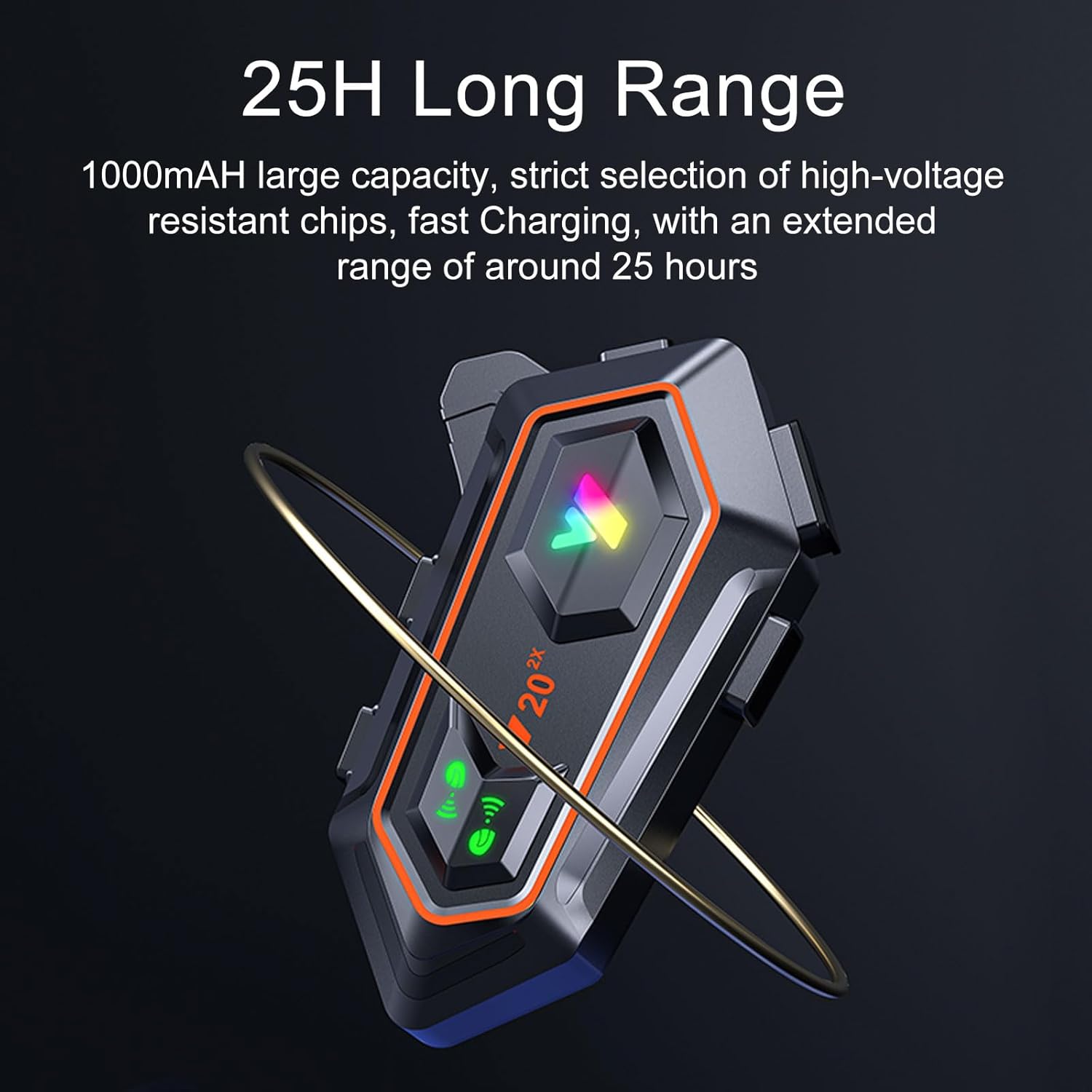
Image: The headset features a 1000mAh large capacity battery for extended use.
Waterproofing (IPX6)
The BTQILEYOO Y20-2X headset is rated IPX6 waterproof, meaning it is protected against high-pressure water jets from any direction. This makes it suitable for use in various weather conditions, including rain and snow.
- Ensure the charging port cover is securely closed when not charging to maintain waterproofing.
- Avoid submerging the device in water.

Image: The IPX6 waterproof design protects the headset from dust and rain.
Video: Demonstrates the IPX6 waterproof capability of the Y20-2X headset by showing it submerged in water and installed on a helmet in wet conditions.
Maintenance
- Cleaning: Wipe the headset unit with a soft, damp cloth. Do not use harsh chemicals or abrasive cleaners.
- Storage: Store the headset in a cool, dry place when not in use. Avoid extreme temperatures.
- Battery Care: For optimal battery longevity, charge the device regularly, even if not used frequently. Avoid fully discharging the battery for extended periods.
Troubleshooting
| Problem | Possible Cause | Solution |
|---|---|---|
| Device does not power on. | Low battery; incorrect power button press. | Charge the device fully. Press and hold the Power button for 3 seconds. |
| Cannot pair with phone. | Headset not in pairing mode; phone's Bluetooth off; too many paired devices. | Ensure headset is in pairing mode (flashing red/blue). Turn phone's Bluetooth off and on. Forget previous pairings on phone. |
| No sound from speakers. | Volume too low; speakers not connected properly; faulty speakers. | Increase volume. Check speaker connections. Test with another audio source. |
| Microphone not working. | Microphone not connected properly; faulty microphone. | Check microphone connection. Ensure microphone is positioned correctly. |
| Intercom not connecting. | Out of range; incorrect pairing procedure for intercom. | Ensure devices are within 1000m. Refer to intercom pairing instructions. |
Specifications
| Feature | Detail |
|---|---|
| Model Name | Y20-2X |
| Brand | BTQILEYOO |
| Connectivity Technology | Wireless (Bluetooth 5.3) |
| Battery Capacity | 1000mAh |
| Music Playback Time | Up to 25 hours |
| Light Endurance | Approx. 10 hours |
| Standby Time | Up to 18 months |
| Charging Port | USB Type-C |
| Water Resistance Level | IPX6 |
| Intercom Range | Up to 1000 meters (two-person) |
| Control Method | Touch, Voice |
| Material | Plastic |
| Item Weight | 7 ounces |
| Package Dimensions | 5.28 x 4.13 x 2.4 inches |
Warranty and Support
For warranty information and customer support, please refer to the contact details provided on the product packaging or the official BTQILEYOO website. Keep your purchase receipt as proof of purchase for warranty claims.
Ask a question about this manual
Ask about setup, troubleshooting, compatibility, parts, safety, or missing instructions. Manuals+ will review the question and use this page’s manual context to help answer it.