
1. Introduction
The BTQILEYOO Y80 Motorcycle Helmet Bluetooth Headset provides a seamless audio experience for motorcycle riders. Featuring Bluetooth 5.3 technology, smart noise reduction, and HiFi level sound quality, it allows for clear communication and music playback while riding. Its IP67 waterproof rating ensures durability in various weather conditions, and it is designed to be compatible with all helmet types.
2. What's in the Box
Please check the package contents upon unboxing to ensure all items are present:
- BTQILEYOO Y80 Bluetooth Headset Unit
- Speakers with Microphone
- Mounting Clip
- Velcro Pads (Circular and Square)
- USB Type-C Charging Cable
- User Manual
3. Key Features
- Bluetooth 5.3 Connectivity: Ensures stable connection, low latency, and high-quality audio.
- Smart Noise Reduction (CVC DSP): Utilizes a silicon microphone and CVC DSP dual intelligent noise reduction to effectively reduce ambient noise and improve call quality.
- HiFi Level Sound Quality: Delivers clear and rich audio for music and calls.
- IP67 Waterproof Rating: Provides protection against dust and water, suitable for various riding conditions.
- Long Battery Life: Equipped with a 1000mAh high-capacity battery, offering up to 32 hours of continuous use.
- Voice Assistant Support: One-click activation for AI voice assistants (Siri, Alexa, Bixby) for hands-free control.
- Dual Phone Connection: Connects to two mobile phones simultaneously, allowing seamless switching between music, navigation, and calls.
- Automatic Call Answering: Incoming calls are answered automatically after a voice announcement of the telephone number, eliminating manual operation.
- EQ Sound Switching: Allows for adjustment of sound modes.

Figure 3.1: Overview of BTQILEYOO Y80 Headset Advantages.

Figure 3.2: Bluetooth 5.3 Chip Technology.

Figure 3.3: CVC Noise Reduction Explanation.
4. Installation
The BTQILEYOO Y80 headset offers flexible installation options to fit various helmet types. Follow these steps for proper setup:
4.1 Speaker and Microphone Installation
- Prepare Helmet: Remove the internal cushions from the left and right sides of your helmet to access the inner shell.
- Attach Velcro for Speakers: Affix the circular velcro pads to the left and right interior sides of the helmet where the speakers will be placed.
- Attach Velcro for Microphone: Secure the square velcro pad to the interior front of the helmet where the microphone will be positioned.
- Position Speakers: Place the speaker with the shorter wire on the left side of the helmet. Place the speaker with the longer wire on the right side. Ensure the wires are routed neatly and tucked under the helmet lining.
- Position Microphone: Attach the microphone to the square velcro pad, ensuring it is positioned correctly for clear voice pickup.
- Manage Excess Wire: Carefully tuck any excess speaker and microphone wire inside the helmet lining to prevent discomfort or interference.
- Reinstall Cushions: Restore the helmet's internal cushions to their original positions.
4.2 Headset Unit Installation
The headset unit can be attached to the helmet using a clip, velcro, or a combination of both.
- Remove Clip from Headset: If using the velcro-only method, carefully detach the metal clip from the headset unit.
- Attach Velcro to Headset: Apply one velcro pad to the back of the headset unit.
- Attach Velcro to Helmet: Apply the corresponding velcro pad to the exterior side of the helmet where you intend to mount the headset.
- Mount Headset: Securely attach the headset unit to the helmet using either the clip, the velcro, or both for maximum stability.

Figure 4.1: Split Installation Design for Easy Charging.

Figure 4.2: Compatibility with Various Helmet Types.
Video 4.1: Y80 Helmet Headset Installation Guide. This video demonstrates the step-by-step process of installing the speakers, microphone, and main unit into a motorcycle helmet.
5. Operating Instructions
5.1 Basic Controls
The headset features intuitive controls for various functions:
- Power On/Off: Press and hold the main button.
- Play/Pause/Answer Call/Hang Up: Short press the main button.
- Volume Up: Long press the '+' button.
- Volume Down: Long press the '-' button.
- Next Track: Short press the '+' button.
- Previous Track: Short press the '-' button.
- Activate Voice Assistant: Short press the dedicated voice button (often labeled with an AI icon).
- EQ Sound Mode Key: Press the EQ button to switch between sound modes.

Figure 5.1: Headset Control Layout and Functions.
5.2 Bluetooth Pairing
- Ensure the headset is powered off.
- Press and hold the main button until the indicator light flashes red and blue, indicating pairing mode.
- On your mobile device, enable Bluetooth and search for "Y80" in the list of available devices.
- Select "Y80" to connect. The indicator light will turn blue when successfully paired.
- To connect a second device, repeat the pairing process. The headset supports simultaneous connection to two devices, allowing seamless switching between audio sources.
5.3 Voice Assistant
The Y80 headset supports one-click activation of your smartphone's voice assistant (e.g., Siri, Alexa, Bixby). Short press the dedicated voice button to activate the assistant and issue commands for navigation, music control, or calls.
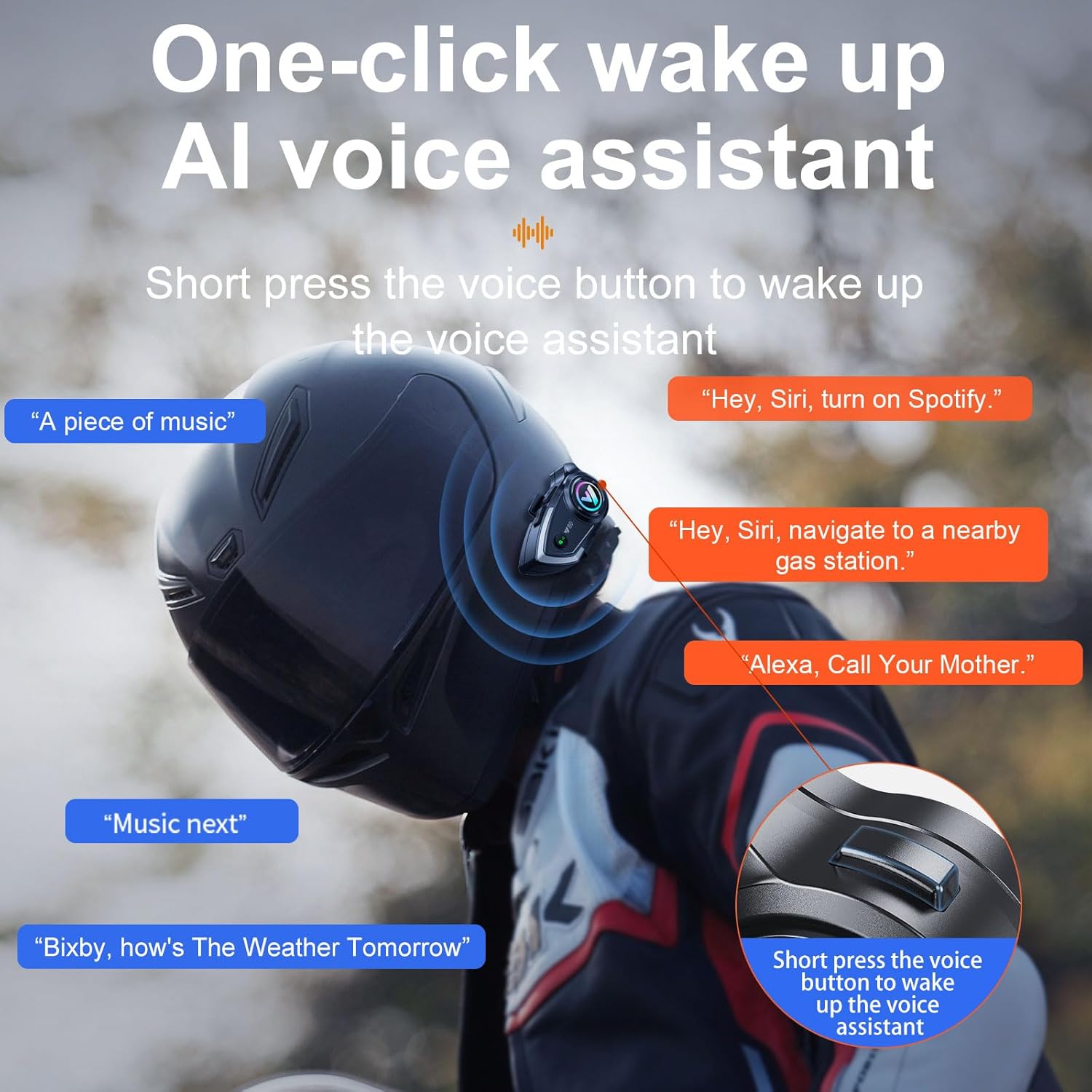
Figure 5.2: Voice Assistant Activation and Usage.
5.4 Call Management
The headset is designed for convenient call management while riding:
- Answering Calls: Incoming calls are automatically answered after a voice announcement of the caller's number, eliminating the need for manual interaction.
- Ending Calls: Short press the main button to end an active call.

Figure 5.3: Automatic Incoming Call Answering.
6. Maintenance
6.1 Waterproofing
The Y80 headset boasts an IP67 deep water-resistant rating, providing protection against dust and temporary immersion in water. This ensures reliable performance in various weather conditions. However, it is recommended to avoid prolonged exposure to heavy rain or submersion to maintain optimal device longevity.

Figure 6.1: IP67 Deep Water Resistance.
6.2 Charging
To charge the headset, connect the provided USB Type-C cable to the charging port on the unit and a suitable power source. The indicator light will show charging status. A full charge provides up to 32 hours of usage. The split installation design allows for convenient removal of the main unit for charging.

Figure 6.2: 32-Hour Battery Life.
7. Troubleshooting
| Problem | Possible Cause | Solution |
|---|---|---|
| Device does not power on | Low battery; Device malfunction | Charge the device fully; Contact customer support if issue persists. |
| Cannot pair with phone | Headset not in pairing mode; Bluetooth off on phone; Device too far apart | Ensure headset is in pairing mode (flashing red/blue); Enable Bluetooth on phone; Keep devices within 1 meter during pairing. |
| Poor sound quality / Noise during calls | Microphone/speaker placement; High ambient noise; Weak Bluetooth connection | Adjust microphone closer to mouth; Ensure speakers are aligned with ears; Check Bluetooth connection strength; CVC noise reduction should mitigate most noise. |
| Controls not responding | Device frozen; Low battery | Restart the device; Charge the device. |
8. Specifications
| Feature | Detail |
|---|---|
| Brand | BTQILEYOO |
| Model Number | Y80 |
| Connectivity Technology | Wireless (Bluetooth) |
| Bluetooth Version | 5.3 |
| Noise Control | Adaptive Noise Cancellation (CVC DSP) |
| Water Resistance Level | IP67 Waterproof |
| Battery Average Life | 32 Hours |
| Control Type | Media Control, Call Control |
| Control Method | Touch, Voice |
| Compatible Devices | Bluetooth-enabled Devices, Motorcycle Communication Systems |
| Ear Placement | Over Ear |
| Frequency Range | 20 Hz - 20,000 Hz |
| Material | Plastic, Metal, Silicone, Fabric |
9. Warranty & Support
For warranty information, technical support, or any inquiries regarding your BTQILEYOO Y80 Motorcycle Helmet Bluetooth Headset, please refer to the contact details provided on the product packaging or visit the official BTQILEYOO website. Keep your purchase receipt as proof of purchase for warranty claims.
