
1. Introduction
Thank you for choosing the CAMMHD W1 4K Body Camera. This manual provides essential information for setting up, operating, and maintaining your device. Please read it thoroughly before use to ensure proper functionality and to maximize your experience with the camera.
2. Package Contents
Verify that all items listed below are included in your package:
- 1 x CAMMHD W1-4K Body Camera
- 1 x USB-C Cable
- 1 x Short 360° Rotating Clip
- 1 x Long 360° Rotating Clip
- 1 x User Manual
3. Product Overview
The CAMMHD W1 is a compact and robust body camera designed for various applications, offering 4K video recording, extended battery life, and advanced features like night vision and loop recording. Its portable design with rotating clips allows for flexible mounting options.
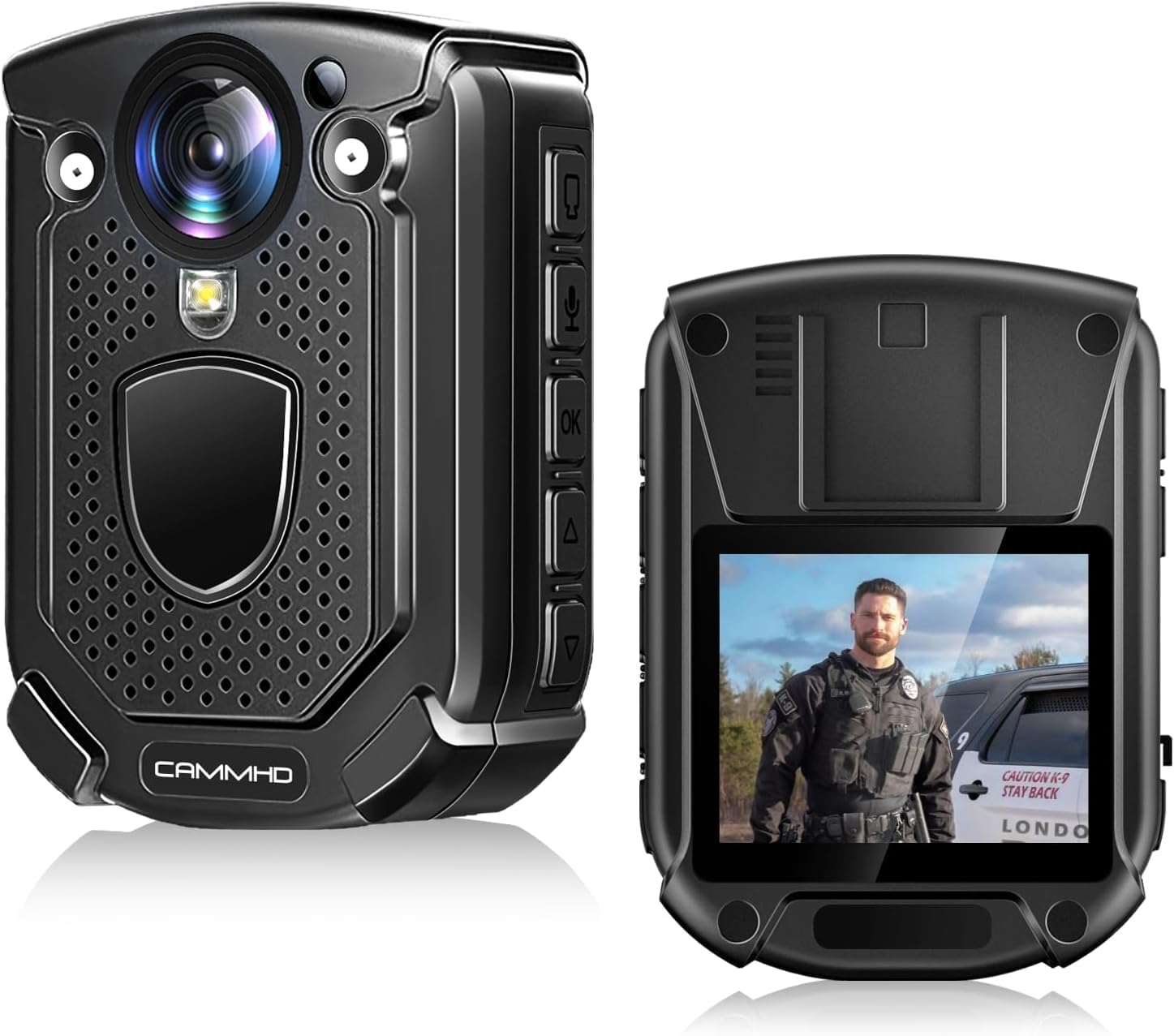
Figure 3.1: Front view of the CAMMHD W1 4K Body Camera.
4. Setup
4.1 Charging the Battery
Before first use, fully charge the camera. Connect the camera to a power source using the provided USB-C cable. The charging indicator will show the charging status. A full charge typically takes approximately 5 hours.

Figure 4.1: Battery capacity and recording duration.
4.2 Inserting and Formatting the Micro SD Card
The camera supports external Micro SD cards up to 512GB. A 32GB card is included. Insert the Micro SD card into the designated slot. It is recommended to format the card via the camera's settings menu before initial use to ensure compatibility and optimal performance. If an error occurs during insertion, format the card using a computer or tablet.
4.3 Attaching the Clips
Attach either the short or long 360° rotating clip to the back of the camera. These clips allow you to securely mount the camera on your shoulder, chest, or other suitable locations, providing hands-free operation.

Figure 4.2: Camera dimensions and rotating clips.
5. Operating Instructions
5.1 Power On/Off
To power on the camera, press and hold the Power button until the screen illuminates. To power off, press and hold the Power button again until the device shuts down.
5.2 Recording Video
Press the Video Record button to start recording. Press it again to stop. The camera supports 4K (2160P) and 1080P resolutions. Adjust the resolution in the settings menu as needed.

Figure 5.1: Adjustable resolution for video recording.
5.3 Taking Photos
While in standby mode, press the Photo button to capture a still image.
5.4 Night Vision
The camera features automatic IR night vision, which activates in low-light conditions. It can capture clear images up to 15 meters (50 feet) in darkness. Manual activation/deactivation may also be available through the settings.

Figure 5.2: Automatic/Manual IR Night Vision in operation.
5.5 Loop Recording
When the Micro SD card reaches its storage limit, the camera will automatically overwrite the oldest video files to ensure continuous recording. This feature is enabled by default.

Figure 5.3: Infinite Loop Recording Mode.
5.6 File Protection and Encryption
The camera supports file protection features to prevent accidental deletion of important recordings. Additionally, video files are encoded with H.265, which offers efficient compression and can include encryption for enhanced security. Refer to the camera's on-screen menu for specific file protection and encryption settings.
5.7 Connecting to a Computer
Connect the camera to your computer using the USB-C cable to transfer files. The camera will appear as a removable disk, allowing you to access and manage your recordings.
6. Maintenance
6.1 Cleaning the Camera
Use a soft, dry cloth to clean the camera body. For the lens, use a specialized lens cleaning cloth and solution to avoid scratches. Do not use harsh chemicals or abrasive materials.
6.2 Battery Care
To prolong battery life, avoid exposing the camera to extreme temperatures. If storing the camera for an extended period, ensure the battery is partially charged (around 50%) and recharge it every few months.
6.3 Storage
Store the camera in a cool, dry place away from direct sunlight and moisture. Keep it away from strong magnetic fields.
7. Troubleshooting
| Problem | Possible Cause | Solution |
|---|---|---|
| Camera does not power on. | Low battery; device malfunction. | Charge the battery fully. If issue persists, contact support. |
| SD card error. | Card not formatted; incompatible card; faulty card. | Format the SD card via camera settings or on a computer. Ensure the card is genuine and compatible. |
| Recording stops unexpectedly. | SD card full (if loop recording is off); low battery; card speed too slow. | Ensure loop recording is enabled or free up space. Charge battery. Use a high-speed (C10, V60) Micro SD card. |
| Poor night vision quality. | IR lights obstructed; distance too far. | Ensure IR lights are clear. Objects beyond 15m may appear less clear. |
8. Specifications
| Feature | Detail |
|---|---|
| Brand | CAMMHD |
| Model Number | W1 |
| Video Recording Resolution | 4K (3840x2160), 2160P |
| Photo Sensor Technology | CMOS |
| Flash Memory Type | Micro SD (up to 512GB, 32GB included) |
| Video Capture Format | MP4 |
| Audio Formats Supported | AAC, MP3 |
| Screen Size | 2 Inches |
| Connectivity Technology | USB |
| Color | Black |
| Special Features | Night Vision, 4K |
| Water Resistance Level | Waterproof |
| Item Weight | 131 Grams |
| Average Battery Life | 13 hours (1080P, night vision off) |
| Dimensions (L x W x H) | 3 x 5.8 x 8.2 cm |
| Viewing Angle | 170 Degrees |
| Image Format Supported | JPEG |
| Exposure Control Type | Manual, Automatic |
| Compatible Devices | Tablet, Smartphone, Laptop, Personal Computer |
9. Warranty and Support
9.1 Warranty Information
The CAMMHD W1 Body Camera comes with a one-year warranty from the date of purchase, covering manufacturing defects. Please retain your proof of purchase for warranty claims.
9.2 Customer Support
For technical assistance, troubleshooting, or warranty inquiries, please contact CAMMHD Official Store customer service. We offer lifetime support and aim to provide a 24-hour response to all inquiries.

Figure 9.1: Wide range of applications for the CAMMHD W1 Body Camera.


