
Mecpow MIG-120
Mecpow 3-in-1 MIG/MMA/TIG Electric Welder User Manual
Model: MIG-120
1. Important Safety Instructions
WARNING: Welding can be dangerous. Always follow safety precautions to prevent injury or death.
- Always wear appropriate personal protective equipment (PPE), including a welding helmet with proper shade, flame-resistant clothing, welding gloves, and safety shoes.
- Ensure adequate ventilation to avoid inhaling welding fumes, which can be hazardous to your health.
- Protect yourself and others from electric shock. Ensure the welding machine is properly grounded and all connections are secure. Do not operate in wet conditions.
- Protect eyes and skin from arc rays. The welding arc produces intense visible and invisible (UV and IR) rays that can burn eyes and skin.
- Be aware of fire and explosion hazards. Welding sparks and hot metal can cause fires. Keep flammable materials away from the welding area.
- Do not touch live electrical parts.
- Read and understand all instructions before operating the welder.
2. Product Overview
The Mecpow MIG-120 is a versatile 3-in-1 electric welder designed for MIG, MMA (Stick), and Lift-TIG welding applications. It features dual voltage support (110V/220V), adjustable wire feed speed, and advanced safety functions.
2.1. Package Contents
Upon unpacking, ensure all the following components are present:
- 1 x Mecpow MIG-120 Welder
- 1 x 1.2m 5AWG wire with 200A ground clamp
- 1 x 1.8m 5AWG wire with 200A electrode holder
- 1 x Protective mask
- 1 x Welding wire (0.5 kg, 0.8 mm flux-cored wire)
- 1 x Welding nozzle
- 1 x 2m 14K welding torch
- 1 x Metal brush
- 1 x User Manual
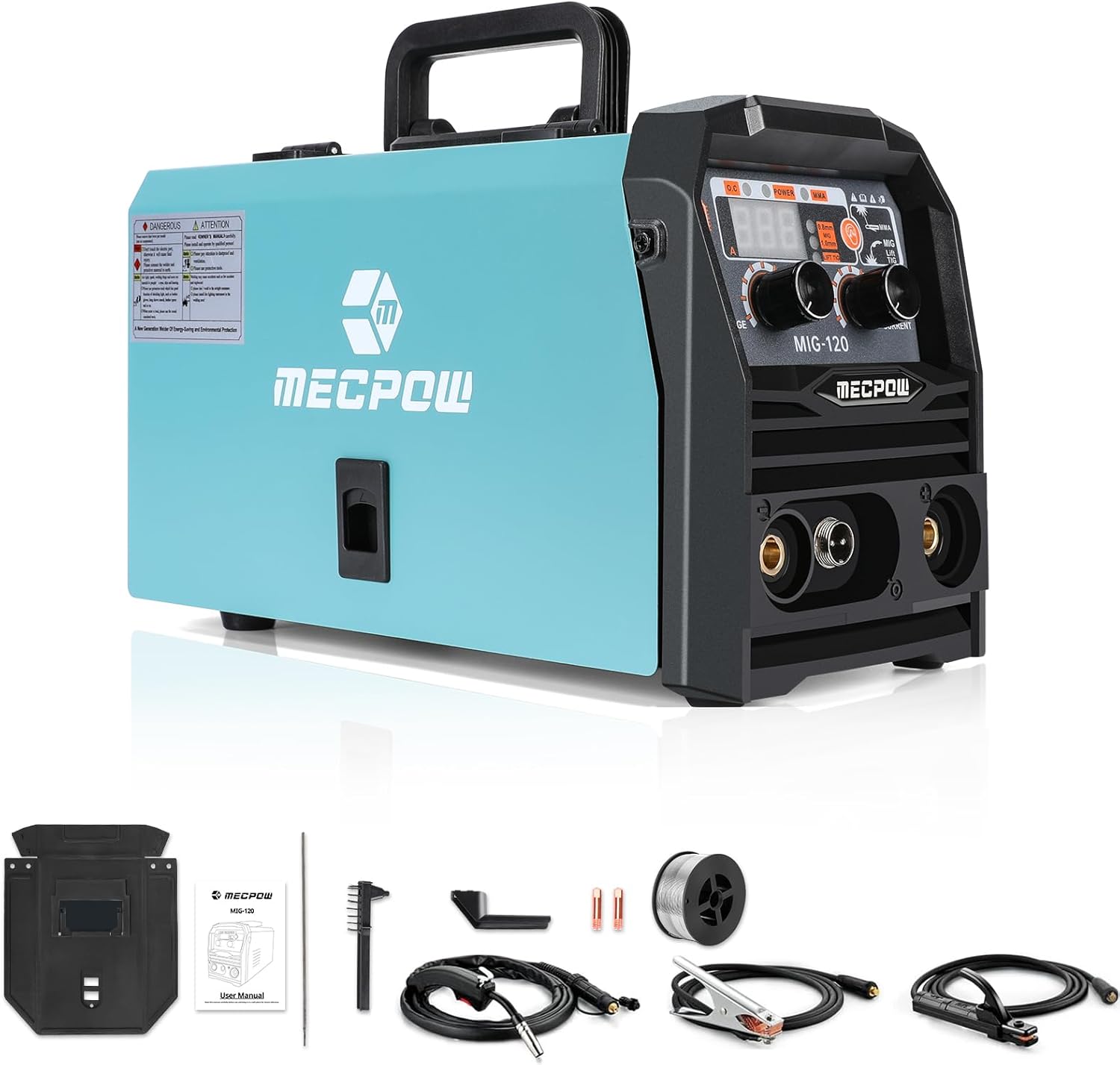
Image: The Mecpow MIG-120 welder shown with all its included accessories, such as the ground clamp, electrode holder, welding torch, protective mask, and wire spool.
2.2. Key Features
- Multi-Mode Operation: Supports MIG, MMA (Stick), and Lift-TIG welding modes.
- Dual Voltage Support: Operates on both 110V and 220V power sources.
- Adjustable Wire Feed Speed: Ensures smooth and consistent wire feeding for high-quality welds.
- Advanced Safety Features: Includes overcurrent, overload, and overheat protection, along with hot start and anti-stick functions.
- Precise LCD Control: Clear display for easy adjustment of welding parameters (20-140A current, 0.6-1.0mm wire thickness).
- Portable Design: Compact and lightweight for easy transport.

Image: A close-up view of the Mecpow MIG-120 control panel, illustrating its capability for Stick Welding, Lift TIG Welding, and Flux Cored Welding, highlighting its versatility.
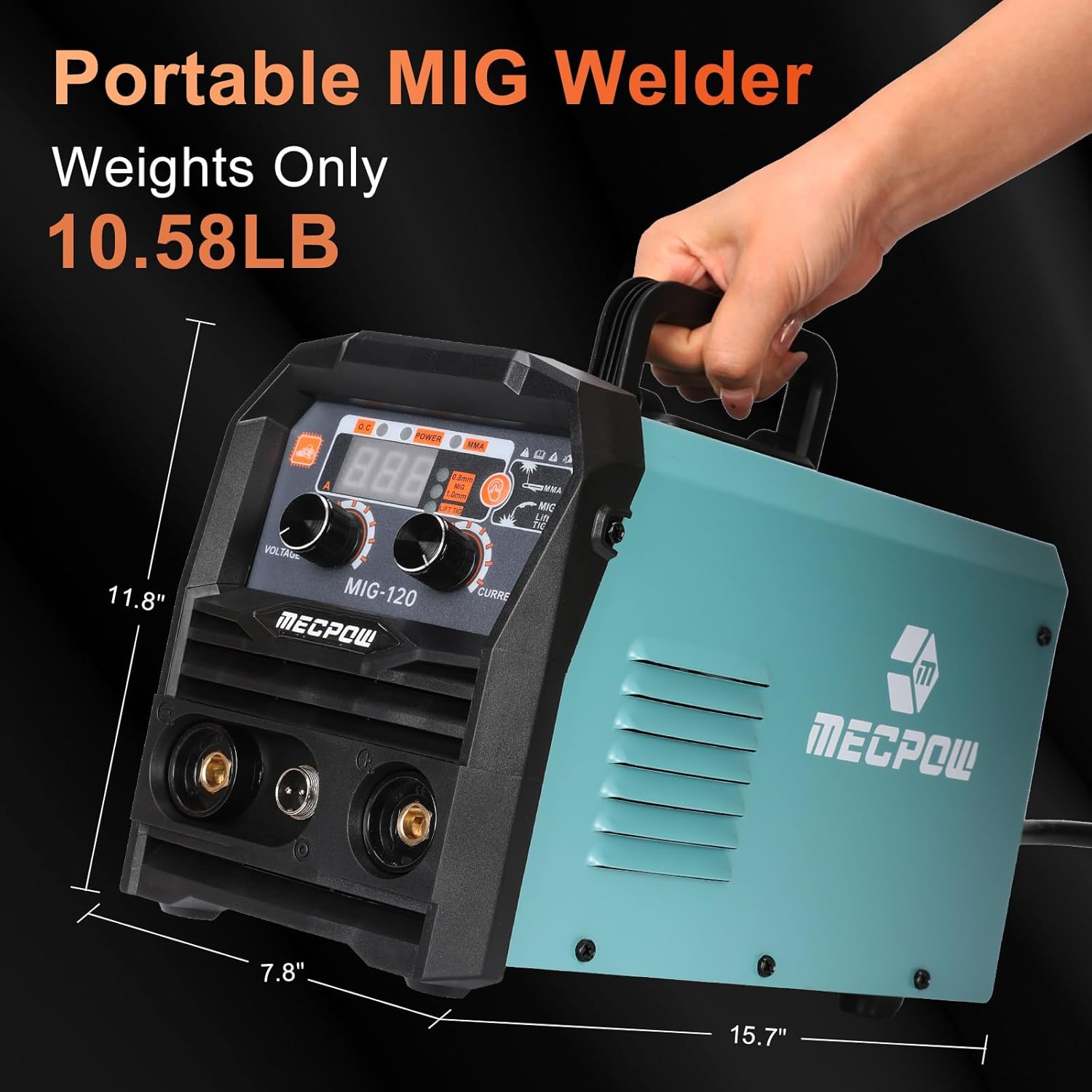
Image: The Mecpow MIG-120 welder being carried, demonstrating its portability. Dimensions of 15.7 inches (length), 7.8 inches (width), and 11.8 inches (height) are indicated.
3. Setup and Installation
3.1. Power Connection
- Ensure the welder is switched off before connecting to power.
- The MIG-120 supports both 110V and 220V power sources. Connect the appropriate power cord to a suitable electrical outlet.
- Verify that the power source matches the voltage selected on the machine (if applicable, some machines auto-detect).
3.2. Connecting Welding Cables
- Ground Clamp: Connect the ground clamp cable to the appropriate terminal on the welder. Securely attach the ground clamp to the workpiece or welding table, ensuring good electrical contact.
- Electrode Holder (for MMA): Connect the electrode holder cable to the positive (+) terminal for most stick welding applications (DC+).
- MIG Torch: Connect the MIG torch to the designated MIG connector on the front panel. Ensure it is securely fastened.
3.3. Installing Welding Wire (MIG/Flux-Cored)
- Open the wire spool compartment.
- Place the welding wire spool onto the spindle, ensuring it rotates freely.
- Thread the wire through the guide tube and into the drive roller mechanism.
- Close the drive roller tension arm and adjust the tension. The wire should feed smoothly without slipping or crushing.
- Feed the wire through the MIG torch liner by pressing the trigger (with power on, but not welding). Ensure the nozzle is clear.
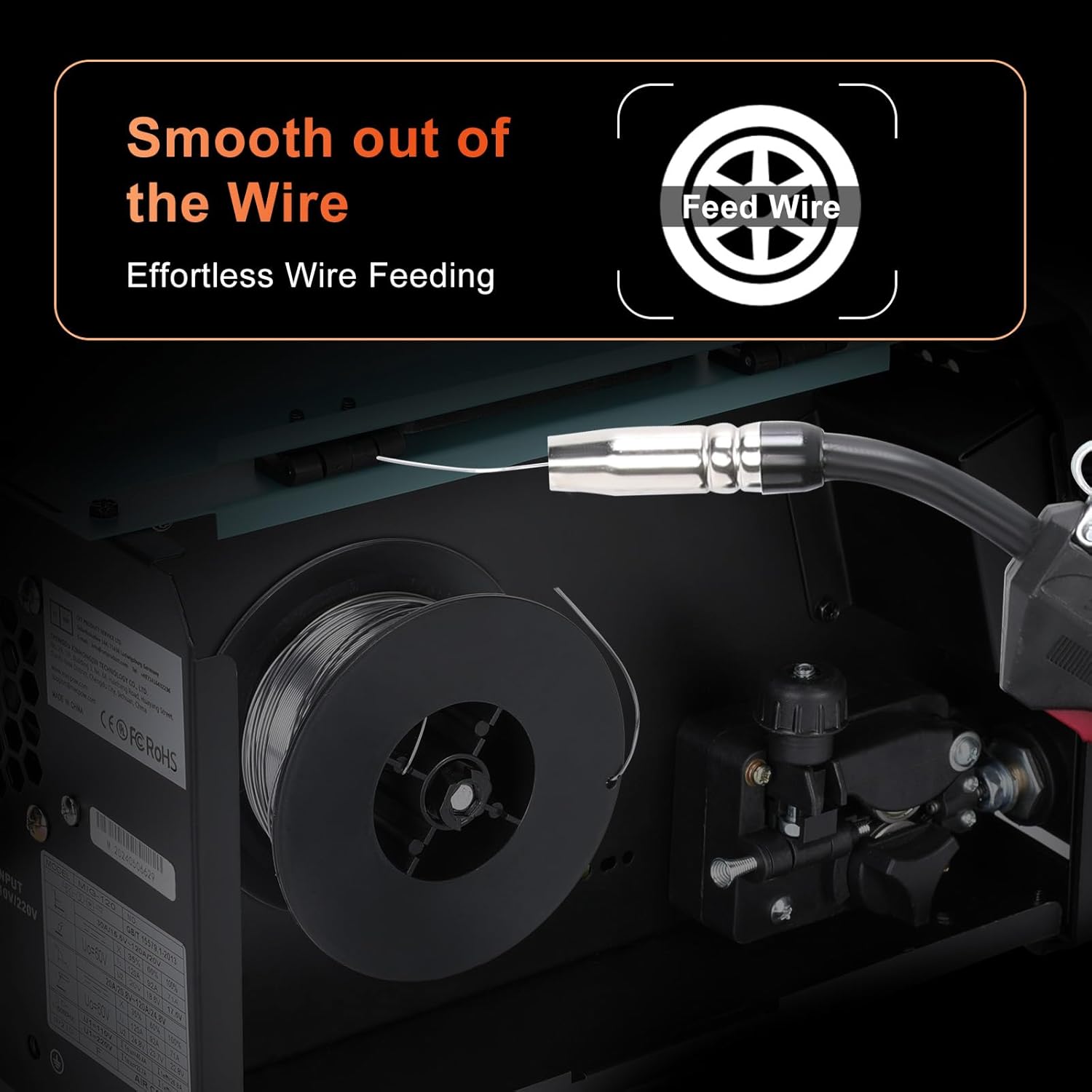
Image: An internal view of the Mecpow MIG-120 welder, highlighting the wire spool and the wire feeding mechanism, demonstrating how the welding wire is loaded and fed smoothly.
4. Operating Instructions
4.1. Control Panel Overview

Image: A detailed view of the Mecpow MIG-120 control panel, with key components labeled: (1) Mode Switch, (2) Wire Diameter Switch, (3) Current Knob, (4) Dual Voltage Knob, and (5) Clear Display.
- Mode Switch: Selects between MIG, MMA, and Lift-TIG welding modes.
- Wire Diameter Switch: Adjusts settings for different wire thicknesses (e.g., 0.6mm, 0.8mm, 1.0mm).
- Current Knob: Controls the welding current (amperage) from 20A to 140A.
- Dual Voltage Knob: Adjusts voltage settings, often linked to wire feed speed in synergic modes.
- Clear Display: Shows current welding parameters for precise control.
4.2. Welding Modes
Before starting, ensure your workpiece is clean and properly prepared. Always wear full PPE.
- MIG (Flux-Cored) Welding:
- Select "MIG" on the Mode Switch.
- Select the appropriate wire diameter.
- Adjust the Current and Voltage knobs according to the material thickness and wire type.
- Ensure the ground clamp is securely attached.
- Position the MIG torch, press the trigger to start the arc and feed wire.
- MMA (Stick) Welding:
- Select "MMA" on the Mode Switch.
- Insert the appropriate electrode into the electrode holder.
- Adjust the Current knob based on the electrode type and material thickness.
- Strike the arc by lightly touching and quickly lifting the electrode from the workpiece.
- Lift-TIG Welding:
- Select "Lift-TIG" on the Mode Switch.
- Connect a TIG torch (not included) and a tungsten electrode.
- Adjust the Current knob.
- Initiate the arc by gently touching the tungsten to the workpiece and lifting it slightly.
5. Maintenance
Regular maintenance ensures the longevity and optimal performance of your welding machine.
- Cleaning: Periodically clean the exterior of the welder with a dry cloth. Use compressed air to blow out dust from inside the machine, especially around cooling vents, ensuring the power is disconnected first.
- Cable Inspection: Regularly inspect all welding cables, connections, and the torch for signs of wear, damage, or loose connections. Replace damaged components immediately.
- Wire Feed Mechanism: Keep the wire feed rollers clean and free of debris. Check the tension and alignment of the rollers.
- Nozzle and Contact Tip: For MIG welding, regularly clean or replace the nozzle and contact tip as they wear out or become clogged with spatter.
- Storage: Store the welder in a clean, dry environment, away from excessive dust, moisture, and extreme temperatures.
6. Troubleshooting
This section addresses common issues you might encounter during operation.
| Problem | Possible Cause | Solution |
|---|---|---|
| No power to the machine | Power switch off, loose power cord, tripped circuit breaker | Turn on power switch, check power cord connection, reset circuit breaker |
| No welding arc (MMA/TIG) | Poor ground connection, incorrect current setting, wet electrode, faulty cable | Ensure good ground, adjust current, use dry electrode, check cables |
| Wire not feeding (MIG) | Wire spool tangled, drive roller tension incorrect, clogged contact tip, bent liner | Untangle wire, adjust drive roller tension, clean/replace contact tip, check liner |
| Poor weld quality | Incorrect settings (current/voltage/wire speed), improper technique, dirty workpiece | Adjust settings, practice technique, clean workpiece thoroughly |
| Overheat protection activated | Exceeded duty cycle, blocked ventilation, high ambient temperature | Allow machine to cool down, ensure clear ventilation, operate in cooler environment |

Image: The Mecpow MIG-120 welder highlighting its comprehensive safety features, including Overheating Auto Shut Down, Waterproof Level IP21 Protection, Overload Auto Shut Down, and Electrostatic Prevention of Shock Transfer.
7. Technical Specifications
| Model | MIG-120 |
| Manufacturer | Mecpow |
| Welding Modes | MIG (Flux-Cored), MMA (Stick), Lift-TIG |
| Input Voltage | 110V / 220V (Dual Voltage) |
| Current Range | 20-140A |
| Wire Thickness Supported | 0.6mm, 0.8mm, 1.0mm |
| Protection Rating | IP21S |
| Dimensions (L x W x H) | Approximately 15.7" x 7.8" x 11.8" (40 x 20 x 30 cm) |
| Weight | Approximately 10.58 lbs (4.8 kg) |
| Included Components | 1.2m 5AWG wire with 200A ground clamp, 1.8m 5AWG wire with 200A electrode holder, Protective mask, Welding wire (0.5 kg, 0.8 mm), Welding nozzle, 2m 14K welding torch, Metal brush, User Manual |
8. Warranty and Support
Specific warranty information is not provided in the product details. For warranty claims, technical support, or service inquiries, please contact Mecpow customer service directly or refer to the warranty card included with your product.
Please retain your proof of purchase for any warranty-related issues.
Related documentsMIG-120


Ask a question about this manual
Ask about setup, troubleshooting, compatibility, parts, safety, or missing instructions. Manuals+ will review the question and use this page’s manual context to help answer it.