
1. Introduction
This manual provides essential information for the safe and efficient operation of your WZATCO Eve Projector. Please read this manual thoroughly before using the projector and retain it for future reference.
2. Safety Information
Observe the following safety precautions to prevent damage to the projector and ensure user safety:
- Do not block the ventilation openings. Ensure adequate airflow around the projector to prevent overheating.
- Do not look directly into the projector lens when the lamp is on. The bright light can cause eye damage.
- Keep the projector away from water or other liquids. Do not operate in damp or wet conditions.
- Use only the power adapter supplied with the projector.
- Place the projector on a stable, level surface to prevent it from falling.
- Unplug the projector during lightning storms or when unused for long periods.
3. Package Contents
Verify that all items are present in the package:
- 1x WZATCO Eve Projector
- 1x IR Remote Control
- 1x 3.5mm to RCA Cable
- 1x User Manual
- 1x Warranty Card
- 1x Power Cord
4. Product Overview
Familiarize yourself with the components of your WZATCO Eve Projector.
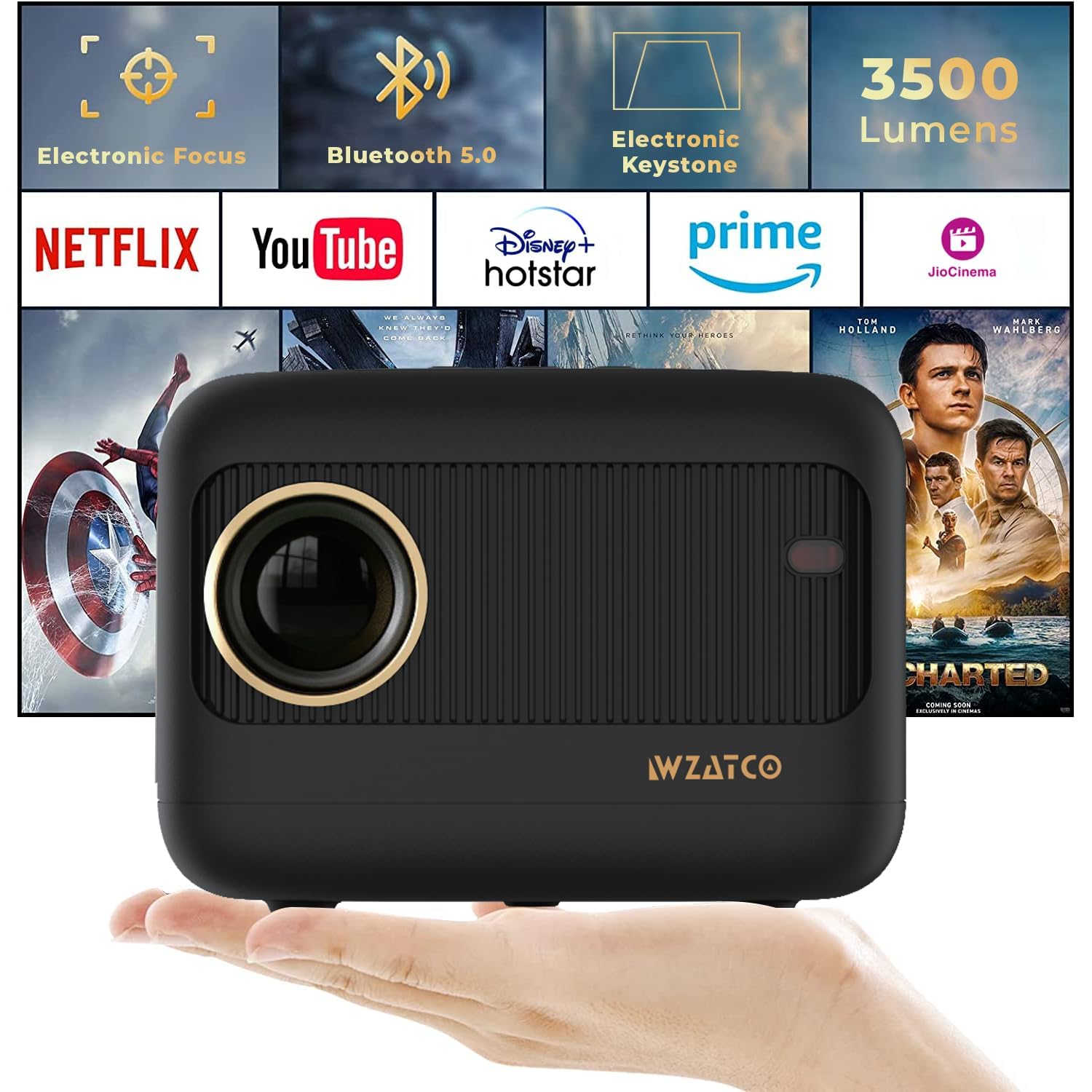
Figure 4.1: Front view of the WZATCO Eve Projector.

Figure 4.2: WZATCO Eve Projector showcasing its compact and sleek design.

Figure 4.3: Rear view of the WZATCO Eve Projector, highlighting the input/output ports.
5. Setup
5.1 Placement
Position the projector on a stable surface. The optimal projection distance ranges from 1 meter to 5 meters, allowing for an image size up to 176 inches. Adjust the distance to achieve your desired screen size.
5.2 Power Connection
- Connect the power cord to the projector's power input.
- Plug the other end of the power cord into a suitable electrical outlet.
5.3 Electronic Focus Adjustment
The WZATCO Eve Projector features electronic focus for clear image projection.
- Power on the projector.
- Use the 'F+' or 'F-' buttons on the remote control to adjust the focus until the image is sharp and clear.
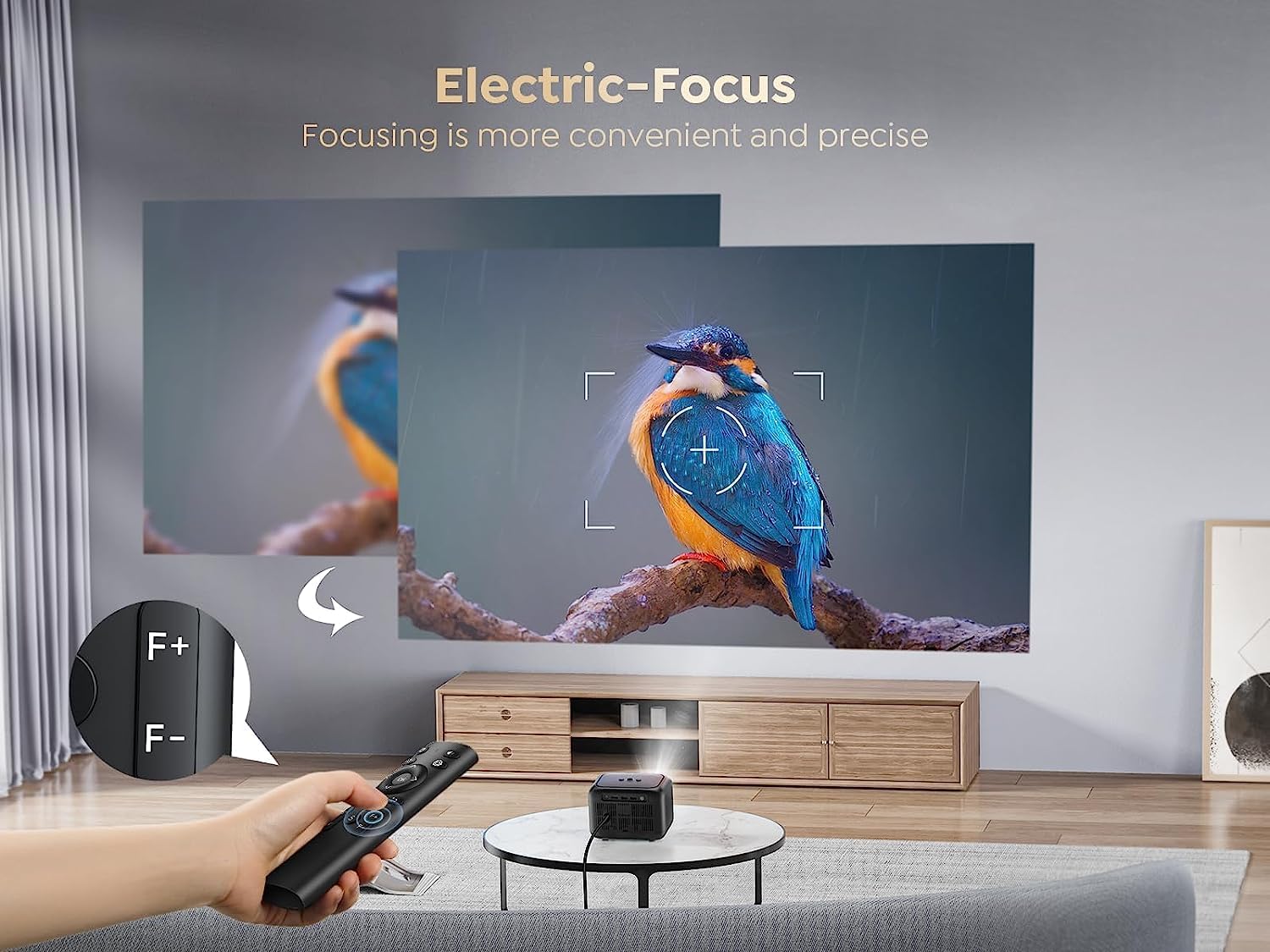
Figure 5.1: Adjusting electronic focus with the remote control.
5.4 Keystone Correction
If the projected image appears trapezoidal, use the electronic keystone correction feature to achieve a rectangular image.
- Access the keystone correction settings via the remote control.
- Adjust the vertical keystone by up to ±15 degrees to square the image.

Figure 5.2: Demonstration of vertical keystone correction.
6. Operating Instructions
6.1 Power On/Off
- To power on: Press the power button on the projector or the remote control.
- To power off: Press the power button again. Confirm shutdown if prompted.
6.2 Connecting External Devices
The projector supports various connectivity options:
- HDMI: Connect laptops, gaming consoles, Blu-ray players, or TV sticks using an HDMI cable.
- USB: Connect USB drives for media playback or power compatible devices like 4K TV sticks.
- VGA: Connect older computers or devices using a VGA cable.
- 3.5mm Audio Out: Connect external speakers or headphones.

Figure 6.1: Overview of compatible devices and connectivity ports.
6.3 Bluetooth 5.0 Connection
Connect Bluetooth-enabled audio devices for an enhanced sound experience.
- Ensure your Bluetooth speaker or headphones are in pairing mode.
- Navigate to the Bluetooth settings on the projector.
- Select your device from the list to pair.

Figure 6.2: Connecting Bluetooth headphones and speakers to the projector.
6.4 Zoom Function
Adjust the projection size without moving the projector using the zoom function.
- Use the remote control to access the zoom settings.
- Adjust the image size from 100% down to 75% as needed.

Figure 6.3: Adjusting the projection size using the zoom function.
6.5 Built-in Speaker
The projector includes a 5W HiFi speaker for integrated audio. For a more immersive experience, external audio devices can be connected via Bluetooth or the 3.5mm audio out port.

Figure 6.4: The WZATCO Eve Projector's integrated 5W speaker provides clear audio.
7. Maintenance
7.1 Cleaning
- Lens: Use a soft, lint-free cloth specifically designed for optical lenses. Do not use abrasive cleaners or cloths.
- Casing: Wipe the projector casing with a soft, dry cloth. For stubborn marks, a slightly damp cloth can be used, followed by a dry wipe.
- Ventilation: Regularly check and clean the ventilation openings to ensure proper airflow and prevent dust buildup.
7.2 Lamp Life
The WZATCO Eve Projector utilizes an advanced LED light source with an estimated lamp life of over 50,000 hours. This significantly reduces the need for lamp replacement and ensures long-term performance.

Figure 7.1: The projector's LED light source offers an extended lamp life of 50,000+ hours.
8. Troubleshooting
If you encounter issues with your projector, refer to the following common problems and solutions:
- No Power: Ensure the power cord is securely connected to both the projector and the power outlet. Try a different outlet.
- No Image: Check that the correct input source (HDMI, USB, VGA) is selected. Verify that the connected device is powered on and outputting a signal.
- Blurry Image: Adjust the electronic focus using the remote control. Ensure the projection surface is flat and the projector is stable.
- Trapezoidal Image: Use the electronic keystone correction feature to adjust the image shape.
- No Sound: Check the volume settings on both the projector and the connected device. If using external speakers, ensure they are properly connected and powered on. Verify Bluetooth connection if applicable.
- Remote Control Not Working: Check the batteries in the remote control. Ensure there are no obstructions between the remote and the projector's IR receiver.
9. Specifications
| Feature | Specification |
|---|---|
| Brand | WZATCO |
| Model Name | EVE |
| Native Resolution | 1280 x 720 (720P) |
| Maximum Display Resolution | 1920 x 1080 Pixels (1080P Support) |
| Brightness | 3500 Lumens (350 ANSI Lumens) |
| Display Type | LCD |
| Connectivity Technology | Bluetooth, HDMI, USB, VGA |
| Bluetooth Version | 5.0 |
| Special Features | Electronic Focus, Electronic Keystone, 5W Speaker |
| Built-in Speaker | 5 Watts |
| Maximum Image Size | 176 Inches |
| Throw Distance (Min/Max) | 1 Metre / 5 Metres |
| Lamp Life | 50,000+ Hours |
| Form Factor | Portable |
| Dimensions (L x W x H) | 16L x 12.5W x 11.8H Centimeters |
| Weight | Approximately 960 grams (from image) |
| Compatible Devices | Laptop, Smartphone, Gaming Console, 4K TV Stick, PC, Blu-ray Player, Media Player |
10. Warranty and Support
10.1 Warranty Information
The WZATCO Eve Projector comes with a 12-month warranty from WZATCO India, covering manufacturing and technical defects.
10.2 Customer Support
For technical assistance or warranty claims, please contact WZATCO India customer support.
Manufacturer Contact Information: WZATCO India
Importer Contact Information: Zeblaze Solutions LLP #731, 3rd Floor, 4th phase, Yelahanka, New Town Bangalore - 560064
