1. Introduction
This manual provides detailed instructions for the assembly, operation, and maintenance of your Coleshome 94-inch Two-Person Computer Desk. Please read this manual thoroughly before assembly and use to ensure proper function and safety.
1.1 Safety Information
- Always follow the assembly instructions carefully.
- Keep the desk and power outlet away from water and other liquids.
- Do not overload the desk or place heavy objects on the edges to prevent tipping.
- Unplug the power outlet when not in use or when leaving the desk unattended.
2. Product Features
The Coleshome 94-inch Two-Person Computer Desk is designed for shared workspaces, offering ample space and integrated functionalities.
- Two-Person Workspace: Provides clearly defined personal work zones for two individuals.
- Organized Storage: Includes two fabric drawers for supplies and a file cabinet for letter- and A4-size documents. An open storage shelf accommodates computer towers or other equipment.
- Integrated Power Hub: Features a built-in power strip with 3 AC outlets and 2 USB ports for convenient device charging.
- Full-Length Monitor Stand: Supports dual-monitor setups and promotes ergonomic viewing by raising screens to eye level, also creating additional desktop space.
- Durable Construction: Reinforced metal frame and scratch-resistant engineered wood surface ensure long-term reliability.
- Adjustable Foot Pads: Ensures stability on uneven flooring.

Image: The Coleshome 94-inch Two-Person Computer Desk providing a shared workspace for two individuals, featuring monitors, laptops, and a central storage unit.

Image: Illustration demonstrating the ergonomic benefits of the full-length monitor stand, showing improved posture compared to a non-elevated setup.
3. Setup & Assembly
The desk is designed for a structured assembly process. All necessary components and tools are included. Refer to the separate assembly guide provided in the packaging for detailed step-by-step instructions and diagrams.
3.1 Pre-Assembly Checklist
- Verify all parts are present according to the parts list in the assembly guide.
- Ensure you have adequate space for assembly.
- Keep small parts out of reach of children.
3.2 Assembly Tips
- Follow the numerical order of steps in the assembly guide.
- Do not overtighten screws until all components are loosely fitted.
- Adjust the non-slip foot pads after assembly to ensure stability on uneven floors.
Video: An overview of the Coleshome 2-person desk, showcasing its features and design. This video provides a visual representation of the assembled product and its various functionalities.
4. Operating Instructions
4.1 Integrated Power Hub
The desk includes a built-in power strip with 3 AC outlets (125V/12A) and 2 USB ports (5V/2A). Connect the desk's power cord to a wall outlet to activate the power hub. Use the AC outlets for laptops, monitors, and desk lamps, and the USB ports for charging mobile devices.
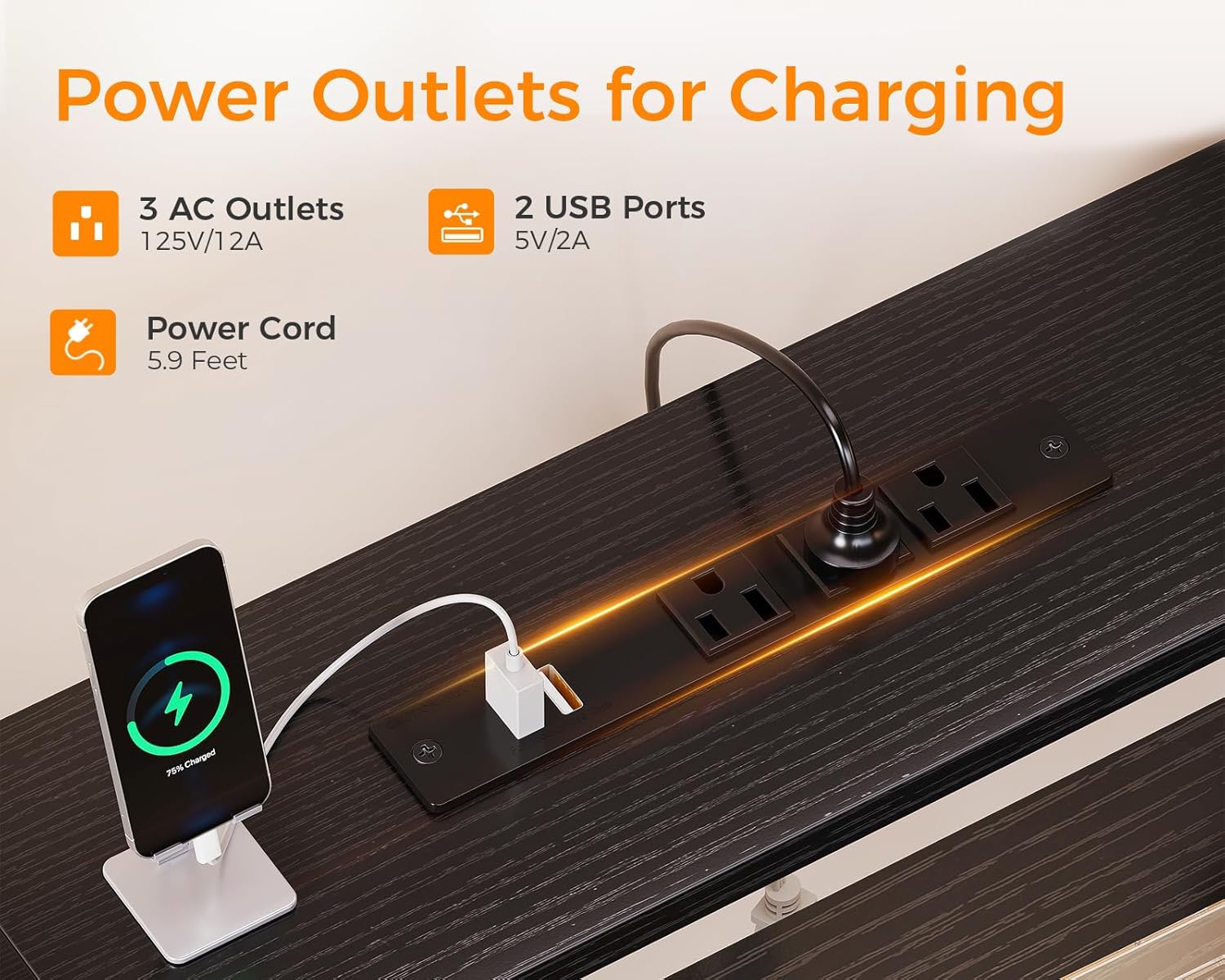
Image: A detailed view of the desk's integrated power strip, showing 3 AC outlets and 2 USB ports, with a smartphone charging wirelessly and a USB cable connected.
4.2 Storage Fabric Drawers and File Cabinet
The desk features two fabric drawers and a file cabinet. The file cabinet is suitable for both letter- and A4-size documents. The open storage shelf behind the drawers can house computer towers or other office equipment, helping to keep your workspace organized.

Image: A split image showing the fabric drawers with office supplies and files, and the open storage shelf designed to hold a computer tower or other equipment.
4.3 Monitor Stand Usage
Place your monitors on the raised stand to achieve an ergonomic viewing height. This helps reduce neck and eye strain. The space underneath the monitor stand can be used for storing keyboards, notebooks, or other desk accessories when not in use.
5. Maintenance
- Cleaning: Wipe the desk surfaces with a soft, damp cloth. Avoid harsh chemicals or abrasive cleaners that may damage the finish.
- Dusting: Regularly dust all surfaces to prevent buildup.
- Spills: Clean up spills immediately to prevent staining or damage to the engineered wood.
- Hardware: Periodically check and tighten all screws and fasteners to ensure the desk remains stable.
6. Troubleshooting
6.1 Desk Instability
- Issue: The desk feels wobbly or unstable.
- Solution: Ensure all screws and bolts are securely tightened. Adjust the non-slip foot pads on each leg to compensate for uneven flooring.
6.2 Power Outlets Not Working
- Issue: Devices are not charging or receiving power from the integrated outlets.
- Solution: Verify that the desk's main power cord is securely plugged into a functional wall outlet. Check if the wall outlet itself is working by testing with another device.
7. Specifications
| Feature | Detail |
|---|---|
| Brand | Coleshome |
| Model Number | COLO-SHUANGSHUANG |
| Product Dimensions (D x W x H) | 19.6"D x 94.57"W x 35.43"H |
| Color | Black |
| Material Type | Engineered Wood, Metal Frame |
| Item Weight | 61.07 Pounds |
| Power Outlets | 3 AC Outlets (125V/12A) |
| USB Ports | 2 USB Ports (5V/2A) |
| Number of Drawers | 3 (Fabric Box Drawers) |
| Number of Cabinets | 1 (File Cabinet) |
| Special Features | Built-In USB Outlet, Ergonomic Monitor Stand, Adjustable Foot Pads |
| Assembly Required | Yes (Tools and instructions included) |

Image: A detailed diagram illustrating the overall dimensions and key measurements of the Coleshome 94-inch Two-Person Computer Desk, including desktop length, height, and storage unit dimensions.
8. Warranty & Support
8.1 Warranty Information
This Coleshome product comes with a Limited Warranty. Please refer to the warranty card included in your packaging for specific terms, conditions, and duration of coverage.
8.2 Customer Support
Should you require assistance with assembly, have questions about product features, or encounter any issues, please contact Coleshome customer support. Contact information can typically be found on the packaging or on the official Coleshome website.