
Introduction
Thank you for choosing the AMIR WA162 LCD Display Alarm Clock. This manual provides detailed instructions for setting up, operating, and maintaining your new alarm clock. Please read this manual thoroughly before use to ensure proper function and to maximize your user experience.
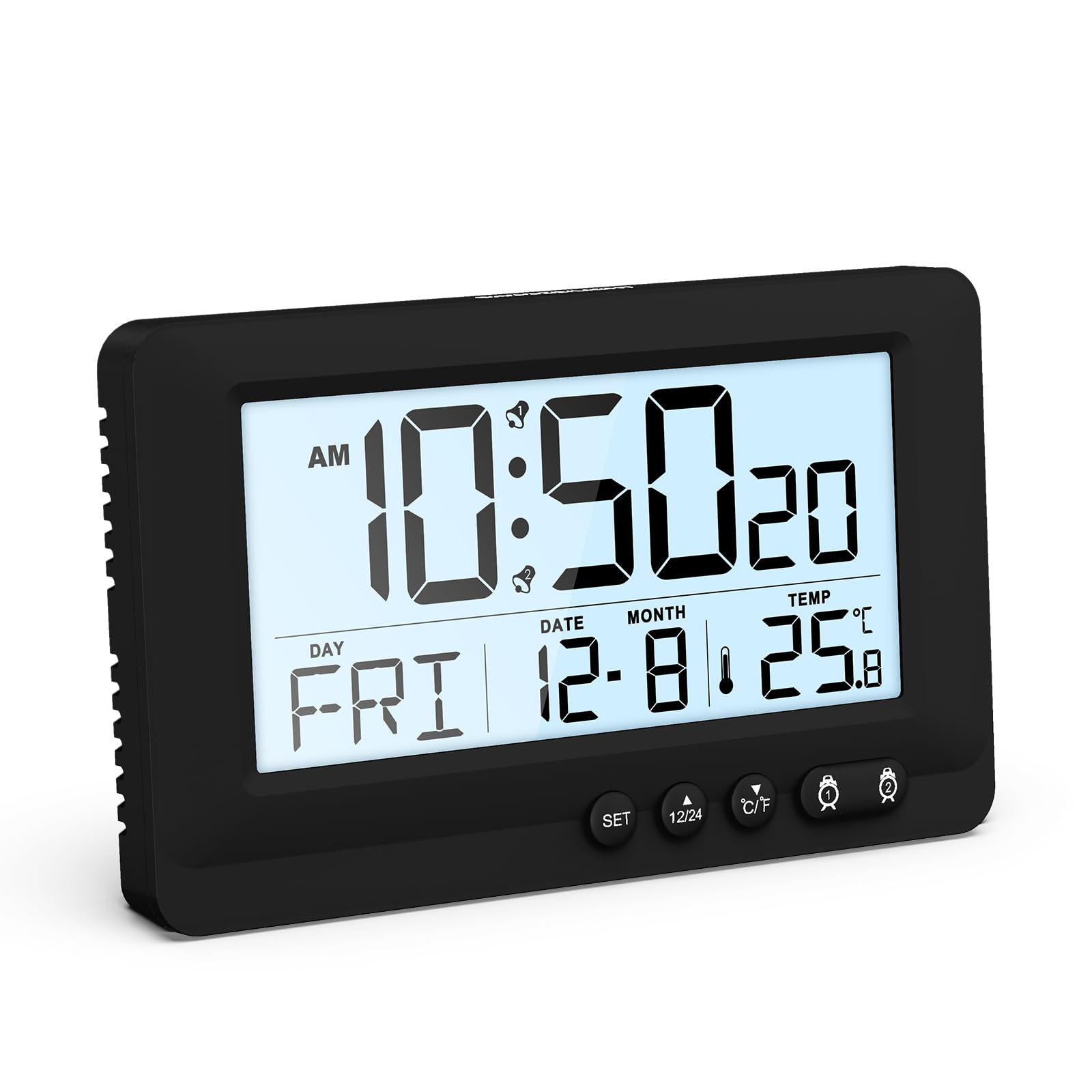
Figure 1: AMIR WA162 LCD Display Alarm Clock with key features highlighted. The clock displays time, date, day, and temperature. Icons below indicate 12/24H time, temperature, snooze, battery powered, week display, calendar, dual alarm, and 5-second backlight.
Safety Information
- Do not expose the device to extreme temperatures, direct sunlight, or high humidity.
- Avoid dropping or subjecting the device to strong impacts.
- Do not attempt to disassemble or repair the device yourself. Refer to qualified service personnel.
- Keep out of reach of children.
- Dispose of batteries according to local regulations.
Package Contents
- 1 x AMIR WA162 LCD Display Alarm Clock
- 1 x User Manual (this document)
Note: 2 AAA batteries are required and are not included in the package.
Product Overview
The AMIR WA162 is a versatile LCD alarm clock designed for clarity and ease of use. It features a large display, dual alarms, snooze function, backlight, and temperature display.

Figure 2: Front view of the alarm clock with display elements and control buttons labeled for easy identification. Labels include Alarm 1, Hour, AM, Alarm 2, Week, Month & Date, 12/24H switch, °C/°F switch, Minute, Second, Temperature, and SNOOZE/LIGHT button.
Key Features:
- Large LCD Display: Clear and easy to read time, date, day, and temperature.
- Dual Alarm: Set two separate alarms for different schedules.
- Snooze Function: Provides 5 extra minutes of sleep.
- 5-Second Touch Backlight: Soft, non-glaring illumination for night viewing.
- Temperature Display: Shows ambient temperature in Celsius or Fahrenheit.
- 12/24 Hour Format: Switch between standard and military time.
- Battery Powered: Portable and cable-free operation.

Figure 3: The AMIR WA162 alarm clock is suitable for various environments, including bedrooms, offices, camping trips, and travel.
Setup
1. Battery Installation
- Locate the battery compartment cover on the back of the alarm clock.
- Slide the cover open.
- Insert 2 new AAA batteries, ensuring correct polarity (+ and -).
- Close the battery compartment cover securely.

Figure 4: Battery compartment on the back of the clock. Insert 2 AAA batteries (not included) as shown, observing correct polarity.
2. Initial Power On
Once batteries are installed, the clock will power on automatically and display a default time. You will then need to set the current time and date.
Operating Instructions
Setting Time and Date
- Press and hold the SET button for approximately 3 seconds until the display flashes. This indicates you are in setting mode.
- Press the SET button repeatedly to cycle through the settings: Year → Month → Day → 12/24H Format → Hour → Minute.
- While a value is flashing, use the UP (▲) or DOWN (▼) buttons to adjust the value.
- After setting the minutes, press SET again to exit setting mode. If no button is pressed for 10 seconds, the clock will automatically exit setting mode.
Setting Alarms (Alarm 1 & Alarm 2)
- Press the ALARM 1 (🕑) button once to display the current Alarm 1 time.
- Press and hold the ALARM 1 (🕑) button for approximately 3 seconds until the Alarm 1 time flashes.
- Use the UP (▲) or DOWN (▼) buttons to set the desired alarm hour. Press ALARM 1 (🕑) to confirm.
- Use the UP (▲) or DOWN (▼) buttons to set the desired alarm minute. Press ALARM 1 (🕑) to confirm and exit Alarm 1 setting mode.
- To activate/deactivate Alarm 1, press the ALARM 1 (🕑) button briefly. An alarm icon will appear/disappear on the display.
- Repeat steps 1-5 for ALARM 2 (🕑) using the ALARM 2 (🕑) button.
Snooze Function
When an alarm sounds, press the large SNOOZE/LIGHT button on top of the clock. The alarm will pause for 5 minutes and then sound again. The snooze icon will flash on the display.

Figure 5: Activating the snooze function by pressing the SNOOZE/LIGHT button. This provides an additional 5 minutes before the alarm sounds again.
To stop the alarm completely, press any other button (e.g., SET, UP, DOWN, ALARM 1, ALARM 2) or let it ring for 2 minutes until it automatically turns off.
Backlight Function
Briefly press the SNOOZE/LIGHT button to activate the backlight. The backlight will illuminate for approximately 5 seconds, providing soft, non-glaring visibility in low light conditions.

Figure 6: The clock display with and without the 5-second touch backlight activated, illustrating its soft illumination for night viewing.
Temperature Display (°C/°F Switch)
The clock displays the ambient temperature. To switch between Celsius (°C) and Fahrenheit (°F), briefly press the °C/°F button located on the front of the clock.
12/24 Hour Format Switch
To switch between 12-hour (with AM/PM indicator) and 24-hour (military time) formats, briefly press the 12/24H button located on the front of the clock.
Maintenance
Cleaning
- Wipe the clock with a soft, dry cloth.
- Do not use abrasive cleaners, solvents, or chemical sprays, as these may damage the display or casing.
Battery Replacement
- When the display becomes dim or the clock functions erratically, it is time to replace the batteries.
- Follow the battery installation steps in the "Setup" section.
- Always replace both batteries at the same time with new AAA batteries.
Troubleshooting
| Problem | Possible Cause | Solution |
|---|---|---|
| Display is blank or dim. | Batteries are low or incorrectly installed. | Replace batteries with new AAA batteries, ensuring correct polarity. |
| Alarm does not sound. | Alarm is not activated or set incorrectly. | Ensure the alarm icon is displayed. Re-set the alarm time. |
| Time/Date is incorrect. | Time/Date was not set or batteries were removed. | Re-set the time and date following the "Setting Time and Date" instructions. |
| Backlight does not work. | Batteries are low. | Replace batteries. |
Specifications
- Model: WA162
- Brand: AMIR
- Display Type: LCD
- Color: Black
- Material: Plastic
- Power Source: 2 x AAA Batteries (not included)
- Special Features: Alarm, Backlight, Snooze, Temperature Display
- Product Dimensions: 14.3W x 8.6H Centimeters
- Item Weight: 0.15 Kilograms
- Indoor/Outdoor Usage: Indoor
- Mounting Type: Tabletop
Warranty and Support
AMIR products are designed for reliability and performance. For any questions, technical support, or warranty inquiries, please refer to your purchase documentation or contact the retailer where the product was purchased. Please retain your proof of purchase for warranty claims.