
1. Safety Information
Please read and understand this entire manual before attempting to assemble, operate, or install the product. Failure to do so could lead to electric shock, fire, or other injuries.
- Ensure the power is turned off at the circuit breaker before installation.
- All electrical connections must be in accordance with local codes and ordinances, and the National Electric Code (NEC). If you are unfamiliar with proper electrical wiring connections, obtain the services of a qualified electrician.
- The mounting bracket must be securely fastened to the building structure.
- Do not bend the blade holders during installation, balancing, or cleaning the fan.
- Do not insert foreign objects between rotating fan blades.
- This appliance is not intended for use by persons (including children) with reduced physical, sensory or mental capabilities, or lack of experience and knowledge, unless they have been given supervision or instruction concerning use of the appliance by a person responsible for their safety.
2. Setup & Installation
2.1 Package Contents
Verify that all components are present before beginning installation:
- Ceiling Fan Unit
- Light Kit (Integrated LED)
- Remote Control
- Mounting Hardware
- Instruction Manual
2.2 Mounting the Fan
This ceiling fan is designed for flush mount installation. Ensure the mounting surface is capable of supporting the fan's weight (approximately 9 lbs). Professional installation is recommended for electrical wiring.
- Turn off power at the main circuit breaker.
- Attach the mounting bracket to the ceiling junction box.
- Connect the electrical wires (live, neutral, ground) from the ceiling to the fan's wiring.
- Secure the fan body to the mounting bracket.
- Install the light kit and any decorative elements.

Image: The Oaks Aura 24-inch Modern Ceiling Fan with Lights, flush-mounted in a bedroom setting, showcasing its contemporary design.

Image: A collage showing the Oaks Aura 24-inch Modern Ceiling Fan installed in different environments, including a bedroom, dining room, living room, and kitchen, highlighting its versatility.
2.3 Adjustable Light Ring
The fan features an adjustable light ring design, allowing you to customize its shape to suit your aesthetic preferences. Gently adjust the rings to achieve the desired configuration.

Image: Comparison showing the ceiling fan's light rings in their default configuration and after being adjusted to a different shape, demonstrating the customizable design.

Image: A detailed breakdown of the ceiling fan, highlighting the adjustable light ring, 7 fan blades, DC inverter motor, and LED light source.

Image: Diagram illustrating the recommended room size for optimal performance of the 24-inch ceiling fan, suitable for large rooms up to 15 ft x 18 ft.
3. Operation
Your Oaks Aura ceiling fan can be operated using the included remote control or a compatible smartphone application.
3.1 Remote Control Functions
The remote control provides full functionality for your ceiling fan and light. Ensure batteries are correctly installed.
- Light ON/OFF: Toggles the light on or off.
- ALL OFF: Turns off both the fan and the light.
- Switch Color Temperature: Cycles through warm, natural, and cool white light.
- Brightness: Adjusts light intensity from 10% to 100%.
- Fan Reversible: Changes fan direction for summer (downdraft) or winter (updraft) modes.
- Fan Timing: Sets a timer for 1 or 2 hours.
- Speed / Fan ON: Controls fan speed (6 levels) and turns the fan on.
- Natural Wind: Activates a fluctuating wind mode.
- FAN OFF: Turns the fan off.

Image: Illustration of the remote control with numbered buttons corresponding to various functions, alongside a QR code for downloading the companion mobile application. App download link: https://console.warpiot.com/iot-app/appDownload/welcome.html
3.2 Light Settings
The integrated LED light offers customizable illumination:
- Adjustable Color Temperature: Choose between 3000K (Warm Light), 4000K (Natural Light), and 6000K (Cool Light).
- Dimmable Brightness: Adjust the light intensity from 10% (dark) to 100% (bright).

Image: Visual representation of the three adjustable light color temperatures: 3000K Warm Light, 4000K Natural Light, and 6000K Cold Light.

Image: A graphic demonstrating the dimmable brightness from 10% to 100% and adjustable color temperature from 3000K (Warm) to 6000K (White).
3.3 Fan Modes and Speeds
- Reversible DC Motor:
- Summer Downdraft Mode: Creates a cooling breeze by pushing air downwards.
- Winter Updraft Mode: Circulates warm air near the ceiling downwards, helping to keep the room dry and ventilated.
- 6 Wind Speeds: Adjust the fan speed from a gentle breeze (1-2 Smooth Wind) to a powerful airflow (5-6 High Speed).
- Natural Wind Mode: Provides a fluctuating airflow for a more natural feel.
- Quiet Operation: The DC motor operates at a low noise level, typically less than 30dB, ensuring a peaceful environment.

Image: Diagram illustrating the two operational modes: Summer Downdraft Mode for cooling and Winter Updraft Mode for circulating warm air.

Image: A graphic explaining the reversible mode, showing how the fan blades can rotate in different directions for summer cooling and winter air circulation.

Image: Visual guide to fan speeds: 1-2 Smooth Wind for sleeping, 3-4 Medium Wind for working, and 5-6 High Speed for exercise.

Image: A chart comparing the fan's sound level (around 30dB) to common sounds like flower sound (10dB), library voice (25dB), normal conversation (45dB), and crowded street (55dB), illustrating its quiet operation.
3.4 Timer Function
Use the timer function on the remote control to set the fan to turn off automatically after 1 or 2 hours. This feature is beneficial for energy saving and for use during sleep.
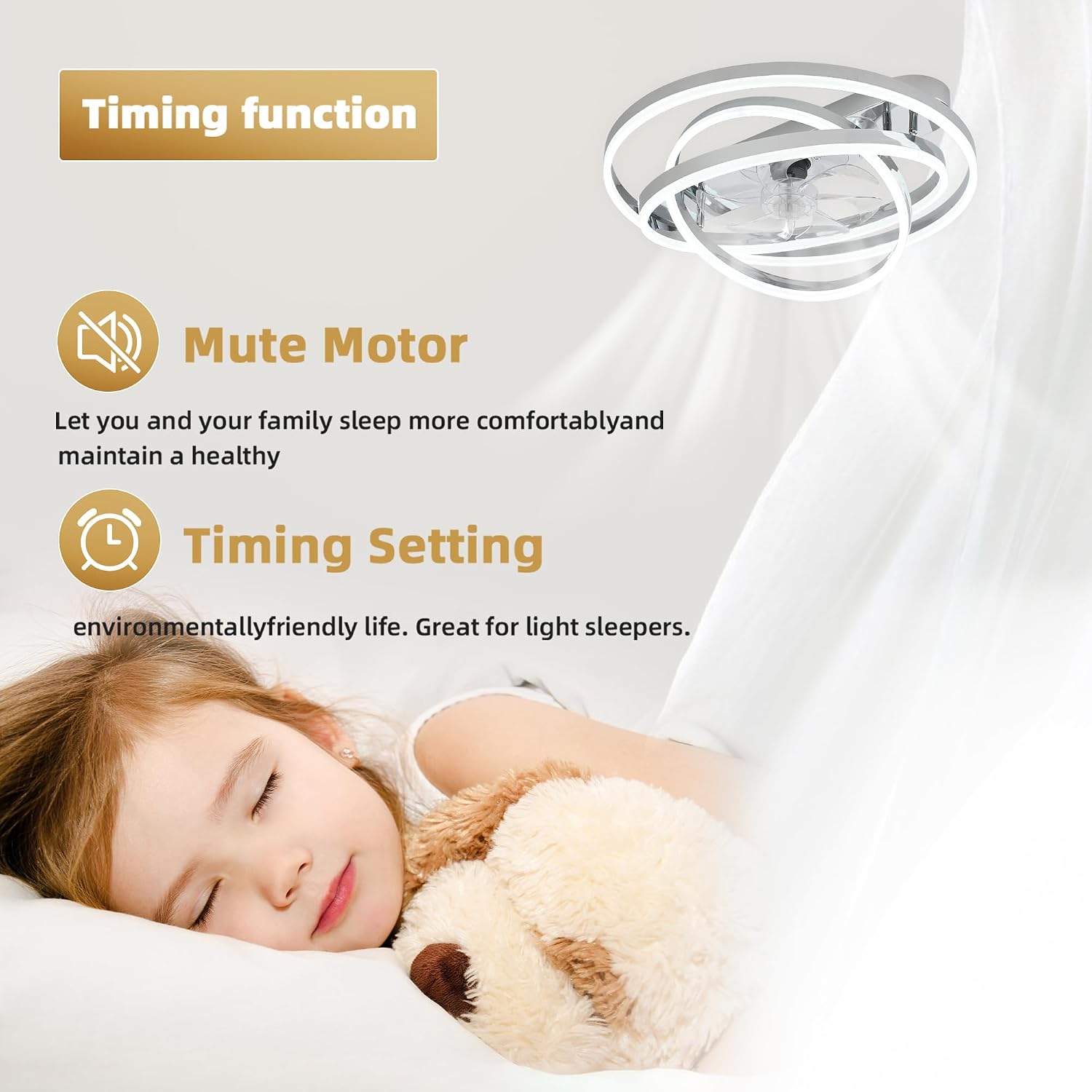
Image: Graphic highlighting the fan's mute motor for comfortable sleep and the timing setting feature for environmental friendliness, ideal for light sleepers.

Image: Features of the fan including low noise (less than 30dB), no beep sound from remote control buttons, and a natural wind mode for soft wind during sleep.
4. Maintenance
Regular maintenance ensures the longevity and optimal performance of your ceiling fan.
- Cleaning: Always turn off the power at the circuit breaker before cleaning. Use a soft, damp cloth to wipe down the fan blades and motor housing. Do not use abrasive cleaners or solvents.
- Light Source: The LED light source is integrated and designed for long life. It does not require regular bulb replacement.
- Tightness: Periodically check all screws and connections for tightness.
5. Troubleshooting
If you experience issues with your ceiling fan, refer to the following common problems and solutions:
| Problem | Possible Cause | Solution |
|---|---|---|
| Fan does not start | No power to the fan; loose wire connections; remote control battery low. | Check circuit breaker. Ensure all wires are securely connected. Replace remote control batteries. |
| Light does not work | No power to the light; loose wire connections; remote control issue. | Check power. Verify light kit wiring. Ensure remote control is functioning correctly. |
| Fan wobbles | Loose mounting screws; unbalanced blades. | Tighten all mounting screws. Ensure blades are securely attached. |
| Remote control not working | Low or dead batteries; remote not paired. | Replace batteries. Refer to pairing instructions (if applicable, usually automatic). |
If the problem persists after attempting these solutions, please contact customer support.
6. Specifications
- Brand: Oaks Aura
- Model: MZX-DC2402
- Size: 24 Inch (24"L x 24"W x 5.6"H)
- Material: Copper, Metal, Plastic
- Style: Modern
- Light Fixture Form: Ceiling Fan Light
- Room Type: Bedroom, Dining Room, Kids Room, Living Room, Study Room
- Indoor/Outdoor Usage: Indoor, Outdoor (covered areas)
- Power Source: DC
- Voltage: 110 Volts
- Control Method: App, Remote Control
- Motor Type: Reversible DC Motor
- Light Type: Dimmable LED (3000K-6000K, 10%-100% brightness)
- Special Features: App Operable, LED Light, Quiet Operation, Remote Controlled, Timer, Adjustable Light Ring
- Included Components: Cord, Light Kit, Remote Control
- Item Weight: 9 Pounds
- Required Assembly: Yes
7. Warranty & Support
Oaks Aura is committed to providing quality products and customer satisfaction. This product comes with a manufacturer's warranty. For specific warranty details, please refer to the documentation included with your purchase or contact customer support.
If you encounter any issues or have questions regarding your Oaks Aura 24 Inch Modern Ceiling Fan, please do not hesitate to reach out to our customer service team for assistance.
Contact Information: Please refer to your purchase documentation or the seller's contact details on the platform where the product was purchased.


