
Introduction
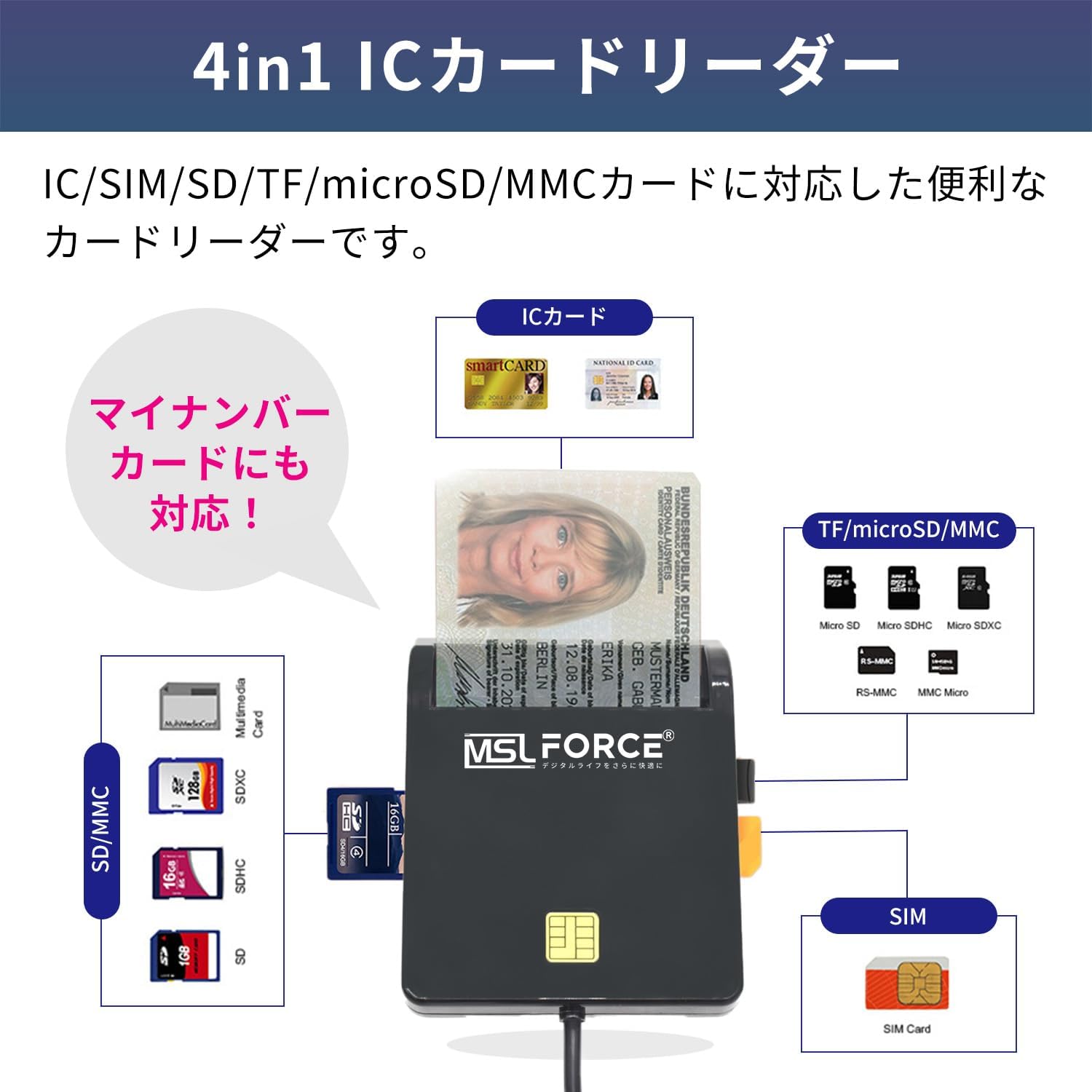
The MSL FORCE 4-in-1 IC Card Reader is a versatile device designed to read various smart cards and memory cards. It supports IC chip cards, My Number Cards, Basic Resident Register Cards, Common Access Cards (CAC), Government IDs, National IDs, B-CAS cards, and memory card formats including SIM, SD, TF, microSD, and MMC. This manual provides essential information for proper setup, operation, and maintenance of your card reader.
Setup Instructions
The MSL FORCE 4-in-1 IC Card Reader features a simple plug-and-play design, requiring no driver installation for most operating systems.
- 1. Connect to PC: Insert the USB-A connector of the card reader into an available USB port on your computer. The device will automatically be recognized, and power will be supplied from the PC's USB port.
- 2. Software Requirements (Mac Users): For macOS users, Java is required for certain smart card functions. Please install Java from the official Java website before using the card reader. After connecting the IC card reader to the USB port, a system restart may be necessary.

Operating Instructions
The card reader supports various smart card and memory card operations.
- 1. Inserting an IC Card: Insert the IC chip card with the chip facing upwards into the designated IC card slot. Push the card firmly until the first character of your My Number Card's personal identification number is no longer visible.
- 2. Inserting Memory Cards: Insert SD, TF, microSD, or SIM cards into their respective slots as indicated on the device.
- 3. Supported Operations: This device enables smart card operations such as online tax filing, digital authentication, network ATM transfers, balance inquiries, tax services, banking services, utility bill payments, credit card bill payments, and cash card payments.
Maintenance
To ensure optimal performance and longevity of your MSL FORCE 4-in-1 IC Card Reader, follow these maintenance guidelines:
- 1. Cleaning: Use a soft, dry cloth to gently wipe the exterior of the card reader. Avoid using liquid cleaners or abrasive materials.
- 2. Storage: Store the device in a cool, dry place away from direct sunlight and extreme temperatures.
- 3. Handling: Avoid dropping the device or subjecting it to strong impacts. Do not force cards into slots if they do not fit easily.
Troubleshooting
If you encounter issues with your card reader, refer to the following common solutions:
- 1. Device Not Recognized:
- Ensure the USB cable is securely connected to both the card reader and your PC.
- Try connecting the card reader to a different USB port on your computer.
- Restart your computer with the card reader connected.
- For Mac users, verify that Java is installed and your system has been restarted after connecting the device.
- 2. Card Not Reading:
- Ensure the card is inserted correctly into the appropriate slot, with the IC chip facing the correct direction (chip up for IC cards).
- For IC cards, ensure it is pushed in firmly until the chip is fully engaged.
- Check if the card is damaged or dirty. Clean the card's contacts if necessary.
- 3. My Number Card Reading for Online Residency Status Applications: Please note that this device does not support My Number Card reading for online residency status applications.
Product Specifications
| Brand | MSL FORCE |
| Model | scr306-1 |
| Compatible Devices | PC |
| Supported Card Types | SIM, SD, TF, microSD, MMC, IC Chip Cards (My Number Card, Basic Resident Register Card, CAC, Government ID, National ID, B-CAS card) |
| Connectivity Technology | USB Type A |
| Supported OS | Windows (32/64bit) 7, 8, 10, 11; macOS 10.11.1 or later |
| Features | Plug & Play, Compact, Easy Connection, No Setup Required |
| Battery Use | No |
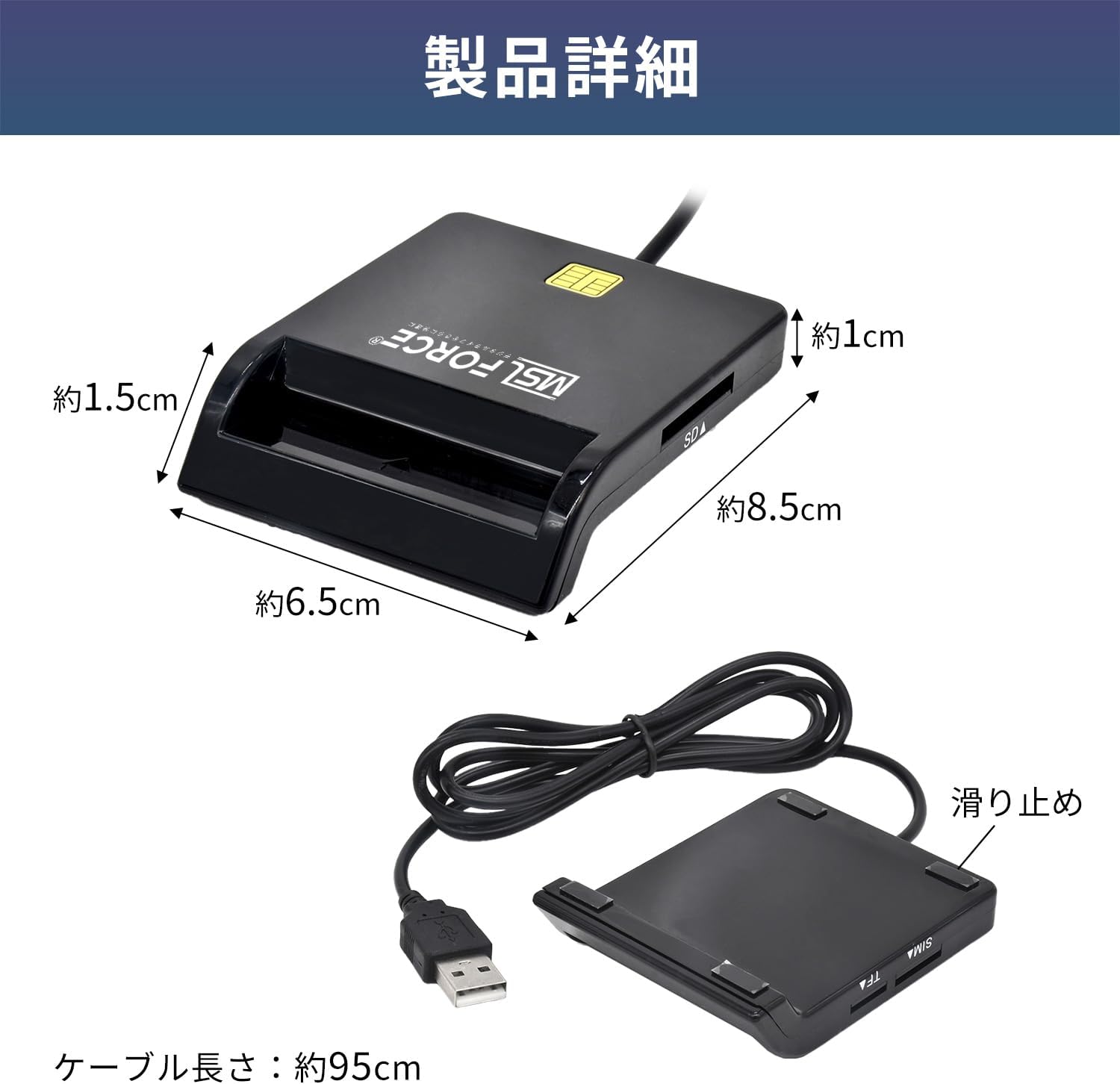
| Device Dimensions (Approx.) | 6.5 cm (W) x 8.5 cm (L) x 1.5 cm (H) |
| Cable Length (Approx.) | 95 cm |
| Weight (Approx.) | 80 g |

Warranty and Support
The product comes with a basic warranty of 12 months from the date of purchase, extendable up to 18 months. This warranty does not cover damage due to customer negligence, water damage, or unauthorized modifications.
For product defects or inquiries, please contact our dedicated customer support.
