
BUGANI BUGANI B09
BUGANI Wireless Earbuds User Manual
Model: BUGANI B09
Brand: BUGANI
Introduction
Welcome to the user manual for your BUGANI Wireless Earbuds. These earbuds are designed to provide an immersive audio experience with deep bass, crystal-clear calls, and a comfortable, secure fit. Featuring Bluetooth 5.3 for stable connectivity and IPX6 water resistance, they are ideal for various activities, from daily commutes to sports.

Image: BUGANI Wireless Earbuds in black and white charging cases, highlighting the sleek design and portability.
Safety Information
Please read the following safety guidelines carefully before using your earbuds:
- Do not submerge the earbuds in water.
- Keep away from extreme temperatures.
- Do not disassemble or attempt to repair the device.
- Use only certified charging cables and adapters.
- Avoid listening at high volumes for extended periods to prevent hearing damage.
Package Contents
The following items are included in your BUGANI Wireless Earbuds package:
- 1 x BUGANI B09 Wireless Earbuds
- 1 x USB-C Charging Cable
- 1 x User Quick Guide
- 3 x Different Sizes of Eartips (S, M, L)
- 3 x Different Sizes of Silicone Earwings (S, M, L)
Product Overview
The BUGANI B09 earbuds feature a compact design with touch controls and integrated microphones for clear communication. The charging case provides extended battery life and secure storage.
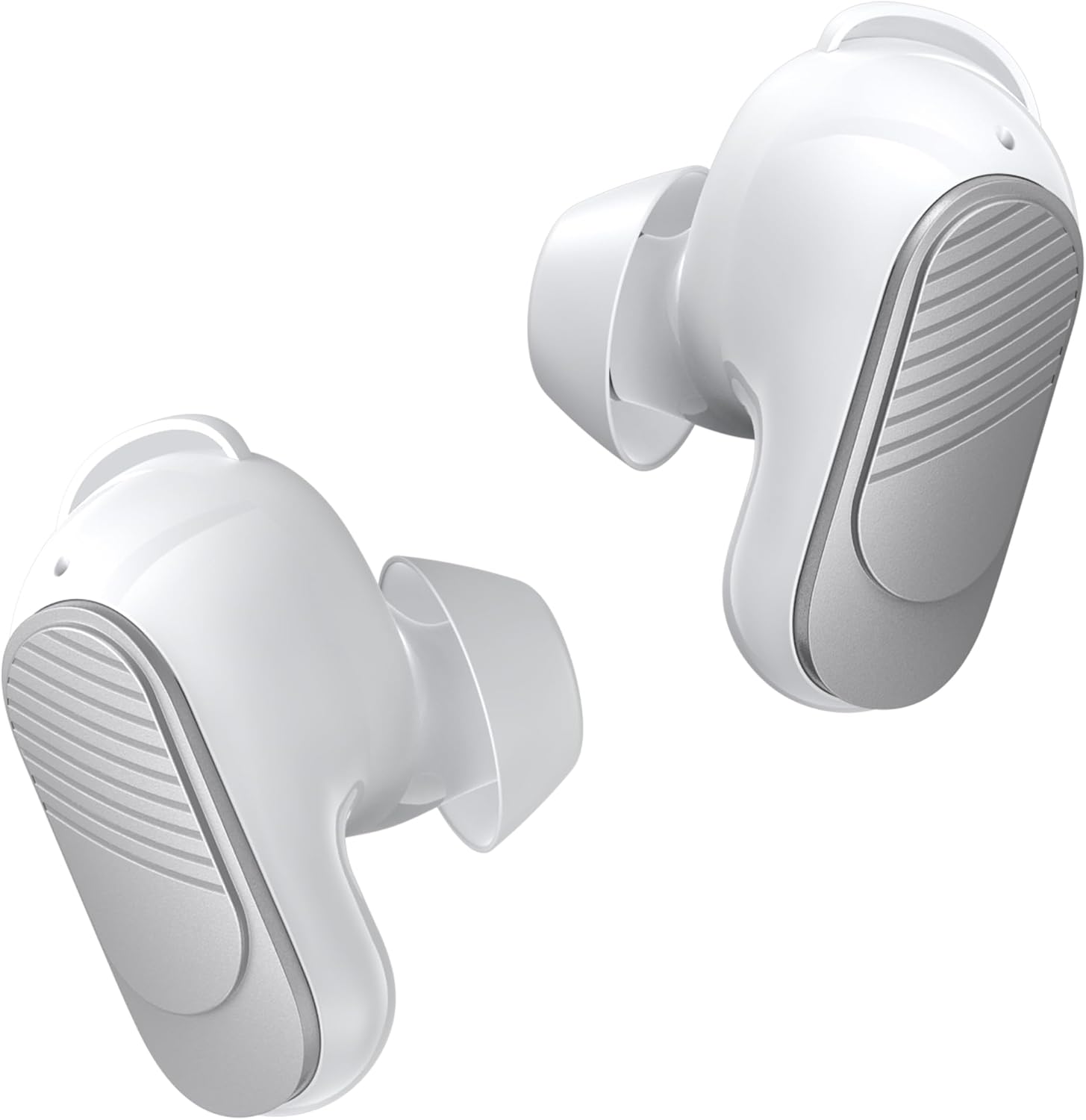
Image: A pair of white BUGANI wireless earbuds, showing their ergonomic shape.

Image: An exploded view diagram illustrating the internal acoustic and electronic components of a BUGANI earbud, emphasizing distortion-free sound.
Setup
Charging the Earbuds and Case
Before first use, fully charge the earbuds and the charging case.
- Place the earbuds into the charging case. Ensure they are correctly seated.
- Connect the USB-C charging cable to the charging port on the case and the other end to a USB power source.
- The indicator lights on the case will show charging status. A full charge for the case takes approximately 1.5 hours.

Image: The BUGANI earbuds inside their charging case, illustrating the 24-hour total playtime with the case and 6 hours from a single earbud charge.
Bluetooth Pairing
The earbuds feature one-step pairing for convenience.
- Open the charging case. The earbuds will automatically enter pairing mode.
- On your device (smartphone, tablet, computer), enable Bluetooth.
- Search for "BUGANI B09" in the list of available Bluetooth devices and select it to connect.
- Once connected, the earbuds will automatically reconnect to the last paired device when taken out of the case.

Image: A visual representation of Bluetooth 5.3 technology, highlighting its benefits for stable and efficient wireless communication.

Image: A smartphone screen showing successful Bluetooth pairing with 'BUGANI B09', alongside the earbuds and charging case, demonstrating the ease of one-step pairing and broad device compatibility.
Fitting the Earbuds
For optimal sound quality and comfort, choose the correct size of eartips and earwings.
- Select the eartips (S, M, L) that provide a snug fit in your ear canal.
- Select the earwings (S, M, L) that securely anchor the earbuds in your outer ear.
- Gently insert the earbuds into your ears and twist slightly to ensure a secure and comfortable seal.

Image: A close-up of the earbud design, emphasizing its lightweight nature (3.9g) and the inclusion of wingtips for a secure and comfortable fit.

Image: Various sizes of eartips and earwings are displayed, illustrating the options available to achieve maximum comfort and a perfect fit for different ear shapes.
Operating the Earbuds
The BUGANI B09 earbuds feature intuitive touch controls on each earbud.

Image: A comprehensive diagram detailing the touch control gestures for the BUGANI earbuds, covering functions such as power on/off, music playback, call handling, volume adjustment, and voice assistant activation.
Music Control
- Play/Pause: L/R Touch 1 quickly.
- Next Song: R Touch 2 quickly.
- Previous Song: L Touch 2 quickly.
- Volume Up: R Touch 3 quickly.
- Volume Down: L Touch 3 quickly.
Call Control
- Answer Call: L/R Touch 1 quickly.
- Hang Up: L/R Touch 1 quickly.
- Reject Call: L/R Touch 2 quickly.

Image: A woman wearing a BUGANI earbud, with an overlay highlighting the microphone location and emphasizing the crystal-clear call quality due to dual-mic noise isolation.
Voice Assistant
- Activate Voice Assistant: L/R Long press for 2s.
Power On/Off
- Power On: L/R Long press for 3s.
- Power Off: L/R Long press for 5s.
Reset
- Reset Earbuds: L&R Touch 5 quickly.
Maintenance
Cleaning
Regularly clean your earbuds and charging case to ensure optimal performance and hygiene.
- Use a soft, dry, lint-free cloth to wipe the earbuds and charging case.
- For stubborn dirt, slightly dampen the cloth with water. Do not use harsh chemicals or abrasive materials.
- Gently remove any earwax or debris from the eartips and speaker mesh using a small, soft brush or cotton swab.
Storage
When not in use, store the earbuds in their charging case to protect them from dust, damage, and to keep them charged.

Image: A woman engaged in physical activity while wearing BUGANI earbuds, accompanied by an IPX6 rating icon, signifying their waterproof and sweatproof capabilities.
Troubleshooting
If you encounter any issues with your BUGANI Wireless Earbuds, please refer to the table below for common problems and solutions:
| Problem | Solution |
|---|---|
| Earbuds not pairing | Ensure earbuds are charged. Turn off and on Bluetooth on your device. Try resetting the earbuds (L&R Touch 5 quickly). |
| Only one earbud working | Place both earbuds back into the charging case, close the lid, then open it again. Ensure both earbuds are charged. Try resetting the earbuds. |
| Low volume or poor sound quality | Adjust volume on your device and earbuds. Ensure eartips are the correct size for a secure seal. Clean any debris from the speaker mesh. |
| Earbuds not charging | Ensure the charging cable is securely connected. Check if the charging case has power. Clean the charging contacts on both earbuds and the case. |
| Disconnections during use | Ensure you are within the Bluetooth range of your device. Avoid obstacles between the earbuds and your device. |
Specifications
Key technical specifications for the BUGANI B09 Wireless Earbuds:
- Model: BUGANI B09
- Connectivity Technology: Wireless (Bluetooth 5.3)
- Wireless Communication Technology: Bluetooth
- Battery Average Life: 6 Hours (earbuds), 24 Hours (with charging case)
- Water Resistance Level: IPX6 Water Resistant
- Control Type: Touch Control
- Special Features: Built-In Voice Assistant, ENC Noise Cancelling, Deep Bass, Hi-Fi Stereo Sound, Ergonomic design, Fast Charging, Ultra Lightweight and Mini, Auto Pairing
- Material: Plastic
- Item Model Number: BUGANI B09
- Parcel Dimensions: 12.9 x 9.6 x 4.7 cm; 120 g
Warranty and Support
BUGANI products come with a standard manufacturer's warranty. For detailed warranty information, technical support, or service inquiries, please refer to the contact information provided in the quick guide included with your product or visit the official BUGANI website.
Related documentsBUGANI B09


Ask a question about this manual
Ask about setup, troubleshooting, compatibility, parts, safety, or missing instructions. Manuals+ will review the question and use this page’s manual context to help answer it.