
Introduction
This manual provides comprehensive instructions for the setup, operation, maintenance, and troubleshooting of your HOU Keyboard Case for iPad Air/Pro 11-inch. Please read this manual thoroughly before use to ensure optimal performance and longevity of your device.

Image: The HOU Keyboard Case with an iPad inserted, showcasing its design and functionality.
Compatibility
The HOU Keyboard Case is designed for specific iPad models. To verify compatibility, please check your iPad model number in Settings > General > About.
This keyboard case is compatible ONLY with the following models:
- iPad Air 10.9 inches (5th/4th generation, 2022/2018)
- iPad Pro 11-inch (4th/3rd/2nd/1st generation, 2018-2022)
- iPad Air 11-inch (M2/M3, 2024/2025)

Image: Visual chart detailing compatible iPad models and their respective generations.
Setup Instructions
- Insert iPad: Align your compatible iPad with the case and gently press it into place. The magnetic points will secure the iPad.
- Power On Keyboard: The keyboard features an auto-sleep function. To activate, simply open the case.
- Bluetooth Pairing:
- Ensure your iPad's Bluetooth is enabled (Settings > Bluetooth).
- The keyboard will automatically enter pairing mode.
- On your iPad, select the "HOU Keyboard" from the list of available devices.
- A successful connection will be indicated on your iPad.
- Initial Charge: Although the keyboard has a built-in battery, it is recommended to fully charge it before first use. Connect the included USB-C cable to the iPad and magnetically to the keyboard.
Video: Demonstrates the magnetic attachment of the iPad to the keyboard case and the initial setup process, including Bluetooth pairing and charging.
Operating Instructions
Adjustable Viewing Angles
The case features a triangular structure support with dual magnetic points, allowing for two stable viewing angles:
- 115° Working Angle: Ideal for typing and productivity tasks.
- 125° Relaxation Angle: Suitable for media consumption, such as watching movies or reading.

Image: Illustration of the dual-angle magnetic support system, showing 115° for work and 125° for entertainment.
Keyboard Functionality
The keyboard provides a comfortable typing experience with full-size keys and sensitive touch response. It includes dedicated shortcut buttons for various iPad functions.
- Shortcut Keys: Access functions like volume control, brightness adjustment, search, and home screen directly from the keyboard.
- Typing: The flat keycaps with a scissor-switch structure ensure smooth and quiet input.
Video: Demonstrates the keyboard's responsive typing and the use of shortcut keys for iPad functions.
Power Management
The keyboard features an innovative power supply solution and efficient battery management:
- Direct Power Borrowing: If the keyboard battery is low, connect the included USB-C cable to your iPad and magnetically to the keyboard to draw power directly from the tablet.
- Battery Life: The built-in 300 mAh battery can last approximately one week on a full charge, based on typical usage.
- Auto-Sleep Function: The keyboard automatically enters sleep mode when idle to conserve power. Manual power off is not required.
- Battery Level Display: The battery percentage can be viewed within the iPad's battery widget for better power planning.
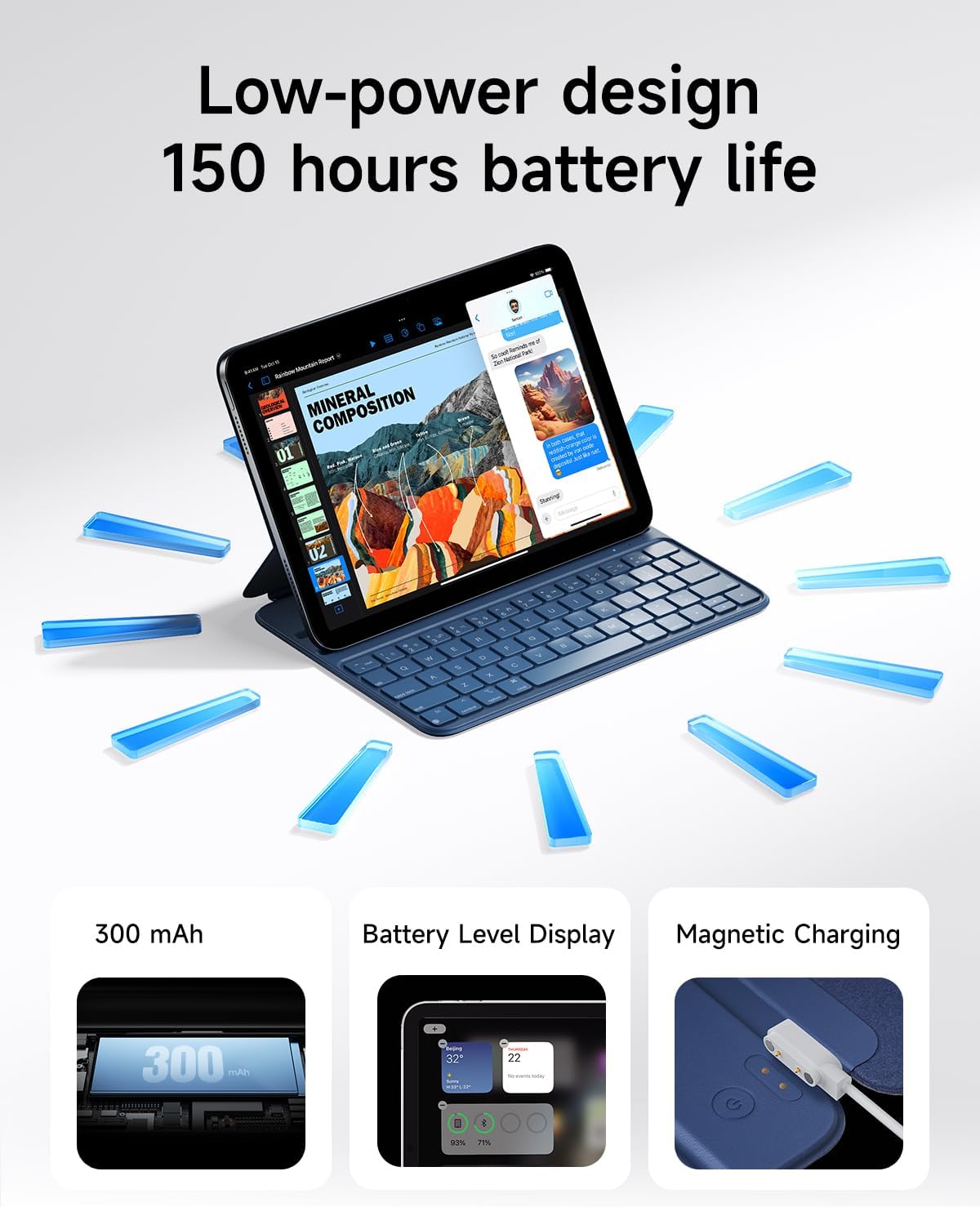
Image: Illustrates the keyboard's low-power design, 300 mAh battery, battery level display, and magnetic charging capabilities.

Image: Shows the magnetic charging cable connecting the iPad to the keyboard, allowing the iPad to temporarily supply power.
Maintenance and Care
- Cleaning: The case is made from silicon-containing tech leather fabric, which is wear-resistant and stain-resistant. For most stains like coffee or ink, simply wipe clean with a damp cloth. Avoid harsh chemicals or abrasive cleaners.
- Storage: When not in use, keep the keyboard case closed to protect both the iPad and the keyboard. Store in a cool, dry place away from direct sunlight and extreme temperatures.
- Battery Longevity: To maximize battery life, avoid fully discharging the keyboard frequently. Regular charging is recommended. The battery is tested for 300 complete charge-discharge cycles.
- Handling: While the case offers protection, avoid dropping or subjecting it to strong impacts. The magnetic hold is strong, but excessive force can dislodge the iPad.
Troubleshooting
Keyboard Not Connecting via Bluetooth
- Check Battery: Ensure the keyboard has sufficient charge. Connect it to your iPad using the magnetic charging cable.
- Re-pair Device:
- On your iPad, go to Settings > Bluetooth.
- If "HOU Keyboard" is listed, tap the "i" icon next to it and select "Forget This Device".
- Turn off and then turn on your iPad's Bluetooth.
- Open the keyboard case to activate it, and it should appear in the Bluetooth devices list for re-pairing.
- Restart Devices: Restart both your iPad and the keyboard (by closing and reopening the case) and attempt to re-pair.
Keys Not Responding or Lagging
- Check Bluetooth Connection: Ensure the keyboard is properly connected via Bluetooth. Follow the steps above to re-establish the connection if necessary.
- Charge Keyboard: A low battery can affect performance. Charge the keyboard.
- iPad Settings: Verify that your iPad's typing settings are not configured to slow down input (e.g., "Key Repeat" settings).
iPad Not Securely Held by Magnets
- Proper Alignment: Ensure the iPad is correctly aligned with the magnetic points in the case.
- Clean Surfaces: Check for any debris or obstructions on the magnetic surfaces of both the iPad and the case that might weaken the connection.
Product Specifications
| Brand | HOU |
| Model | HOU Keyboard Case for iPad Air/Pro 11 inch |
| Compatible Devices | iPad Air 11 inch M2/M3 (2024/2025), iPad Air 10.9 inch 5th/4th (2022/2020), iPad Pro 11 inch 4th/3rd/2nd/1st (2018-2022) |
| Connectivity Technology | Bluetooth |
| Keyboard Description | Bluetooth Keyboard |
| Special Features | Ergonomic, Hotkeys and Media Keys, Lightweight, PU+ABS Material, Rechargeable |
| Material | PU (with silicon) + Synthetic Leather |
| Item Weight | 434 grams (approx. 0.95 lbs) |
| Battery | 1 Lithium Polymer battery (300 mAh, included) |
| Product Dimensions | Ultra-slim at 0.6 cm (packaging dimensions: 0.04 x 0.04 x 0.04 inches) |
What's in the Box:
- HOU Keyboard Case
- Magnetic Charging Cable
- User Manual (this document)
Warranty and Support
HOU provides customer support for this product. For assistance, please refer to the following:
- Customer Service: Contact HOU customer service for 24/7 online support.
- Warranty: This product includes a 12-month extended after-sales service.
- Accessories: A free magnetic charging accessory is included.

Image: Information regarding HOU customer service, including 24/7 online support and 12-month extended after-sales service.
For further details or to visit the official store, please visit the HOU Store.


