
1. Overview
This manual provides detailed instructions for the Jazmm CD Cassette Player Combo with Bluetooth, Model CD-W16. This versatile audio system offers multiple playback options including CD, cassette tape, FM radio, Bluetooth, USB, TF card, and AUX-IN. It features 10W HiFi speakers, a built-in rechargeable battery, and remote control for convenient use in various settings.

Image 1.1: The Jazmm CD Cassette Player Combo (Model CD-W16) highlighting its seven playback modes: CD Player, FM Radio, TF Card Playback, USB Playback, Tape Player, AUX-IN Playback, and Bluetooth 5.1.
2. Important Safety Information
- Read all instructions before operating the device.
- Keep this manual for future reference.
- Do not expose the device to rain or moisture to prevent fire or electric shock.
- Do not block any ventilation openings. Install in accordance with the manufacturer's instructions.
- Do not install near any heat sources such as radiators, heat registers, stoves, or other apparatus (including amplifiers) that produce heat.
- Protect the power cord from being walked on or pinched, particularly at plugs, convenience receptacles, and the point where they exit from the apparatus.
- Only use attachments/accessories specified by the manufacturer.
- Unplug this apparatus during lightning storms or when unused for long periods of time.
- Refer all servicing to qualified service personnel. Servicing is required when the apparatus has been damaged in any way.
3. Product Features
The Jazmm CD Cassette Player Combo (Model CD-W16) is designed for versatile audio playback and recording. Key features include:
- 7-in-1 Playback Modes: Supports CD, Cassette Tape, FM Radio, Bluetooth 5.1, USB, TF Card, and AUX-IN.
- CD Player: Compatible with CD, CD-R, CD-RW, MP3, and WMA formats. Features song programming.
- Cassette Player & Recorder: Play existing tapes or record audio onto blank tapes using the built-in microphone.
- FM Radio: Extended antenna for improved reception, automatic scanning, and storage for up to 30 preset stations (FM 87.5-108MHz).
- Bluetooth 5.1: Supports both Bluetooth transmission (to external Bluetooth speakers/headphones) and reception (from mobile devices).
- High-Fidelity Speakers: Dual 10W HiFi speakers deliver clear sound with strong bass and pure treble.
- 5 EQ Sound Modes: Customize your audio experience with NORMAL, ROCK, POP, JAZZ, and CLASS settings.
- Multiple Inputs: USB port, TF (Micro SD) card slot, and 3.5mm AUX-IN jack for various media sources.
- Rechargeable Battery: Built-in 5000mAh rechargeable battery for portable use.
- Remote Control: Conveniently operate the device from a distance of up to 7 meters.
- Headphone Jack: 3.5mm headphone output for private listening.
4. Package Contents
Please check the package for the following items:
- Jazmm CD Cassette Player Combo (Model CD-W16)
- Remote Control
- Power Adapter/Cable
- User Manual
5. Controls and Ports
Familiarize yourself with the controls and connection ports on your device.
Front Panel Controls:
- FUNC/REP/PROG: Function/Repeat/Program button.
- VOL- / VOL+: Volume down / Volume up.
- SCAN: Scan for radio stations.
- EQ: Equalizer settings.
- PREV / NEXT: Previous track / Next track.
- PLAY/PAUSE: Play/Pause button.
- STOP/EJECT: Stop playback / Eject CD or cassette.
- FFWD / REW: Fast forward / Rewind (for cassette).
- REC: Record button (for cassette).
- Power Button: Turns the device on/off.
- LCD Display: Shows current mode, track number, time, etc.
Side/Rear Panel Ports:
- Headphone Jack (3.5mm): For connecting headphones.
- AUX-IN (3.5mm): For connecting external audio devices.
- USB Port: For USB flash drives.
- TF Card Slot: For Micro SD cards.
- DC IN Port: For power adapter connection.
- FM Antenna: Extendable antenna for radio reception.
6. Setup
- Power Connection:
Connect the provided power adapter to the DC IN port on the device and plug it into a standard wall outlet. The internal battery will begin charging automatically.
- Initial Charge:
For optimal battery life, fully charge the device before first use. The charging indicator light will show charging status.
- Antenna (for FM Radio):
Extend the telescopic FM antenna for better radio reception.
- Power On:
Press the Power button to turn on the device. The LCD display will illuminate.
7. Operating Instructions
7.1 CD Playback
- Open the CD compartment cover.
- Place a CD (label side up) onto the spindle.
- Close the CD compartment cover securely.
- Press the FUNC button repeatedly until "CD" mode is selected.
- Press the PLAY/PAUSE button to start playback.
- Use PREV and NEXT buttons to skip tracks.
- Press STOP/EJECT to stop playback.
7.2 Cassette Tape Playback & Recording

Image 7.1: The Jazmm CD Cassette Player Combo with a cassette tape inserted into the front loading slot.
- Open the cassette compartment door.
- Insert a cassette tape with the open edge facing the player.
- Close the cassette compartment door.
- Press the FUNC button repeatedly until "TAPE" mode is selected.
- Press the PLAY/PAUSE button to start playback.
- Use FFWD or REW for fast winding.
- To record: Insert a blank tape. Press the REC button. The device will record audio from the built-in microphone. Press STOP/EJECT to end recording.
7.3 FM Radio Operation

Image 7.2: The Jazmm CD Cassette Player Combo with its telescopic FM antenna fully extended for optimal radio reception.
- Extend the FM antenna fully.
- Press the FUNC button repeatedly until "FM" mode is selected.
- Press the SCAN button to automatically scan and save available FM stations.
- Use PREV and NEXT buttons to navigate through saved preset stations.
7.4 Bluetooth Connection
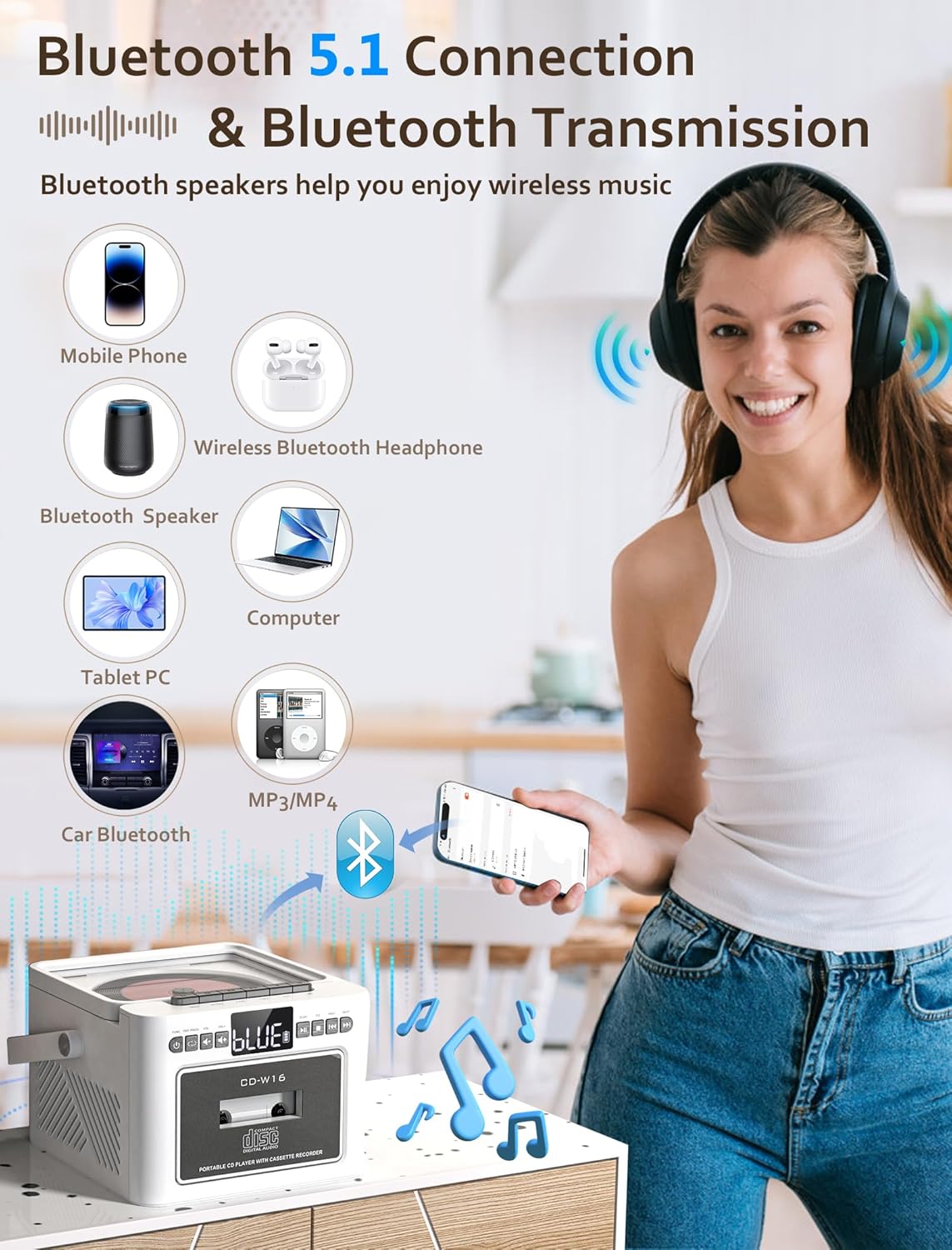
Image 7.3: The Jazmm CD Cassette Player Combo illustrating its Bluetooth 5.1 capabilities for both connecting to mobile devices and transmitting to Bluetooth speakers or headphones.
- Press the FUNC button repeatedly until "BT" (Bluetooth) mode is selected. The display will show "BLUE" and flash, indicating it's in pairing mode.
- On your external device (smartphone, tablet, etc.), enable Bluetooth and search for "CD-W16" (or similar).
- Select "CD-W16" to pair. Once connected, the "BLUE" indicator will stop flashing.
- You can now play audio from your device through the boombox speakers.
- Bluetooth Transmission: To transmit audio from the boombox (e.g., CD playback) to external Bluetooth headphones or speakers, ensure the external device is in pairing mode. The boombox will automatically search and connect.
7.5 USB / TF Card / AUX-IN Playback
- USB/TF Card: Insert a USB flash drive into the USB port or a TF (Micro SD) card into the TF card slot. Press the FUNC button to select "USB" or "TF" mode. Playback will begin automatically.
- AUX-IN: Connect an external audio device (e.g., MP3 player) to the AUX-IN port using a 3.5mm audio cable (not included). Press the FUNC button to select "AUX" mode. Control playback from your external device.
7.6 Using the Remote Control

Image 7.4: The Jazmm CD Cassette Player Combo shown with its included remote control, allowing for convenient operation from a distance.
The remote control allows you to operate most functions from a distance. Ensure there are no obstructions between the remote and the boombox. Insert batteries (not included) into the remote control before use.
8. Maintenance
- Cleaning: Use a soft, dry cloth to clean the exterior of the unit. Do not use abrasive cleaners or solvents.
- CD Lens Care: If CD playback issues occur, use a commercially available CD lens cleaner disc.
- Cassette Head Cleaning: Periodically clean the cassette player's heads with a cotton swab lightly dampened with isopropyl alcohol to ensure optimal sound quality.
- Storage: When not in use for extended periods, store the device in a cool, dry place.
- Battery Care: To prolong battery life, avoid fully discharging the battery frequently. Recharge the battery regularly, even if the device is not in active use.
9. Troubleshooting
| Problem | Possible Cause | Solution |
|---|---|---|
| No power | Power adapter not connected; Battery discharged. | Ensure power adapter is securely connected and plugged into a working outlet. Charge the battery. |
| No sound | Volume too low; Incorrect mode selected; Headphones connected. | Increase volume. Select the correct playback mode (CD, BT, FM, etc.). Disconnect headphones if sound is desired from speakers. |
| CD not playing / skipping | CD dirty or scratched; CD inserted incorrectly; CD format not supported. | Clean the CD with a soft cloth. Reinsert the CD label side up. Ensure the CD is a supported format (CD, CD-R, CD-RW, MP3, WMA). |
| Cassette tape not playing | Tape inserted incorrectly; Tape tangled or damaged. | Reinsert the tape correctly. Check the tape for damage. |
| Poor FM radio reception | Antenna not extended; Weak signal. | Fully extend the FM antenna. Reposition the unit for better reception. |
| Bluetooth pairing failed | Device not in pairing mode; Boombox too far from device. | Ensure both devices are in pairing mode. Move devices closer. Restart Bluetooth on both devices. |
10. Specifications
| Feature | Detail |
|---|---|
| Model | CD-W16 |
| Brand | Jazmm |
| Product Dimensions (L x W x H) | 7.5 x 6.2 x 4.3 inches |
| Connectivity Technology | Auxiliary, Bluetooth, USB |
| Speaker Type | Stereo (Dual 10W HiFi Speakers) |
| Power Source | Battery Powered (Built-in 5000mAh Rechargeable Battery) |
| FM Radio Frequency | 87.5-108 MHz |
| Bluetooth Version | 5.1 |
| Supported Media | CD, CD-R, CD-RW, MP3, WMA, Cassette Tape, USB, TF Card |
11. Warranty and Support
Jazmm offers a lifetime warranty on this portable CD player boombox. For any inquiries, technical assistance, or warranty claims, please contact our customer service team. We provide 24/7 world-class customer service to ensure your satisfaction.
Please refer to your purchase documentation or the Jazmm official website for specific contact details.