
Introduction
The OURA Ring 4 is an advanced smart ring designed to monitor over 50 health metrics, including sleep, activity, stress, heart health, metabolic health, and women’s health. Featuring an all-titanium design and Smart Sensing technology, it provides continuous, accurate data to help you understand and improve your well-being. With a battery life of 5 to 8 days, the OURA Ring 4 offers discreet and comfortable health tracking.
Setup
Before using your OURA Ring 4, it is crucial to ensure you have the correct size. OURA Ring 4 uses unique sizing that differs from standard jewelry rings. We recommend using the OURA Ring 4 Sizing Kit to find your perfect fit.
Sizing and Initial Setup
- Obtain a Sizing Kit: Purchase an OURA Ring 4 Sizing Kit to determine your accurate ring size. This kit contains various plastic ring sizes to try on.
- Find Your Fit: Try on the different sizes from the kit. Wear the most comfortable size for at least 24 hours to ensure it fits well throughout the day and night, as finger size can fluctuate. For optimal performance and accuracy, wearing the ring on your index finger is recommended.
- Purchase Your Ring: Once you have confirmed your size, you can purchase your OURA Ring 4.
- Download the OURA App: Download the official OURA App from the Apple App Store or Google Play Store. The app is essential for syncing your ring, viewing your data, and managing settings.
- Pair Your Ring: Follow the in-app instructions to pair your OURA Ring 4 with your smartphone via Bluetooth.

Image: The OURA Ring 4 Sizing Kit, used to find the perfect fit for your smart ring.

Image: An OURA Ring 4 worn on the index finger for accurate sizing and data collection.
Video: An overview of the OURA App interface, demonstrating how to navigate and interpret your health data.
Operating Your OURA Ring 4
The OURA Ring 4 continuously tracks your health metrics using its advanced Smart Sensing technology. Data is automatically synced to the OURA App on your smartphone.
Key Features and Monitoring
- Smart Sensing: The ring adapts to your unique biometrics, providing accurate and continuous data day and night.
- Health Metrics: Track over 50 metrics including:
- Sleep (duration, stages, efficiency)
- Activity (steps, calories burned, inactive time)
- Readiness (overall recovery and energy levels)
- Heart Health (resting heart rate, HRV balance)
- Stress (daytime stress, recovery)
- Metabolic Health
- Women’s Health (menstrual cycle tracking, body temperature)
- Water Resistance: The OURA Ring 4 is waterproof up to 100 meters, making it suitable for swimming and showering.
- Battery Life: Enjoy 5 to 8 days of battery life on a single charge.

Image: Close-up view of the OURA Ring 4's internal sensors, responsible for collecting health data.
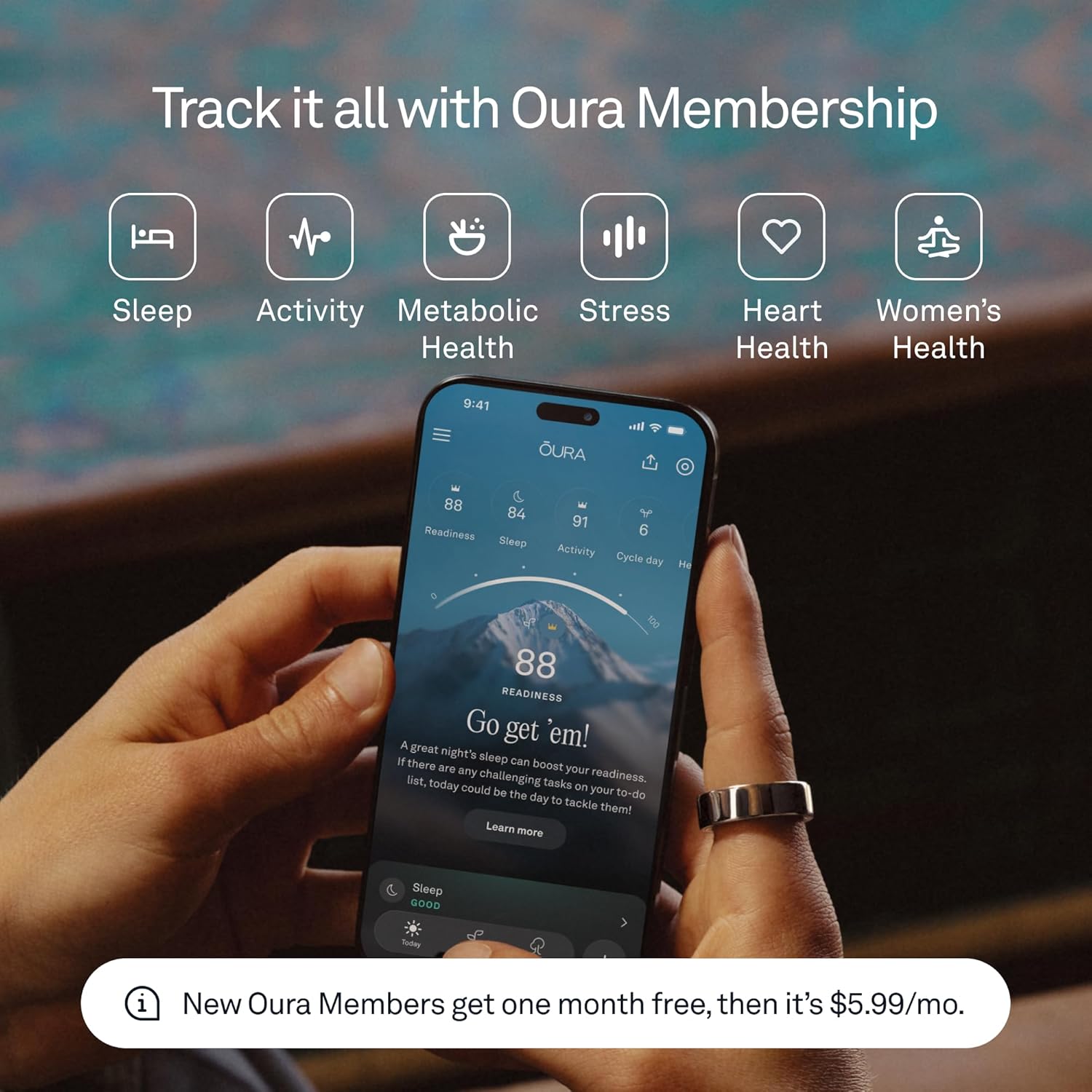
Image: The OURA Ring 4 being worn in water, demonstrating its waterproof capability.

Image: A detailed view of the OURA App, showcasing sleep, activity, and readiness scores.
Maintenance
Proper care ensures the longevity and accuracy of your OURA Ring 4.
Charging
- Use the provided OURA Ring 4 Charger and USB cable.
- Place the ring on the charger, ensuring the sensors align.
- A full charge takes approximately 80 minutes.
Cleaning and Care
- Clean your ring regularly with a soft, damp cloth.
- Avoid using abrasive materials or harsh chemicals, as these can damage the ring's finish and sensors.
- The all-titanium exterior is durable, but proper care helps maintain its appearance.
Multi-Ring Support
If you own multiple OURA Ring 4 styles, you can easily switch between them within the OURA App. Ensure each ring is charged and paired to your account for seamless transitions.

Image: Contents of the OURA Ring 4 box, including the ring, charger, and USB cable.
Troubleshooting
If you encounter issues with your OURA Ring 4, consider the following general troubleshooting steps:
- Syncing Issues: Ensure your ring is charged and within Bluetooth range of your smartphone. Restart both the OURA App and your phone.
- Battery Life: If battery life is shorter than expected, ensure the ring is fully charged. Avoid extreme temperatures, which can affect battery performance.
- Inaccurate Data: Verify that your ring fits snugly and is worn correctly (preferably on the index finger). Ensure the sensors are clean.
- App Not Responding: Close and reopen the OURA App. If the issue persists, try reinstalling the app.
- Firmware Updates: Regularly check the OURA App for available firmware updates for your ring, as these often include performance improvements and bug fixes.
For persistent issues, refer to the official OURA support resources or contact customer service.
Specifications
| Feature | Detail |
|---|---|
| Model Name | Oura Ring 4 - Stealth - Size 11 |
| Model Number | JZ90-54218-11 |
| Brand | OURA |
| Operating System | iOS, Android |
| Special Feature | Smart Sensing |
| Connectivity Technology | Bluetooth |
| Battery Cell Composition | Lithium Polymer |
| Battery Average Life | 5-8 days |
| Battery Charge Time | 80 minutes |
| Water Resistance Level | Waterproof |
| Water Resistance Depth | 100 Meters |
| Band Material Type | Titanium |
| Item Weight | 0.19 Kilograms |
| Item Dimensions | 0.98 x 0.98 x 0.31 inches |
| Metrics Measured | Body Temperature, Menstrual Cycle, Sleep Duration, Stress, Heart Rate, Activity |
| Included Components | Oura Ring 4, Oura Ring 4 Charger, USB Cable, Information Booklet, Quick Start Guide |
Warranty
The OURA Ring 4 comes with a 1 Year Manufacturer Warranty. Please retain your proof of purchase for warranty claims. For detailed terms and conditions, refer to the official OURA website or the information booklet included with your product.
Support
For further assistance, product information, or to manage your OURA Membership, please utilize the following resources:
- OURA App: The OURA App is your primary hub for all ring-related data, settings, and support articles.
- OURA Membership: Your first month of membership is included with purchase (for new members only). A subscription fee of $5.99/month applies thereafter. Membership is tied to your account via the OURA App.
- Official OURA Store: Visit the OURA Store on Amazon for additional products and information.
- HSA/FSA Eligibility: The OURA Ring is eligible for reimbursement with HSA or FSA funds. Check with your administrator for coverage details.


