
Introduction
The Oura Ring 4 is a smart ring designed for comprehensive health tracking. It utilizes Smart Sensing technology to monitor over 50 health metrics, including sleep, activity, stress, heart health, metabolic health, and women's health. The Oura Ring 4 features an all-titanium design, offers 5 to 8 days of battery life, and is water-resistant. It integrates with the Oura App for detailed health insights and supports multi-ring use.

Image: Oura Ring 4 in Brushed Silver finish.
Setup
Proper sizing is essential for accurate data collection. Oura Ring 4 uses unique sizing, which may differ from standard jewelry rings. It is highly recommended to use an Oura Ring 4 Sizing Kit to determine your correct size before purchasing the ring.
Sizing Process
- Obtain a Sizing Kit: Purchase an Oura Ring 4 Sizing Kit.
- Try Multiple Sizes: Wear different sizing rings from the kit to find the most comfortable fit.
- Wear for 24 Hours: For best results, wear the chosen sizing ring for at least 24 hours to ensure comfort and proper fit throughout the day and night.
- Select Your Size: Once you have identified your ideal size, you can proceed with purchasing your Oura Ring 4.

Image: Oura Ring 4 Sizing Kit with various ring sizes.

Image: A person trying on a sizing ring from the Oura Ring 4 Sizing Kit.
Initial Device Setup
- Charge Your Ring: Before first use, fully charge your Oura Ring 4 using the provided charger and USB cable.
- Download the Oura App: Install the official Oura App on your compatible Android or iOS smartphone.
- Pair Your Ring: Open the Oura App and follow the on-screen instructions to pair your Oura Ring 4 via Bluetooth.
- Create Profile: Complete your personal profile within the app to optimize tracking and insights.

Image: Screenshot of the Oura App interface displaying health metrics.
Setup Video Guide
Video: An official Oura video providing an overview of the Oura Ring 4 and its features, including setup and usage.
Operating the Oura Ring 4
The Oura Ring 4 operates continuously to collect health data. Once set up and worn, it automatically tracks various metrics without requiring manual input.
Automatic Tracking
- Sleep: Monitors sleep stages, duration, and quality.
- Activity: Tracks steps, calories burned, and workout intensity.
- Readiness: Provides a daily score based on sleep, activity, and recovery.
- Heart Health: Measures heart rate and heart rate variability.
- Stress & Metabolic Health: Offers insights into stress levels and metabolic responses.
- Women's Health: Supports cycle tracking and temperature trend analysis.
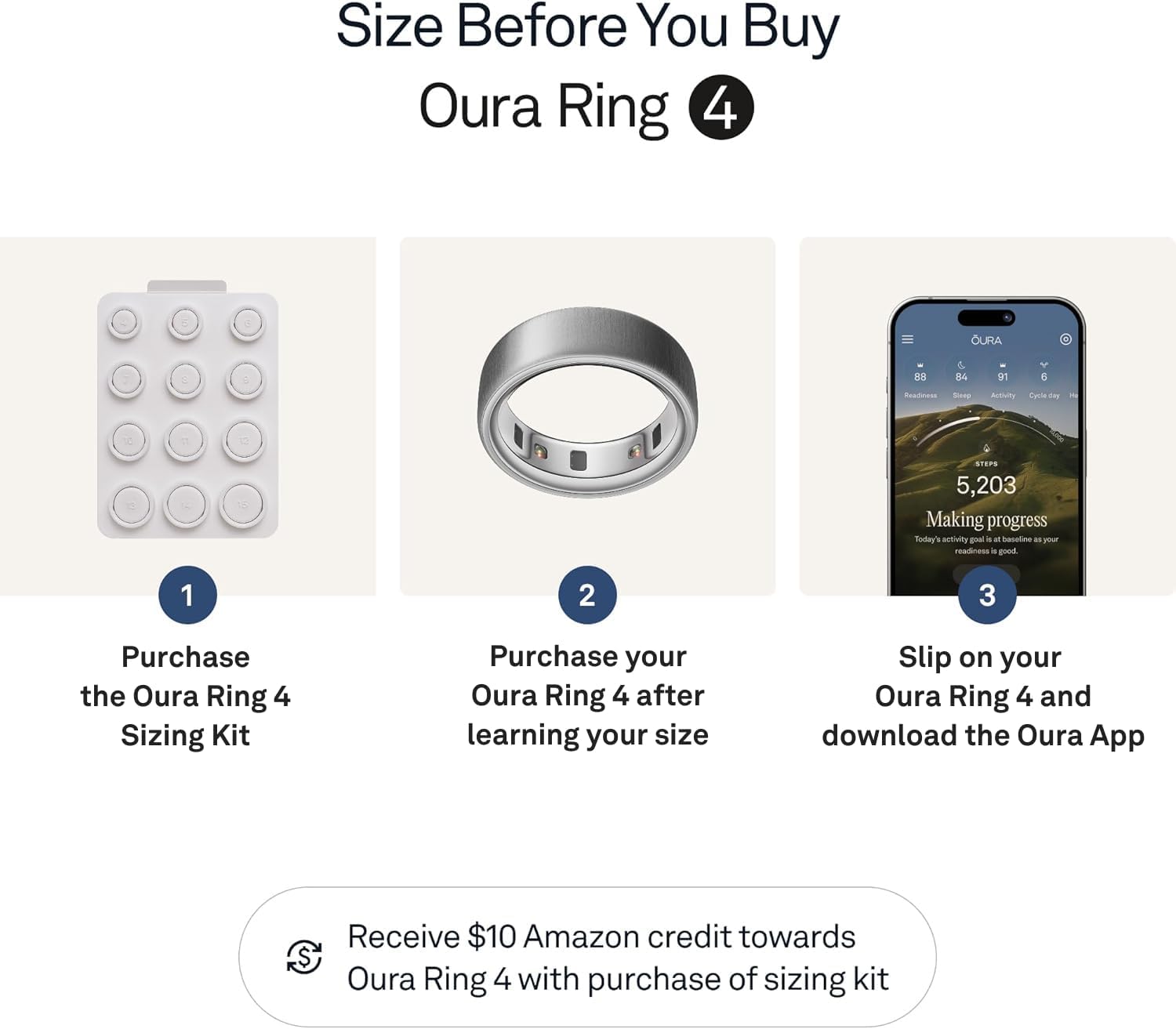
Image: Close-up view of the Oura Ring 4's internal sensors for health tracking.
Viewing Data
All collected data and personalized insights are accessible through the Oura App on your smartphone. The app provides detailed graphs, scores, and recommendations based on your biometric data.
Maintenance
Cleaning
To clean your Oura Ring 4, gently wipe it with a soft, damp cloth. Avoid using harsh chemicals or abrasive materials, as these can damage the ring's finish and sensors.
Water Resistance
The Oura Ring 4 is water-resistant up to 100 meters (328 feet). This means it is suitable for swimming, showering, and other water-based activities. However, it is not recommended for diving or high-pressure water activities.

Image: Oura Ring 4 submerged in water, demonstrating its water resistance.
Charging
The Oura Ring 4 has a battery life of 5 to 8 days, depending on usage. It takes approximately 80 minutes to fully charge the ring using the provided charger and USB cable. Place the ring on the charger with the sensors facing down.
Troubleshooting
If you encounter issues with your Oura Ring 4, consider the following common troubleshooting steps:
- App Connectivity: Ensure Bluetooth is enabled on your smartphone and the Oura App is open and up-to-date. Try restarting both the app and your phone.
- Charging Issues: Verify that the charger and USB cable are properly connected and that the charging contacts on the ring and charger are clean. Try a different USB power source.
- Data Syncing: If data is not syncing, ensure your ring is within Bluetooth range of your phone and has sufficient battery. Force close and reopen the Oura App.
- Inaccurate Readings: Confirm your ring size is correct and that the ring is worn on the recommended finger (index finger for best accuracy). Ensure the sensors are clean.
- Ring Not Responding: If the ring is unresponsive, try placing it on the charger for a few minutes to see if it reactivates.
For persistent issues, refer to the official Oura support resources or contact customer service.
Specifications
| Feature | Detail |
|---|---|
| Brand | OURA |
| Model Name | Oura Ring 4 |
| Model Number | JZ90-54220-10 |
| Operating System | Android, iOS Compatible |
| Connectivity Technology | Bluetooth, Wi-Fi |
| Special Features | Activity Tracker, Cycle Tracking, Daily Workout Memory, Lightweight |
| Metrics Measured | Body Temperature, Menstrual Cycle, Sleep Duration, Stress |
| Battery Life | 5-8 days (average) |
| Battery Charge Time | Approximately 80 minutes |
| Water Resistance Level | Water Resistant (up to 100 Meters) |
| Material | Titanium |
| Item Weight | 0.18 Kilograms |
| Item Dimensions (D x W x H) | 0.94" x 0.94" x 0.31" |
What's in the Box
The Oura Ring 4 package includes the following items:
- Oura Ring 4
- Oura Ring 4 Charger
- USB Cable
- Information Booklet
- Quick Start Guide

Image: Contents of the Oura Ring 4 package, including the ring, charger, and USB cable.
Warranty Information
The Oura Ring 4 comes with a 1-Year Manufacturer Warranty. Please retain your proof of purchase for warranty claims. For detailed terms and conditions, refer to the information booklet included in your package or visit the official Oura website.
Support
For additional support, frequently asked questions, and further resources, please use the following:
- Official Oura Store: Visit the OURA Store on Amazon.
- Instructions for Use (IFU) PDF: Download the official Instructions for Use (IFU) document for comprehensive details.
- Oura App: The Oura App provides in-app support and guides.


