
This manual provides essential information for the proper setup, operation, and maintenance of your OURA Ring 4 Charger, specifically designed for Size 8 OURA Rings. Please read these instructions carefully before use to ensure optimal performance and longevity of your device.
1. Product Overview
The OURA Ring 4 Charger is a dedicated charging dock for your OURA Ring 4. It includes the charging dock and a USB-C to USB-C cable. This charger is size-specific, meaning it is designed to fit only OURA Ring 4 of Size 8. Ensure you have the correct charger for your ring size.

Image: The OURA Ring 4 Charger, a grey square dock with a central charging post.
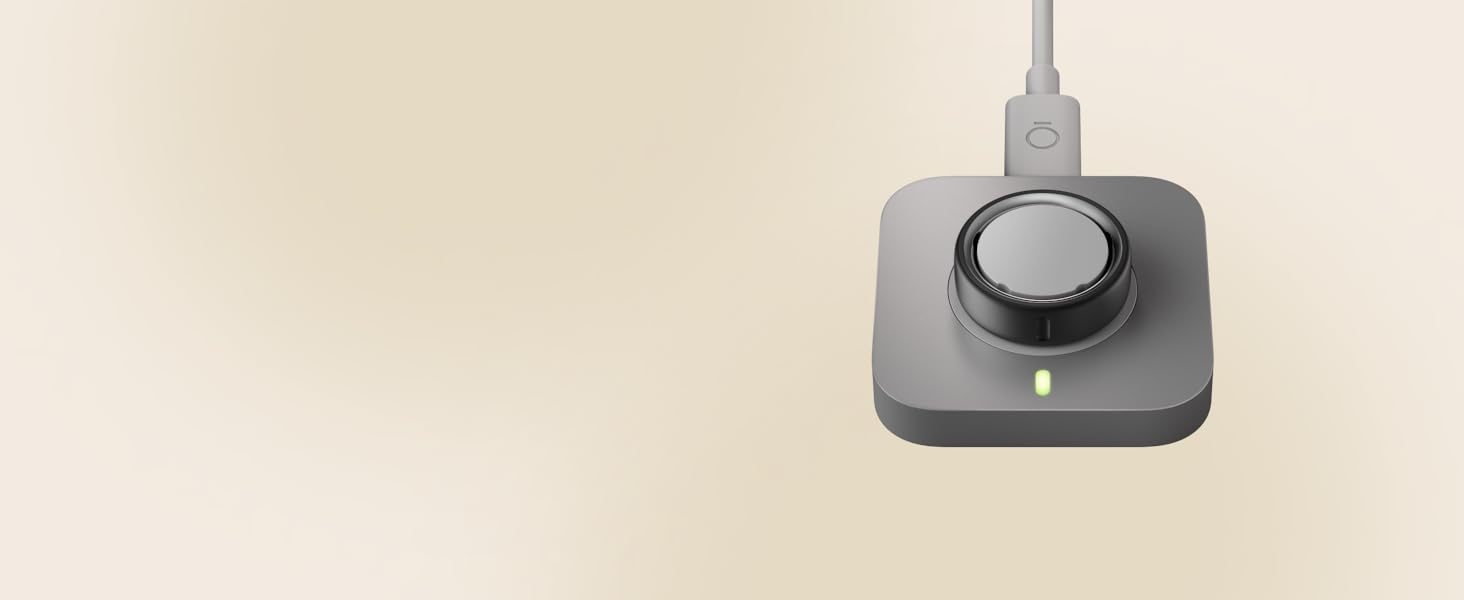
Image: The OURA Ring 4 Charger with an OURA Ring placed on the charging post and the USB-C cable connected.
2. Initial Setup
- Unpack: Carefully remove the OURA Ring 4 Charger and USB-C cable from its packaging.
- Connect Power: Connect one end of the provided USB-C cable to the charging dock. Connect the other end of the USB-C cable to an external 5Vdc power supply that complies with the IEC 62368-1 standard. (Note: A power adapter is not included and must be supplied separately.)
- Placement: Place the charging dock on a stable, flat surface.
Important: This charger is designed exclusively for OURA Ring 4 (Size 8). Using it with other OURA Ring generations or incorrect sizes may prevent charging or cause damage.
3. Operating Instructions
Charging Your OURA Ring 4
- Position the Ring: Gently place your OURA Ring 4 (Size 8) onto the central charging post of the dock. Ensure the ring sits securely and makes proper contact with the charging pins.
- Charging Indicator: The charger typically has an indicator light that will illuminate to confirm charging has begun.
- Charging Time: Your OURA Ring 4 usually charges fully within 20 to 80 minutes, depending on its current battery level.
- Check Battery Level: To monitor your ring's battery status, open the OURA App on your compatible iOS (iOS 15 or higher) or Android (Android 9 or higher) device. Tap the circular icon located in the upper right-hand corner of the home tab.
- Remove Ring: Once fully charged, carefully remove your OURA Ring 4 from the charging dock.
4. Care and Maintenance
- Cleaning: Use a soft, dry cloth to wipe the charging dock and cable. Avoid using abrasive cleaners, solvents, or harsh chemicals, as these can damage the device.
- Storage: Store the charger in a cool, dry place away from direct sunlight and extreme temperatures when not in use.
- Handling: Handle the charger and cable with care. Avoid bending the cable sharply or applying excessive force to the charging dock.
5. Troubleshooting
- Ring Not Charging:
- Ensure the USB-C cable is securely connected to both the charger and the power source.
- Verify that the power source is active and providing power (e.g., try a different USB port or wall adapter).
- Confirm your OURA Ring 4 is correctly seated on the charging post and making full contact.
- Check if the charger is the correct size for your OURA Ring 4.
- Slow Charging:
- Ensure your power adapter meets the 5Vdc output requirement.
- Avoid charging in extremely hot or cold environments, as this can affect charging efficiency.
- No Indicator Light:
- Check all cable connections and the power source.
- If the issue persists, the charger or cable may be faulty.
If you continue to experience issues, please refer to the Customer Support section.
6. Product Specifications
| Brand | OURA |
| Model Number | JZ95-54834-08 |
| Compatible Devices | OURA Ring 4 (Size 8) |
| Connector Type | USB Type C |
| Input Voltage | 5 volts |
| Output Voltage | 5 volts_of_direct_current |
| Output Current | 3 A |
| Wattage | 5 watts |
| Special Feature | Fast Charging |
| Power Source | Corded Electric |
| Compliance | IEC 62368-1 standard |
| Included Components | Oura Ring 4 Charger, USB Cable |
| Material | Metal |
| Item Weight | 0.06 kg |
7. Warranty Information
This OURA Ring 4 Charger is covered by a 1 Year Manufacturer Warranty. For specific terms, conditions, and to initiate a warranty claim, please retain your proof of purchase and contact OURA customer support directly.
8. Customer Support
For further assistance, technical support, or inquiries regarding your OURA Ring 4 Charger, please visit the official OURA website or contact their customer service department. You can often find detailed FAQs and support resources online.
Online Support: www.ouraring.com/support