
Introduction
This manual provides essential instructions for setting up, operating, maintaining, and troubleshooting your OURA Ring 4 Smart Ring. The OURA Ring 4 is a wearable device designed to track various biometrics including sleep, activity, heart rate, stress, and women's health metrics. It features a durable titanium construction and is water-resistant.
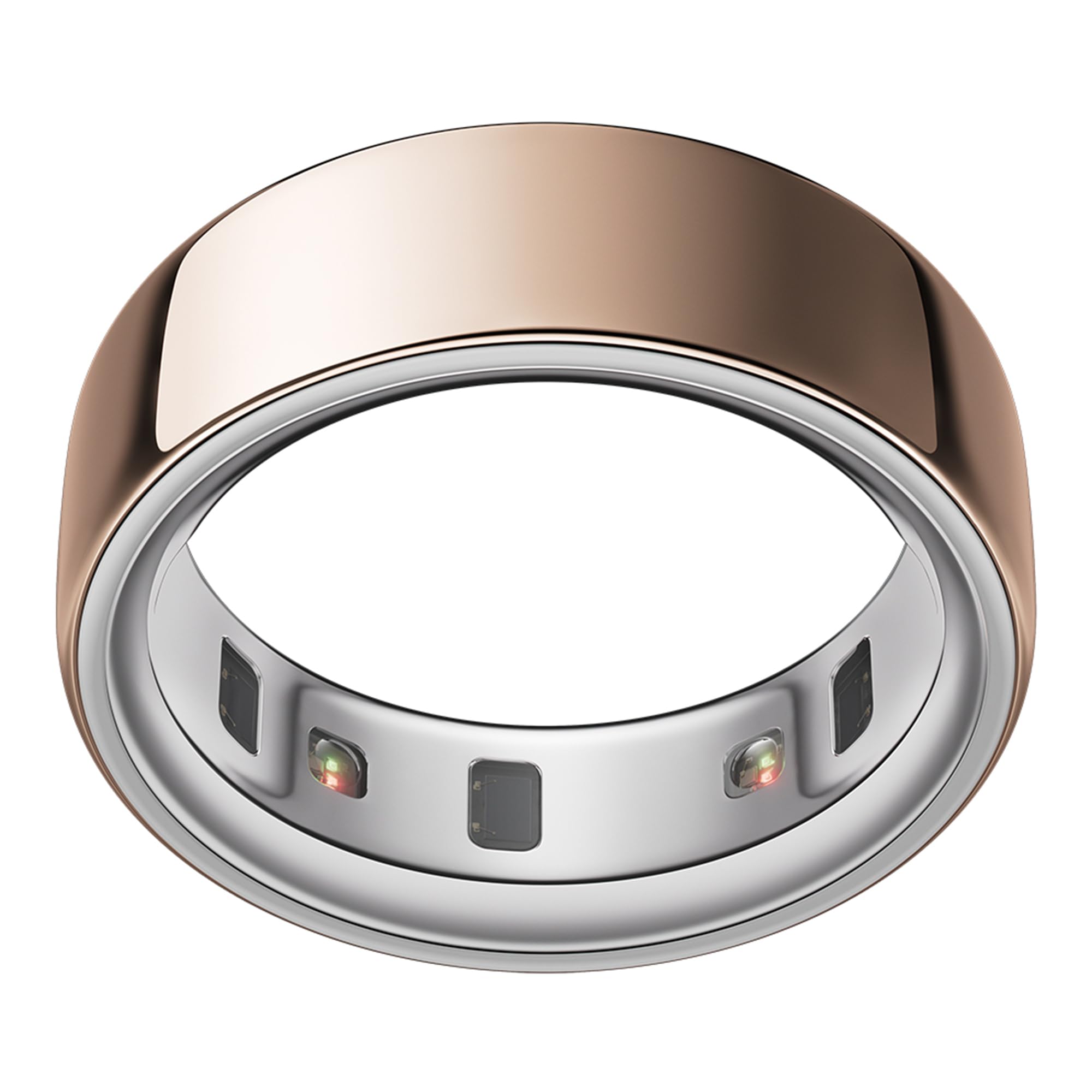
Image: The OURA Ring 4 in Rose Gold, showcasing its sleek design.
Setup
1. Sizing Your OURA Ring 4
The OURA Ring 4 uses a unique sizing system that differs from standard ring sizes. It is crucial to determine your correct size using the Oura Ring 4 Sizing Kit before purchasing the final product.

Image: The OURA Ring 4 Sizing Kit, containing multiple ring sizes for accurate measurement.
- Obtain a Sizing Kit: Purchase an Oura Ring 4 Sizing Kit.
- Wear the Sizing Rings: Wear the plastic sizing rings for at least 24 hours to ensure comfort and proper fit throughout the day and night, as finger size can fluctuate.
- Select Your Size: Choose the size that feels most comfortable and secure on your preferred finger (index, middle, or ring finger are recommended for optimal tracking).
- Purchase Your Ring: Once your size is confirmed, proceed with purchasing your OURA Ring 4.
2. Charging the Ring
Before initial use, fully charge your OURA Ring 4.
- Connect the provided USB-C cable to the Oura Ring 4 Charger.
- Plug the USB-C cable into a compatible power source (e.g., a computer USB port or a standard 5V USB wall adapter).
- Place your OURA Ring 4 onto the charger. Ensure the ring is seated correctly for charging to begin.
- A full charge typically takes approximately 80 minutes and provides up to 8 days of battery life.

Image: The OURA Ring 4 charger connected via a USB-C cable.
3. Downloading the Oura App and Pairing
The Oura App is essential for using your OURA Ring 4. It allows you to view your data, track progress, and manage settings.
- Download the Oura App from the Apple App Store (for iOS devices) or Google Play Store (for Android devices).
- Open the app and follow the on-screen instructions to create an account or log in.
- Ensure Bluetooth is enabled on your smartphone.
- The app will guide you through the pairing process to connect your OURA Ring 4.

Image: The OURA App icon, available for download on mobile devices.
4. Oura Membership
An Oura Membership is required to access the full range of features and insights provided by your OURA Ring 4.
- The first month of membership is typically free for new members.
- After the initial free period, a monthly subscription fee applies.
- Membership is linked to your Oura App account, not the physical ring.
Operating Your OURA Ring 4
Wearing the Ring
The OURA Ring 4 is designed for continuous 24/7 wear. For optimal data accuracy, wear the ring on your index, middle, or ring finger. Ensure the sensors on the inside of the ring are in contact with your skin. The ring's design features recessed sensors for comfort.

Image: The OURA Ring 4 comfortably worn on an index finger.
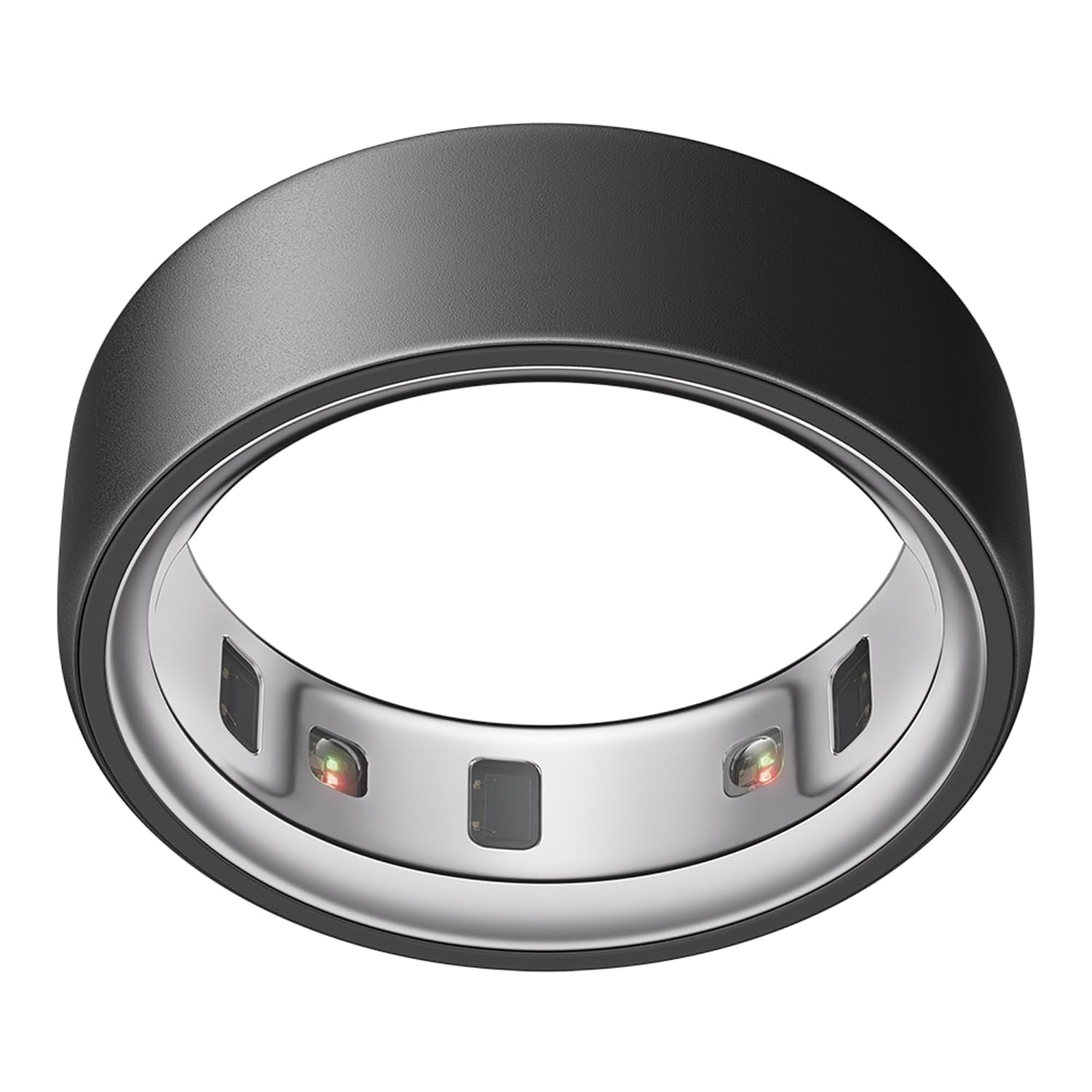
Image: A close-up view of the OURA Ring 4's internal sensors.
Data Tracking and Smart Sensing
The OURA Ring 4 utilizes Smart Sensing technology to continuously track over 30 biometrics. This includes:
- Sleep: Monitors sleep stages, duration, and quality.
- Activity: Tracks daily movement, steps, and calorie burn.
- Heart Rate: Provides continuous heart rate monitoring.
- Stress: Analyzes stress levels and recovery.
- Women's Health: Offers insights into menstrual cycles and temperature trends.
- SpO2: Measures blood oxygen levels.
- Skin Temperature: Detects temperature deviations.
All tracked data is synchronized with the Oura App, where you can view detailed reports and personalized insights.

Image: Screenshot of the OURA App displaying sleep tracking data.

Image: Screenshot of the OURA App displaying activity tracking data.
Battery Life and Water Resistance
- The OURA Ring 4 offers up to 8 days of battery life on a single charge.
- It is water-resistant up to 100 meters, making it suitable for swimming and showering.

Image: The OURA Ring 4 being worn while submerged in water, demonstrating its water resistance.
Maintenance
Cleaning Your Ring
To ensure accurate readings and hygiene, regularly clean your OURA Ring 4.
- Wash the ring with mild soap and water.
- Wipe it down thoroughly with a soft cloth.
- Avoid using harsh chemicals or abrasive materials, as these can damage the ring's finish or sensors.
Charging Best Practices
- Use only the provided Oura Ring 4 Charger and USB-C cable.
- Connect the charger to a standard 5V USB power source to prevent potential thermal degradation of the internal battery.
- While the ring has a long battery life, establishing a routine of charging it for 10-15 minutes daily (e.g., during showering) can help maintain optimal battery levels.
Troubleshooting
Ring Not Connecting to App
- Ensure Bluetooth is enabled on your smartphone.
- Verify that the Oura App is updated to the latest version.
- Restart your smartphone and the Oura App.
- Place the ring on its charger for a few minutes, then try connecting again.
- If the issue persists, try unpairing and re-pairing the ring through your phone's Bluetooth settings and the Oura App.
Charging Issues
- Ensure the ring is properly seated on the charger.
- Check that the USB-C cable is securely connected to both the charger and the power source.
- Try a different USB-C cable or power adapter.
- If the charger light indicates an error (e.g., white light then off), contact customer support.
Inaccurate Data Readings
- Ensure the ring is worn snugly on your finger with the sensors in full contact with your skin.
- Clean the sensors regularly to remove any dirt or debris.
- Verify that your ring size is correct. An ill-fitting ring can lead to inaccurate data.
- Keep the Oura App updated to ensure the latest algorithms for data processing.
Specifications
| Feature | Detail |
|---|---|
| Model Name | Oura Ring 4 |
| Model Number | JZ90-54219-12 |
| Operating System | Proprietary OS |
| Special Features | Activity Tracker, Heart Rate Monitor, Oxymeter (SpO2), Sleep Monitor, Stress Tracking |
| Battery Capacity | 22.5 Milliamp Hours |
| Battery Average Life | Up to 8 Days |
| Battery Charge Time | 80 Minutes |
| Connectivity Technology | Bluetooth |
| Band Material Type | Titanium |
| Case Material Type | Titanium |
| Water Resistance Level | Water Resistant |
| Water Resistance Depth | 100 Metres |
| Item Weight | 3.3 Grams |
| Item Dimensions | 23 x 23 x 8 Millimeters |
| Country of Origin | Estonia |
What's in the Box
- Oura Ring 4
- Oura Ring 4 Charger
- USB-C Cable
- Information Booklet
- Quick Start Guide

Image: The OURA Ring 4 and its accessories, including the charger and cable.
Warranty Information
The OURA Ring 4 comes with a 2-year limited manufacturer warranty. This warranty covers defects in materials and workmanship under normal use. Please refer to the included Information Booklet for full terms and conditions.
Customer Support
For further assistance, technical support, or warranty claims, please contact Oura Health OY.
- Manufacturer: Oura Health OY
- Address: Elektroniikkatie 10 Oulu, Oulu 90590 Finland
- Website: https://ouraring.com