1. Introduction
This manual provides essential information for setting up, operating, maintaining, and troubleshooting your Lenovo ThinkPad T14S Gen 2 laptop. Please read this manual thoroughly to ensure proper use and to maximize the performance and longevity of your device.

Figure 1: Lenovo ThinkPad T14S Gen 2 laptop with Windows 11 interface.
2. Setup
2.1 Unpacking and Initial Inspection
Carefully remove your laptop and all accessories from the packaging. Inspect for any signs of damage. If any components are missing or damaged, contact your vendor immediately.
2.2 Connecting to Power
- Connect the AC adapter to the power connector on your laptop.
- Plug the power cord into an electrical outlet.
- The battery will begin charging automatically. It is recommended to fully charge the battery before initial use.
2.3 Initial Boot-up
Press the power button to turn on your laptop. Follow the on-screen instructions to complete the Windows 11 Pro setup, including language selection, network connection, and user account creation.
3. Operating Your Laptop
3.1 Display and Camera
Your laptop features a 14-inch Full HD (1920x1080) anti-glare screen. An integrated 1080p + IR/RGB Hybrid camera with a Privacy Shutter and Dual Array Microphone is located at the top of the display.

Figure 2: Display and camera features, highlighting the 14-inch screen and webcam with privacy shutter.
3.2 Keyboard and TrackPoint
The laptop is equipped with a backlit keyboard for comfortable typing in various lighting conditions. It also includes a TrackPoint for precise cursor control.

Figure 3: Close-up view of the backlit keyboard and TrackPoint.
3.3 Ports and Connectivity
Your ThinkPad T14S Gen 2 offers a variety of ports for connecting peripherals and external devices:
- Left Side: 2 x Thunderbolt 4, 1 x HDMI 2.0, 1 x USB 3.2 Type A, 1 x Combo audio/microphone jack.
- Right Side: 1 x USB 3.2 Type A, 1 x Kensington Nano Security Slot.
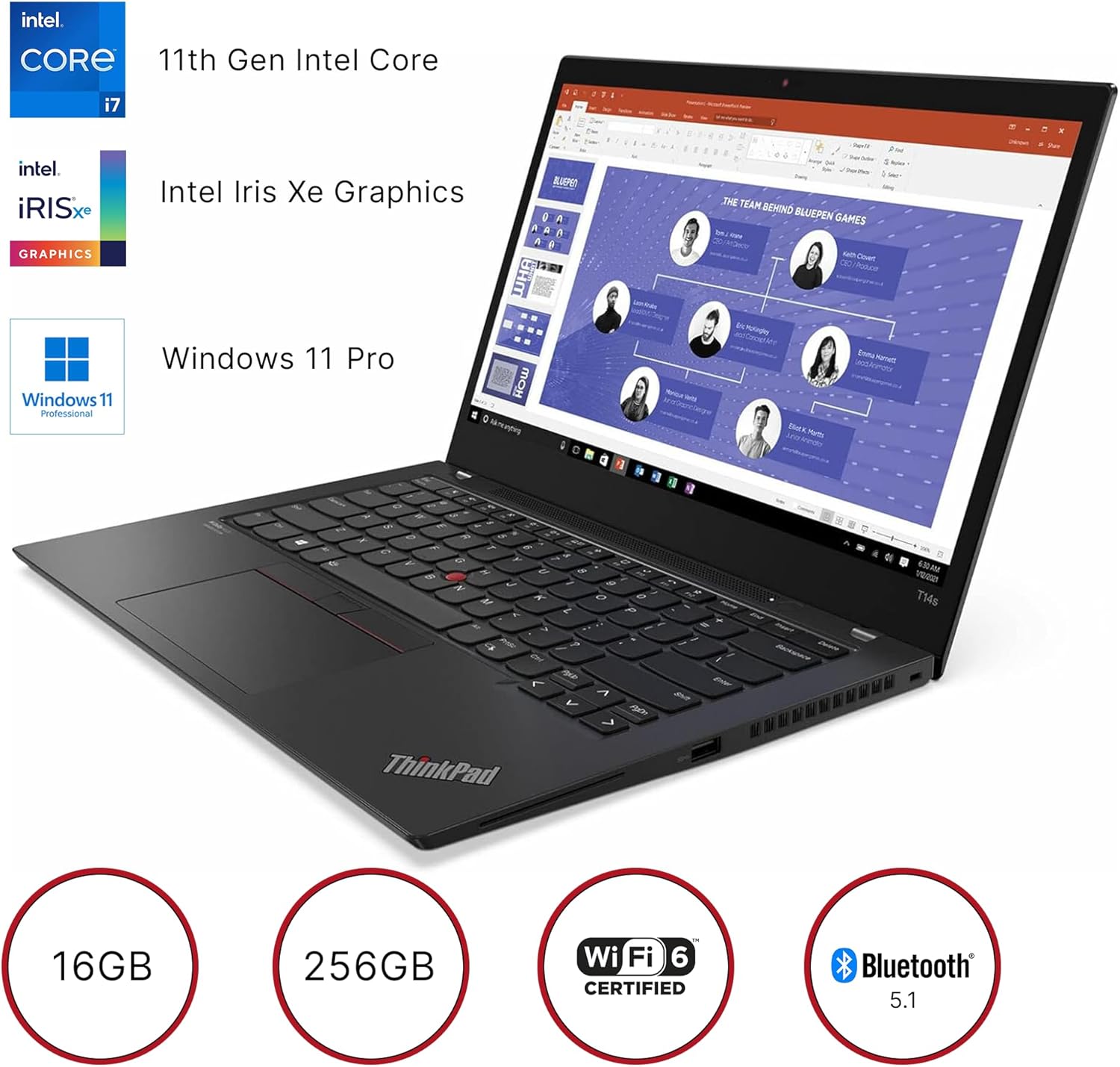
Figure 4: Left side ports of the laptop.

Figure 5: Right side ports of the laptop.
Wireless connectivity includes 802.11ax Wi-Fi 6 and Bluetooth 5.1.
4. Maintenance
4.1 General Care
- Keep your laptop clean by gently wiping surfaces with a soft, lint-free cloth.
- Avoid exposing the laptop to extreme temperatures, direct sunlight, or high humidity.
- Do not place heavy objects on the laptop.
- Ensure proper ventilation by not blocking the air vents.
4.2 Battery Care
To prolong battery life, avoid frequently discharging the battery completely. Store the laptop in a cool, dry place if not used for extended periods.
5. Troubleshooting
5.1 Common Issues and Solutions
- Laptop not turning on: Ensure the AC adapter is securely connected and the battery has sufficient charge. Try holding the power button for 10-15 seconds.
- Slow performance: Close unnecessary applications, check for malware, or consider performing a system cleanup.
- Wi-Fi connectivity issues: Restart your router and laptop. Check if Wi-Fi is enabled in Windows settings.
- Screen issues: If the screen is blank, try connecting an external monitor to check if the display output is working.
For more complex issues, refer to the official Lenovo support website or contact technical support.
6. Specifications

Figure 6: Key specifications of the Lenovo ThinkPad T14S Gen 2.
| Feature | Specification |
|---|---|
| Brand | Lenovo |
| Model Name | ThinkPad T14s Gen 2 (Intel) |
| Item Model Number | 20WN |
| Operating System | Windows 11 Pro |
| Processor | 3 GHz Intel Core i7-1185G7 |
| RAM | 16 GB LPDDR4X-4266 MHz |
| Hard Drive | 256 GB SSD M.2 2280 PCIe |
| Graphics Coprocessor | Intel Iris Xe Graphics (Integrated) |
| Screen Size | 14 Inches |
| Screen Resolution | 1920 x 1080 pixels (Full HD) |
| Max Screen Resolution | 4096x2304 Pixels |
| Wireless Type | 802.11ax (Wi-Fi 6) |
| Bluetooth | 5.1 |
| USB 3.0 Ports | 2 x USB 3.2 Type A |
| Thunderbolt Ports | 2 x Thunderbolt 4 |
| HDMI Port | 1 x HDMI 2.0 |
| Audio Jack | Combo audio/microphone jack |
| Special Features | Backlit Keyboard, Fingerprint Reader, HD Audio, Spill Resistant, TrackPoint |
| Item Weight | 2.99 pounds |
| Product Dimensions | 12.89 x 8.82 x 0.64 inches |
| Color | Villi black |

Figure 7: Physical dimensions and weight of the laptop.
7. Warranty and Support
7.1 Warranty Information
This product is offered as a renewed item and is typically covered under the Amazon Renewed Guarantee. This guarantee ensures that if you are not satisfied with your purchase, renewed products are eligible for replacement or refund within a specified period. Please refer to the specific terms and conditions of the Amazon Renewed Guarantee at the time of purchase for full details.
7.2 Technical Support
For technical assistance, driver downloads, or further product information, please visit the official Lenovo support website or contact their customer service. You may also reach out to the seller, Epower Solutions, for support related to your renewed product.


