Introduction
The TELLUR VOX 100 Bluetooth Headset is designed for seamless wireless communication, offering comfort and convenience for various uses including calls, music, and voice assistant interaction. This manual provides detailed instructions for setting up, operating, maintaining, and troubleshooting your headset to ensure optimal performance.
Package Contents
- 1 x Vox 100 Bluetooth headset
- 1 x USB-A to USB-C charging cable
- 1 x Plastic ear hook
- 1 x Silicone ear hook
- 1 x Ear tip: Medium (M)
- 1 x Ear tip: Small (S)
- 1 x User Manual
Product Overview
Familiarize yourself with the components of your TELLUR VOX 100 headset.

Image: Front view of the TELLUR VOX 100 Bluetooth Headset, showing the main body with the TELLUR logo and a call button icon.

Image: Side view of the TELLUR VOX 100 Bluetooth Headset, highlighting the USB-C charging port and volume control buttons.
Setup
Charging the Headset
Before first use, fully charge the headset. Connect the provided USB-A to USB-C cable to the headset's USB-C port and the other end to a compatible USB power source. The LED indicator will show charging status.

Image: The TELLUR VOX 100 headset connected to a USB-C charging cable, illustrating the charging process.
A full charge takes approximately 2 hours and provides up to 22 hours of talk time or 30 days of standby time.
Power On/Off
- Power On: Press and hold the Multi-function button until the LED indicator flashes blue.
- Power Off: Press and hold the Multi-function button until the LED indicator flashes red and then turns off.
Bluetooth Pairing
- Ensure the headset is powered off.
- Press and hold the Multi-function button for approximately 5-7 seconds until the LED indicator flashes red and blue alternately. This indicates pairing mode.
- On your device (smartphone, tablet, computer), enable Bluetooth and search for new devices.
- Select "TELLUR VOX 100" from the list of available devices.
- Once connected, the LED indicator on the headset will flash blue slowly.
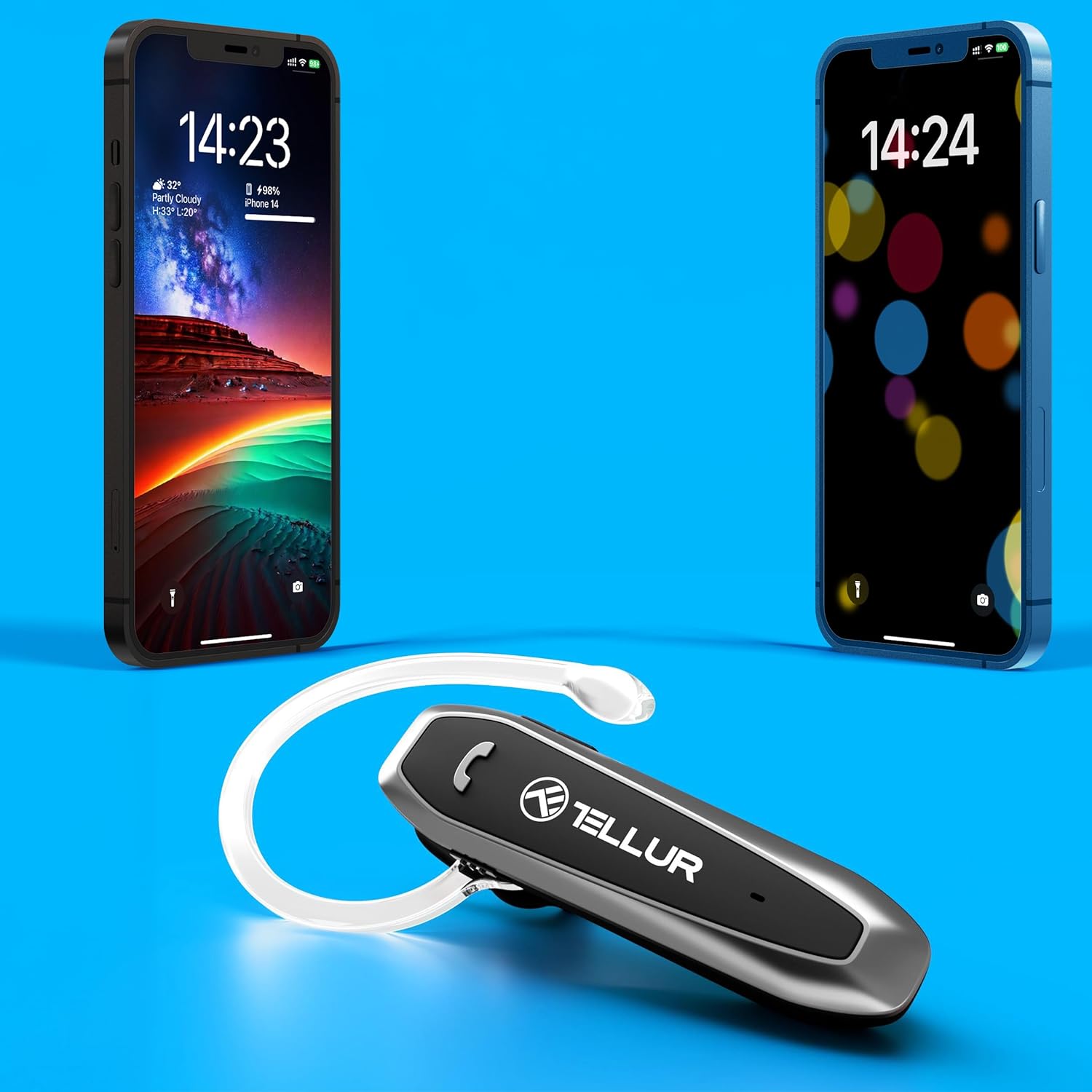
Image: The TELLUR VOX 100 headset positioned between two smartphones, illustrating its multipoint connectivity feature.
Wearing the Headset
The VOX 100 headset is designed for comfortable wear on either the left or right ear. It comes with both plastic and silicone ear hooks, as well as S/M ear tips for a secure fit.

Image: The TELLUR VOX 100 headset displayed with its included plastic and silicone ear hooks, demonstrating the interchangeable options for wearing comfort.
Choose the ear hook and ear tip that provide the most comfortable and stable fit for your ear.
Operating Instructions
Call Management
- Answer/End Call: Press the Multi-function button once.
- Reject Call: Press and hold the Multi-function button for 2 seconds.
- Redial Last Number: Double-press the Multi-function button.
Music Playback
- Play/Pause: Press the Multi-function button once.
- Next Track: Press and hold the Volume + button.
- Previous Track: Press and hold the Volume - button.
Volume Control
- Increase Volume: Press the Volume + button.
- Decrease Volume: Press the Volume - button.
Voice Assistant
Activate your device's voice assistant (Siri, Google Assistant) by pressing the Multi-function button three times quickly.
Multipoint Connectivity
The VOX 100 supports multipoint technology, allowing it to connect to two Bluetooth devices simultaneously (e.g., two smartphones, or a phone and a laptop). To use this feature:
- Pair the headset with the first device as described in the "Bluetooth Pairing" section.
- Disable Bluetooth on the first device.
- Put the headset back into pairing mode and pair it with the second device.
- Once the second device is connected, re-enable Bluetooth on the first device. The headset should automatically connect to both devices.
When a call comes in on either connected device, the headset will automatically switch to that device. For audio playback, you may need to manually select the headset as the output device on the desired source.
Maintenance
Cleaning
Regularly clean your headset to maintain hygiene and performance:
- Wipe the headset body with a soft, dry, lint-free cloth.
- For ear tips and ear hooks, remove them from the headset and clean with a mild soap solution if necessary, then rinse thoroughly and dry completely before reattaching.
- Do not use abrasive cleaners, alcohol, or chemical solvents.
Storage
When not in use, store the headset in a cool, dry place away from direct sunlight and extreme temperatures. Avoid storing it with sharp objects that could scratch or damage the unit.
Troubleshooting
If you encounter issues with your TELLUR VOX 100 headset, refer to the table below for common problems and solutions.
| Problem | Solution |
|---|---|
| Headset does not power on. | Ensure the headset is fully charged. Connect it to a power source and allow it to charge for at least 30 minutes before attempting to power on again. |
| Cannot pair with device. | Ensure the headset is in pairing mode (LED flashing red and blue alternately). Make sure Bluetooth is enabled on your device and it is within 15 meters of the headset. Try restarting both the headset and your device. |
| Frequent disconnections. | Ensure there are no obstacles between the headset and your device. Move closer to your device. Avoid environments with strong Wi-Fi or other wireless interference. Try unpairing and re-pairing the headset. |
| Poor sound quality (low volume, static). | Adjust the volume on both the headset and your connected device. Ensure the headset is properly seated in your ear. Check for interference from other electronic devices. If using for calls, ensure the microphone is not obstructed. |
| Voice assistant not responding. | Ensure your device's voice assistant is enabled and configured. Confirm you are pressing the Multi-function button three times quickly. |
Specifications
Detailed technical specifications for the TELLUR VOX 100 Bluetooth Headset:
| Feature | Value |
|---|---|
| Model Name | Tellur Vox 100 |
| Connectivity Technology | Bluetooth |
| Bluetooth Version | 5.3 |
| Bluetooth Range | 15 Meters |
| Noise Control | Passive Noise Cancellation |
| Battery Life (Talk Time) | 22 Hours |
| Charging Time | 2 Hours |
| Frequency Range | 20 Hz - 20,000 Hz |
| Impedance | 16 Ohm |
| Item Weight | 12.3 Grams (0.434 ounces) |
| Control Type | Voice Control, Touch |
| Special Features | Built-In Voice Assistant, Echo Cancellation, Fast Charging, Lightweight, Sweatproof, Microphone Included, Multipoint Pairing, Noise Isolation, Rechargeable Battery, Volume Control |
| Compatible Devices | Smartphones (iPhone, Android), Tablets (iPad, Android, Windows), Laptops (Mac, Windows), Bluetooth-enabled Smart TVs |
Warranty and Support
The TELLUR VOX 100 Bluetooth Headset is typically covered by a 30-day return policy for refunds or replacements, as per standard retail terms. For specific warranty details and support inquiries, please refer to the documentation provided at the time of purchase or contact TELLUR customer service directly through their official website or the retailer where the product was purchased.
Please retain your proof of purchase for any warranty claims.


