
Product Overview
The ESR MagSafe Wallet is a versatile accessory designed for iPhone 12 series and later, offering secure card storage and integrated Find My functionality. This wallet attaches magnetically to your iPhone, providing a convenient way to carry essential cards while ensuring they are protected and easily locatable.
Key features include full Find My support without the need for an AirTag, smart card storage for up to 5 cards or 4 cards and 3 banknotes, strong magnetic attachment, and built-in RFID-blocking technology for enhanced security. The wallet is rechargeable, offering extended use on a single charge.

Image: The ESR MagSafe Wallet securely attached to the back of an iPhone, showcasing its slim profile and card-holding capability. An iPhone screen displays the Find My app interface, indicating the wallet's location. The reverse side of the wallet is also visible, highlighting its magnetic design.
Features
- Full Find My Support: Integrated Find My functionality allows you to track the wallet's real-time location, receive notifications if left behind, and play a sound to help locate it, all without an additional AirTag.
- Smart Card Storage: Designed with two slots to securely hold up to 5 cards or a combination of 4 cards and 3 banknotes. A 20 mm cutout facilitates easy and instant card access.
- Strong Magnetic Hold: Equipped with 20 N52 magnets, providing 3,200 g of holding force for a secure and precise attachment to MagSafe-compatible iPhones and cases.
- RFID-Blocking Technology: Features built-in RFID-blocking to protect your credit cards, IDs, and personal data from unauthorized scans and digital theft.
- Rechargeable Design: The wallet charges in approximately 1.5 hours, providing up to 3 months of use on a single charge.
- Premium Style: Crafted with a sleek, cutting-edge design using animal-friendly vegan leather.
- Anti-Degaussing Lining: A special protective lining prevents demagnetization of your cards' magnetic strips.
Setup
Initial Charging
Before first use, ensure your ESR MagSafe Wallet is fully charged. Connect the provided 1.7 ft (50 cm) PIN-to-USB-C charging cable to the wallet's charging port and a compatible USB-C power source. The green light on the wallet will indicate charging status.
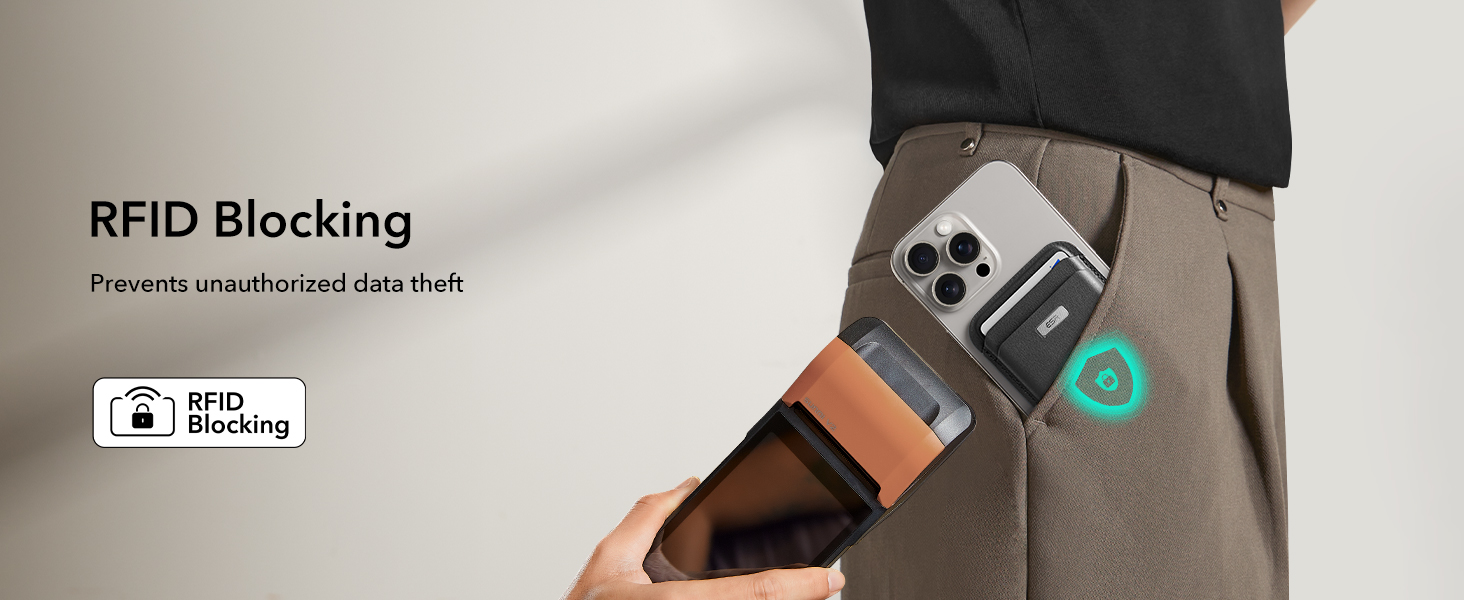
Image: The ESR MagSafe Wallet connected to a USB-C charging cable, illustrating its rechargeable design. Text indicates that 1.5 hours of charging provides 6 months of use, based on ESR lab testing.
Pairing with Apple Find My
To utilize the Find My functionality, pair your ESR MagSafe Wallet with your iPhone using the Apple Find My app. Follow these steps:
- Charge your Geo Wallet: Ensure the wallet is charged until the green light is on.
- Turn on Bluetooth and Location Services: On your iPhone, navigate to Settings > Bluetooth and ensure Bluetooth is enabled. Then go to Settings > Privacy & Security > Location Services and ensure Location Services are enabled.
- Activate Pairing Mode: Press and hold the power button on your Geo Wallet until you hear a beep.
- Open Find My App: On your iPhone, open the Find My app. Go to the "Items" tab, tap the "+" icon, then select "Add New Item" > "Other Supported Item" > "Connect". Follow the on-screen prompts to complete the pairing process.
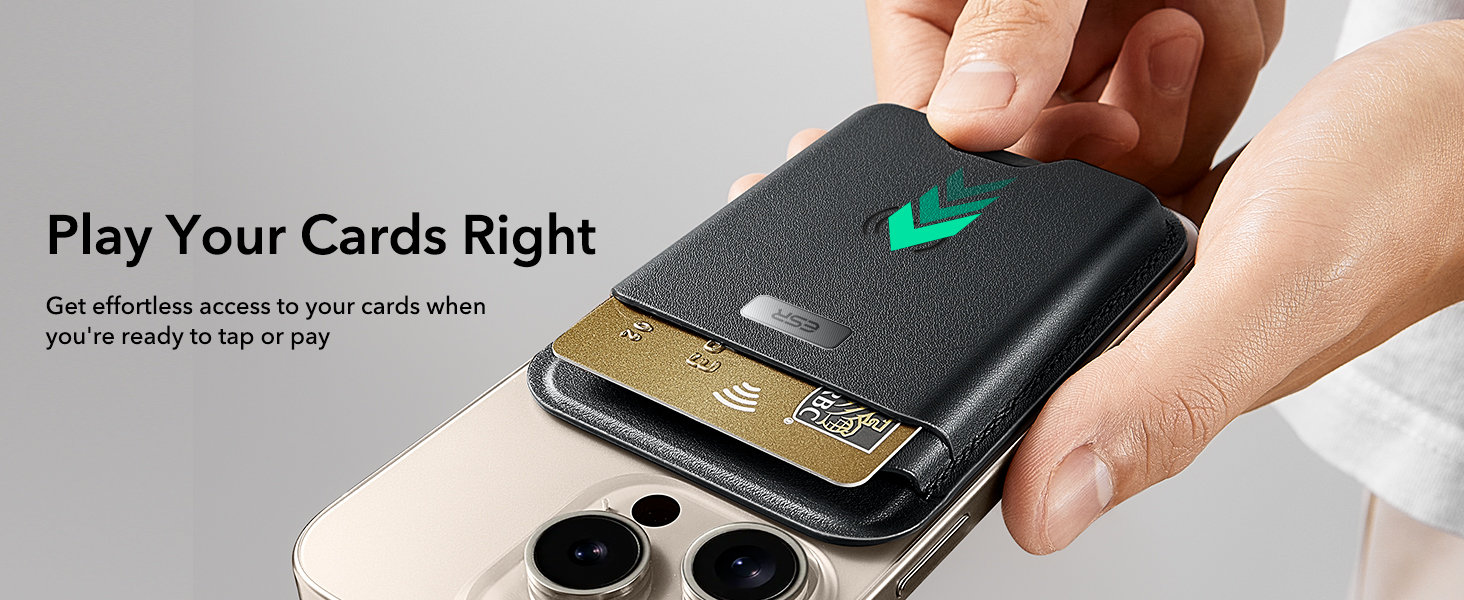
Image: A visual guide demonstrating the four easy steps for pairing the ESR MagSafe Wallet with the Apple Find My app, including charging, enabling Bluetooth/Location Services, pressing the power button, and adding the item in the Find My app.
Operating Instructions
Attaching to iPhone
Align the ESR MagSafe Wallet with the MagSafe ring on the back of your iPhone (iPhone 12 series or later) or a MagSafe-compatible case. The strong magnets will automatically snap the wallet into place, ensuring a secure attachment.

Image: A visual representation of the strong magnetic lock between the ESR MagSafe Wallet and an iPhone. The image highlights the 3,200g magnetic strength, which is 4x stronger than other MagSafe wallets.
Storing and Accessing Cards
The wallet features two slots designed to hold up to 5 cards or a combination of 4 cards and 3 banknotes. Gently slide your cards into the designated slots. To access cards, use the 20 mm bottom cutout to easily push them out.

Image: A hand demonstrating the smart card storage of the ESR MagSafe Wallet, showing how to insert multiple cards. The image indicates the wallet can securely hold 4 cards and 3 banknotes, or 5 cards.

Image: A hand demonstrating the easy card access feature of the ESR MagSafe Wallet, highlighting the 20 mm bottom cutout that allows for effortless retrieval of cards.
Using Find My Functionality
Once paired, you can use the Apple Find My app to locate your wallet. If you misplace your wallet, open the Find My app on your iPhone, iPad, Mac, or Apple Watch. Select your ESR MagSafe Wallet from the "Items" list to view its real-time location on a map. You can also play a sound from the wallet to help pinpoint its exact location if it's nearby.
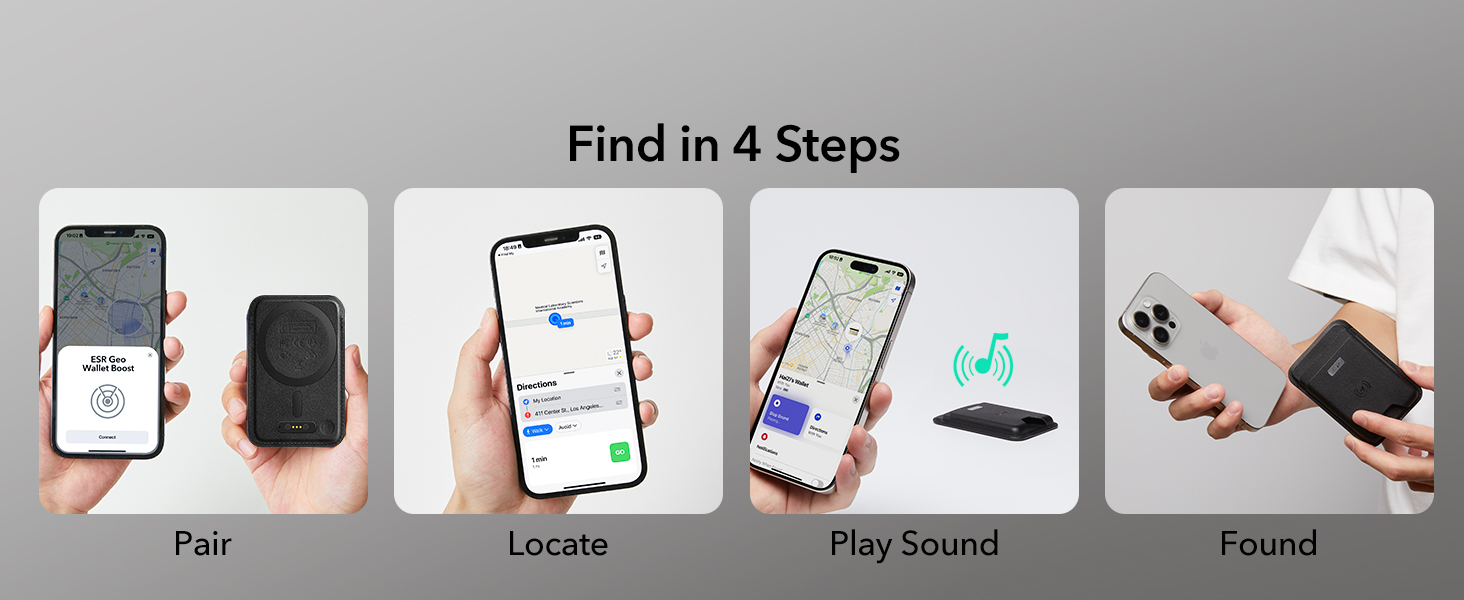
Image: A visual sequence illustrating how to find the ESR MagSafe Wallet using the Apple Find My app: Pair, Locate on map, Play Sound, and Found.
Maintenance
- Cleaning: Wipe the wallet with a soft, damp cloth to remove dust and dirt. Avoid using harsh chemicals or abrasive materials.
- Storage: Store the wallet in a cool, dry place away from direct sunlight and extreme temperatures when not in use.
- Card Protection: The built-in anti-degaussing lining protects your cards' magnetic strips. Avoid exposing the wallet to strong external magnetic fields that are not related to MagSafe.

Image: The ESR MagSafe Wallet in use, with an inset diagram illustrating the anti-degaussing lining that protects magnetic cards from demagnetization.
Troubleshooting
| Problem | Possible Cause | Solution |
|---|---|---|
| Wallet not attaching securely to iPhone. | Not an iPhone 12 series or later; non-MagSafe case; foreign objects between wallet and phone. | Ensure your iPhone is a 12 series or later. Use an official MagSafe case or an ESR magnetic case. Remove any debris or objects between the wallet and the phone. |
| Find My functionality not working. | Wallet not charged; Bluetooth or Location Services off; not properly paired. | Charge the wallet fully. Verify Bluetooth and Location Services are enabled on your iPhone. Re-pair the wallet with the Find My app following the setup instructions. |
| Cards difficult to insert or remove. | Too many cards inserted; cards not aligned properly. | Ensure you are not exceeding the maximum capacity (5 cards or 4 cards + 3 banknotes). Align cards correctly before inserting. Use the bottom cutout for easier removal. |
| RFID blocking seems ineffective. | Wallet not fully covering cards; attempting to scan through the wallet. | Ensure cards are fully inserted into the wallet. The RFID blocking works by creating a shield; direct contact or very strong scanners might still pose a risk, but it significantly reduces unauthorized scans. |
Specifications
- Model Number: 2K644
- Dimensions: 0.45 x 2.6 x 3.78 inches (11.4 x 66 x 96 mm)
- Item Weight: 5.6 ounces (158.7 grams)
- Battery: 1 Lithium Ion battery (required, built-in)
- Charging Time: Approximately 1.5 hours
- Usage Time: Up to 3 months per charge
- Magnetic Strength: 3,200 g (with 20 N52 magnets)
- Card Capacity: Up to 5 cards or 4 cards + 3 banknotes
- Material: Vegan Leather
- Color: Black
- Special Features: Find My Functionality, RFID-Blocking, Card Holder, Magnetic Wallet
Compatibility
The ESR MagSafe Wallet is designed for optimal performance with the following devices and accessories:
- iPhones with MagSafe (iPhone 12 series or later)
- Official MagSafe cases
- ESR magnetic cases
- ESR Universal Rings
Not Compatible with:
- iPhone 13/12 mini
- Non-magnetic cases

Image: A detailed compatibility chart for the ESR MagSafe Wallet, visually indicating which iPhone models (12 series or later) and case types (MagSafe, ESR magnetic, ESR Universal Rings) are compatible, and explicitly stating incompatibility with iPhone 13/12 mini and non-magnetic cases.
Warranty and Support
ESR provides customer support for its products. For warranty information, technical assistance, or any inquiries, please contact ESR directly.
- Website: esrgear.com
- Email Support: esr.support@esrgear.com
Please retain your proof of purchase for warranty claims.

