
Introduction
Thank you for choosing the Oaks Aura 20-inch Flush Mount Ceiling Fan with Dimmable LED Light. This manual provides essential information for the safe installation, operation, and maintenance of your new ceiling fan. Please read all instructions carefully before installation and retain this manual for future reference.
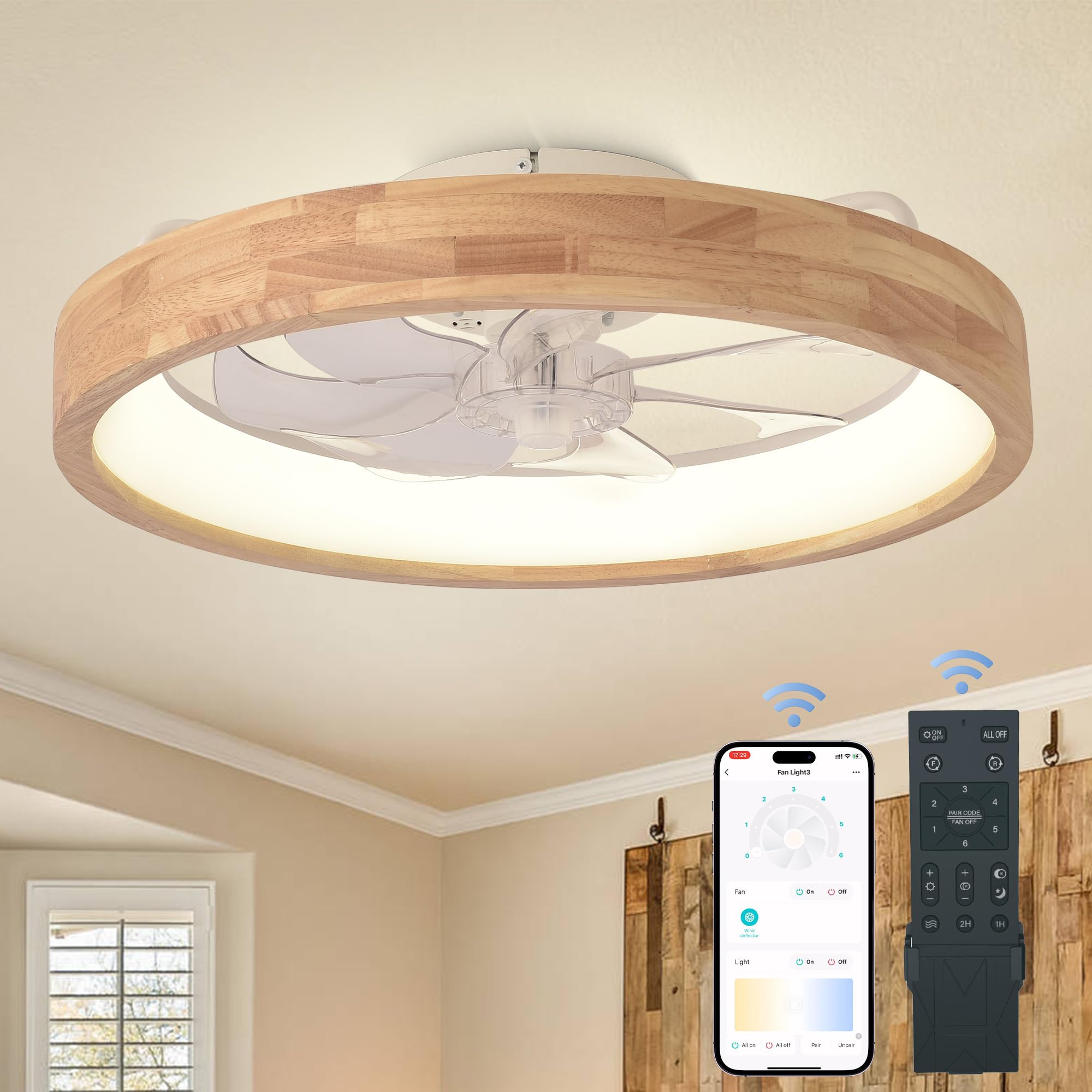
Image: The Oaks Aura 20-inch flush mount ceiling fan with a wooden rim and integrated LED light, designed for modern interiors.
Safety Information
- Always turn off power at the circuit breaker before beginning installation.
- Consult a qualified electrician if you are unsure about wiring connections.
- Ensure the mounting surface can support the weight of the fan.
- Do not bend fan blades during installation or cleaning.
- Keep children away from the fan during operation.
Package Contents
Verify that all components are present before installation:
- Ceiling Fan with Integrated LED Light
- Remote Control
- Mounting Bracket
- Installation Hardware (screws, wire nuts, etc.)
- Instruction Manual

Image: An overview of the package contents, including the ceiling fan unit, remote control, and a bag of installation hardware.
Setup
The Oaks Aura ceiling fan is designed for straightforward installation. All major components are pre-assembled, simplifying the process.
1. Mounting Bracket Installation
Secure the mounting bracket to your ceiling junction box using the provided screws. Ensure the bracket is firmly attached to a structural support.

Image: A close-up of the metal mounting bracket being secured to the ceiling, showing the screw points.
2. Wiring Connections
Connect the fan's electrical wires to your household wiring according to local electrical codes. Typically, black wires connect to black, white to white, and ground to ground. Use the provided wire nuts to secure connections.
3. Securing the Fan
Carefully lift the fan unit and attach it to the mounting bracket. Ensure all wires are tucked safely within the junction box and the fan is securely fastened.
Installation Video Guide
Video: A detailed guide demonstrating the unboxing, mounting bracket installation, wiring, and final attachment of the ceiling fan to the ceiling. This video provides visual instructions for the setup process.
Operating Instructions
Your Oaks Aura ceiling fan can be controlled via the included remote control or a compatible smartphone application.
Remote Control Functions
- Power On/Off: Turns the fan and light on or off.
- Fan Speed: Adjusts between 6 fan speeds (1-6).
- Light Color Temperature: Cycles through 3 color temperatures: Warm Light (3000K), Natural Light (4500K), and White Light (6000K).
- Dimming: Adjusts light brightness from 10% to 100%.
- Reversible Motor: Changes fan direction for summer (downward airflow) or winter (upward airflow for heat circulation).
- Timer: Sets the fan to turn off automatically after 1 or 2 hours.

Image: Illustrates the three adjustable color temperatures (6000K White Light, 4500K Natural Light, 3000K Warm Light) and stepless dimming function of the integrated LED light.

Image: Depicts the 6 wind speed settings, categorized as Softwind (1-2 speed), Naturalwind (3-4 speed), and Coolwind (5-6 speed), highlighting quiet operation.

Image: Shows the reversible airflow feature, with arrows indicating downward airflow for summer cooling and upward airflow for winter heat circulation.
App Control
Download the compatible smartphone application to control all fan and light functions from your mobile device. Follow the app's instructions for pairing.
Operation Video Guide
Video: An overview of the 20-inch wooden ceiling fan with light, showcasing its design, features, and various operational modes including light and fan speed adjustments.
Video: Demonstrates the 20-inch wooden low profile ceiling fan with light in different room settings, highlighting its aesthetic appeal and functional use in various home environments.
Maintenance
The Oaks Aura ceiling fan is designed for easy maintenance. The wooden and plastic surfaces are smooth and can be cleaned regularly.
- Cleaning: Use a soft, damp cloth to wipe down the fan blades, light cover, and wooden rim. Avoid abrasive cleaners that may damage the finish.
- Inspection: Periodically check all connections and mounting screws to ensure they are secure.
Troubleshooting
| Problem | Possible Cause | Solution |
|---|---|---|
| Fan does not respond to remote/app | Remote not paired; batteries low/dead; app not connected. | Ensure remote batteries are fresh. Follow pairing instructions in the remote control section. Check app connection and ensure Bluetooth/Wi-Fi is enabled. |
| Fan wobbles or makes unusual noise | Loose mounting screws; unbalanced blades; motor issue. | Check and tighten all mounting screws. Ensure fan blades are securely attached. If wobbling persists, consult a professional. |
| Light does not turn on | Wiring issue; LED driver failure. | Verify all electrical connections are secure. If the issue persists, contact customer support. |
| Light defaults to 'on' after power cycle | No memory function for last setting. | This model may not retain the last light setting after a power interruption. Adjust light manually using the remote or app after power is restored. |
Specifications
| Feature | Detail |
|---|---|
| Brand | Oaks Aura |
| Model Number | TJ-SM-FSD |
| Dimensions (L x W x H) | 20"L x 20"W x 5.9"H |
| Material | Copper, Metal, Plastic, Wood |
| Light Fixture Form | Ceiling Fan Light |
| Room Type | Bedroom, Dining Room, Kids Room, Kitchen, Living Room |
| Power Source | DC |
| Voltage | 110 Volts |
| Wattage | 40 watts |
| Control Method | App, Remote Control |
| Special Features | Adjustable Color Temperature, Color Changing, Dimmable, Energy Efficient, Timer, Reversible Motor |
| Noise Level | ≤30 dB(A) |
| Fan Speed | 6 Speeds |
Warranty and Support
For warranty information or technical support, please refer to the product packaging or contact Oaks Aura customer service directly. Keep your purchase receipt for any warranty claims.


