
TELESIN X4
TELESIN X4 Dual Battery Charger and Storage Case User Manual
Model: X4
1. Introduction
This manual provides detailed instructions for the safe and efficient use of your TELESIN X4 Dual Battery Charger and Storage Case. This device is designed to charge two Insta360 X4 batteries simultaneously and offers integrated storage for micro SD cards. Please read this manual thoroughly before operating the device.

Image 1: The TELESIN X4 Dual Battery Charger and Storage Case, a compact solution for charging and storing Insta360 X4 batteries and micro SD cards.
2. Product Overview
2.1 Features
- Dual Functionality: Serves as both a charging station for two Insta360 X4 batteries and a protective storage case.
- Integrated Storage: Includes dedicated slots for micro SD cards, keeping them secure and organized.
- Compact and Portable: Small and lightweight design for easy transport in bags or pockets.
- Intelligent Fast Charging: Supports PD3.0 USB Type-C for rapid charging, achieving 100% charge in approximately 65 minutes.
- LED Smart Indicators: Two independent LED indicators display the charge level of each battery at a glance.
- Safety Protections: Built-in safeguards against overcharging, short circuits, over-discharge, over-temperature, over-current, and over-voltage.
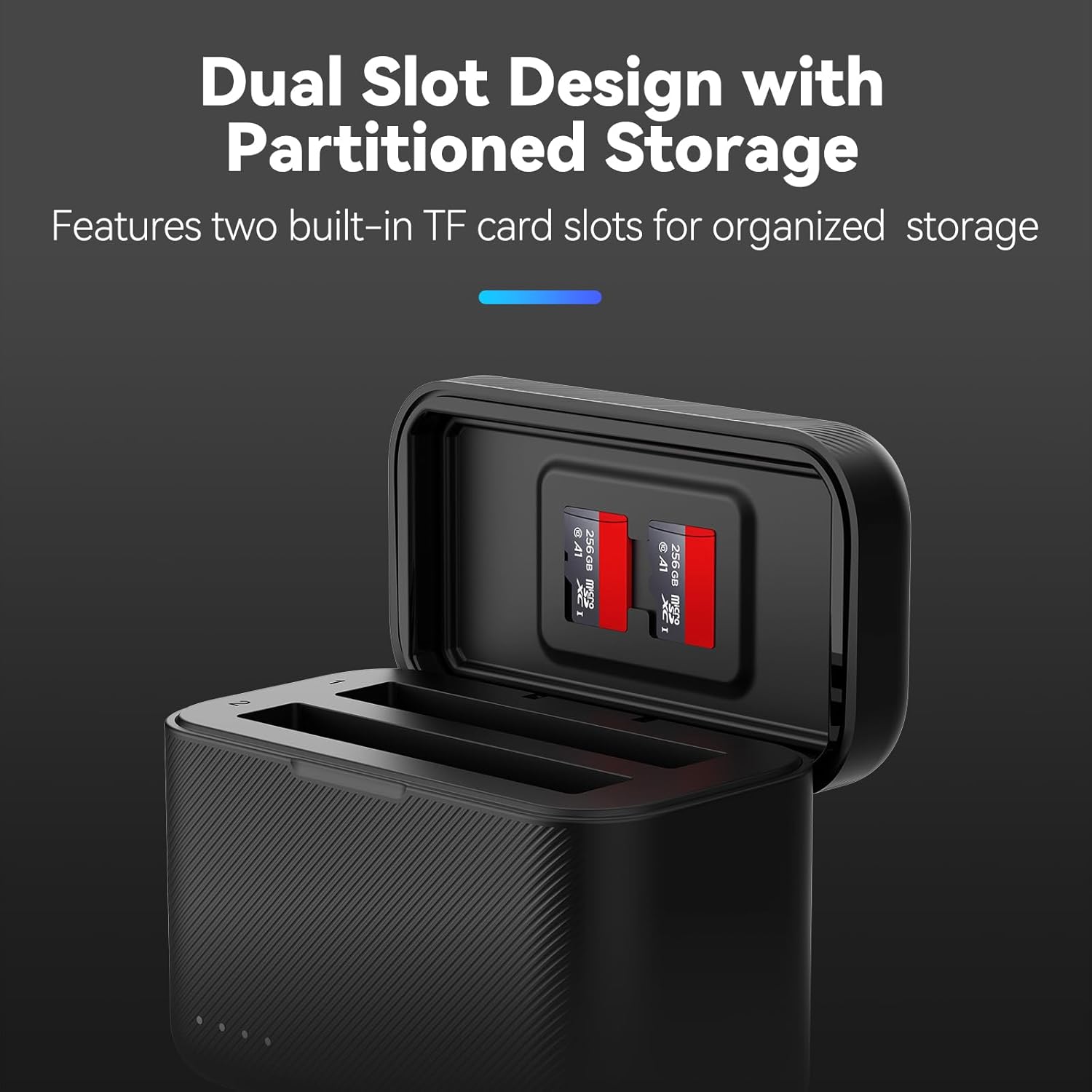
Image 2: The charger features a dual-slot design for batteries and partitioned storage for micro SD cards, ensuring organized and secure keeping.
2.2 Package Contents
Verify that all items listed below are included in your package:
- 1 x TELESIN X4 Charging Case
- 1 x USB Type-C Charging Cable
- 1 x User Manual

Image 3: Illustrated view of the package contents, including the charging case, charging cable, and user manual.
3. Setup
- Unpack: Carefully remove the charging case and all accessories from the packaging.
- Initial Charge: Before first use, it is recommended to fully charge the device. Connect the provided USB Type-C cable to the charging port on the case and to a compatible power source (e.g., USB wall adapter, power bank, computer USB port).
- Insert Batteries: Open the flip cover of the charging case. Insert up to two Insta360 X4 batteries into the designated slots. Ensure they are correctly oriented.
- Insert Micro SD Cards (Optional): If desired, insert micro SD cards into the storage slots located on the inside of the flip cover.
4. Operating Instructions
4.1 Charging Batteries
To charge your Insta360 X4 batteries:
- Ensure the charging case is connected to a power source via the USB Type-C cable. For optimal fast charging, use a PD3.0 compatible power adapter.
- Insert up to two Insta360 X4 batteries into the charging slots. The LED indicators will illuminate to show the charging status.
- Charging typically takes approximately 65 minutes for a full charge when using a PD3.0 power source.
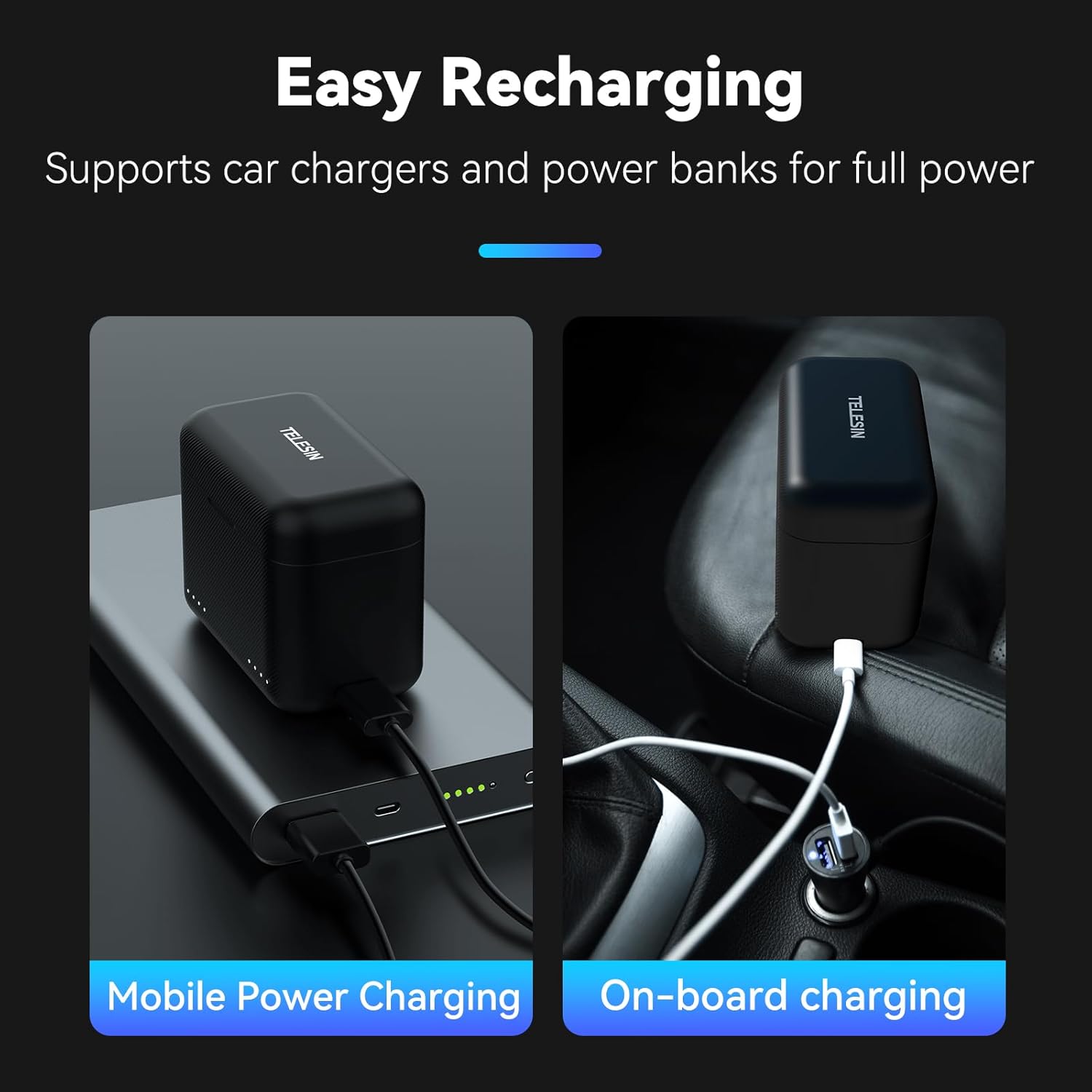
Image 4: The TELESIN X4 charger supports flexible recharging options, including mobile power banks and car chargers, for convenience on the go.
4.2 LED Indicators
The charging case features LED indicators on the front to display the charge status of each battery. These indicators are visible when the flip cover is open or when the case is connected to power.
- Solid Lights: Indicate the current charge level (e.g., 1 light for 25%, 2 for 50%, 3 for 75%, 4 for 100%).
- Flashing Lights: Indicate that the battery is currently charging.
- All Lights Solid: Battery is fully charged.

Image 5: The LED indicators on the charger's flip cover provide real-time monitoring of each battery's charge status, from 25% to 100%.
4.3 Micro SD Card Storage
The flip cover of the charging case includes two slots for storing micro SD cards. This allows for convenient and secure transport of your memory cards alongside your batteries.
4.4 Product Demonstration Video
Video 1: A short demonstration of the TELESIN X4 Battery Charger, showcasing its features and ease of use. This video illustrates how to insert batteries and connect the charger for power.
5. Maintenance
- Cleaning: Use a soft, dry cloth to clean the exterior of the charging case. Avoid using harsh chemicals or abrasive materials.
- Storage: When not in use, store the charger in a cool, dry place away from direct sunlight and extreme temperatures.
- Protection: Keep the charging case free from water droplets, dust, and debris to ensure optimal performance and longevity.
6. Troubleshooting
| Problem | Possible Cause | Solution |
|---|---|---|
| Batteries not charging | Loose connection, incompatible power source, faulty battery. | Ensure USB-C cable is securely connected. Use a PD3.0 compatible power adapter. Try charging a different battery to isolate the issue. |
| Slow charging speed | Non-PD3.0 power source, charging multiple batteries with low power adapter. | Use a PD3.0 compatible power adapter (e.g., 12V/2A or more powerful). If using a small power charger, charge one battery at a time. |
| LED indicators not working | No power, charger malfunction. | Verify power connection. If problem persists, contact customer support. |
7. Specifications
| Feature | Detail |
|---|---|
| Brand | TELESIN |
| Model Number | X4 |
| Color | Black |
| Product Dimensions (D x W x H) | 2.36" x 1.69" x 3" (approximately 60mm x 43mm x 76mm) |
| Input Voltage | 12 Volts (5V=3A, 9V=3A, 12V=2A for Fast Charging) |
| Output Voltage | 4.4V 3A |
| Connector Type | USB Type-C |
| Number of Ports | 2 (for batteries) |
| Battery Charge Time | Approximately 65 minutes (with PD3.0 compatible adapter) |
| Operating Temperature | 0°C - 40°C |
| Certifications | UL, CE, FCC |

Image 6: Detailed product information, including dimensions and electrical specifications, for the TELESIN X4 charger.
8. Warranty and Support
8.1 Warranty Information
The TELESIN X4 Dual Battery Charger and Storage Case comes with a 2-year warranty from the date of purchase. This warranty covers manufacturing defects and ensures the product meets its specified performance. Please retain your proof of purchase for warranty claims.
8.2 Customer Support
For technical assistance, troubleshooting, or warranty inquiries, please contact TELESIN customer support through the official website or your retailer. Provide your product model number (X4) and purchase details for efficient service.
Official TELESIN Store: Visit the TELESIN Store on Amazon
Ask a question about this manual
Ask about setup, troubleshooting, compatibility, parts, safety, or missing instructions. Manuals+ will review the question and use this page’s manual context to help answer it.