
1. Introduction
This manual provides comprehensive instructions for the assembly, operation, maintenance, and troubleshooting of your Nintiue RGB Smart Arc LED Floor Lamp, Model F230017P1RGBCW. Please read this manual thoroughly before use to ensure proper function and safety.
2. Safety Information
- Ensure the lamp is placed on a stable, level surface to prevent tipping. The lamp features a weighted metal base for stability.
- This product is designed for indoor use only. Do not expose to water or high humidity.
- Do not attempt to modify or disassemble the lamp. Refer all servicing to qualified personnel.
- Keep the power cord away from heat sources, sharp edges, and wet areas.
- Unplug the lamp from the power outlet before cleaning or performing any maintenance.
- The lamp operates on 110 Volts. Ensure your power supply matches this requirement.
3. Package Contents
Verify that all components are present before assembly:
- Arc LED Floor Lamp (Multiple sections)
- Weighted Base
- Power Adapter
- Remote Control
- Assembly Hardware (Screws)
4. Setup and Assembly
Follow these steps to assemble your Nintiue RGB Smart Arc LED Floor Lamp:
- Install the Base: Attach the lamp pole to the weighted metal base using the provided screws. Ensure it is securely fastened.
- Assemble the Lamp Pole: Carefully connect the sections of the LED lamp pole. Ensure the internal wiring connectors are properly aligned and secured.
- Connect the Adapter: Plug the power adapter into the lamp's power input, then plug the adapter into a standard wall outlet.

Image: Step-by-step visual guide for lamp assembly, showing how to install the base, insert the LED lamp pole sections, and connect the power adapter.
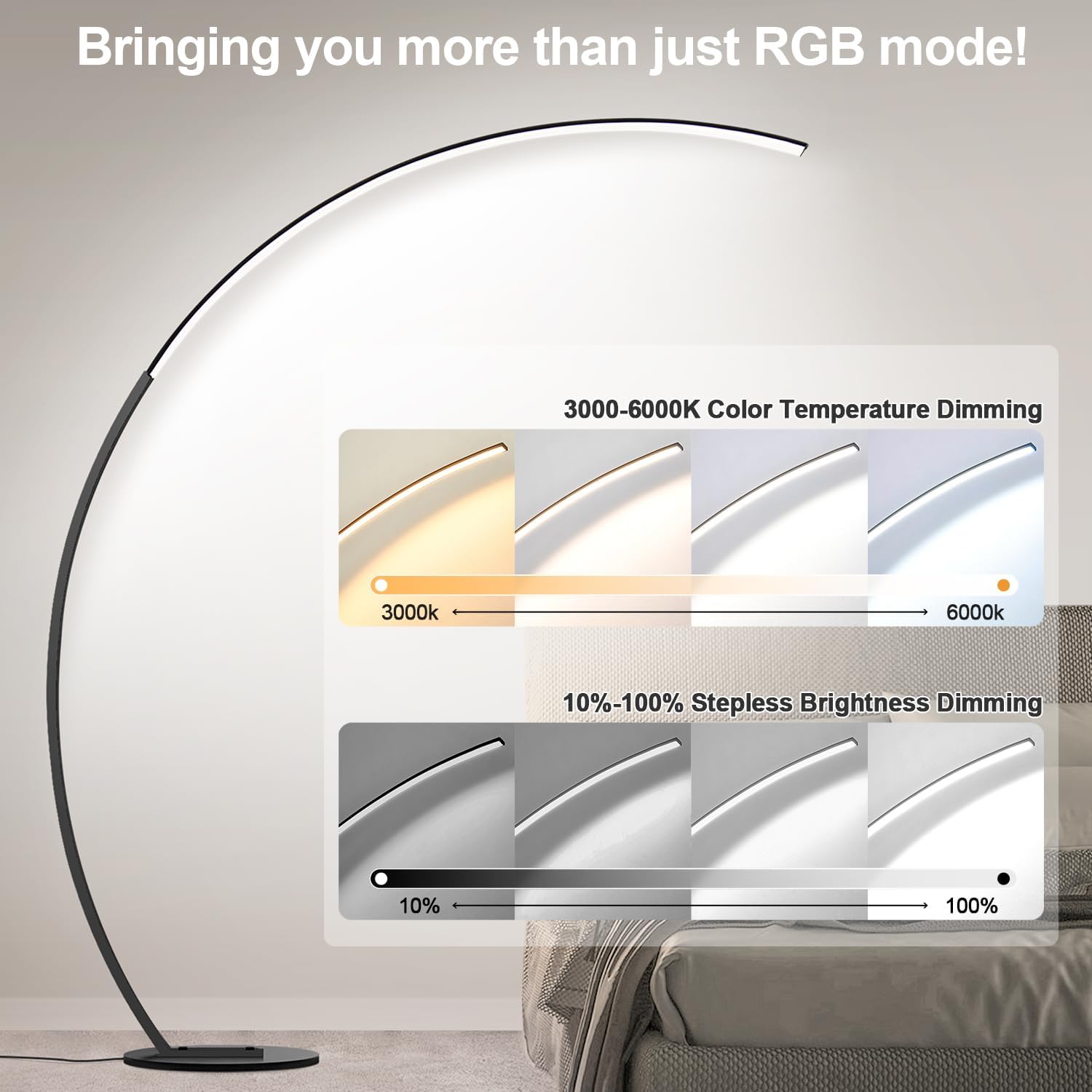
Image: Close-up illustration of the lamp pole connection points and the base installation process.
5. Operating Instructions
Your Nintiue RGB Smart Arc LED Floor Lamp offers multiple control methods and lighting options.
5.1 Control Methods
The lamp can be controlled via a smart application, the included remote control, or a foot switch.
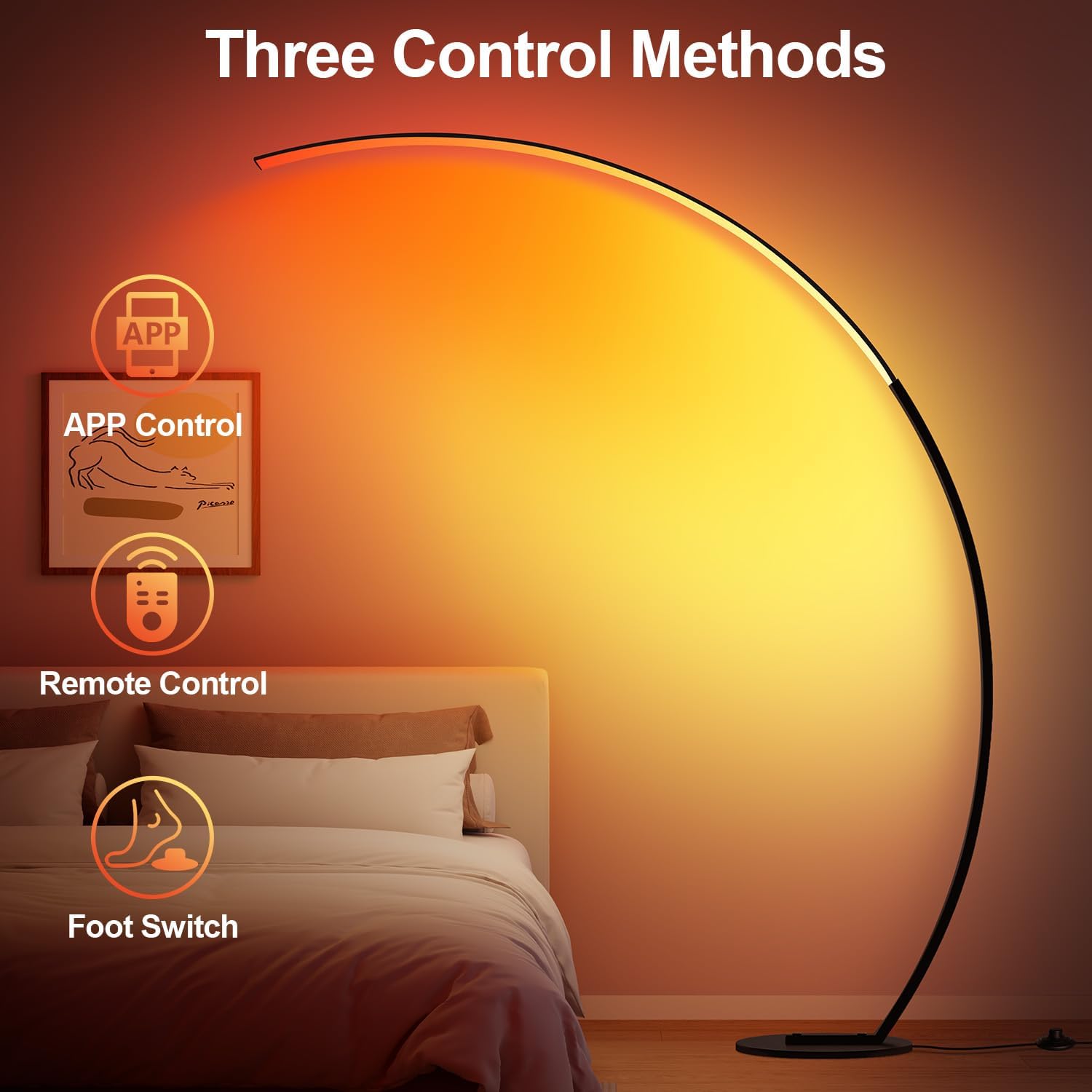
Image: Visual representation of the three control methods available for the lamp: smartphone app, handheld remote control, and a foot-operated switch.
5.2 Lighting Options
The lamp provides two primary lighting systems: adjustable color temperatures for white light and adjustable RGBICW colors for dynamic effects.
- Adjustable Color Temperatures: Choose from 3000K (Warm White) to 6000K (Cool White) to suit various activities like relaxing, reading, or working. Brightness is steplessly dimmable from 10% to 100%.
- Dynamic RGBICW Colors: Access over 16 million colors and 250+ dynamic modes to create specific moods or ambiances.

Image: Diagram illustrating the range of color temperatures from 3000K to 6000K and stepless brightness dimming from 10% to 100%.

Image: A composite image showing the lamp set to different lighting modes: adjustable brightness, various color temperatures (warm to cool white), and a spectrum of RGB colors.
5.3 Special Features
- Music Sync Mode: The built-in sensitive microphone allows the lamp to synchronize its lighting effects with the rhythm of music, movies, or games.
- DIY Mode: Customize lighting effects, colors, brightness, and speed through the smart app.
- Timer Setting Mode: Program the lamp to turn on or off at specific times using the smart app for daily routines.

Image: A family enjoying music with the lamp displaying synchronized colorful lighting effects, demonstrating the music sync feature.

Image: A bedroom scene with the lamp, showing a smartphone screen displaying the timer setting interface for scheduling on/off times.
6. Maintenance
To ensure the longevity and optimal performance of your Nintiue RGB Smart Arc LED Floor Lamp, follow these simple maintenance guidelines:
- Cleaning: Disconnect the power before cleaning. Use a soft, dry cloth to wipe down the lamp's surfaces. Avoid abrasive cleaners or solvents that could damage the finish.
- Inspection: Periodically check the power cord for any signs of damage. Ensure all connections remain secure.
- Storage: If storing the lamp for an extended period, disassemble it carefully and store it in its original packaging in a dry, cool place.
7. Troubleshooting
If you encounter issues with your lamp, refer to the following common problems and solutions:
| Problem | Possible Cause | Solution |
|---|---|---|
| Lamp does not turn on | No power supply; loose connection; faulty adapter. | Check if the power adapter is securely plugged into both the lamp and the wall outlet. Test the outlet with another device. Ensure all lamp pole connections are firm. |
| Remote control not working | Dead batteries; remote out of range; interference. | Replace batteries in the remote control. Ensure you are within the effective range of the lamp. Remove any obstructions between the remote and the lamp. |
| App control not connecting | Bluetooth/Wi-Fi issue; app not updated; lamp not in pairing mode. | Ensure your device's Bluetooth/Wi-Fi is enabled. Restart the app and the lamp. Refer to the app's instructions for pairing mode. |
| Inconsistent lighting or flickering | Loose internal wiring; power fluctuations. | Ensure all lamp pole sections are securely connected. If the problem persists, contact customer support. |
8. Specifications
| Feature | Detail |
|---|---|
| Model Name | F230017P1RGBCW |
| Brand | Nintiue |
| Lamp Type | Floor Lamp |
| Light Source Type | LED |
| Brightness | 1800 Lumens |
| Wattage | 18 Watts |
| Voltage | 110 Volts |
| Color Temperature | 3000K - 6000K (Adjustable) |
| Control Methods | APP, Remote Control, Foot Switch |
| Material | Metal (Base and Pole) |
| Finish Type | Painted |
| Product Dimensions (D x W x H) | 11.81" x 47.25" x 66.92" |
| Item Weight | 3.77 Kilograms (8.28 pounds) |
| Indoor/Outdoor Usage | Indoor Only |
| Special Features | Adjustable Color Temperature, Dimmable, Energy Efficient, Music Sync |
| Included Components | Remote Control |
| Batteries Required for Remote | Yes |
9. Warranty and Customer Support
Nintiue provides a 36-month after-sale service for this product. If your lamp experiences any defect or stops functioning within 3 years of purchase, Nintiue will assist with troubleshooting or provide a replacement product.
For any issues or inquiries, please contact Nintiue customer support. You can typically reach support through the seller's contact information on the purchase platform.

Image: Information regarding Nintiue's after-sales service, including 24/7 quick reply, 365-day replacement requests, and lifetime service.

Image: A visual guide demonstrating how to contact Nintiue customer support through the purchase platform by navigating to the seller's page and asking a question.