
1. Introduction
Thank you for choosing the SHARP 55GL4060E 55-inch 4K Ultra HD Google TV. This manual provides essential information for setting up, operating, and maintaining your new television. Please read this manual thoroughly before using the product to ensure safe and optimal performance. This television features a 4K Ultra HD display, Google TV operating system, HDMI 2.1 with eARC, Dolby Vision HDR, Dolby Atmos immersive sound, integrated Google Assistant, and Chromecast built-in.
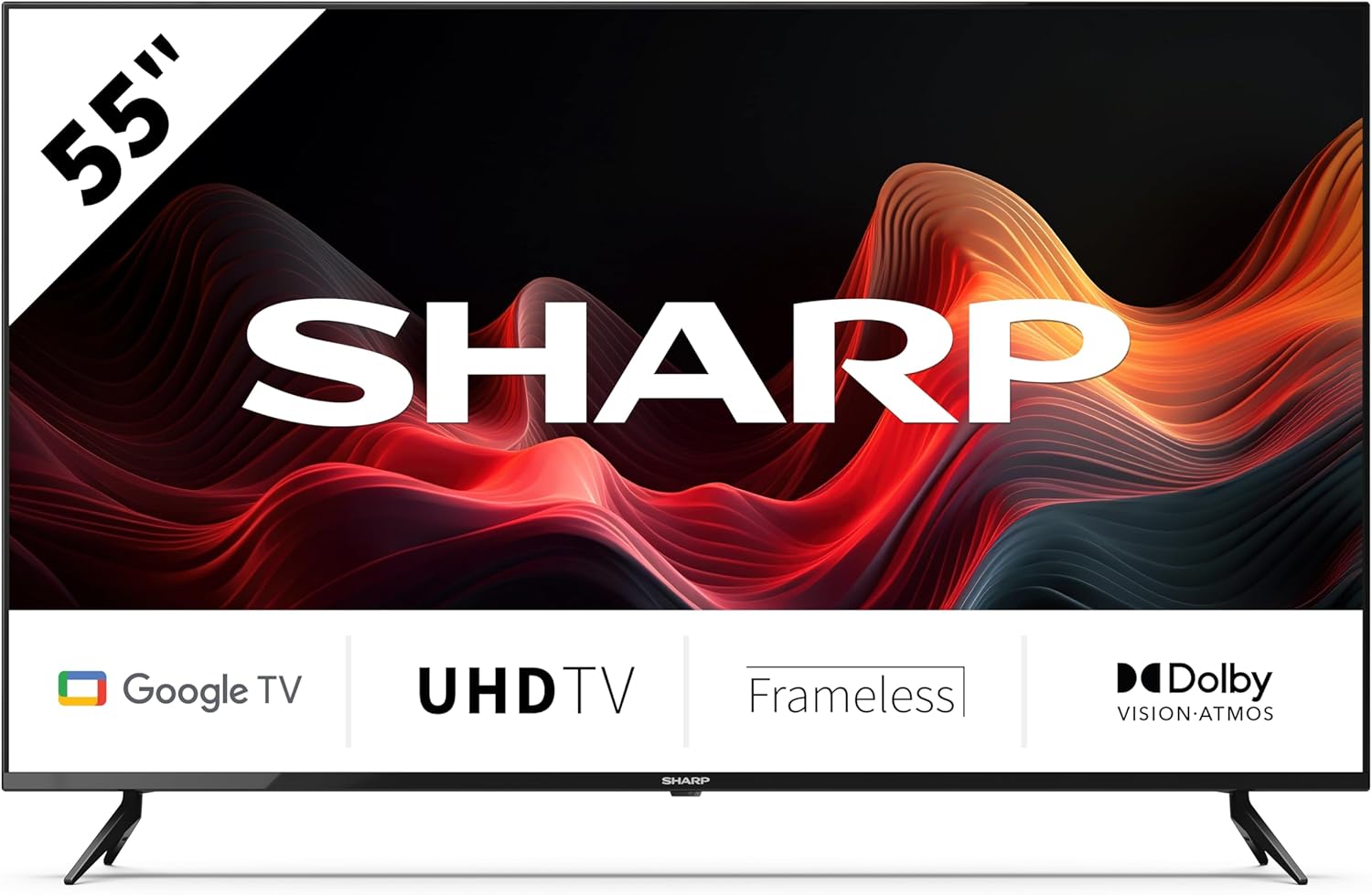
This image displays the SHARP 55GL4060E television from the front, showcasing its 55-inch frameless screen, the SHARP logo at the bottom center, and the two V-shaped stands. The screen shows a vibrant abstract red and orange waveform design. Below the screen, icons indicate 'Google TV', 'UHD TV', 'Frameless', and 'Dolby Vision Atmos'.
2. Safety Information
Observe the following safety precautions to prevent damage and ensure safe operation:
- Power Supply: Connect the TV only to an AC power outlet with the correct voltage. Do not overload power outlets.
- Ventilation: Ensure adequate ventilation around the TV. Do not block ventilation openings. Avoid placing the TV on soft surfaces or in enclosed spaces.
- Cleaning: Unplug the TV before cleaning. Use a soft, dry cloth. Do not use liquid or aerosol cleaners.
- Water and Moisture: Do not expose the TV to rain or moisture. Do not place objects filled with liquids, such as vases, on the TV.
- Placement: Place the TV on a stable, level surface. If wall-mounting, use a VESA-compatible mount and ensure it is securely installed. Keep the TV away from direct sunlight, heat sources, and strong magnetic fields.
- Children: Supervise children to prevent them from climbing on the TV or stand.
3. Package Contents
Verify that all items are present in the packaging:
- SHARP 55GL4060E 55-inch 4K Ultra HD Google TV
- Remote Control
- AAA Batteries (x2)
- Quick Start Guide
- TV Stands (x2) and Screws
4. Setup
4.1 Attaching the TV Stands
- Carefully place the TV screen-down on a soft, flat surface to prevent damage.
- Align each stand with the corresponding screw holes on the bottom of the TV.
- Secure the stands using the provided screws. Ensure they are tightened firmly.
4.2 Wall Mounting
If you choose to wall-mount your TV, ensure you use a VESA-compatible wall mount. The VESA mounting dimensions for this model are 400 x 300 mm. Consult a professional for wall mounting installation to ensure safety and proper attachment.
4.3 Connecting External Devices
- HDMI: Connect devices such as Blu-ray players, game consoles, or set-top boxes to the HDMI ports. This TV features 4 HDMI 2.1 ports with eARC support.
- USB: Connect USB storage devices for media playback or software updates to the 2 USB ports.
- Ethernet: For a stable internet connection, connect an Ethernet cable from your router to the TV's LAN port.
- Wi-Fi: Connect to your wireless network for internet access and smart TV features.
- Bluetooth: Pair Bluetooth-enabled devices like headphones or soundbars.
4.4 Initial Setup
- Plug the power cord into an electrical outlet.
- Press the power button on the remote control to turn on the TV.
- Follow the on-screen instructions to complete the initial setup, including language selection, network connection, and Google account sign-in.
5. Operating the TV
5.1 Remote Control Overview
The remote control allows you to navigate the Google TV interface, adjust settings, and control playback. Insert the two AAA batteries into the remote control, ensuring correct polarity.
5.2 Basic Functions
- Power: Press to turn the TV on or off.
- Volume: Use the volume buttons to adjust the sound level.
- Input: Select the desired input source (HDMI 1, HDMI 2, USB, etc.).
- Navigation: Use the directional pad and OK button to move through menus and make selections.
- Home: Return to the Google TV home screen.
5.3 Google TV Features
- Google Assistant: Press the Google Assistant button on your remote and speak into the microphone to search for content, control smart home devices, or get information.
- Chromecast Built-in: Cast content from your compatible smartphone, tablet, or computer directly to your TV.
- Apps: Access a wide range of streaming services and applications from the Google Play Store.
6. Maintenance
6.1 Cleaning the TV
- Screen: Gently wipe the screen with a soft, lint-free cloth. For stubborn marks, slightly dampen the cloth with water (do not spray directly on the screen).
- Body: Wipe the TV frame and stand with a soft, dry cloth.
- Caution: Do not use abrasive cleaners, alcohol, benzene, or thinners, as these can damage the TV's surface.
6.2 Software Updates
Your Google TV may receive automatic software updates. You can also manually check for updates through the TV's settings menu to ensure you have the latest features and security patches.
7. Troubleshooting
If you encounter issues with your TV, refer to the following common problems and solutions:
- No Power: Ensure the power cord is securely plugged into both the TV and the electrical outlet. Try a different outlet.
- No Picture/Sound: Verify the correct input source is selected. Check all cable connections (HDMI, etc.). Restart connected devices.
- Remote Control Not Working: Check the batteries and replace them if necessary. Ensure there are no obstructions between the remote and the TV's IR sensor.
- Network Connection Issues: Restart your router and modem. Check Wi-Fi password. If using Ethernet, ensure the cable is connected properly.
- Picture Quality Issues: Adjust picture settings (brightness, contrast, color). Ensure the content source is high quality.
For persistent issues, consult the online support resources or contact customer service.
8. Specifications
| Feature | Specification |
|---|---|
| Brand | Sharp |
| Model Number | 55GL4060E |
| Screen Size | 55 Inches |
| Display Technology | LED |
| Resolution | 4K Ultra HD |
| Refresh Rate | 60 Hz |
| Operating System | Google TV |
| Special Features | Google Assistant and Chromecast built-in, Dolby Vision, Dolby Atmos |
| Connectivity Technology | Bluetooth, Ethernet, HDMI (4x HDMI 2.1 with eARC), USB (2x), Wi-Fi |
| Color | Black |
| Product Dimensions (with stand) | 1116.4 x 692.9 x 264.7 mm (W x H x D) |
| Product Dimensions (without stand) | 1116.4 x 651.3 x 91.5 mm (W x H x D) |
| Distance between stands | 1095 mm |
| Net Weight | 11 kg |
| VESA Wall Mount Support | 400 x 300 mm |
| Compatible Devices | Laptop, smartphone, tablet, game console |
| Battery Composition | Alkaline (2 AAA included) |
9. Warranty and Support
For warranty information, please refer to the warranty card included with your product or visit the official Sharp website. For technical support, troubleshooting assistance, or service inquiries, please contact Sharp customer support through their official channels. Keep your purchase receipt as proof of purchase.


