
1. Introduction
Thank you for purchasing the Deeyaple Portable Bluetooth Speaker A10. This compact and portable speaker is designed for outdoor use, featuring IPX7 waterproofing, Bluetooth 5.3 connectivity, True Wireless Stereo (TWS) pairing, and an RGB pulsating light. This manual provides essential information for setting up, operating, and maintaining your speaker.
2. Safety Information
- Water Resistance: The speaker is IPX7 waterproof, meaning it can be submerged in up to 1 meter of water for 30 minutes. Ensure the charging port cover is securely closed before exposure to water. Do not expose to saltwater or other chemicals.
- Temperature: Avoid exposing the speaker to extreme temperatures (hot or cold) to prevent damage to the battery and internal components.
- Charging: Use only the provided Type-C charging cable. Do not use damaged cables or chargers. Ensure the charging port is dry before charging.
- Cleaning: Clean the speaker with a soft, damp cloth. Do not use abrasive cleaners or solvents.
- Disassembly: Do not attempt to disassemble, repair, or modify the speaker. This will void the warranty and may cause damage or injury.
- Hearing Protection: Avoid listening at high volumes for extended periods to prevent hearing damage.
3. Package Contents
Please check the package for the following items:
- Deeyaple Portable Bluetooth Speaker A10
- Type-C Charging Cable (Note: Power adapter not included)
- User Manual
4. Product Overview
Familiarize yourself with the speaker's components and controls.

Image: Deeyaple A10 Portable Bluetooth Speaker with dimensions (10cm height, 8cm diameter) and control panel visible. The control panel includes power, volume down, volume up, and a multi-function button, along with a Type-C charging port at the bottom.
Control Buttons:
- Power Button (①): Press and hold to power on/off. Short press to play/pause music or answer/end calls.
- Volume Down Button (<): Short press to decrease volume. Long press for previous track.
- Volume Up Button (>): Short press to increase volume. Long press for next track.
- Multi-function Button (∞): Short press to change RGB light mode. Long press to activate voice assistant.
Ports:
- Type-C Charging Port: Used for charging the speaker.
5. Setup
5.1 Charging the Speaker
- Open the protective cover of the Type-C charging port.
- Connect the Type-C charging cable to the speaker's charging port and the other end to a USB power adapter (not included) or a computer's USB port.
- The LED indicator will show charging status. A full charge takes approximately 3-4 hours.
- Once fully charged, disconnect the cable and securely close the protective cover to maintain IPX7 waterproofing.
5.2 Powering On/Off
- Power On: Press and hold the Power Button (①) for 2-3 seconds until you hear an audible prompt and the LED indicator lights up.
- Power Off: Press and hold the Power Button (①) for 2-3 seconds until you hear an audible prompt and the LED indicator turns off.
5.3 Bluetooth Pairing
The speaker uses Bluetooth 5.3 for a fast and reliable connection.
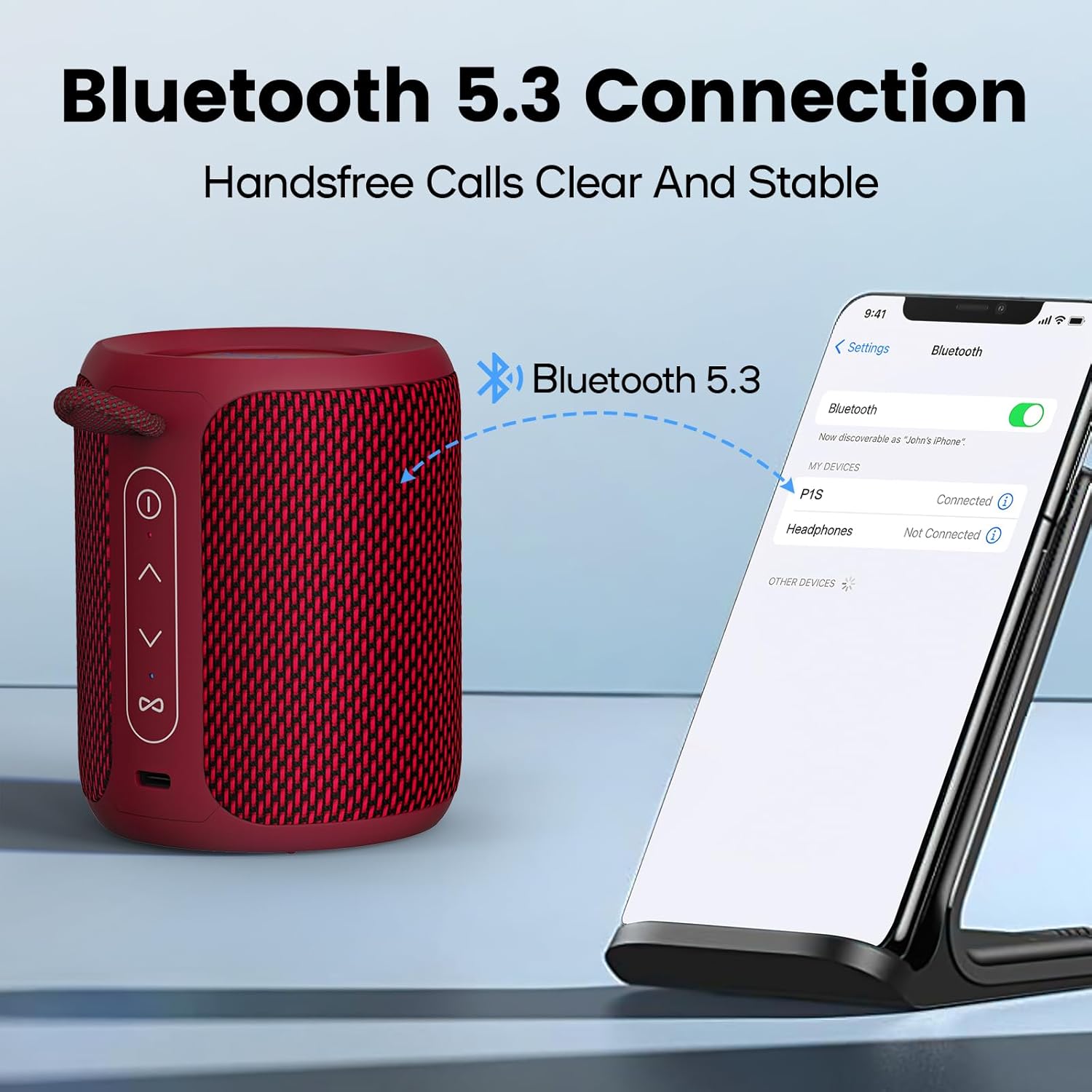
Image: A Deeyaple A10 speaker shown next to a smartphone displaying its Bluetooth settings. The phone screen shows 'P1S' (an alternative model name) as a discoverable device, indicating a successful Bluetooth connection.
- Ensure the speaker is powered on and in Bluetooth pairing mode (LED indicator will flash).
- On your smartphone or other Bluetooth-enabled device, go to the Bluetooth settings.
- Search for available devices and select "Deeyaple A10" (or similar name like "P1S") from the list.
- Once connected, you will hear an audible confirmation, and the LED indicator will stop flashing.
5.4 True Wireless Stereo (TWS) Pairing
You can pair two Deeyaple A10 speakers together for a 360° surround sound experience.

Image: Two Deeyaple A10 speakers are positioned on a table, with a dotted line and music note icon indicating their wireless stereo connection. This illustrates the True Wireless Stereo (TWS) pairing feature.
- Ensure both Deeyaple A10 speakers are powered on and not connected to any other Bluetooth device.
- On one of the speakers (this will be the primary speaker), double-press the Power Button (①). The speaker will enter TWS pairing mode.
- The two speakers will automatically search for and connect to each other. You will hear an audible confirmation once TWS pairing is successful.
- Now, connect your device to the primary speaker via Bluetooth as described in section 5.3. Both speakers will play audio simultaneously.
6. Operating Instructions
6.1 Music Playback
- Play/Pause: Short press the Power Button (①).
- Volume Up: Short press the Volume Up Button (>).
- Volume Down: Short press the Volume Down Button (<).
- Next Track: Long press the Volume Up Button (>).
- Previous Track: Long press the Volume Down Button (<).
6.2 Call Handling
The built-in HD microphone allows for hands-free calls when connected to your smartphone.
- Answer Call: Short press the Power Button (①) when an incoming call rings.
- End Call: Short press the Power Button (①) during a call.
- Reject Call: Long press the Power Button (①) when an incoming call rings.
6.3 RGB Light Control
The speaker features colorful LED lights that pulsate synchronously with music.

Image: Three Deeyaple A10 speakers are shown with their top LED rings illuminated in green, red, and blue, demonstrating the dynamic RGB light feature. The background features large 'RGB' letters.
- Change Light Mode: Short press the Multi-function Button (∞) to cycle through different light modes or colors.
- Turn Off Lights: Continue pressing the Multi-function Button (∞) until the lights turn off.
7. Maintenance
- Cleaning: Wipe the speaker with a soft, slightly damp cloth. Do not use harsh chemicals, cleaning solvents, or strong detergents.
- Storage: Store the speaker in a cool, dry place away from direct sunlight and extreme temperatures when not in use for extended periods.
- Battery Care: To prolong battery life, fully charge the speaker before its first use and recharge it at least once every three months if not used regularly.
- Waterproofing: Always ensure the charging port cover is sealed tightly to maintain the IPX7 waterproof rating.
8. Troubleshooting
| Problem | Possible Cause | Solution |
|---|---|---|
| Speaker does not power on. | Low battery. | Charge the speaker for 3-4 hours. |
| Cannot pair with Bluetooth device. | Speaker is not in pairing mode. Bluetooth is off on your device. Speaker is already connected to another device. Too far from the device. | Ensure speaker is powered on and LED is flashing. Turn on Bluetooth on your device. Disconnect from other devices or restart the speaker. Move the speaker closer to your device (within 10 meters). |
| No sound or low volume. | Volume too low on speaker or device. Speaker not properly connected. | Increase volume on both speaker and connected device. Re-pair the speaker with your device. |
| TWS pairing fails. | Speakers are too far apart. One speaker is already connected to a device. | Ensure speakers are close to each other. Disconnect both speakers from any Bluetooth devices before initiating TWS pairing. |
| RGB lights not working. | Lights are turned off. | Short press the Multi-function Button (∞) to cycle through light modes. |
9. Specifications
| Feature | Specification |
|---|---|
| Model Number | A10 |
| Bluetooth Version | 5.3 |
| Waterproof Rating | IPX7 |
| Output Power | 15 Watts (Max 24 Watts) |
| Frequency Response | 20 KHz |
| Battery Capacity | 2500 mAh (Lithium-ion) |
| Charging Time | 3-4 hours |
| Playback Time | Approx. 12 hours (at 50% volume) |
| Wireless Range | Up to 10 meters (33 feet) |
| Product Dimensions (L x W x H) | 9 x 12 x 9 cm (3.54 x 4.72 x 3.54 inches) |
| Product Weight | 350 grams (0.77 lbs) |
| Audio Output Mode | Stereo |
| Included Components | Microphone, Type-C Charging Cable |
| Compatible Devices | Laptop, Smartphone, Tablet, Television |
| Material | Synthetic (plastic) or similar |
10. Warranty and Support
Deeyaple products are designed and manufactured to the highest quality standards. This product is covered by a limited warranty from the date of purchase. Please refer to the warranty card included in your package for specific terms and conditions.
For technical support, troubleshooting assistance, or warranty claims, please contact our customer service team through the retailer where you purchased the product or visit the official Deeyaple website for contact information.

