
upxon L08
User Manual for upxon L08 Selfie Stick Gimbal Stabilizer
Model: L08
Brand: upxon
Introduction
This manual provides detailed instructions for the upxon L08 Selfie Stick Gimbal Stabilizer. This device combines a selfie stick, a 1-axis gimbal stabilizer, and a tripod, designed to enhance your mobile photography and videography experience. It is ideal for vlogging, live streaming, and capturing stable photos and videos with your smartphone.

Image: The upxon L08 device shown as a handheld selfie stick with a phone, a compact folded unit, and a tripod setup with a phone and a GoPro camera.
Product Features
- 1-Axis Anti-Shake Gimbal Stabilizer: Equipped with a powerful sports gyroscope and high-precision motor control, this stabilizer ensures your phone remains steady, eliminating hand shake during recording. This significantly improves video shooting quality for VLOGs and live streams.

Image: A person riding a bicycle, holding the upxon L08 gimbal stabilizer with a smartphone attached, demonstrating its anti-shake capability for stable shots.
- Extendable Selfie Stick: Features a comfortable grip and a five-section aluminum alloy telescopic rod, extending up to 80 cm (31.5 inches). The phone clip head can rotate 270° and supports both horizontal and vertical orientations, allowing for optimal shooting angles for selfies and group photos.

Image: A person smiling and taking a selfie using the upxon L08 extendable selfie stick with a smartphone, showing the extended length.
- Stable Phone Tripod: The stabilizer's handle opens to form a stable tripod base, suitable for desktop use. The adjustable height of the telescopic rod allows for various viewing positions. Ideal for watching videos, video calls, recording, selfies, or group photos.

Image: A group of friends on a beach, with the upxon L08 set up as a tripod, capturing a group photo or video.
- No App Required & Easy to Use: Unlike many three-axis stabilizers, the upxon L08 does not require a dedicated app download. The 360° adjustable clip head features a smart button for easy switching between horizontal and vertical positions, simplifying operation.
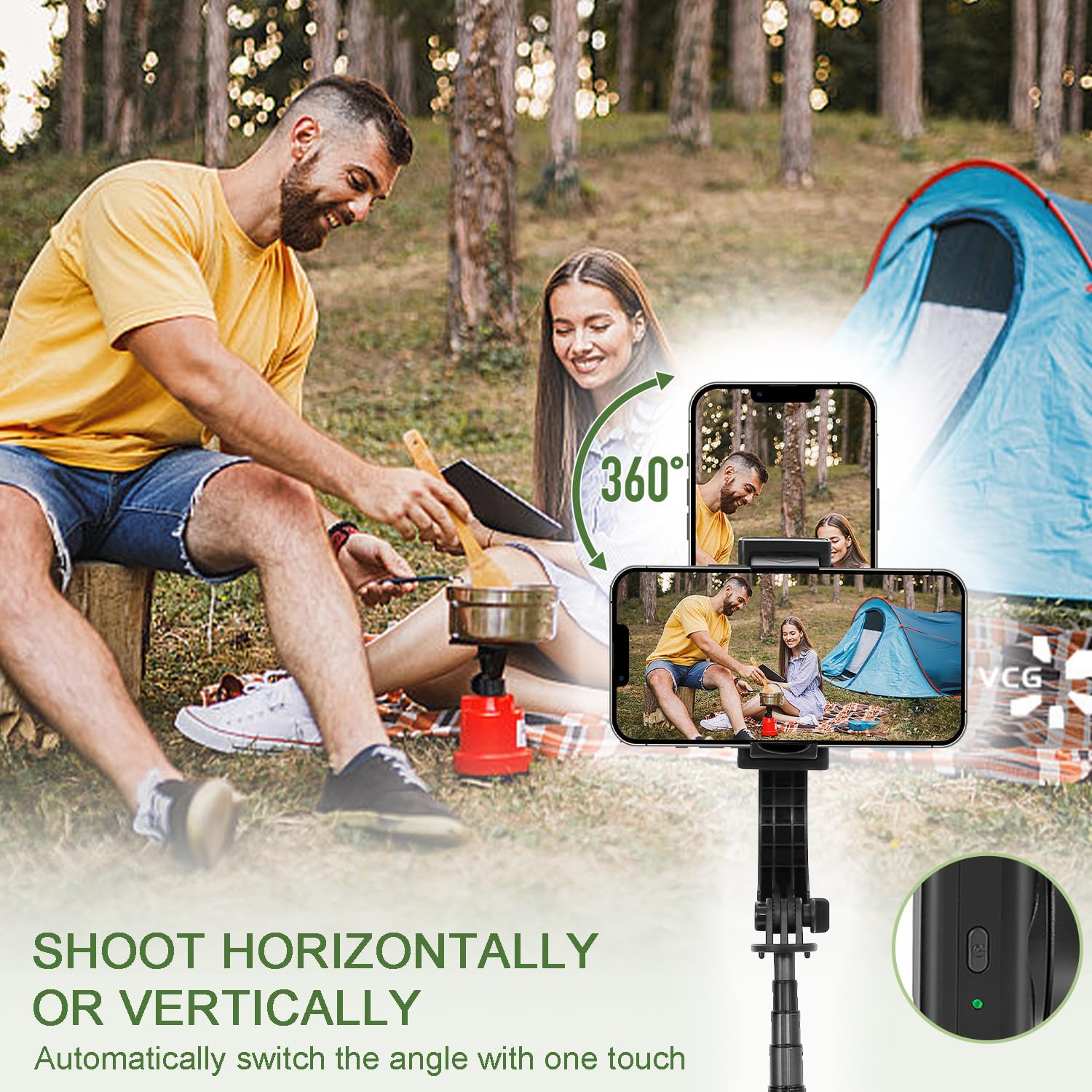
Image: A man and woman camping, illustrating the upxon L08's ability to easily switch between horizontal and vertical phone orientations for shooting.
- Wireless Remote Control: Includes a detachable wireless shutter remote with quick connection and low power consumption. The control distance is up to 9.8 meters (32 feet), making it convenient for taking selfies or group photos from a distance.

Image: A family sitting at a table, with one person holding the wireless remote control for the upxon L08, which is set up as a tripod with a phone.
- Portable and Wide Compatibility: This lightweight and foldable selfie stick weighs only 0.2 kg (0.44 lbs) and measures 19.1 cm (7.5 inches) when folded. Its extensible phone clip is compatible with most smartphones ranging from 4 to 6.2 inches. It can also be used with GoPro cameras by changing the 1/4 connector base.
What's in the Box
Please check the package contents upon unboxing:
- 1x 1-Axis Gimbal Stabilizer (upxon L08)
- 1x Type-C Cable
- 1x User Manual
Setup Guide
- Unfold the Device: Gently pull the top and bottom sections of the device to extend the selfie stick. The tripod legs will unfold from the handle.
- Mount Your Smartphone: Open the phone clip and securely place your smartphone inside. Ensure the phone is centered for optimal balance.
- Power On: Press and hold the power button on the device until the indicator light turns on. The gimbal will automatically stabilize.
- Pair Remote Control:
- Remove the wireless remote control from its slot on the handle.
- Turn on Bluetooth on your smartphone.
- Search for "L08" or a similar device name in your phone's Bluetooth settings and pair. The indicator light on the remote will stop blinking once paired.
- Adjust Angle: Manually adjust the angle of the phone clip to your desired position. The gimbal will maintain stability.
Operating Instructions
Using as a Gimbal Stabilizer:
- Ensure the device is powered on and your phone is securely mounted.
- The 1-axis gimbal will automatically stabilize your phone, reducing shakes and jitters during movement.
- To switch between horizontal and vertical shooting modes, press the smart button on the phone clip head. The device will automatically adjust the orientation.
Using as a Selfie Stick:
- Extend the aluminum alloy rod to your desired length (up to 80 cm).
- Use the wireless remote control to trigger your phone's camera shutter for photos or video recording.
Using as a Tripod:
- Open the handle to form the tripod legs and place the device on a flat, stable surface.
- Adjust the height of the telescopic rod to achieve the desired viewing or shooting angle.
- Use the wireless remote control for hands-free operation.
Maintenance
- Keep the device clean by wiping it with a soft, dry cloth. Avoid using harsh chemicals or abrasive materials.
- Store the device in a cool, dry place away from direct sunlight and extreme temperatures.
- Avoid dropping or subjecting the device to strong impacts, as this may damage the internal components.
- Charge the device regularly, even if not in use, to maintain battery health.
Troubleshooting
| Problem | Possible Cause | Solution |
|---|---|---|
| Device does not power on. | Low battery. | Charge the device using the provided Type-C cable. |
| Gimbal is not stable or shakes. | Phone not centered; device not powered on correctly. | Ensure the phone is securely and centrally mounted. Power off and on the device. |
| Remote control does not connect. | Bluetooth not enabled; remote battery low; not paired. | Ensure Bluetooth is on. Check remote battery. Re-pair the remote control via Bluetooth settings. |
| Phone clip is too tight/loose. | Incorrect phone size. | The clip is designed for phones 4-6.2 inches. Ensure your phone fits within this range. |
Specifications
- Brand: upxon
- Model: L08
- Color: Black
- Battery Type: Lithium-ion
- Compatible Devices: Cell phones (4-6.2 inches)
- Item Weight: 200 Grams (0.44 lbs)
- Folded Dimensions: Approximately 19.1 cm (7.5 inches)
- Extended Length: Up to 80 cm (31.5 inches)
- Wireless Remote Control Distance: Up to 9.8 meters (32 feet)
Warranty and Support
Warranty information for the upxon L08 Selfie Stick Gimbal Stabilizer is not explicitly provided in this manual. For details regarding warranty coverage, spare parts availability, or software updates, please contact the seller or manufacturer directly through their official support channels.
For technical assistance or further inquiries, please refer to the contact information provided at the point of purchase or on the official upxon website.
Ask a question about this manual
Ask about setup, troubleshooting, compatibility, parts, safety, or missing instructions. Manuals+ will review the question and use this page’s manual context to help answer it.