
Introduction
This manual provides detailed instructions for the assembly, operation, and maintenance of your Mondeer L-Shaped Corner Desk 120cm. Designed to maximize space efficiency, this versatile workstation features a reversible configuration, an adjustable monitor stand with integrated drawers, and adjustable storage shelves. Please read these instructions carefully before beginning assembly and retain them for future reference.
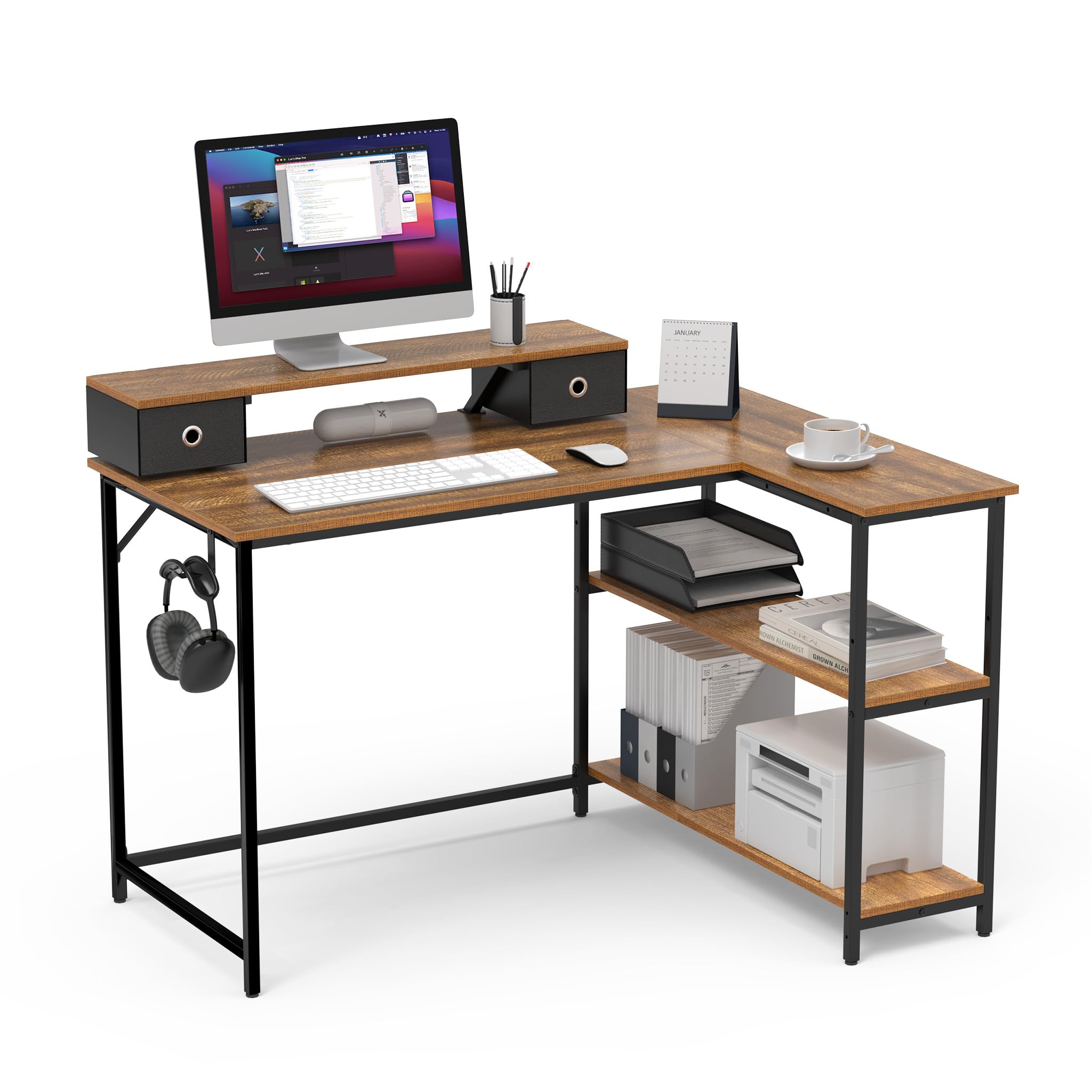
Image: The Mondeer L-Shaped Corner Desk 120cm, showcasing its rustic brown finish and industrial design, set up in a modern home office with a monitor, keyboard, and other accessories.
Safety Information
- Ensure all components are present and undamaged before assembly. Do not proceed with assembly if any parts are missing or damaged.
- Do not overtighten screws during assembly, as this may damage the material.
- Keep small parts and packaging materials away from children to prevent choking hazards.
- Do not exceed the maximum weight capacity of 70 kg (154 lbs) for the main desk surface.
- The monitor stand has a maximum weight capacity of 10 kg (22 lbs).
- Assemble the desk on a soft, clean surface to prevent scratches.
Package Contents
Before assembly, verify that all parts listed in the included physical instruction manual are present. Each part is typically numbered for easy identification.
Setup and Assembly
The Mondeer L-Shaped Corner Desk is designed for straightforward assembly. Detailed step-by-step instructions and all necessary accessories are included in your package. Two people are recommended for assembly to ensure stability and ease of handling.
Key Assembly Features:
- Reversible Configuration: The two storage shelves can be installed on either the left or right side of the desk to best fit your room layout and personal preference.
- Monitor Stand Placement: The removable monitor stand can be positioned on either side of the main desk surface, allowing for flexible monitor setup.

Image: A detailed diagram illustrating the dimensions of the Mondeer L-Shaped Corner Desk, including the main desk surface (90x120x90 cm), monitor stand (90x20x10 cm), and shelf heights. It also indicates weight capacities for the main desk (70 kg) and monitor stand (10 kg).
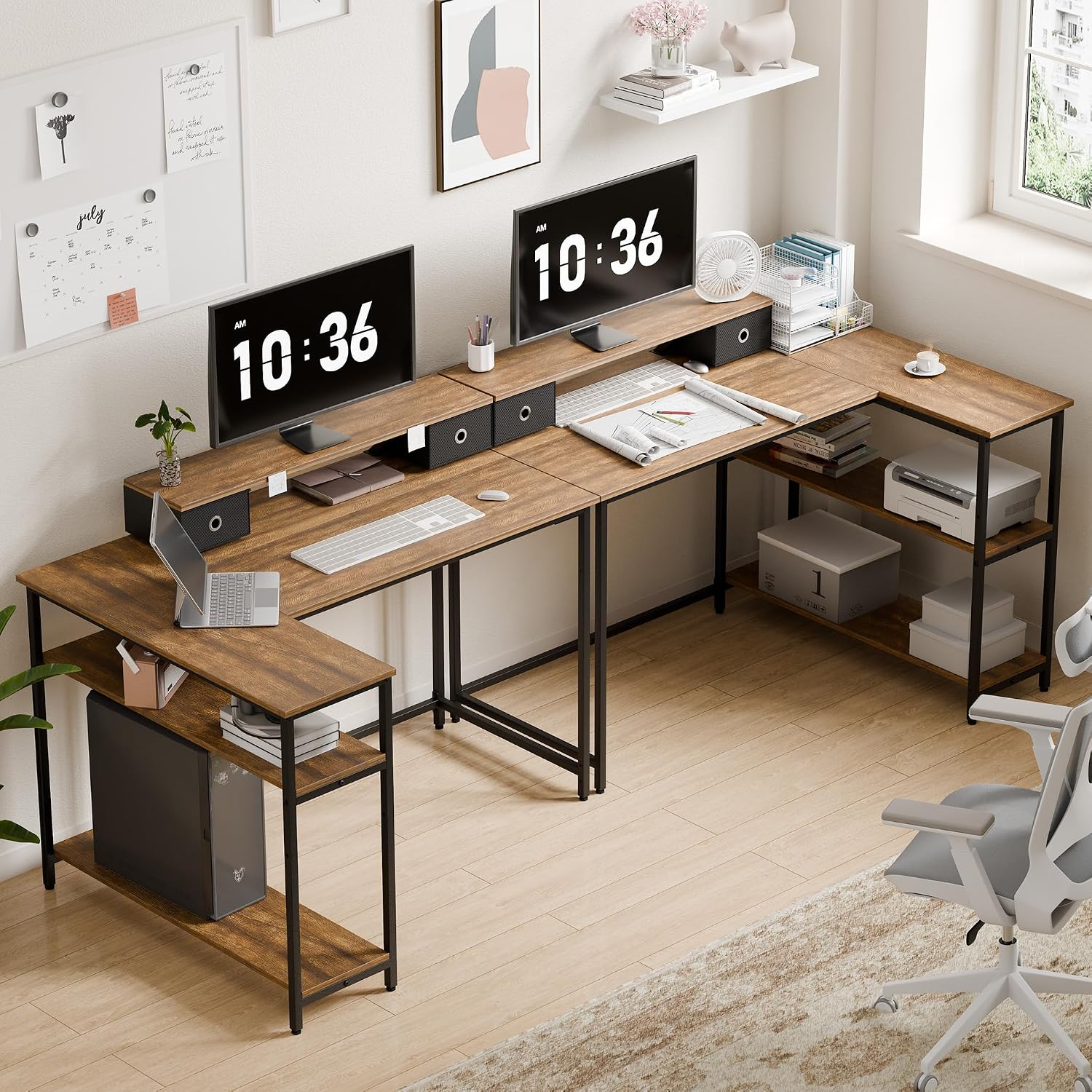
Image: Two different setups of the Mondeer L-Shaped Corner Desk, demonstrating how the storage shelves can be configured on either the left or right side of the L-shape to adapt to various room layouts.
Operating Instructions
The Mondeer L-Shaped Corner Desk is designed with several features to enhance your workspace functionality and comfort.
Monitor Stand with Integrated Drawers:
The elevated monitor stand helps position your screen at an ergonomic height, reducing neck and eye strain. Two small drawers are integrated beneath the stand, providing convenient storage for pens, notebooks, and other small office essentials, helping to keep your desk tidy.

Image: A close-up view of the monitor stand with two small drawers, showing a monitor placed on top and an ergonomic posture diagram illustrating correct seating and screen height for user comfort.
Adjustable Storage Shelves:
The two storage shelves feature a central partition that can be adjusted vertically. This flexibility allows you to customize the shelf height to accommodate various items, such as computer towers, books, binders, or decorative items.

Image: A detailed view of the desk's storage shelves, highlighting the adjustable central partition with arrows indicating its vertical movement, allowing for flexible storage configurations.
Headphone Hook:
A dedicated hook is included for convenient storage of headphones, keeping them easily accessible and off the desk surface.
Maintenance
To ensure the longevity and appearance of your Mondeer L-Shaped Corner Desk, follow these simple maintenance guidelines:
- Cleaning: Wipe the desk surface with a soft, damp cloth. For stubborn marks, a mild soap solution can be used, followed by wiping with a clean, dry cloth.
- Avoid Chemicals: Do not use harsh chemicals, abrasive cleaners, or polishes, as these may damage the finish.
- Spills: Clean up spills immediately to prevent staining or damage to the engineered wood surface.
- Heat and Moisture: Avoid placing hot items directly on the surface. Use coasters for drinks to protect against moisture rings.
- Regular Checks: Periodically check and tighten all screws and fasteners to maintain the desk's stability.
Troubleshooting
If you encounter any issues with your Mondeer L-Shaped Corner Desk, consider the following common solutions:
- Wobbling Desk: Ensure all screws are securely tightened. Check that the desk is placed on a level surface. Adjustable feet (if present) can be used to stabilize the desk on uneven floors.
- Difficulty Assembling: Double-check the assembly instructions and ensure all parts are oriented correctly. Verify that you are using the correct hardware for each step.
- Missing or Damaged Parts: If you find any parts missing or damaged upon opening the package, do not proceed with assembly. Contact customer support immediately for assistance.
Specifications
| Feature | Specification |
|---|---|
| Brand | Mondeer |
| Model Number | FSDK20RB-G1L |
| Overall Dimensions (L x W x H) | 90P x 120l x 90H centimeters (35.4 x 47.2 x 35.4 inches) |
| Weight | 24.75 Kilograms (54.56 lbs) |
| Material | Engineered Wood, Metal |
| Color | Rustic Brown |
| Shape | L-Shape |
| Maximum Load Capacity (Main Desk) | 70 Kilograms (154 lbs) |
| Maximum Load Capacity (Monitor Stand) | 10 Kilograms (22 lbs) |
| Number of Drawers | 2 |
| Number of Shelves | 3 (2 adjustable) |
| Special Features | Ergonomic, Reversible, Integrated Monitor Stand, Adjustable Shelf, Headphone Hook |
| Assembly Required | Yes |
| Recommended Persons for Assembly | 2 |
| Care Instructions | Wipe with a damp cloth |
Warranty Information
This Mondeer L-Shaped Corner Desk comes with a limited warranty. For specific details regarding the terms, conditions, and duration of your warranty, please refer to the warranty card or documentation included in your product packaging. Retain your proof of purchase for any warranty claims.
Customer Support
Should you have any questions, require assistance with assembly, or need to report missing or damaged parts, please do not hesitate to contact Mondeer customer support. Contact information, including phone numbers or email addresses, can typically be found on the product packaging, in the included documentation, or on the official Mondeer website.