
Introduction
This manual provides detailed instructions for the proper use and care of your Timex UFC Kick TW2V86600 digital watch. Please read this guide thoroughly to understand all features and ensure optimal performance and longevity of your timepiece. This watch is designed for durability and functionality, suitable for various activities.
Setup
Initial Inspection
Upon unpacking, inspect the watch for any visible damage. Remove any protective films from the display or case back. The watch comes with a pre-installed battery.
Adjusting the Strap
The watch features a plastic strap with a buckle clasp. To adjust the fit, simply thread the strap through the buckle and secure the pin into one of the holes on the strap. Ensure the watch is snug but comfortable on your wrist.

Image: The Timex UFC Kick TW2V86600 watch displayed on a wrist, highlighting its digital interface and overall design.
Operating Instructions
Button Functions
Your Timex UFC Kick watch typically features multiple buttons for various functions. While specific button labels may vary, common functions include:
- MODE: Cycles through different modes (Time, Chronograph, Timer, Alarm).
- SET/ADJUST: Used to enter and exit setting modes, or to confirm selections.
- START/STOP: Activates and deactivates functions like the chronograph or timer.
- RESET/LAP: Resets functions or records lap times in chronograph mode.
- LIGHT/INDIGLO: Activates the backlight for improved visibility in low light conditions.

Image: A close-up side view of the watch, illustrating the design of the buttons and the watch casing.
Setting Time and Date
- Press the MODE button until the time setting mode is displayed (often indicated by flashing digits).
- Use the SET/ADJUST button to select the digit you wish to change (e.g., hours, minutes, year, month, day).
- Use the START/STOP or RESET/LAP buttons to increase or decrease the selected value.
- Repeat steps 2 and 3 until all time and date settings are correct.
- Press the MODE or SET/ADJUST button again to exit the setting mode.
Using the Chronograph (Stopwatch)
- Press the MODE button until the chronograph mode is displayed.
- Press START/STOP to begin timing.
- Press START/STOP again to pause timing.
- Press RESET/LAP to reset the chronograph to zero.
Water Resistance
This watch is rated for 100 meters (WR 100M) water resistance. This means it is suitable for showering, swimming, and snorkeling. It is not recommended for scuba diving or high-impact water sports. Do not operate buttons while the watch is submerged in water.
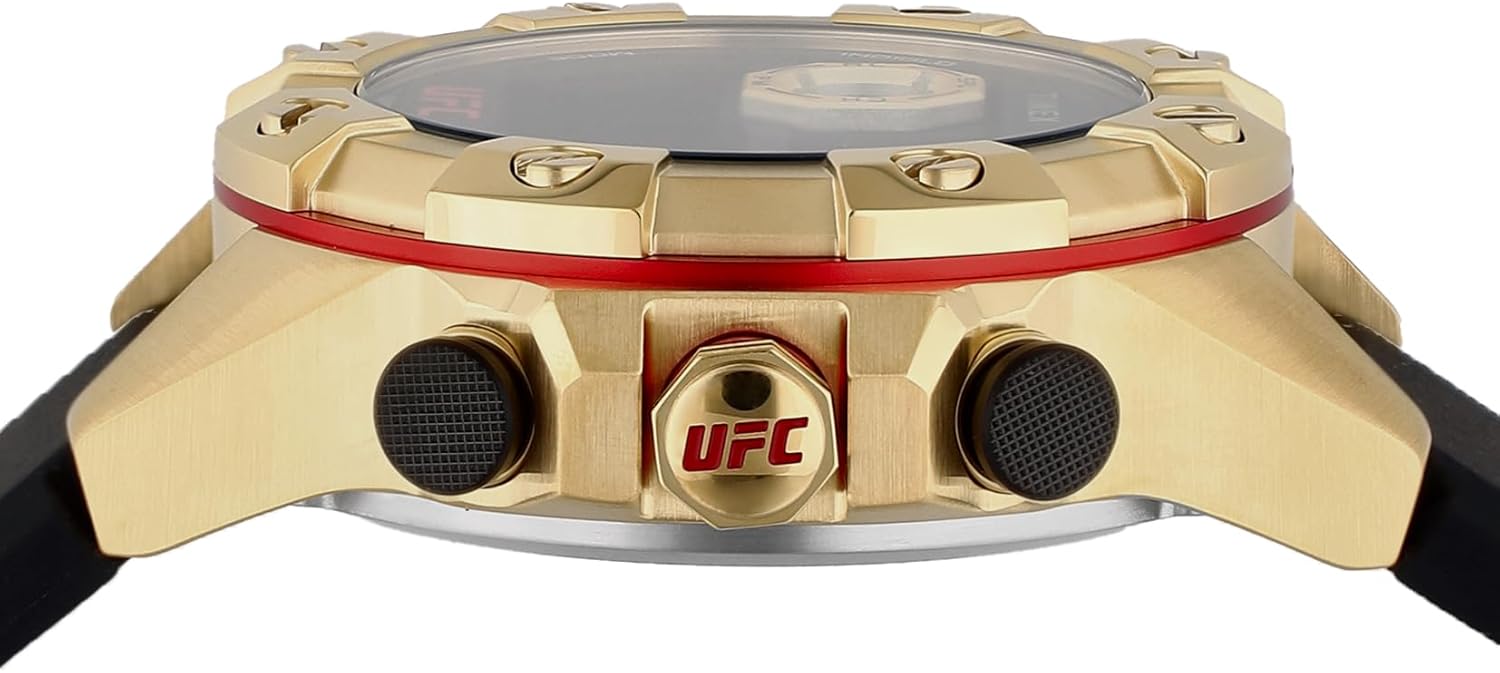
Image: A detailed view of the watch's side profile, highlighting the button placement and the red trim around the bezel.
Maintenance
Cleaning Your Watch
To clean your watch, wipe it with a soft, damp cloth. For stubborn dirt, a mild soap solution can be used, followed by rinsing with clean water and drying thoroughly. Avoid using harsh chemicals or abrasive materials, as these can damage the watch's finish or seals.
Battery Replacement
The watch is powered by a CR2032 battery. When the display dims or functions become erratic, it may be time to replace the battery. It is recommended to have the battery replaced by a qualified watch technician to ensure the water resistance seal is properly maintained.

Image: A detailed shot of the watch's black plastic strap and gold-tone buckle, featuring the UFC branding.
Storage
When not in use, store your watch in a cool, dry place away from direct sunlight and extreme temperatures. Avoid exposing the watch to strong magnetic fields.
Troubleshooting
| Problem | Possible Cause | Solution |
|---|---|---|
| Display is blank or dim. | Low battery. | Replace battery (CR2032). |
| Time is incorrect. | Time needs to be set. | Refer to 'Setting Time and Date' section. |
| Buttons are unresponsive. | Watch may be in a locked mode or battery is very low. | Try pressing all buttons to see if any respond. If not, consider battery replacement. |
| Condensation inside display. | Water resistance compromised or extreme temperature change. | Contact customer support or a watch technician immediately. Do not attempt to dry it yourself. |
Specifications
| Feature | Detail |
|---|---|
| Model Number | TW2V86600 |
| Brand | TIMEX |
| Display Type | Digital |
| Movement Type | Quartz |
| Case Material | Stainless Steel |
| Case Diameter | 51 Millimetres |
| Case Thickness | 16.5 Millimetres |
| Band Material Type | Plastic |
| Band Width | 22 Millimetres |
| Band Color | Black |
| Clasp Type | Buckle |
| Crystal Type | Mineral Glass |
| Water Resistance | 100 Meters (WR 100M) |
| Power Source | Battery Powered (CR2032) |
| Item Weight | 137 Grams |
| Additional Features | Second Hand, Indiglo Night-Light (typical for Timex digital watches) |

Image: The rear of the watch, displaying the stainless steel case back with model number, water resistance, and battery type engravings.
Warranty and Support
Timex watches are manufactured to high standards and come with a limited warranty. Please refer to the warranty card included with your purchase for specific terms and conditions, including coverage duration and what is covered. For technical support, service, or warranty claims, please visit the official Timex website or contact their customer service department. Keep your proof of purchase for warranty validation.

