
JOYWISE U18C
JOYWISE Bluetooth Headphones User Manual
Model: U18C
Introduction
Thank you for choosing JOYWISE Bluetooth Headphones. These wireless earbuds are designed to provide a high-fidelity audio experience with seamless connectivity, comfort, and durability, making them ideal for sports and daily use. This manual will guide you through the setup, operation, and maintenance of your new headphones.

Image: JOYWISE Bluetooth Headphones, black, with ear hooks, connected by a neckband. A round, black zippered protective case with a carabiner is shown next to them.
What's in the Box
Please check the package contents to ensure all items are present:
- Wireless Headphones (JOYWISE U18C)
- Protective Case
- USB-C Charging Cable
- Eartips (3 pairs: S, M, L)
- User Manual
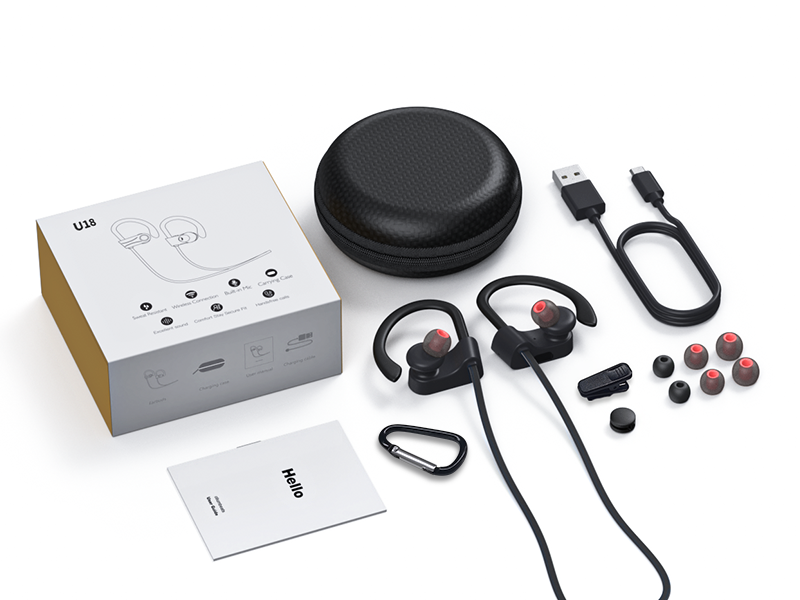
Image: The package contents laid out, including the headphones, charging cable, protective case, multiple eartips, and the user manual.
Product Overview
Familiarize yourself with the main components and controls of your JOYWISE Bluetooth Headphones.

Image: Close-up diagram of the right earbud showing the location of the MFB (Multi-Function Button), '+' button, and '-' button.
- MFB Button (Multi-Function Button): Power On/Off, Play/Pause, Answer/End Calls, Activate Voice Assistant.
- '+' Button: Volume Up, Next Track.
- '-' Button: Volume Down, Previous Track.
- Ear Hooks: Provide a secure and comfortable fit during physical activity.
- Eartips: Interchangeable for optimal comfort and sound isolation.
- USB-C Charging Port: For charging the headphones.
Setup
1. Charging the Headphones
Before first use, fully charge your headphones. Use only the provided USB-C charging cable.
- Connect the USB-C end of the charging cable to the charging port on the headphones.
- Connect the USB-A end to a standard USB power adapter (not included) or a computer's USB port.
- The indicator light on the headphones will show charging status (refer to LED indicator section in manual for details).
- Once fully charged, disconnect the charging cable. A full charge provides up to 16 hours of playtime.

Image: A close-up of the earbud showing the USB-C charging port with a USB-C cable connected.
2. Powering On/Off
- Power On: Press and hold the MFB button for approximately 3 seconds until you hear a power-on prompt and the LED indicator flashes.
- Power Off: Press and hold the MFB button for approximately 5 seconds until you hear a power-off prompt and the LED indicator turns off.
3. Bluetooth Pairing
The headphones utilize Bluetooth 5.3 technology for stable and efficient connection.
- Ensure the headphones are powered off.
- Press and hold the MFB button for approximately 5-7 seconds until the LED indicator flashes red and blue alternately, indicating pairing mode.
- On your Bluetooth-enabled device (smartphone, tablet, laptop), go to the Bluetooth settings.
- Search for available devices and select "JOYWISE U18C" from the list.
- Once connected, the LED indicator will flash blue slowly, and you will hear a connection confirmation tone.
- If pairing fails, power off the headphones and repeat the steps.

Image: A close-up of the earbud highlighting the Bluetooth 5.3 chip, indicating seamless connectivity.

Image: A smartphone screen showing the Bluetooth settings with the headphones icon, indicating a successful connection.
4. Wearing the Headphones
For optimal sound quality and secure fit, choose the correct eartip size and adjust the ear hooks.
- Select the eartips that provide a snug seal in your ear canal.
- Place the earbuds into your ears.
- Gently adjust the flexible ear hooks over the top of your ears until they feel secure and comfortable.
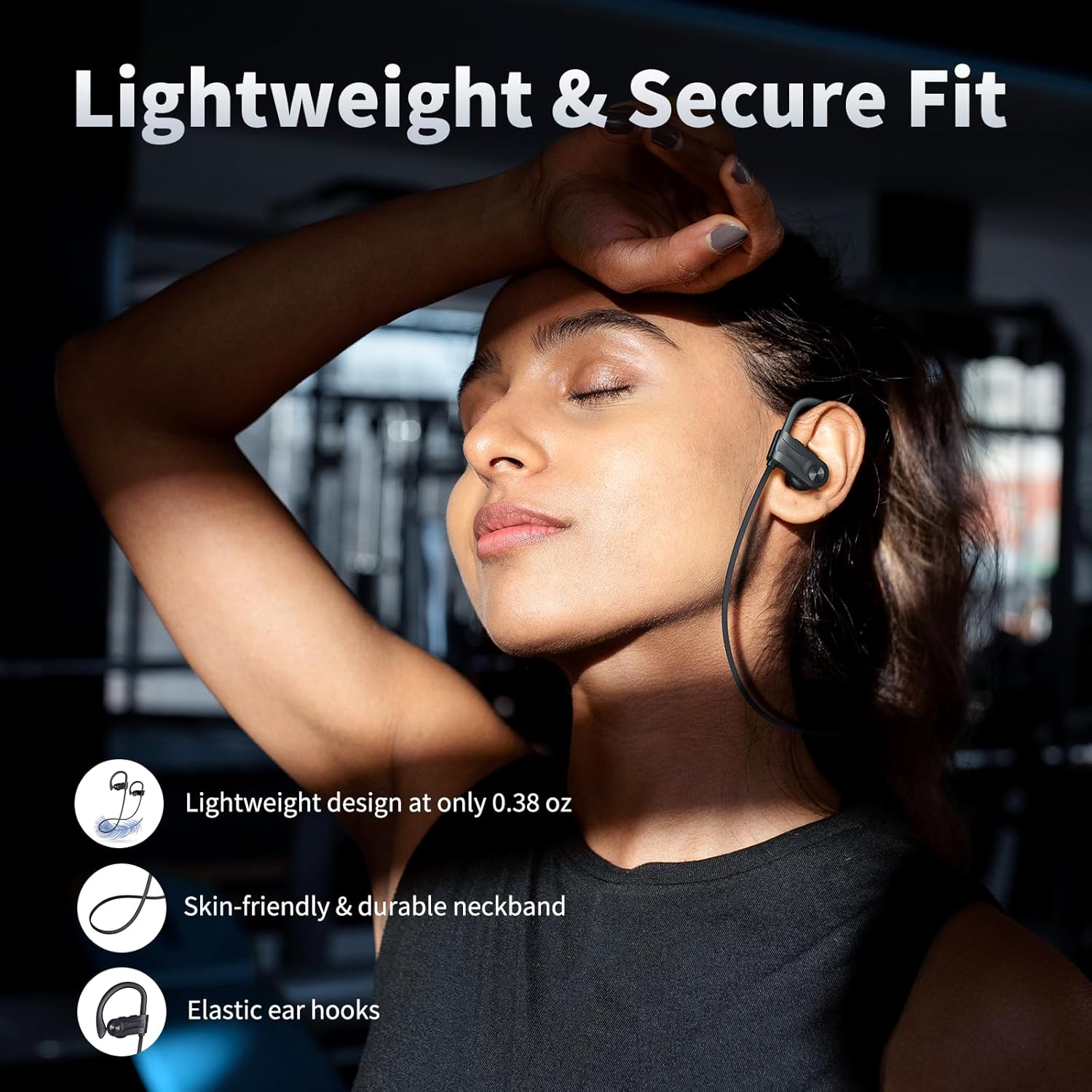
Image: A person wearing the JOYWISE Bluetooth Headphones, demonstrating the secure fit provided by the ear hooks during activity.
Operating Instructions
Music Playback
- Play/Pause: Press the MFB button once.
- Next Track: Press and hold the '+' button for 2 seconds.
- Previous Track: Press and hold the '-' button for 2 seconds.
- Volume Up: Short press the '+' button.
- Volume Down: Short press the '-' button.
Call Management
- Answer/End Call: Press the MFB button once.
- Reject Call: Press and hold the MFB button for 2 seconds.
- Redial Last Number: Double-press the MFB button.
Voice Assistant
- Activate Voice Assistant (Siri, Google Assistant, etc.): Triple-press the MFB button.
Maintenance
Cleaning
- Regularly clean the eartips and earbud surfaces with a soft, dry, lint-free cloth.
- Do not use harsh chemicals, cleaning solvents, or strong detergents.
- Ensure the charging port is free of dust and debris.
Storage
- When not in use, store the headphones in the provided protective case to prevent damage.
- Store in a cool, dry place, away from extreme temperatures and direct sunlight.
Water Resistance (IPX7)
The JOYWISE U18C headphones feature an IPX7 waterproof rating, meaning they can withstand immersion in water up to 1 meter for 30 minutes. This makes them suitable for workouts, rain, and sweat.
- Do NOT use for swimming or prolonged water immersion.
- Ensure the charging port cover is securely closed before exposure to water.
- If the headphones get wet, wipe them dry completely before charging.

Image: A person with sweat on their face and neck, wearing the JOYWISE Bluetooth Headphones, demonstrating their suitability for intense workouts due to IPX7 waterproofing.
Troubleshooting
| Problem | Possible Cause | Solution |
|---|---|---|
| Headphones won't power on. | Low battery. | Charge the headphones fully. |
| Cannot pair with device. | Headphones not in pairing mode; Bluetooth off on device; device too far. | Ensure headphones are in pairing mode (flashing red/blue). Turn on Bluetooth on your device. Move device closer to headphones. Forget previous connections and re-pair. |
| No sound or low volume. | Volume too low on headphones or device; improper fit; connection issue. | Increase volume on both headphones and device. Adjust eartips for a secure fit. Reconnect Bluetooth. |
| Intermittent connection. | Interference; device too far; low battery. | Move closer to the paired device. Avoid environments with strong Wi-Fi or other Bluetooth signals. Charge headphones. |
| Microphone not working. | Device settings; connection issue. | Ensure the headphones are selected as the audio input device in your phone's settings. Reconnect Bluetooth. |
Specifications
| Feature | Detail |
|---|---|
| Model Name | U18 |
| Connectivity Technology | Wireless (Bluetooth) |
| Bluetooth Version | 5.3 |
| Wireless Communication Technology | Bluetooth |
| Battery Life | Up to 16 Hours Playtime |
| Water Resistance Level | IPX7 (Waterproof) |
| Audio Driver Type | Dynamic Driver (13mm) |
| Frequency Range | 20 Hz - 20,000 Hz |
| Control Method | Button |
| Ear Placement | In Ear with Hook |
| Material | Plastic |
| Color | Black |
| Item Weight | 3.2 ounces |
| Manufacturer | Shenzhen Jiechen Technology Co.LTD |
Warranty & Support
Warranty Information
JOYWISE Bluetooth Headphones Model U18C come with a 1-Year Limited Warranty from the date of purchase. This warranty covers manufacturing defects in materials and workmanship. It does not cover damage caused by misuse, accidents, unauthorized modifications, or normal wear and tear.
Please retain your proof of purchase for warranty claims.
Customer Support
For technical assistance, warranty claims, or any questions regarding your JOYWISE Bluetooth Headphones, please contact our customer support team:
- Email: [Insert Customer Support Email Here, if available]
- Website: Visit the official JOYWISE website for FAQs and support resources.
When contacting support, please provide your product model (U18C) and a detailed description of the issue.
Related documentsU18C

Ask a question about this manual
Ask about setup, troubleshooting, compatibility, parts, safety, or missing instructions. Manuals+ will review the question and use this page’s manual context to help answer it.