Introduction
This instruction manual provides essential information for the safe and proper use of your Kastar Replacement Battery 4-Pack. These batteries are designed to be compatible with specific Canon PIXMA printer models and original Canon battery part numbers. Please read this manual thoroughly before using the product.
Safety Information
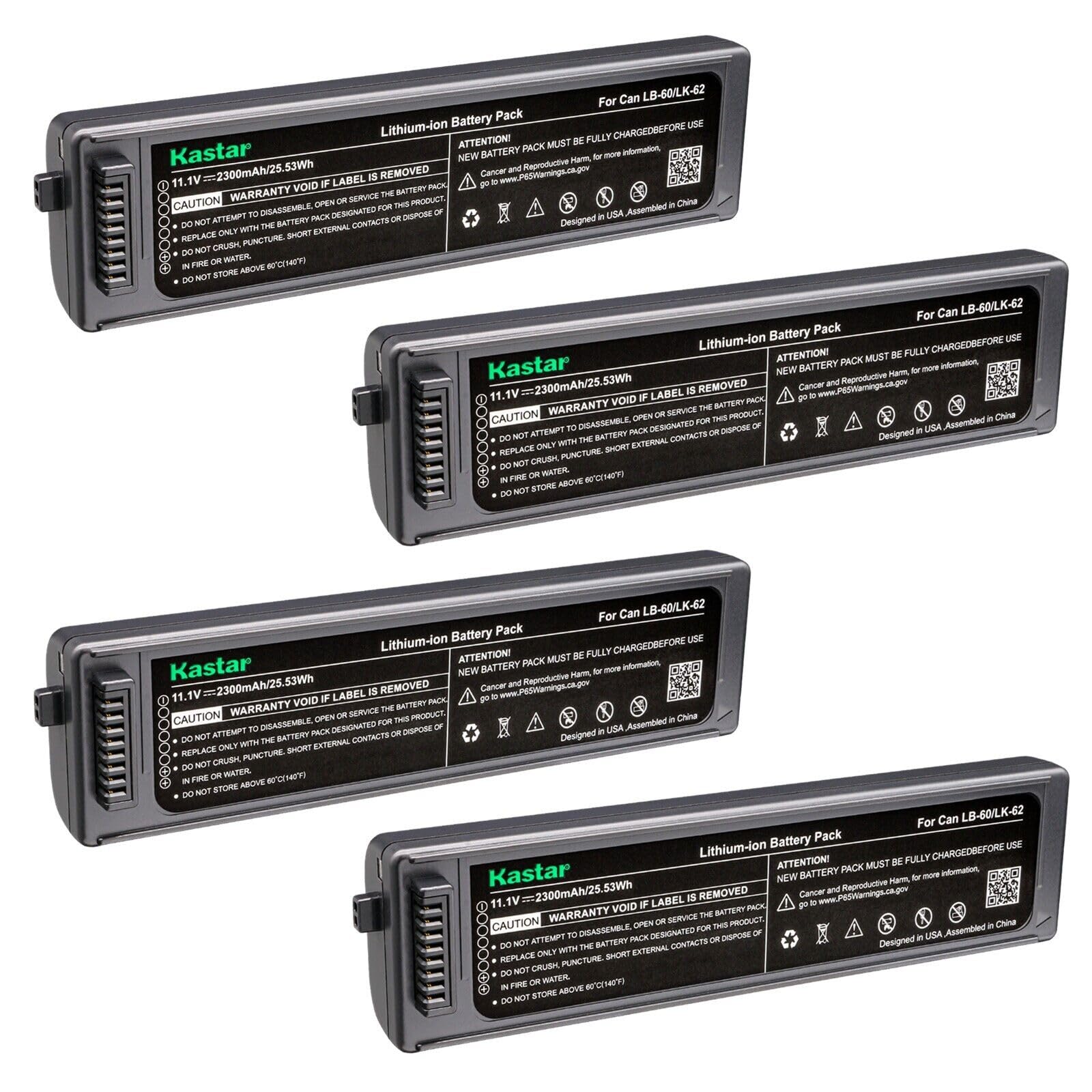
Your Kastar lithium-ion battery cells meet UL1642 & CE safety standards, ensuring safe operation as a replacement unit. The battery pack includes built-in protection circuits against over-charge, over-discharge, over-voltage, over-current, and over-heating.
General Safety Precautions:
- Do not attempt to disassemble, open, or service the battery pack.
- Do not crush, puncture, short external contacts, or dispose of in fire or water.
- Do not store above 60°C (140°F).
- Warranty is void if the label is removed.
- Keep batteries away from children.
- If the battery leaks, avoid contact with skin and eyes. Rinse affected areas with water and seek medical attention.

Package Contents
The Kastar Replacement Battery 4-Pack includes the following items:
- 4 x Kastar Lithium-ion Batteries (Model: BA-4B-CLB60)
Setup
Initial Charging:
New battery packs must be fully charged before their first use to ensure optimal performance and battery life. Use a compatible charger designed for Canon LB-60 or LK-62 type batteries.
- Insert the battery into a compatible battery charger.
- Connect the charger to a power source.
- Allow the battery to charge completely. Refer to your charger's indicator lights for charging status.
Battery Installation:
Once charged, install the battery into your compatible Canon PIXMA printer.
- Ensure the printer is turned off and disconnected from any power source.
- Locate the battery compartment on your Canon PIXMA printer. Refer to your printer's manual for exact location.
- Open the battery compartment cover.
- Align the battery with the contacts inside the compartment and gently slide it into place until it clicks securely.
- Close the battery compartment cover.

Operating
After installation, your printer is ready for use with the Kastar replacement battery.
- Power On: Press the power button on your Canon PIXMA printer.
- Charging During Use: If your printer supports it, you can often use the printer while the battery is charging, provided it is connected to an external power source.
- Battery Level: Monitor the battery level indicator on your printer to know when recharging is necessary.
Maintenance
Storage:
- Store batteries in a cool, dry place, away from direct sunlight and extreme temperatures.
- For long-term storage, it is recommended to store lithium-ion batteries with a partial charge (around 50%) rather than fully charged or completely depleted.
- Keep batteries in a protective case to prevent short circuits.
Cleaning:
- Wipe the battery's exterior with a clean, dry cloth.
- Ensure battery contacts are clean and free of debris for optimal connection.
Disposal:
Lithium-ion batteries should be disposed of properly. Do not dispose of them in household waste. Consult your local regulations for battery recycling and disposal options.
Troubleshooting
Battery Not Charging:
- Ensure the battery is correctly inserted into the charger.
- Verify the charger is properly connected to a working power outlet.
- Check for any visible damage to the battery or charger.
- Try a different compatible charger if available.
Printer Not Powering On:
- Confirm the battery is fully charged.
- Ensure the battery is correctly installed in the printer's compartment.
- Check the battery contacts in both the battery and the printer for cleanliness and proper alignment.
Reduced Operating Time:
- Battery capacity naturally decreases over time and with repeated charge cycles.
- Ensure the battery is being fully charged each time.
- Operating in extreme temperatures can affect battery performance.
Specifications
| Battery Type | Lithium-ion |
| Battery Voltage | 11.1V |
| Battery Capacity | 2300mAh |
| Battery Dimensions | 6.34" x 1.6" x 1.07" (161.0 x 40.6 x 27.2 mm) |
| Battery Weight | 6.6 Oz |
| Model Number | BA-4B-CLB60 |
| Safety Standards | UL1642 & CE |
Compatibility
The Kastar Replacement Battery is compatible with the following Canon battery models/part numbers and printer models:
Compatible Battery Models / Part Numbers:
- Canon 2446B003
- Canon K30274
- Canon LB-60
- Canon QK1-2505-DB01-05
Compatible Printer Models:
- Canon LK-62
- Canon PIXMA i260
- Canon PIXMA i320
- Canon PIXMA iP100
- Canon PIXMA iP100 min
- Canon PIXMA iP110
Warranty and Support
Kastar products are designed for quality and reliability. Please note that the warranty may be void if the product's original label is removed.
For any questions, technical assistance, or warranty claims, please contact Kastar customer support through the retailer where the product was purchased or visit the official Kastar website for support information.