
Introduction
This manual provides detailed instructions for the assembly, operation, maintenance, and troubleshooting of your VINGLI Twin Floating Bed Frame. This bed frame features integrated LED lighting, a convenient USB charging station, and a robust metal construction designed for durability and modern aesthetics.

Image: The VINGLI Twin Floating Bed Frame with LED lights illuminating the floor beneath, featuring a mattress and bedding.
Safety Information
- Do not use the bed frame without a suitable mattress.
- Keep USB charging ports dry and free from debris to prevent electrical hazards.
- Do not cover the LED lights with bedding or other materials to prevent overheating and potential fire hazards.
- Ensure all connections and fasteners are securely tightened during assembly and periodically check for looseness.
- Avoid standing or jumping on the bed frame, especially during assembly, to prevent injury or damage.

Image: Detail showing the rounded edge design and hidden support legs for enhanced safety.
Setup and Assembly
Follow these steps to assemble your VINGLI Twin Floating Bed Frame. It is recommended to have two people for assembly.
Assembly Video Guide
Video: A step-by-step guide demonstrating the assembly process for the VINGLI Floating Platform Bed.
General Assembly Steps
- Unpack all components and verify against the parts list provided in your package.
- Assemble the main frame sections by connecting the side rails and crossbars. Ensure all bolts are finger-tightened initially.
- Attach the support legs to the frame.
- Securely attach the LED light strip to the designated channel on the underside of the bed frame. This design ensures stability and prevents the lights from detaching easily.
- Install the USB charging station onto the side of the frame, ensuring it is firmly attached and the power cord is routed safely.
- Once all components are in place, fully tighten all bolts using the provided tools.

Image: The assembled metal bed frame, illustrating the robust slat system and the placement of the LED lights.
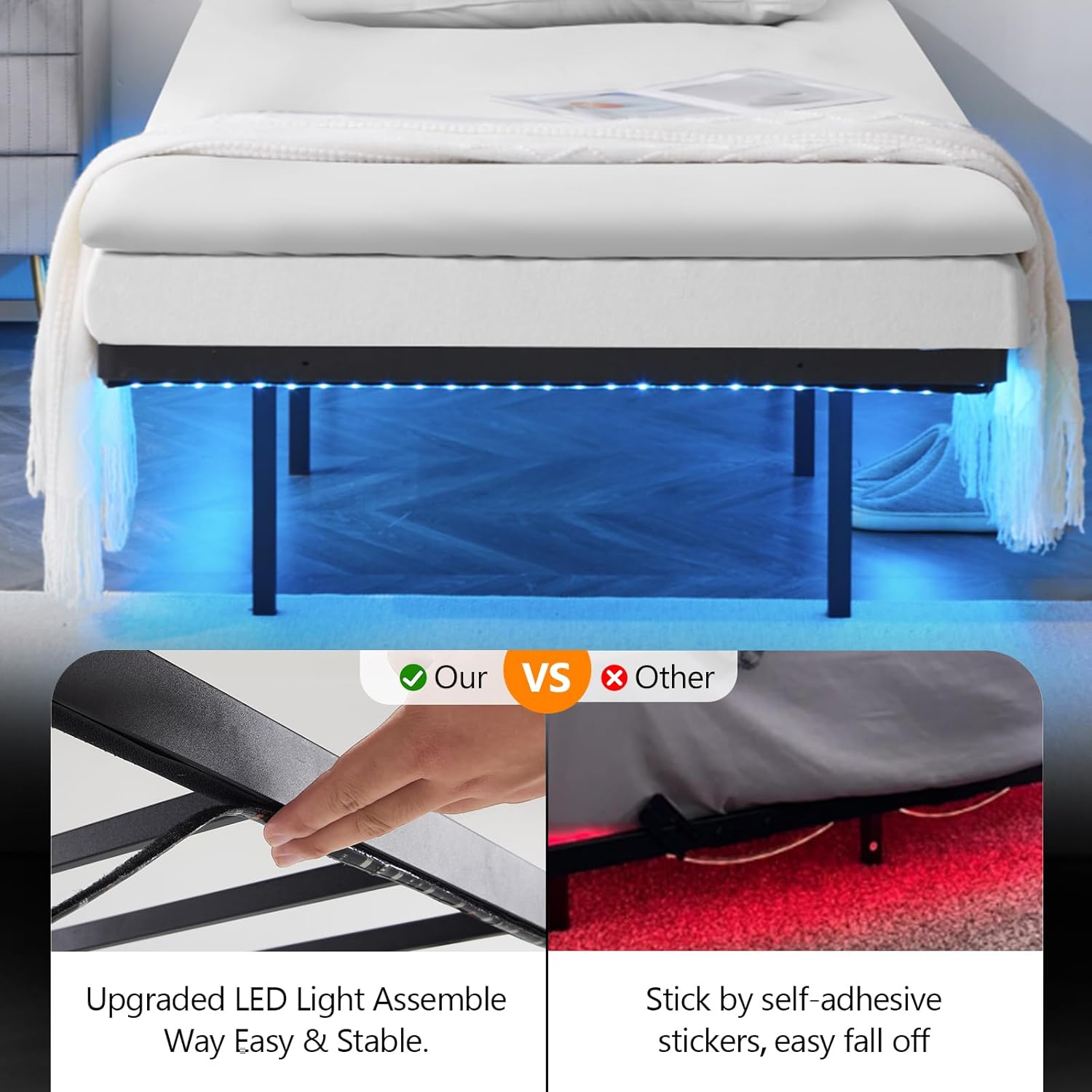
Image: An upgraded method for LED light assembly, showing the strip being secured into a channel for stability.
Operating Instructions
LED Lighting System
The integrated LED lights can be controlled via a mobile application, a remote control, or a physical switch. This system offers over 60,000 color options, various rhythm modes, and adjustable brightness and speed settings to customize your room's ambiance.
- App Control: Download the specified mobile application (refer to the LED light manual included in your package for app details) to access a full range of customization options.
- Remote Control: Use the provided remote control to change colors, modes, brightness, and speed.
- Switch Control: A physical switch allows for basic on/off functionality and cycling through preset modes.

Image: Overview of the RGB LED lighting system, highlighting control methods and customizable features.
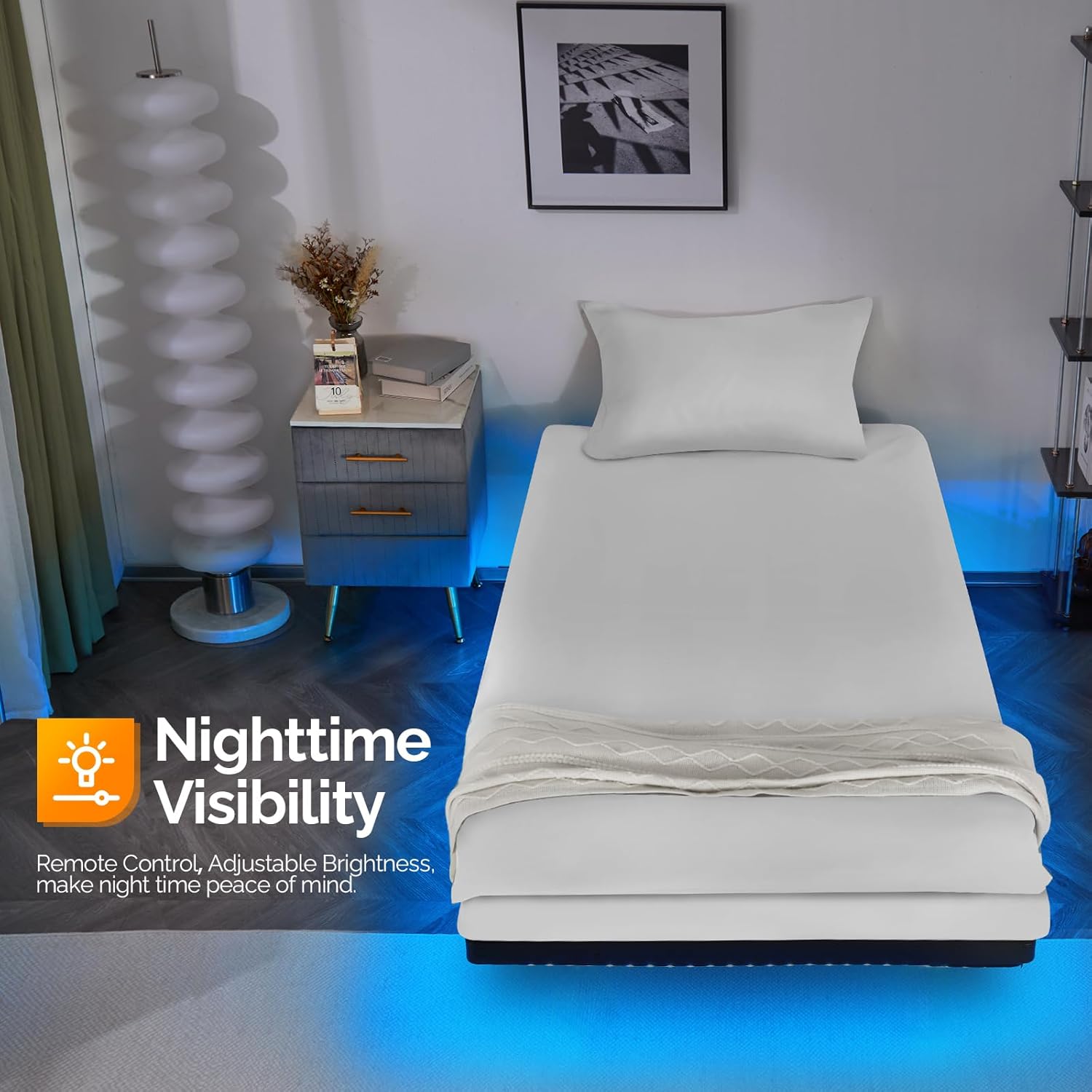
Image: The bed frame's LED lights providing ambient illumination, emphasizing remote control and adjustable brightness for nighttime use.
USB Charging Station
The bed frame includes a charging station with 2 AC outlets, 1 USB port, and 1 Type-C port, powered by a 5.2-foot power cord. This allows for convenient charging of electronic devices directly from your bed.
- Plug the bed frame's main power cord into a standard wall outlet.
- Connect your devices to the available AC outlets, USB port, or Type-C port as needed.

Image: The integrated charging station with AC outlets, USB, and Type-C ports for easy device charging.
Product Features Video
Video: A demonstration of the VINGLI 14-inch Platform Bed with LED lights, showcasing its features.
Maintenance
Proper maintenance ensures the longevity and optimal performance of your bed frame.
- Cleaning: Wipe the metal frame with a soft, damp cloth. Avoid harsh chemicals or abrasive cleaners that could damage the finish.
- LED Lights: Gently wipe the LED strips with a dry cloth to remove dust. Ensure the lights are off and unplugged before cleaning.
- Charging Station: Keep the charging ports clean and free of dust. Do not expose the charging station to liquids.
- Fasteners: Periodically check all bolts and screws to ensure they remain tight. Re-tighten as necessary to maintain stability.
Note: The product specifications mention "Dry Clean Only" for product care. This typically applies to fabric components. For the metal bed frame, follow the cleaning instructions above.
Troubleshooting
If you encounter any issues with your VINGLI bed frame, refer to the following common solutions:
- LED Lights Not Working:
- Check if the power cord for the LED lights is securely plugged into both the bed frame and the wall outlet.
- Ensure the remote control has working batteries and is pointed directly at the receiver.
- Verify that the physical switch is in the 'on' position.
- LED Lights Falling Off:
- The LED strip is designed to be secured in a channel. If it detaches, re-insert it firmly into the channel. If necessary, additional adhesive clips or tape can be used for extra security.
- Charging Station Not Providing Power:
- Ensure the bed frame's main power cord is fully plugged into a functional wall outlet.
- Test the outlet with another device to confirm it has power.
- Try different devices or cables to rule out issues with your specific device.
- Bed Frame Squeaks or Wobbles:
- Re-tighten all assembly bolts and screws. Over time, fasteners can loosen.
- Ensure the bed frame is on a level surface.
- "Floating Effect" Not Apparent:
- The floating effect is created by hidden legs and under-bed LED lighting. It is most noticeable in dimmer lighting conditions and from certain viewing angles.
Specifications
| Feature | Detail |
|---|---|
| Model Number | V-14IN-F |
| Size | Twin |
| Product Dimensions | 75"L x 38"W x 14"H |
| Under Bed Clearance | 11.8 inches |
| Weight Capacity | Up to 500 lbs |
| Material | Heavy-duty Metal |
| Color | Black |
| Special Features | Floating effect, No Box Spring Needed, Integrated LED Lights, USB Charging Station |
| Included Components | LED Light with Remote, Slats, USB Charging Station |
| Assembly Required | Yes |
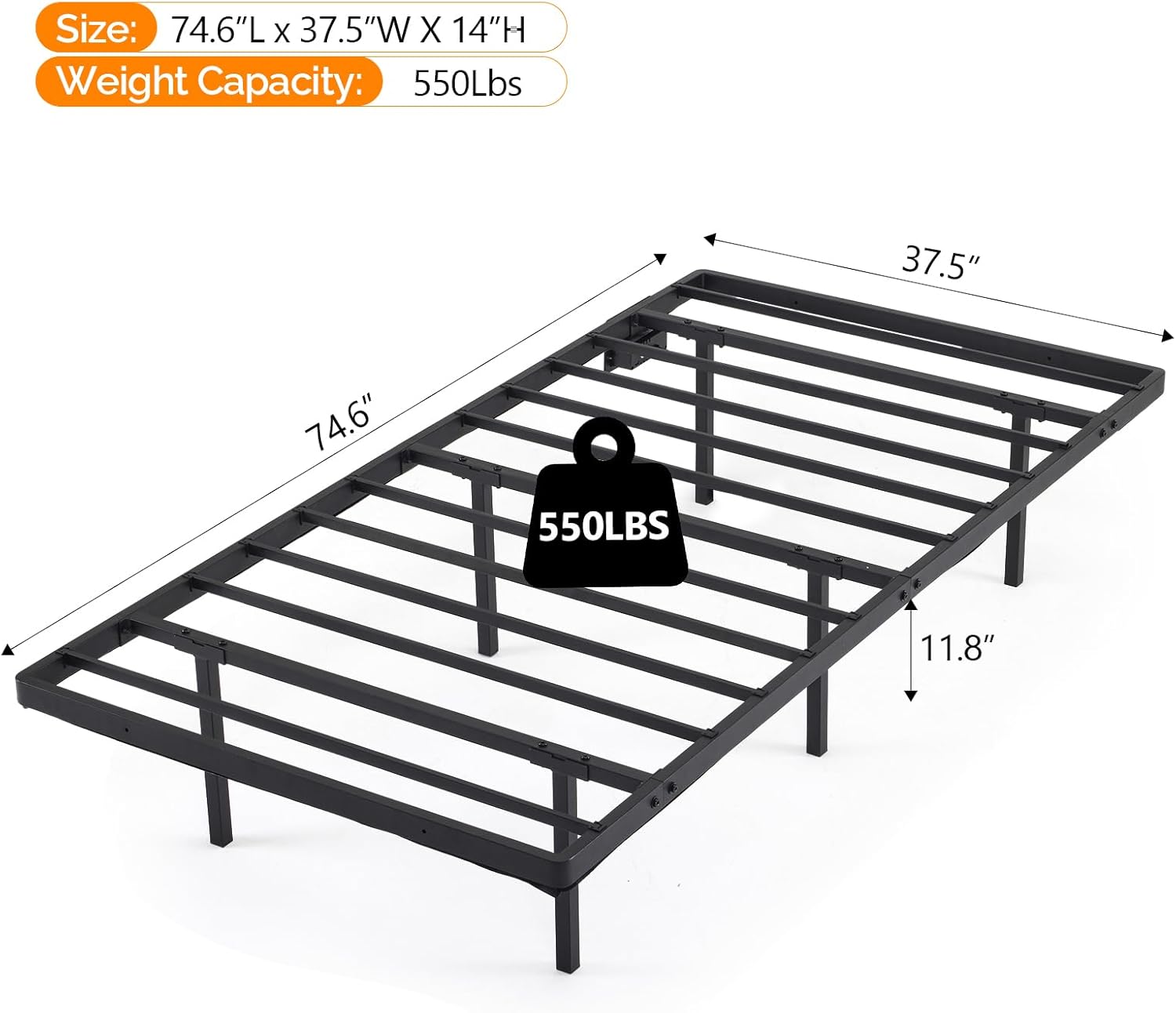
Image: Detailed dimensions and weight capacity of the bed frame.

Image: Details of the heavy-duty metal construction, including thicker side bars and strong middle support legs.
Warranty and Support
For warranty information, please refer to the documentation included with your product or contact VINGLI customer support directly. Keep your purchase receipt for warranty claims.
If you require further assistance or have questions not covered in this manual, please contact VINGLI customer service through their official website or the retailer where the product was purchased.