
1. Introduction
This manual provides essential information for the safe and efficient operation of your DJCLUB PRO-K15 LED Moving Head Light. Please read this manual thoroughly before installation, operation, or maintenance. Retain this manual for future reference.
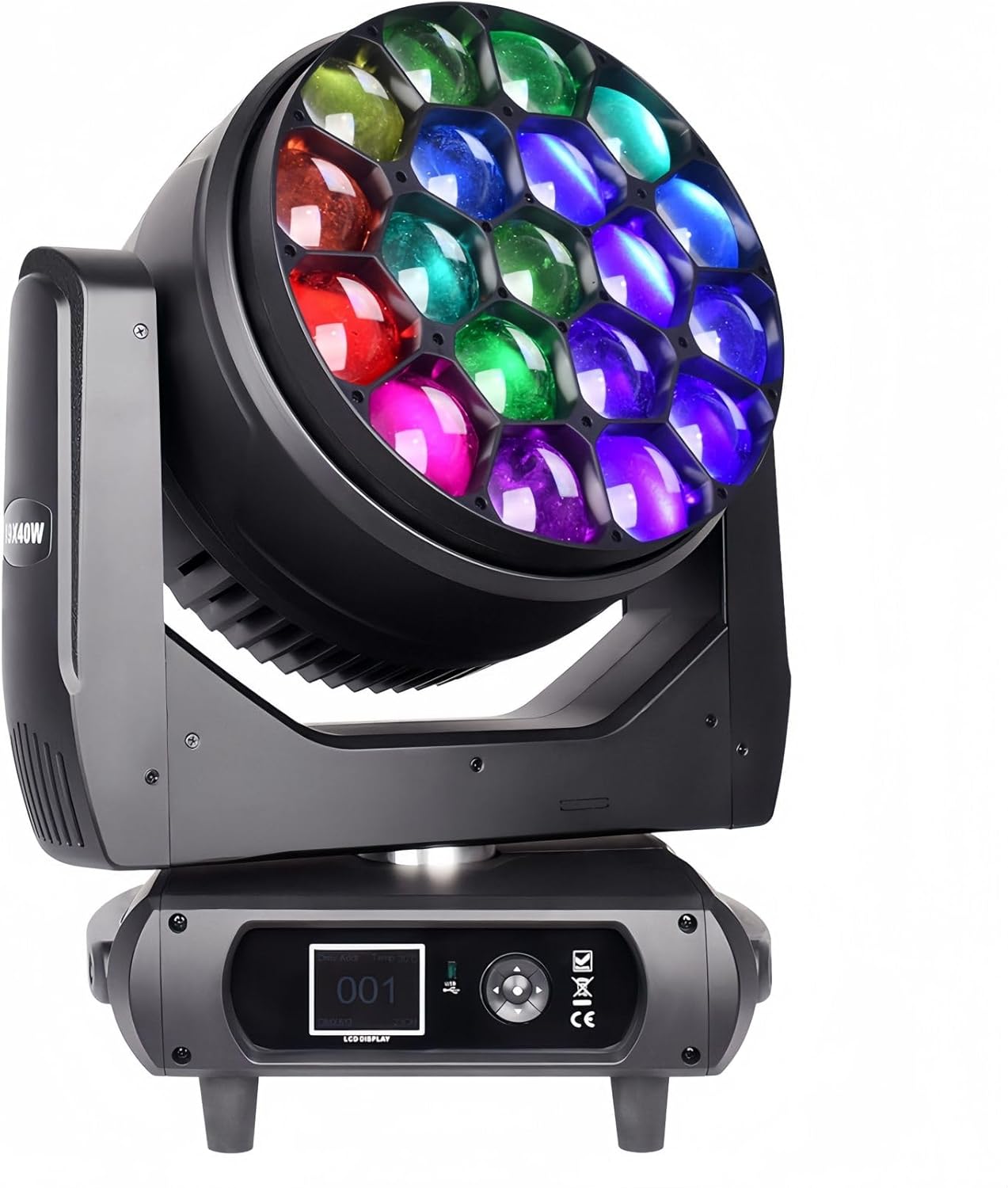
Image 1.1: Front view of the DJCLUB PRO-K15 LED Moving Head Light, showcasing its multi-colored LED lenses.
2. Safety Information
Always observe the following safety precautions to prevent electric shock, fire, or injury.
- Ensure the power supply voltage matches the specified requirements (110V-240V AC).
- Do not open the device casing. Refer all servicing to qualified personnel.
- Avoid direct eye exposure to the light source.
- Ensure proper ventilation to prevent overheating. Do not block cooling vents.
- Mount the fixture securely using appropriate hardware and safety cables.
- Disconnect power before cleaning or servicing.
- Keep the device away from moisture, water, and flammable materials.
3. Package Contents
Verify that all items are present and undamaged upon unpacking:
- 19X40W Bee Eyes Moving Head Light
- DMX Cable
- Instruction Manual
- Omega Bracket
- Power Cable
4. Product Features
The DJCLUB PRO-K15 LED Moving Head Light offers advanced features for professional stage lighting applications:
- Powerful LED Engine: Equipped with 19 pieces of 40W RGBW 4-in-1 LEDs for stable and vibrant color output.
- Versatile Effects: Capable of producing spot, wash, zoom, strobe, and dimming effects. Includes CTO, dyeing, beam, and horse racing effects.
- Advanced Control: Supports DMX512, auto, sound control, and master/slave modes. Offers multiple DMX channel modes (24/26/38/81/95/100/102Ch).
- Wide Movement Range: Pan movement of 540° and Tilt movement of 210° for dynamic stage coverage.
- User-Friendly Interface: Features an LCD color screen for easy navigation and programming.
- Efficient Cooling: Integrated with three cooling fans for effective heat dissipation, ensuring stable performance.
- Daisy-Chain Power: Powercon AC in/out ports allow for convenient power linking (110V-240V).
5. Setup
5.1 Physical Installation
The PRO-K15 can be mounted on a floor, truss, or other suitable structure using the provided Omega bracket. Ensure the mounting surface or truss is capable of supporting the fixture's weight (approximately 45.2 lbs / 20.5 kg).
- Attach the Omega bracket securely to the bottom of the fixture using the designated screws.
- Mount the fixture to the desired location. For overhead installations, always use a safety cable in addition to the primary mounting clamp.
- Ensure sufficient clearance around the fixture for ventilation and movement.

Image 5.1: Product dimensions and movement range of the PRO-K15. Dimensions are approximately 13.38"L x 11.02"W x 23.25"H (34cm L x 28cm W x 59cm H).
5.2 Power Connection
Connect the power cable to the Power IN port on the rear of the fixture. The unit supports 110V-240V AC. Multiple units can be daisy-chained using the Power OUT and Power IN ports, ensuring the total current draw does not exceed the circuit's capacity.

Image 5.2: Rear panel of the PRO-K15, displaying DMX In/Out, Power In/Out, and the main power switch.
5.3 DMX Connection
For DMX control, connect a DMX controller to the DMX IN port using a 3-pin DMX cable. If linking multiple fixtures, connect the DMX OUT of the first fixture to the DMX IN of the next, and so on. Terminate the last fixture in the chain with a DMX terminator.

Image 5.3: Close-up of the control panel, showing the LCD display, navigation buttons, DMX ports, and power connections.
6. Operating Instructions
6.1 Control Panel and LCD Display
The LCD display and navigation buttons on the base of the fixture allow access to various settings and modes. Use the buttons to navigate menus and adjust parameters.
6.2 Operating Modes
- DMX512 Mode: Connect to a DMX controller to access full control over all fixture functions, including pan, tilt, color, zoom, strobe, and effects. Refer to the DMX channel chart (usually provided separately or in the fixture's internal menu) for specific channel assignments.
- Auto Mode: The fixture runs through pre-programmed light sequences automatically. Select different auto programs via the LCD menu.
- Sound Control Mode: The fixture reacts to ambient sound, synchronizing light effects with music or audio input. Adjust sensitivity via the LCD menu.
- Master/Slave Mode: Link multiple fixtures where one acts as the master (controlling unit) and others as slaves (following the master's commands). Set the master unit to an auto or sound mode, and slave units to slave mode.
6.3 Light Effects and Adjustments
The PRO-K15 offers a range of dynamic lighting effects:
- Color Mixing: RGBW 4-in-1 LEDs allow for a wide spectrum of colors.
- Zoom: Motorized zoom function to adjust beam angle from narrow spot to wide wash.
- Strobe: Adjustable strobe speed for dynamic effects.
- Dimming: 0-100% linear dimming for smooth intensity control.
- Pixel Control: Additional pixel LED strip ring creates unique visual patterns.
- Built-in Programs: Includes effects like Swirl and Kaleidoscope.
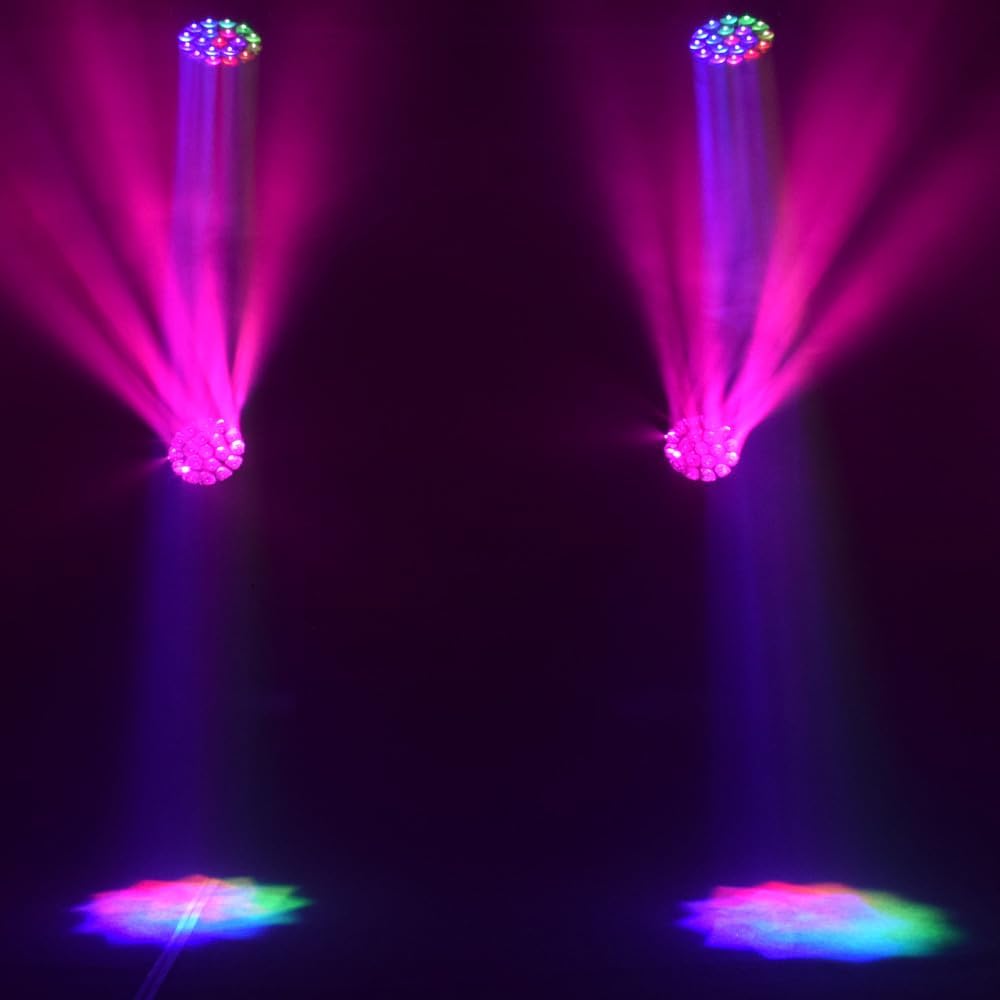
Image 6.1: Example of pink and purple beam effects from two PRO-K15 units.

Image 6.2: Example of blue wash effects from multiple PRO-K15 units.

Image 6.3: Illustration of the motorized zoom capability, creating a focused beam.

Image 6.4: Example of the PRO-K15's color mixing capabilities, projecting a spectrum of colors.
7. Maintenance
7.1 Cleaning
- Regularly clean the lenses and exterior casing with a soft, lint-free cloth.
- For stubborn dirt, use a mild glass cleaner applied to the cloth (not directly to the lens).
- Ensure all cooling vents are free from dust and debris to maintain optimal airflow.
7.2 Heat Dissipation
The PRO-K15 is designed with efficient heat dissipation in mind, featuring three cooling fans. Ensure these fans are not obstructed and operate correctly to prevent overheating and prolong the lifespan of the LEDs.

Image 7.1: The rear of the PRO-K15, showing the three cooling fans designed for efficient heat management.
8. Troubleshooting
If you encounter issues with your PRO-K15, refer to the following common problems and solutions:
- No Power:
- Check the power cable connection to both the fixture and the power outlet.
- Verify the power switch on the fixture is in the "ON" position.
- Inspect the fuse on the rear panel and replace if blown (ensure correct fuse rating).
- No DMX Control:
- Ensure DMX cables are correctly connected (DMX IN to DMX OUT).
- Verify the DMX address on the fixture matches the address set on your controller.
- Check DMX cable integrity; replace if damaged.
- Ensure the DMX chain is properly terminated.
- Fixture Overheating:
- Ensure cooling vents are not blocked.
- Verify that the cooling fans are operating.
- Provide adequate space around the fixture for airflow.
- Erratic Movement/Behavior:
- Check DMX signal quality.
- Reset the fixture by cycling power.
- Ensure the fixture is not in a confined space restricting movement.
9. Specifications
| Feature | Specification |
|---|---|
| Model | PRO-K15 |
| Light Source | 19 x 40W RGBW 4-in-1 LEDs |
| Total Power Consumption | 700 Watts (Maximum Compatible Light Source Wattage) |
| Brightness | 5500 lumen |
| Color Temperature | 6500 Kelvin |
| Voltage | 110V-240V AC |
| Control Modes | DMX512, Auto, Sound Control, Master/Slave |
| DMX Channels | 24/26/38/81/95/100/102Ch |
| Pan Movement | 540° |
| Tilt Movement | 210° |
| Dimming | 0-100% Linear |
| Material | Aluminum, Iron, Plastic |
| Dimensions (L x W x H) | 13.38" x 11.02" x 23.25" (34cm x 28cm x 59cm) |
| Item Weight | 45.2 Pounds (20.5 kg) |
| Certifications | CE, RoHS |
10. Warranty and Support
DJCLUB provides the following warranty for the PRO-K15 LED Moving Head Light:
- 30-Day Money Back Guarantee: From the date of purchase.
- 90-Day Warranty: Covers manufacturing defects from the date of purchase.
For technical support, warranty claims, or any inquiries, please contact DJCLUB customer service via their official after-sales email. Refer to your purchase documentation for specific contact details.