
Introduction
Welcome to the NEWQIDA 24V Ride-On Dump Truck. This manual provides essential information for the safe assembly, operation, and maintenance of your new electric construction vehicle. Please read it thoroughly before use and retain it for future reference.
Safety Information
Important Safety Warnings:
- Adult supervision is required at all times.
- This product is designed for children aged 3-8 years.
- Maximum weight capacity: 110 lbs.
- Always wear a helmet and appropriate safety gear.
- Do not operate near roads, steep inclines, swimming pools, or other hazardous areas.
- Ensure all fasteners are securely tightened before each use.
- Only use the provided charger and battery.
- Keep hands, hair, and clothing away from moving parts.
Package Contents
Verify that all components are present before assembly:
- NEWQIDA 24V Ride-On Dump Truck
- Remote Control
- Shovel
- 24V 7Ah Battery
- Charger
- Assembly Hardware
- User Manual
Setup and Assembly
Follow these steps to assemble your ride-on dump truck:
Unpack all components and lay them out on a clean, flat surface.
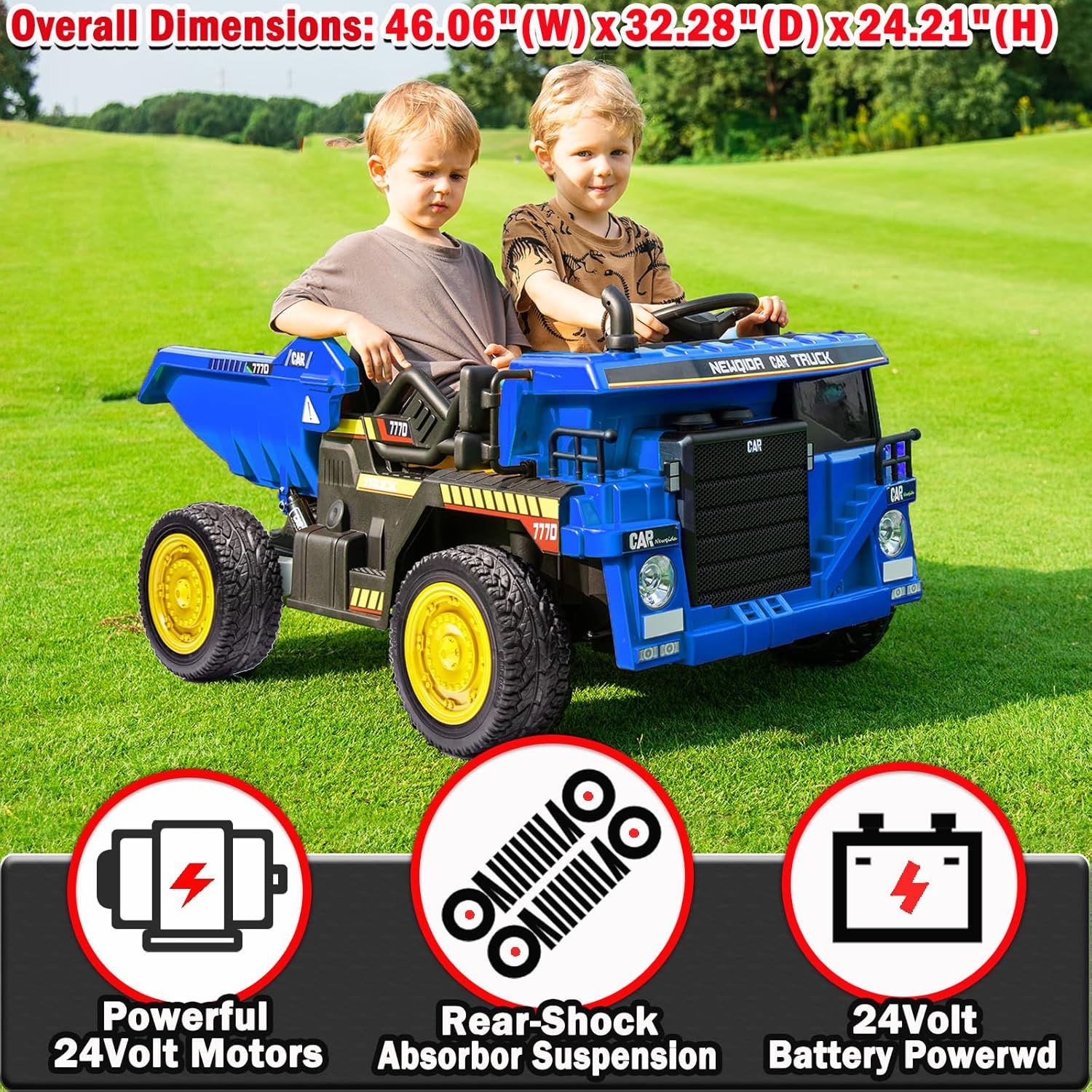
Image: All components of the NEWQIDA 24V Ride-On Dump Truck laid out for assembly, including the main body, wheels, and accessories.
Attach the wheels. Ensure they are securely fastened according to the instructions in the separate assembly guide.

Image: A partially assembled blue dump truck with wheels being attached, showing the undercarriage and axle.
Connect the battery. Locate the battery compartment, typically under the seat, and connect the battery terminals.

Image: Close-up view of the 24V battery compartment, showing the battery and connection points.
Install the seat and steering wheel. Secure them with the provided screws.
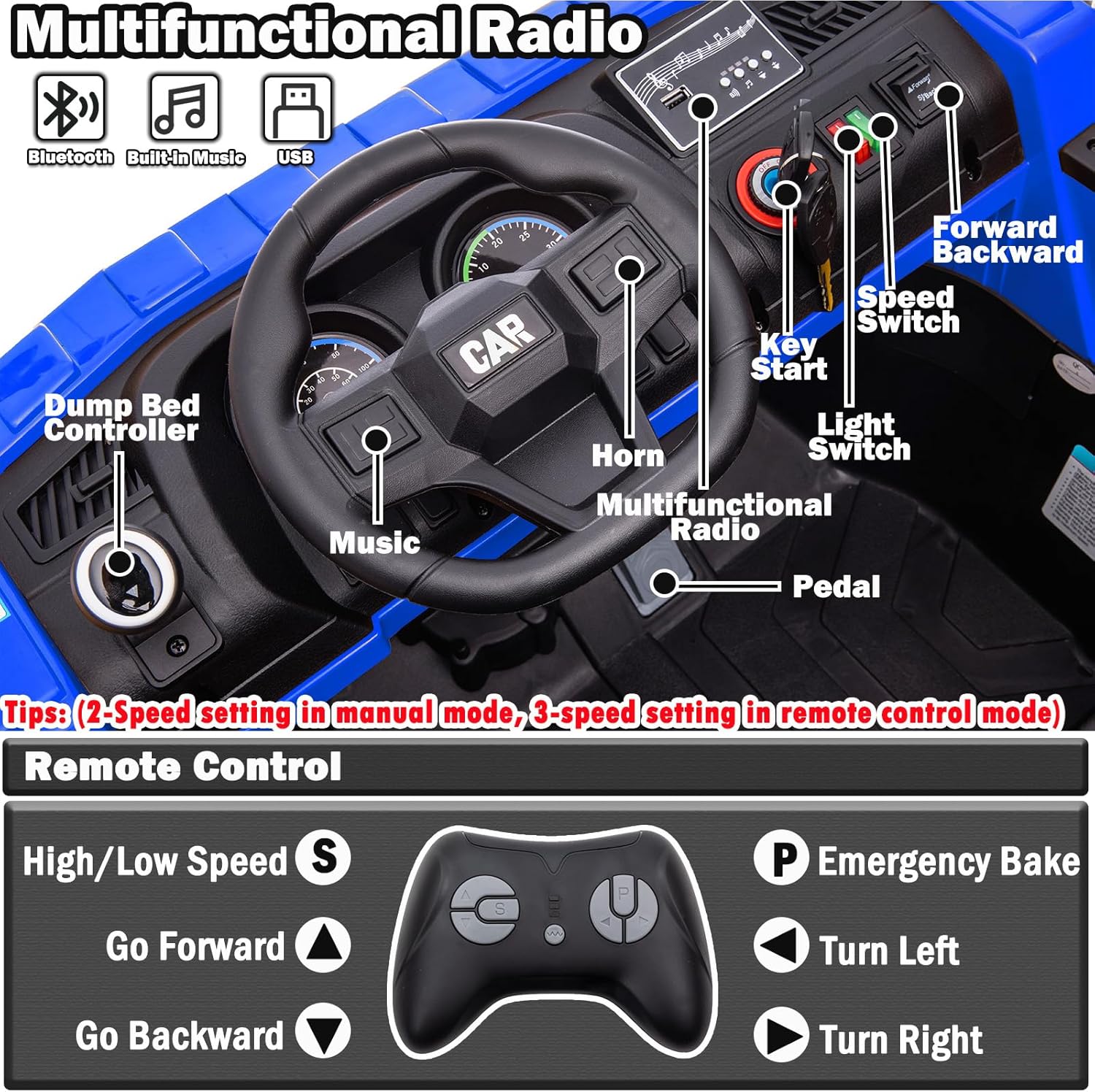
Image: Interior view of the dump truck showing the steering wheel and seat area, ready for installation.
Perform an initial charge of the battery for 8-12 hours before first use.
Charging the Battery
To charge the 24V battery:
- Ensure the vehicle is turned off.
- Locate the charging port, usually near the battery compartment.
- Plug the charger into the charging port, then plug the charger into a standard wall outlet.
- The indicator light on the charger will show the charging status (refer to charger manual for specific light indications).
- Charge for 8-12 hours for the first charge, and 8-10 hours for subsequent charges. Do not overcharge.
Warning:
- Do not charge the battery for more than 18 hours.
- Do not leave the battery charging unattended.
- Use only the charger supplied with the product.
Operating Instructions
Manual Drive Mode
For independent operation by the child:
- Turn the key to the "ON" position.
- Select the desired speed using the speed switch (High/Low).
- Press the foot pedal to accelerate. Release to brake.
- Use the steering wheel to control direction.
- The horn and headlights can be activated via their respective buttons.

Image: Close-up of the dashboard showing the key start, speed switch, light switch, horn, and pedal for manual operation.
Parental Remote Control Mode
For adult supervision and control:
- Ensure the vehicle is turned on.
- Activate the remote control (refer to remote control pairing instructions if necessary).
- Use the remote to control forward/backward movement, steering (left/right), and speed (High/Low).
- The remote control features an emergency stop button (P) to halt the vehicle immediately.
- The remote control can override manual operation for safety.

Image: The parental remote control with buttons for high/low speed, forward, backward, turn left, turn right, and emergency brake.
Electric Dump Bed Operation
The realistic electric dump bed allows for interactive play:
- To load materials, ensure the dump bed is in the lowered position.
- To unload, pull out the handle located under the seat.
- Push the joystick on the dashboard to tilt the bed upwards and release its contents.
- Use the included shovel to assist with loading and unloading.
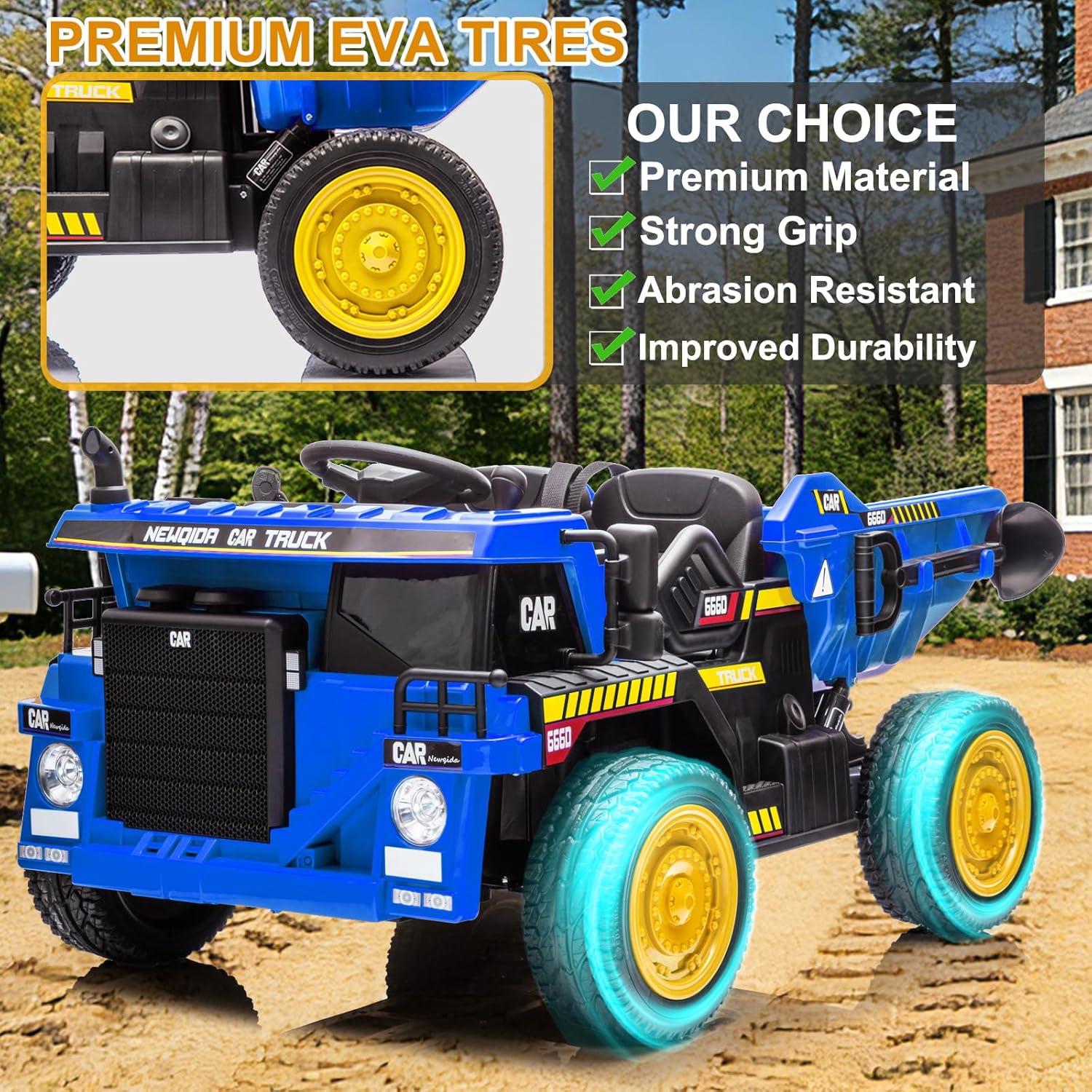
Image: A child operating the electric dump bed, showing the handle under the seat and the joystick for tilting the bed to unload sand.
Multimedia Features
The multifunctional radio provides entertainment:
- Built-in music: Press the "Music" button on the steering wheel or dashboard to play pre-loaded tunes.
- Bluetooth connectivity: Pair your device via Bluetooth to stream audio.
- USB playback: Insert a USB drive with audio files into the USB port.

Image: The front of the dump truck with icons indicating Bluetooth, music player, 24V battery, remote control, and headlights.
Maintenance
Cleaning:
Wipe the vehicle with a soft, damp cloth. Do not use abrasive cleaners or solvents. Avoid spraying water directly onto electrical components.
Battery Care:
- Recharge the battery after each use.
- If storing for extended periods, charge the battery once a month to prolong its lifespan.
- Do not store the battery in extreme temperatures.
Tire Inspection:
Regularly check the EVA tires for wear and tear. Ensure they are free from debris that could affect performance.

Image: Close-up of the EVA tire, highlighting its tread pattern and durability features.
General Inspection:
Periodically check all screws, nuts, and bolts to ensure they are tight. Inspect electrical connections for any signs of damage.
Troubleshooting
| Problem | Possible Cause | Solution |
|---|---|---|
| Vehicle does not move | Battery is low or dead; Loose battery connection; Blown fuse; Motor malfunction. | Charge the battery; Check battery terminals; Replace fuse; Contact customer support. |
| Vehicle moves slowly | Low battery; Overloaded vehicle; Operating on rough terrain. | Charge the battery; Reduce weight; Operate on smoother surfaces. |
| Remote control not working | Remote batteries dead; Remote not paired; Interference. | Replace remote batteries; Re-pair remote (refer to pairing instructions); Move to an area with less interference. |
| Dump bed not tilting | Handle not pulled out; Motor issue; Obstruction. | Ensure handle is fully extended; Check for obstructions; Contact customer support. |
Specifications
- Model: B0D9QZYGLH
- Brand: NEWQIDA
- Battery: 24V 7Ah
- Motors: 2 x 75W
- Max Speed: Up to 4.4 mph
- Tires: EVA
- Max Weight Capacity: 110 lbs
- Recommended Age: 3-8 years
- Product Dimensions: 46.06" (L) x 32.28" (W) x 24.21" (H)
- Item Weight: 65 pounds
- Certifications: ASTM F963
Product Videos
Video: Demonstration of the NEWQIDA 24V Ride-On Dump Truck in action, showcasing its features and movement.
Video: Overview of the NEWQIDA 24V Ride-On Dump Truck's design and key functionalities.
Warranty and Support
This NEWQIDA product comes with a standard manufacturer's warranty. Please refer to the warranty card included in your package for specific terms and conditions.
For technical assistance, replacement parts, or any questions regarding your NEWQIDA 24V Ride-On Dump Truck, please contact our customer support team:
- Email: support@newqida.com
- Phone: 1-800-XXX-XXXX
- Website: Visit the NEWQIDA Store on Amazon
Please have your model number (B0D9QZYGLH) and purchase date ready when contacting support.