
Introduction
This manual provides detailed instructions for the setup, operation, maintenance, and troubleshooting of your ABBREE Ham Radio Wireless Handheld Speaker Mic. Please read this manual thoroughly before using the product to ensure proper function and safety.
Product Overview
The ABBREE Wireless Handheld Speaker Mic is designed to enhance communication for ham radio users, offering clear sound, strong signal, and wireless transmission. It features a 2-pin K port adapter for compatibility with various Baofeng and Quansheng walkie-talkies, as well as compatibility with iOS and Android phones. The device includes a Type-C charging port for convenient power, a 360° rotating back clip for versatile carrying, and volume control for optimal audio levels.
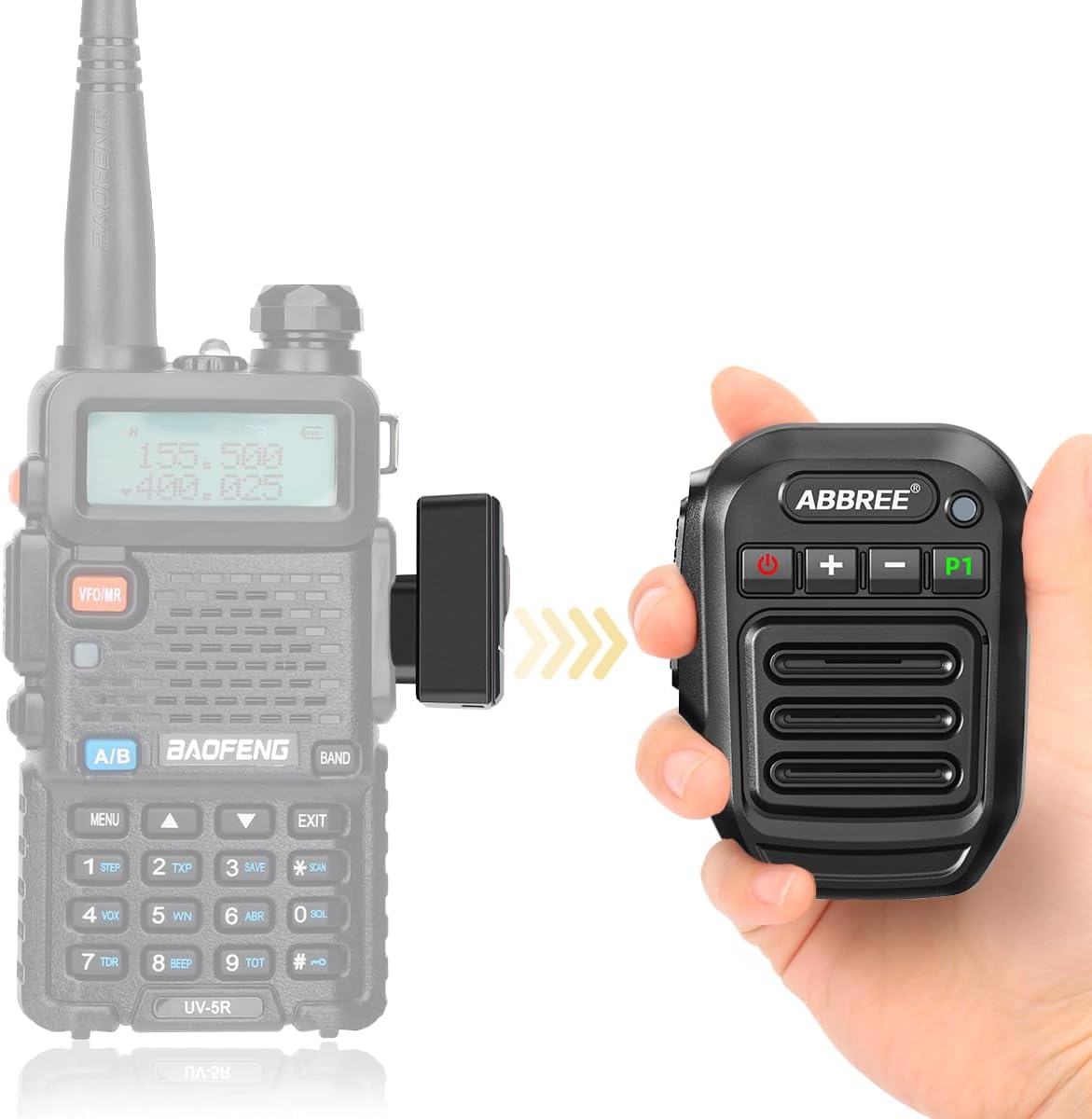
Figure 1: ABBREE Wireless Handheld Speaker Mic connected to a Baofeng UV-5R walkie-talkie.
Package Contents
Verify that all items are present in the package:
- 1 x ABBREE Wireless Handheld Speaker Mic
- 1 x Type-C Charging Cable
- 1 x 2-Pin K Adapter
- 1 x Belt Clip
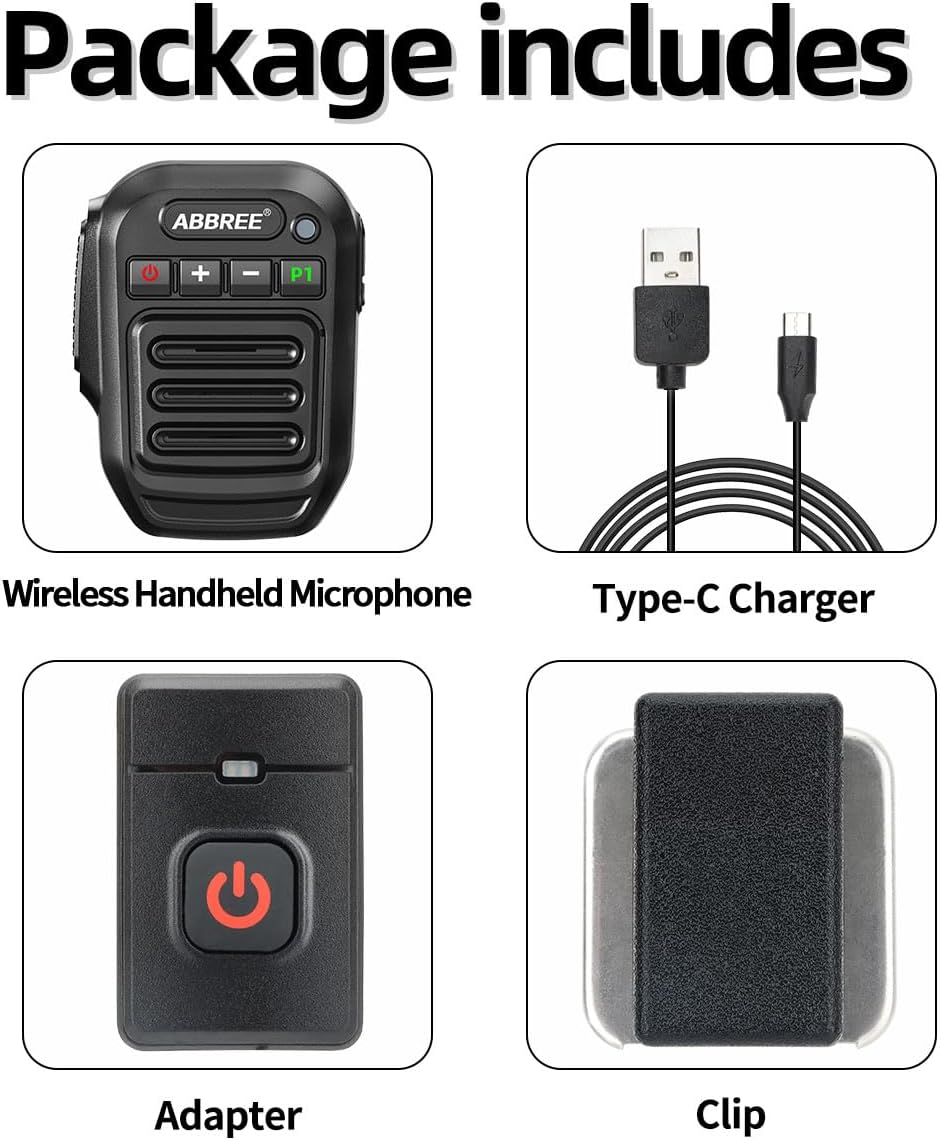
Figure 2: Included components of the ABBREE Wireless Handheld Speaker Mic package.
Product Features
- Wireless Communication: Connects wirelessly to compatible walkie-talkies and mobile phones (iOS/Android) for clear and effective communication.
- 2-Pin K Port Compatibility: Designed for Baofeng UV-5R, UV5RA/Plus, BF-F8HP PRO, UV-5RM, GM-15PRO, UV-21R, BF-888S, UV-17R, UV-5G Plus, AR-152, UV-32, UV-82, K5Plus, GM-5RH, GT-5R, TD-H3 8, and Quansheng UV-K5 8 two-way radios.
- Long Standby Time: Efficient power management ensures extended usage.
- Type-C Fast Charging: Conveniently charge using a power bank, PC, car charger, wall adapter, or any USB slot. Note: Low battery may affect transmission sensitivity.
- 360° Rotating Back Clip: Allows for flexible positioning and easy carrying.
- Volume Control: Adjust volume using '+' and '-' buttons during an active call on the walkie-talkie.

Figure 3: Key features of the ABBREE Wireless Handheld Speaker Mic.
Setup and Connection
- Charge the Device: Before first use, fully charge the speaker mic using the provided Type-C charging cable. Connect it to a USB power source (e.g., wall adapter, power bank, PC).
- Attach the 2-Pin K Adapter:

Figure 4: Dimensions of the speaker mic and adapter.
Insert the 2-Pin K adapter into the audio port of your compatible walkie-talkie. Ensure it is securely seated.
Video 1: Demonstration of connecting the 2-Pin K adapter to a walkie-talkie and pairing the speaker mic.
- Power On: Turn on both the 2-Pin K adapter (if it has a separate power button) and the ABBREE Wireless Handheld Speaker Mic.
- Pairing: The devices will automatically attempt to pair. A voice prompt "connected" will indicate successful pairing.
- Mobile Phone Connection: The speaker mic also works with iOS and Android phones. Refer to your phone's Bluetooth settings to pair the device.
Operating Instructions
- Push-to-Talk (PTT) Button: Press and hold the PTT button on the side of the speaker mic to transmit. Release to receive.
- Volume Control: Use the '+' and '-' buttons on the front of the speaker mic to adjust the volume during an active call on the walkie-talkie.
- Multi-Function Button (MFB): The "MFB" button (P1) may have additional functions depending on the connected device. Refer to your walkie-talkie or phone manual for specific functionalities.
- Status Indicator: The LED indicator provides information on power status, charging, and connection status.

Figure 5: Overview of the speaker mic's function keys and ports.
Maintenance and Care
- Cleaning: Wipe the device with a soft, dry cloth. Do not use harsh chemicals or abrasive cleaners.
- Storage: Store the speaker mic in a cool, dry place away from direct sunlight and extreme temperatures.
- Water Resistance: This product is Not Water Resistant. Avoid exposure to water or high humidity.
- Charging: Use only the provided Type-C charging cable or a compatible certified cable.
Troubleshooting
| Problem | Possible Cause | Solution |
|---|---|---|
| No connection/pairing issues |
|
|
| Audio is muddled or quiet |
|
|
| Transmission delay | Normal operation for some walkie-talkies. | A 1-2 second delay during transmission is normal for some compatible walkie-talkies. This is not a defect. |
Specifications
| Feature | Detail |
|---|---|
| Model Number | de63e012-55c8-45f9-9c1b-600023de2929 |
| Item Weight | 7 ounces |
| Package Dimensions | 6.81 x 5.43 x 1.93 inches |
| Color | Black |
| Connectivity | Wireless |
| Water Resistance Level | Not Water Resistant |
| Compatible Devices | Baofeng 5RM (AR-5RM, UV-5RM), UV-5R, BF-F8HP PRO, GM21, K5PLUS, GM-15Pro, UV-5G Plus, AR-152, Quansheng UV-K5 8, UV-32, UV-82, GM-5RH, GT-5R, TD-H3 8, and other 2-Pin K port radios. Also compatible with iOS and Android phones. |
| Special Features | Adjustable Receiver Sensitivity, Lightweight, Long Range, Noise Reduction, Rechargeable |
Warranty and Support
For warranty information and technical support, please contact ABBREE customer service through the retailer where the product was purchased or visit the official ABBREE website. Keep your purchase receipt for warranty claims.
Manufacturer: ABBREE
Date First Available: July 19, 2024