
Introduction
Thank you for choosing the OhO sunshine 4K Smart Camera Sunglasses, Model 6284K. These sunglasses are designed for outdoor enthusiasts, offering a 4K camera with 24-megapixel resolution for capturing high-quality photos and videos. The durable TR90 frame and impact-resistant, UV400 protected polarized lenses ensure comfort and safety during various activities. This manual provides essential information for setting up, operating, maintaining, and troubleshooting your new smart sunglasses.
Package Contents
Upon unboxing, please ensure all the following items are present:
- OhO sunshine 4K Smart Camera Sunglasses (Model 6284K)
- Hard Protective Case
- USB Charging Cable
- Cleaning Cloth
- Soft Pouch
- Interchangeable Lenses (Clear, Shaded, Yellow)

Image: Contents of the OhO sunshine 4K Smart Camera Sunglasses package, showing the sunglasses, hard case, USB cable, cleaning cloth, and various lenses.
Setup
1. Initial Charging
Before first use, fully charge your sunglasses. Connect the provided USB charging cable to the USB-C port on the sunglasses and to a compatible power source. Ensure the power source provides the correct voltage to avoid damage. A red LED indicator will typically show charging status and turn off when fully charged.
2. Inserting/Changing Lenses
The sunglasses come with interchangeable lenses. To change lenses, carefully detach the current lenses from the frame and snap the desired lenses into place. Ensure they are securely fitted before use.
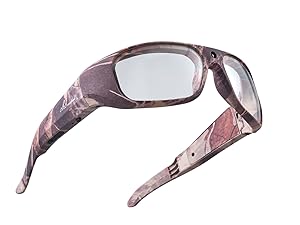
Clear Lenses
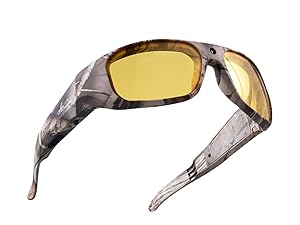
Yellow Lenses
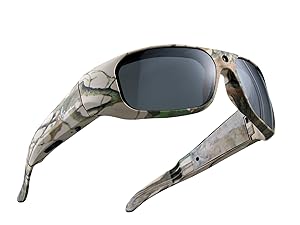
Dark Shaded Lenses
3. Powering On/Off
To power on the sunglasses, press and hold the power button located on the frame for approximately 2 seconds. The sunglasses will vibrate, and an LED indicator will light up. To power off, press and hold the power button again until the LED turns off.
Operating Instructions
1. Recording Video
Once the sunglasses are powered on, double-click the power button to begin video recording. The LED indicator will flash to confirm recording is in progress. Double-click the button again to stop recording. The sunglasses will vibrate to indicate the start and end of recording.
2. Taking Photos
While the sunglasses are powered on, a single short press of the power button will capture a still image. The sunglasses will vibrate, and the LED will briefly flash to confirm a photo has been taken.
3. Memory and Data Transfer
The sunglasses feature 128GB of built-in memory, capable of storing approximately 7 hours of 4K video data. To access your recordings and photos, connect the sunglasses to a computer or TV using the provided USB cable. The device will appear as a removable storage drive, allowing you to transfer files.
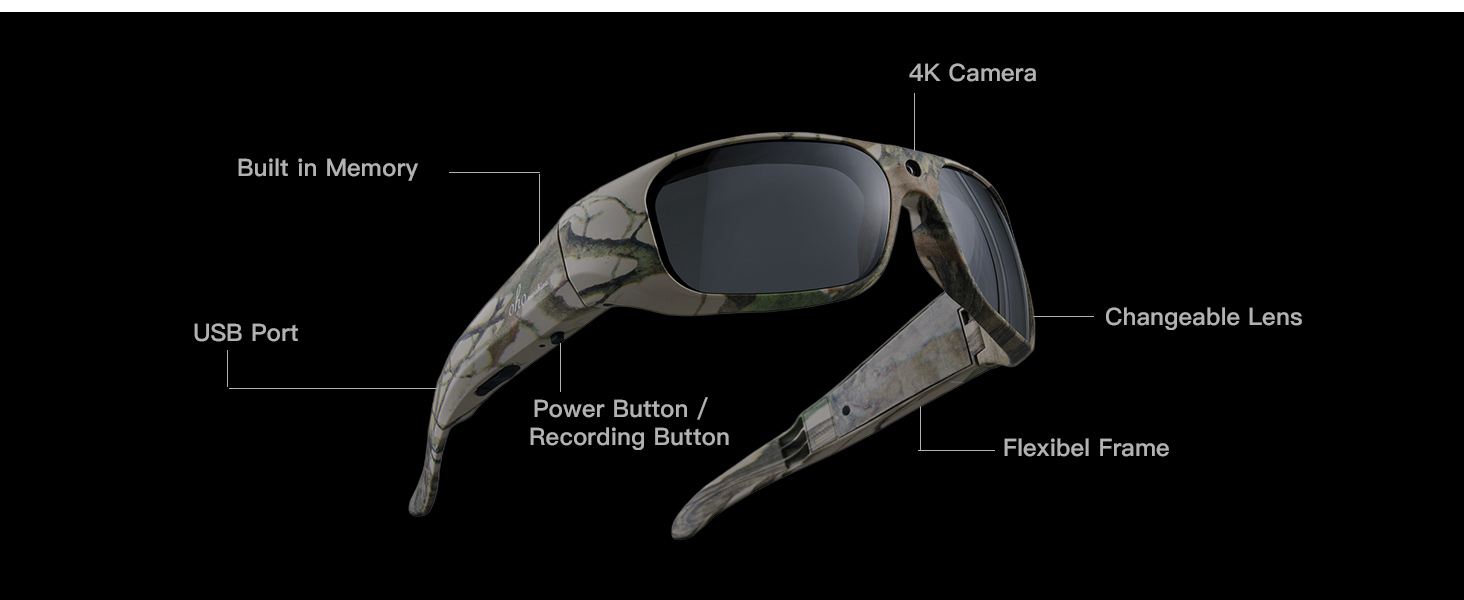
Image: Diagram illustrating the key components and controls of the OhO sunshine Smart Camera Sunglasses.
Maintenance
1. Cleaning
Use the provided cleaning cloth to gently wipe the lenses and frame. Avoid using abrasive materials or harsh chemicals that could damage the lenses or frame coating. For stubborn smudges, a small amount of lens cleaning solution designed for optics can be applied to the cloth, not directly to the lenses.
2. Storage
When not in use, store your sunglasses in the hard protective case to prevent scratches and damage. Keep them away from extreme temperatures and direct sunlight for prolonged periods.
3. Water Resistance
The smart glasses are water resistant for light rain and sweat. They are not designed for swimming or heavy water exposure. Avoid submerging the device in water.
Troubleshooting
- Device not powering on: Ensure the sunglasses are fully charged. If the issue persists, try using a different USB-C cable and power adapter to rule out cable or adapter issues.
- Not recording video/taking photos: Check the LED indicator. If it's not flashing or briefly lighting up, ensure the device is powered on and you are using the correct button presses (double-click for video, single-click for photo). The internal memory might be full; connect to a computer to transfer files and free up space.
- Poor video/photo quality: Ensure lenses are clean and free from smudges. Operate in well-lit conditions for optimal results.
- Computer not recognizing device: Ensure the USB cable is securely connected to both the sunglasses and the computer. Try a different USB port or restart your computer.
Specifications
| Brand | OhO sunshine |
| Model Number | 6284K |
| UPC | 797639230693 |
| Camera Resolution | 4K Video, 24 Megapixel Photos |
| Video Encoding | H.265 |
| Built-in Memory | 128GB (approx. 7 hours of 4K video) |
| Frame Material | TR90 |
| Lens Material | Tri Acetate Cellulose |
| Lens Type | Polarized |
| UV Protection | 100% UV400 Protection |
| Impact Resistance | US Safety Lens Standard ANSI/ISEA Z87.1-2015 |
| Item Weight | 39 Grams |
| Sport Type | Cycling, Hiking, Driving, Hunting, Boating |
Warranty and Support
OhO sunshine products are designed for reliability and performance. This product is covered by a standard return policy, typically 30 days from the date of purchase for refunds or replacements. For specific warranty details or technical support, please refer to the manufacturer's official website or contact their customer service directly. Additional protection plans may be available for extended coverage.
