
1. Introduction
The Mcbazel Megacom DuoMon3 is a rechargeable pocket auto-collecting device designed to enhance your gaming experience. It features automatic catching and spinning capabilities, supports dual accounts, and offers customizable notifications. This manual provides detailed instructions for setup, operation, maintenance, and troubleshooting.

Image 1.1: The Megacom DuoMon3 device and its retail packaging.
2. Product Components
Familiarize yourself with the various parts of your DuoMon3 device:

Image 2.1: Diagram illustrating the Power On/Off Switch, Hanging Hole, Magnet, 1P/2P Buttons, Speaker Hole, and Charging Port of the DuoMon3.
- Power On/Off Switch: Located on the side for turning the device on or off.
- Hanging Hole: For attaching a strap or keychain.
- Magnet: Integrated for secure attachment or wireless charging alignment.
- 1P/2P Buttons: Used for player selection and interaction.
- Speaker Hole: For sound notifications.
- Charging Port: Type-C port for wired charging.
2.1 Package Contents
Upon unboxing, ensure all items are present:

Image 2.2: The package includes the DuoMon3 device, a Type-C quick charging cable, a keychain strap, and a card removal pin.
- 1x Megacom DuoMon3 Auto Catcher
- 1x Type-C Quick Charging Cable
- 1x Keychain Strap
- 1x Card Removal Pin (for specific functions or reset, refer to app instructions)
- 1x Instruction Manual (this document)
3. Setup Guide
3.1 Charging the Device
The DuoMon3 supports two charging methods:

Image 3.1: The DuoMon3 can be charged using the included Type-C cable or via a compatible wireless magnetic charger (not included with standard version).
- Wired Charging: Connect the included Type-C cable to the charging port on the device and to a USB power source. The device will indicate charging status (e.g., LED light).
- Wireless Charging: Place the DuoMon3 on a compatible wireless magnetic charging pad (not included with the standard version). Ensure proper alignment for efficient charging.
Note: A full charge typically provides extended usage. Battery life may vary based on usage patterns and settings.
3.2 Initial Connection and Pairing
- Ensure your DuoMon3 is charged and powered on using the On/Off switch.
- Enable Bluetooth on your smartphone.
- Open the compatible game application on your smartphone.
- Navigate to the game's settings and locate the "Pokémon GO Plus" or similar accessory connection option.
- Select the DuoMon3 from the list of available devices to pair. Follow any on-screen prompts.
- For dual account usage, repeat the pairing process on a second smartphone or within the game's settings for the second player (1P/2P functionality).

Image 3.2: The DuoMon3 supports simultaneous connection to two accounts, allowing two players to use the device.
3.3 App Installation and Notification Settings
To fully customize your DuoMon3 experience, download the dedicated companion application (if available, check your device's packaging or manufacturer's website for details).

Image 3.3: The companion app allows customization of light, sound, vibration, and language settings for notifications.
Within the app, you can adjust:
- Light Settings: Adjust brightness (0-100%) and color, or turn lights off.
- Sound Settings: Turn sound notifications on/off, adjust volume, and select voice or beep sounds.
- Vibrating Settings: Enable or disable vibration alerts.
- Language Settings: Select your preferred language (e.g., English, Chinese, Japanese).
4. Operating Instructions
4.1 Automatic Catching and Spinning
Once connected, the DuoMon3 will automatically attempt to catch creatures and spin stops within range. This functionality operates in the background, allowing you to use your phone for other tasks.
- The device prioritizes catching creatures and spinning stops based on its internal programming and game settings.
- Ensure you have sufficient inventory space and items (e.g., standard balls) for optimal performance.
4.2 One-Touch Reconnection
If the device disconnects from your smartphone, the one-touch reconnect feature allows for quick re-establishment of the connection without navigating through Bluetooth settings.
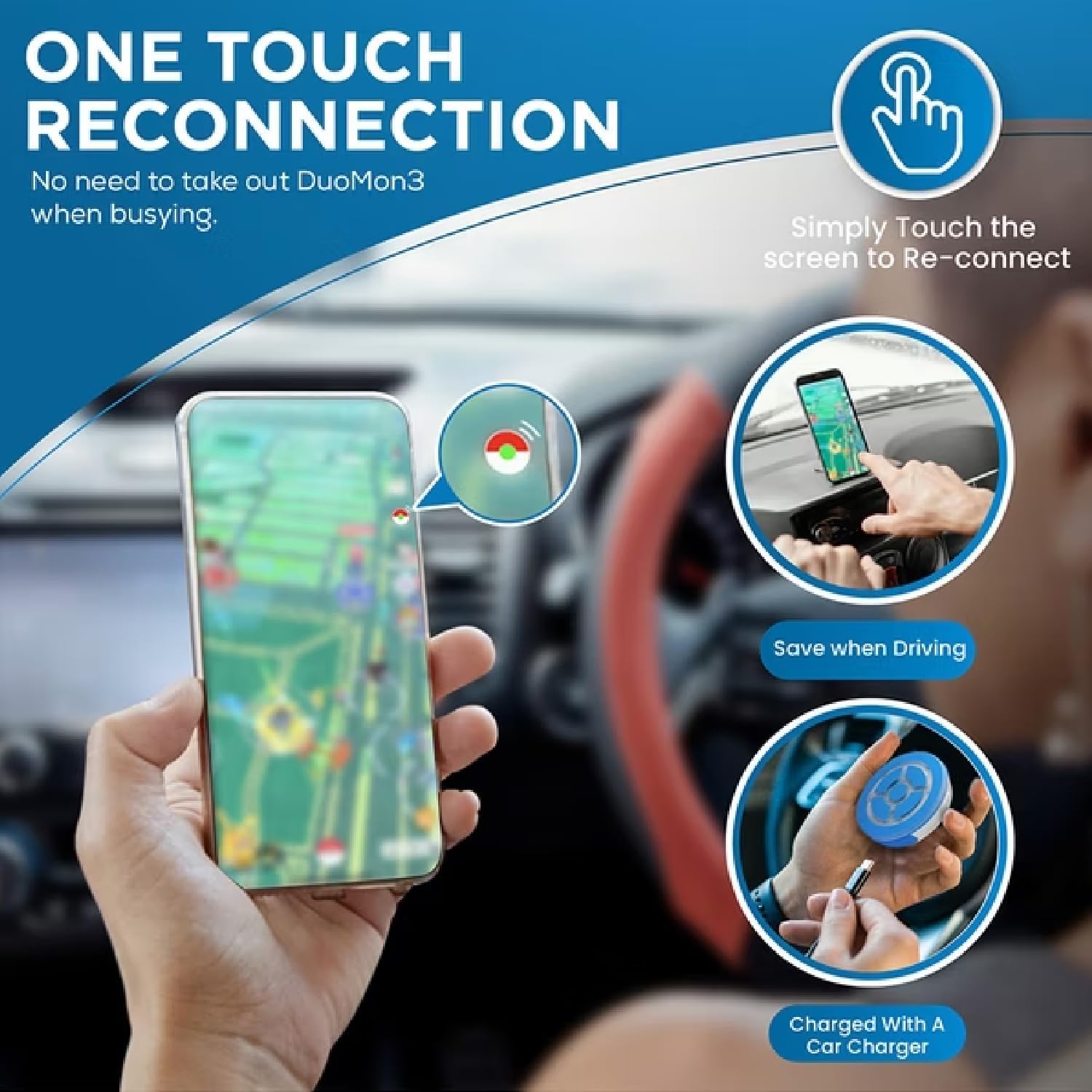
Image 4.1: Reconnecting the DuoMon3 is simplified to a single touch on the smartphone screen, even while driving or charging.
Simply touch the reconnect icon or notification on your phone's screen to re-establish the connection. This is particularly useful when the phone is in standby mode or during active use.
4.3 Dual Account Operation (1P/2P)
The DuoMon3 is equipped with two independent ICs, enabling simultaneous operation for two player accounts. This means two users can connect their respective devices to a single DuoMon3, or one user can manage two accounts.
- Use the 1P/2P buttons on the device to switch between or manage the connected accounts.
- Each account will benefit from auto-catching and auto-spinning functionalities independently.
5. Maintenance
5.1 Battery Care and Charging
- Charge the device regularly to maintain optimal battery health.
- Avoid fully discharging the battery frequently.
- Store the device in a cool, dry place when not in use for extended periods.
- Use only the provided Type-C cable or a compatible wireless charger.
5.2 Cleaning
- Wipe the device with a soft, dry cloth to remove dust and smudges.
- Avoid using harsh chemicals or abrasive materials, as these can damage the device's surface.
5.3 Firmware Upgrades
The DuoMon3 supports firmware upgrades. Check the manufacturer's website or the companion app periodically for available updates to ensure optimal performance and access to new features.
6. Troubleshooting
| Problem | Possible Cause | Solution |
|---|---|---|
| Device does not connect or frequently disconnects. |
|
|
| Auto-catching or spinning is not working. |
|
|
| Notifications (light, sound, vibration) are not functioning as expected. |
|
|
| Device battery life is shorter than expected. |
|
|
7. Specifications
| Feature | Detail |
|---|---|
| Model Name | DuoMon3 |
| Model Number | MM-010477 |
| Brand | Mcbazel |
| Dimensions | 2.16 x 2.16 x 0.55 inches (5.5 x 5.5 x 1.4 cm) |
| Weight | 3.56 ounces (approx. 29g) |
| Battery Type | 1 Lithium Ion battery (included) |
| Charging | Type-C wired, Wireless magnetic (pad not included) |
| Connectivity | Bluetooth, up to 20m (65ft) range |
| Compatibility | Smartphone (compatible with specific game applications) |
| Features | Auto Catch, Auto Spin, Dual Account Support (1P/2P), One-Touch Reconnect, Customizable Notifications (Light, Sound, Vibration, Language), Firmware Upgradable |
| Color | White and Blue |

Image 7.1: Visual representation of the compact size and lightweight design of the DuoMon3.
8. Warranty and Support
The Mcbazel Megacom DuoMon3 comes with a 1-Year Warranty from the date of purchase.
This warranty covers manufacturing defects under normal use. It does not cover damage caused by misuse, accidents, unauthorized modifications, or normal wear and tear.
For warranty claims or technical support, please contact your retailer or visit the official Mcbazel support website. Please have your proof of purchase and model number (MM-010477) ready when contacting support.