
APPECK C5106-B
APPECK Permanent Outdoor Lights Pro 100ft (Model C5106-B) User Manual
Model: C5106-B
1. Introduction
This manual provides detailed instructions for the installation, operation, and maintenance of your APPECK Permanent Outdoor Lights Pro 100ft (Model C5106-B). Please read this manual thoroughly before use to ensure proper functionality and safety.

Image 1.1: APPECK Permanent Outdoor Lights Pro 100ft product packaging, showing the light string, control box, remote, and mobile app interface.
2. Safety Information
Observe the following safety precautions to prevent injury or damage to the product:
- Ensure the power supply is disconnected before installation or maintenance.
- Do not attempt to modify the product in any way not described in this manual.
- Use only the provided power adapter and control box.
- Keep the control box and adapter away from standing water, despite their IP65 waterproof rating.
- Ensure all connections are secure and waterproofed as instructed, especially when cutting and splicing.
- Do not stare directly into the LED lights for extended periods.
- Operate within the specified temperature range of -4°F to 140°F (-20°C to 60°C).
3. Package Contents
Verify that all items listed below are included in your package:
- 16.4ft Permanent Outdoor Lights x 6 (Total 100ft)
- Control Box x 1
- Power Adapter x 1
- Remote Controller x 1 (AAA batteries not included)
- 9.8ft Extension Cord x 2
- Buckle x 80
- Extra 3M Adhesive x 4
- User Manual x 1 (This document)
- Installation Guide x 1
- Wire Connector Set x 1
4. Setup and Installation
Follow these steps for proper installation of your APPECK Permanent Outdoor Lights.
4.1 Pre-Installation Check
Before permanent installation, connect all light segments, the control box, and the power adapter. Plug in the system to ensure all lights function correctly. Test different colors and modes using the control box or app.
4.2 Surface Preparation
Ensure the installation surface (eaves, walls) is clean, dry, and smooth for optimal adhesion. For long-term use, screw mounting with clips is recommended over adhesive tape alone.
4.3 Mounting the Lights
The lights can be installed using either 3M adhesive tape for short-term use or clips and screws for long-term, secure mounting.
- Short-term Use (Adhesive): Peel off the 3M adhesive tape backing and press the light firmly onto the desired surface for at least 8 seconds.
- Long-term Use (Clips and Screws): Use the provided buckles and screws to securely fasten the lights. This method is highly recommended for permanent outdoor installations to withstand weather conditions.

Image 4.1: Installation methods, illustrating both adhesive and screw-mounted clip options.
4.4 Cutting and Expanding the Lights
The light string is designed to be cut and extended. Refer to the detailed instructions for wire connector usage.
- Cutting: Unplug the lights. Carefully cut the wires between two light units at the designated cut points.
- Splicing with Wire Connector:
- Unplug the lights and cut the wires between two light units.
- Peel off approximately 10mm of insulation from the copper wires.
- Disassemble the wire connector.
- Insert exposed wires into the appropriate slots: "Letter line" to red, "Blank line" to yellow, "Dotted line" to blue.
- Screw the shell onto the connector, push the waterproof silicone ring into the shell, and tighten the nut to secure the wires.
- Repeat for the male connector.
- Expanding with Extension Cord: Use the provided extension cords with signal amplifiers to extend the total length. A set of lights can be connected with up to 5 extension cords. The total length supported with a 144W adapter is up to 200ft.

Image 4.2: Wire connector usage for cutting and splicing light segments.

Image 4.3: Cuttable and expandable usage of the light string, showing the cut points, wire connector, and extension cord with signal amplifier.
5. Operating Instructions
Your APPECK Permanent Outdoor Lights Pro offer multiple control methods for customized lighting experiences.
5.1 Control Methods
The lights can be controlled via the Smart Life App, voice commands (Alexa/Google Assistant), the included remote control, or the control box.
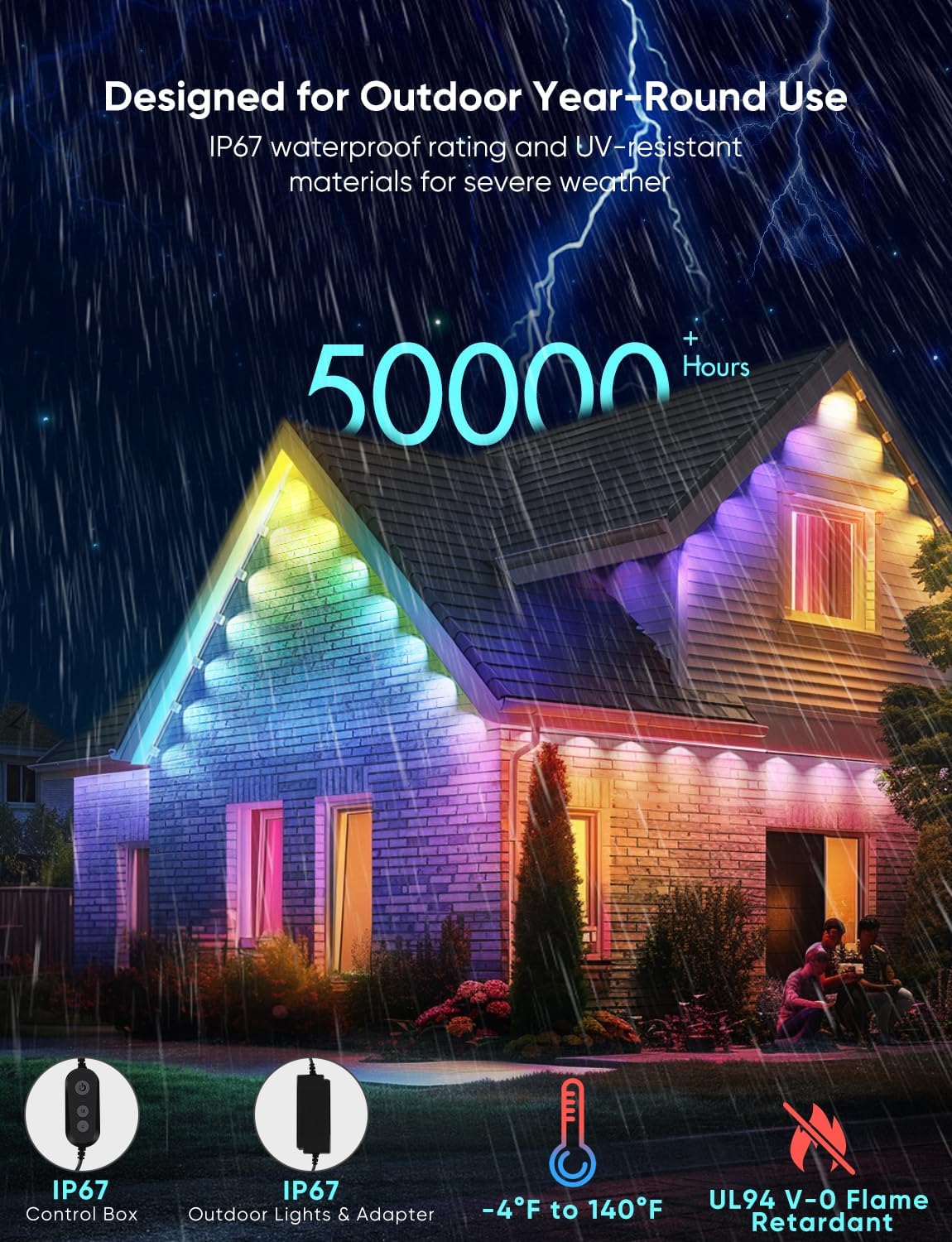
Image 5.1: Multiple control options for the APPECK Permanent Outdoor Lights.
5.2 Smart Life App Control (2.4G Wi-Fi Only)
Download the Smart Life App from your device's app store. Follow the in-app instructions to connect your lights to your 2.4GHz Wi-Fi network. The app allows for advanced customization:
- Individual Light Control: Each light can be controlled independently for color and brightness.
- Dynamic Scene Modes: Choose from 111 pre-programmed dynamic scene modes. Customize speed, color, and other parameters.
- Favorites and Loop Playback: Save customized scenes to favorites for easy access and set them for loop playback.
- Timer Function: Schedule lights to turn on/off at specific times.
- Light String Length Setting: Adjust the app's settings to match the actual length of your installed light string for accurate control.

Image 5.2: App interface demonstrating individual light control.

Image 5.3: App interface for customizing lighting scenes.

Image 5.4: App interface for managing favorite scenes and loop playback.

Image 5.5: App interface for setting the light string length.
5.3 Voice Control
The lights are compatible with Alexa and Google Assistant. Once connected to the Smart Life App, link your Smart Life account to your voice assistant app to enable voice commands for basic functions like turning on/off, changing colors, or adjusting brightness.
5.4 Remote Control
The included remote control provides basic functionality for on/off, color changes, and mode selection, useful in areas with weak Wi-Fi signals. (Note: AAA batteries are not included for the remote control).
5.5 Control Box
The physical control box on the light string allows for basic on/off, reset, and brightness adjustments.
6. Maintenance
To ensure the longevity and optimal performance of your APPECK Permanent Outdoor Lights, follow these maintenance guidelines:
- Cleaning: Periodically clean the light lenses and housing with a soft, damp cloth to remove dirt and debris. Do not use harsh chemicals or abrasive cleaners.
- Inspections: Regularly inspect the light string, connections, and power cables for any signs of wear, damage, or loose connections. Address any issues promptly.
- Waterproofing: Ensure all wire connectors and caps remain tightly sealed to maintain IP67 waterproof integrity.
- Storage (if applicable): If storing the lights for an extended period, ensure they are clean, dry, and coiled neatly to prevent tangling or damage.
7. Troubleshooting
If you encounter issues with your APPECK Permanent Outdoor Lights, refer to the following common problems and solutions:
- Lights not turning on:
- Check if the power adapter is securely plugged into a working outlet.
- Ensure all connections between light segments, control box, and adapter are firm.
- Verify the control box is not damaged.
- If using the remote, check if batteries are installed and functional.
- Lights not responding to app/remote:
- For app control, ensure your phone is connected to a 2.4GHz Wi-Fi network and the lights are within range.
- Restart the Smart Life App.
- Unplug and replug the lights to reset them.
- Ensure the remote control has working batteries and is pointed towards the control box.
- Inconsistent lighting or flickering:
- Check all wire connections for proper seating, especially if segments were cut and spliced. Incorrectly inserted wires in the connector can cause issues.
- Ensure extension cords with signal amplifiers are used correctly for longer runs.
- Verify the power adapter is sufficient for the total length of lights (e.g., 144W for up to 200ft).
- Difficulty connecting to Wi-Fi:
- Confirm your Wi-Fi network is 2.4GHz. 5GHz networks are not supported.
- Ensure the lights are close to your Wi-Fi router during the initial setup process.
- Reset the control box (refer to the control box instructions for the reset procedure).
8. Specifications
| Feature | Specification |
|---|---|
| Model Number | C5106-B |
| Total Length | 100ft (6 x 16.4ft segments) |
| Number of Lights | 72 LED Lights |
| Light Type | RGBCW (Red, Green, Blue, Cool White, Warm White) Dual Lens |
| Brightness (per light) | 80 lumens |
| Color Temperature | 2700K-6500K (adjustable) |
| Wattage | 72 watts (for 100ft) |
| Water Resistance Rating | IP67 (lights), IP65 (control box & adapter) |
| Operating Temperature | -4°F to 140°F (-20°C to 60°C) |
| Lifespan | Up to 50,000 hours |
| Control Methods | App Control (2.4G Wi-Fi), Voice Control (Alexa, Google Assistant), Remote Control, Control Box |
| Expandability | Cuttable and expandable up to 200ft with 144W adapter (max 5 extension cords) |
| Material | Polyvinyl Chloride (UV-resistant) |

Image 8.1: Product dimensions for the adapter, control box, and light string sections.
9. Warranty and Support
For warranty information and technical support, please refer to the official APPECK website or contact APPECK customer service directly. Keep your purchase receipt for warranty claims.
Manufacturer: Shenzhen Jindian Zhiguang Lighting Co.,Ltd
Related documentsC5106-B


Ask a question about this manual
Ask about setup, troubleshooting, compatibility, parts, safety, or missing instructions. Manuals+ will review the question and use this page’s manual context to help answer it.