
1. Introduction
Thank you for choosing the ROCAM CR1009-PRO-BLACK Emergency Weather Radio. This device is designed to provide reliable communication and essential functions during emergencies, outdoor activities, or daily use. It features multiple power sources, various radio bands, and integrated lighting solutions to ensure you stay informed and safe.
2. Product Overview
The ROCAM CR1009-PRO-BLACK is a versatile emergency radio equipped with a range of features for preparedness and convenience.

The ROCAM CR1009-PRO-BLACK emergency weather radio, featuring a digital display, control buttons, a built-in flashlight, and a USB port for charging external devices like smartphones.
Key Features:
- Multi-Band Radio: AM/FM/SW/WB (NOAA Weather Band).
- Multiple Power Sources: 5000mAh rechargeable battery, hand crank, solar panel, USB-C charging, and 3 AAA batteries (not included).
- Emergency Lighting: 3W flashlight with two brightness levels and a 2.5W reading lamp with two brightness levels.
- Power Bank Function: 5000mAh capacity to charge external devices via USB.
- SOS Alarm: 116 dB siren with strobe light for emergencies.
- Digital LCD Display: Large, clear screen for frequency, time, and battery status.
- Water Resistance: IPX6 rated for protection against strong jets of water.

An overview of the radio's key features, including 5000mAh power bank, USB charging, headphone jack, 3W light sources, 2.5W reading lamp, time LED display, SOS alert, IPX6 waterproof rating, and AM/FM/SW/WB NOAA radio bands.
Package Contents:

The contents of the product package, including the ROCAM CR1009-PRO-BLACK radio, a wrist strap, a USB charging cable, a carabiner, and the user manual.
- ROCAM CR1009-PRO-BLACK Emergency Weather Radio
- USB-C Charging Cable
- Wrist Strap
- Carabiner
- User Manual
3. Setup
3.1 Initial Charging
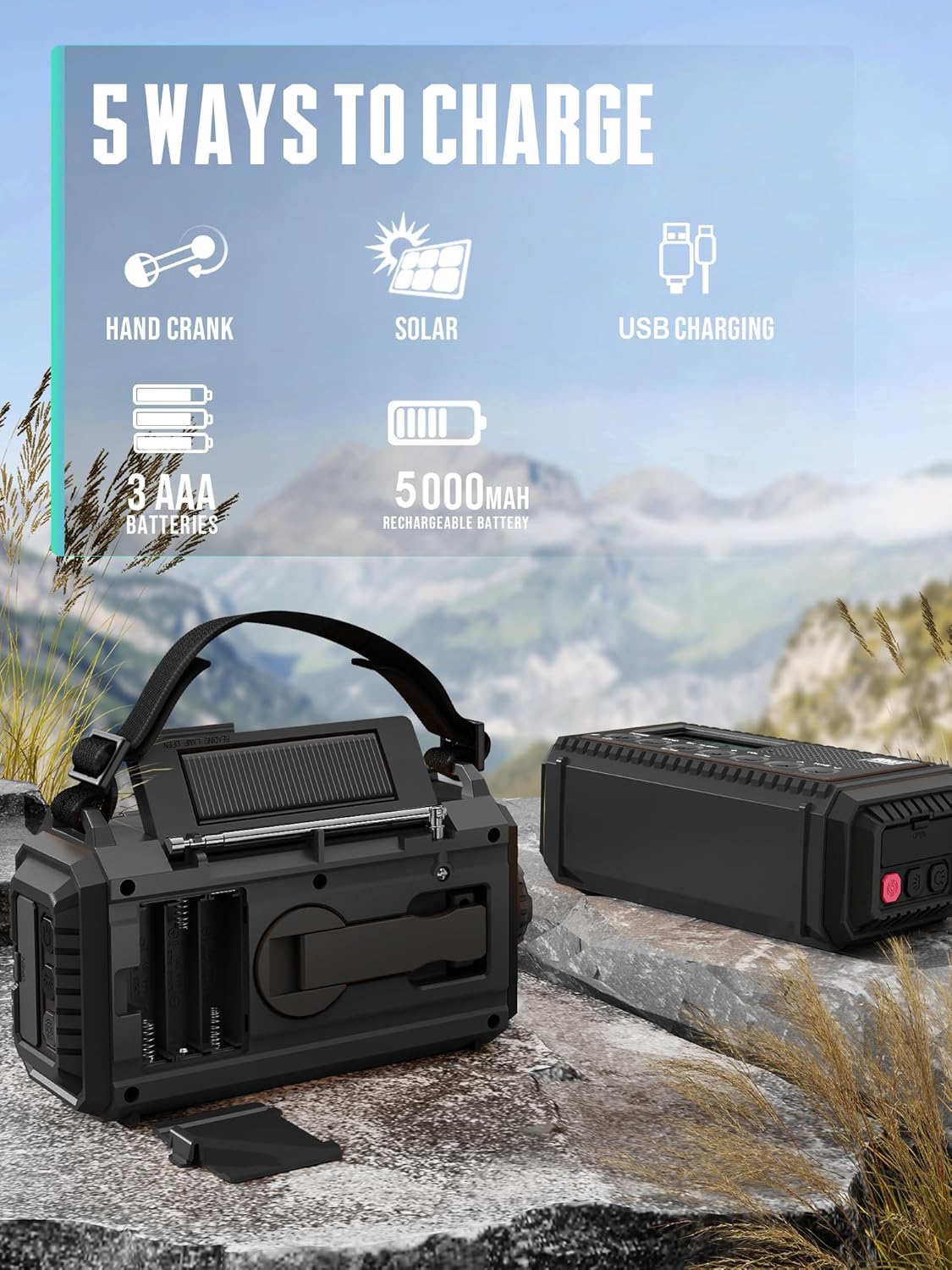
Before first use, it is recommended to fully charge the internal 5000mAh battery. The radio offers five charging methods:

An illustration of the five charging methods for the radio: hand crank, solar panel, USB charging, 3 AAA batteries (not included), and the internal 5000mAh rechargeable battery.
- USB-C Charging: Connect the provided USB-C cable to the radio's USB-C input port and a 5V/2A power adapter (not included). The battery indicator on the LCD will show charging status.
- Hand Crank: Rotate the hand crank clockwise or counter-clockwise at a steady pace (approx. 130-150 RPM) for 3-5 minutes to generate power for short-term use or to initiate charging.
- Solar Panel: Place the radio in direct sunlight. The solar panel on top will convert sunlight into energy to trickle charge the internal battery. This method is primarily for maintaining charge or extending battery life, not for rapid charging.
- AAA Batteries: Open the battery compartment on the back and insert 3 AAA batteries (not included), ensuring correct polarity. This serves as an alternative power source.
3.2 Antenna Setup
For optimal radio reception, fully extend the telescopic antenna when listening to FM, SW, or WB bands. For AM reception, the internal ferrite bar antenna is used, and no external antenna adjustment is typically needed.
4. Operating Instructions
4.1 Power On/Off
- Press the POWER button to turn the radio on or off.
4.2 Band Selection
- Press the BAND button repeatedly to cycle through AM, FM, SW, and WB (Weather Band). The selected band will be displayed on the LCD screen.
4.3 Tuning
- Use the TUNE ▲ and TUNE ▼ buttons to manually adjust the frequency.
- For automatic scanning, press and hold the TUNE ▲ or TUNE ▼ button. The radio will scan for the next available station.
4.4 Volume Control
- Press the VOL + button to increase the volume.
- Press the VOL - button to decrease the volume.
4.5 NOAA Weather Alert

The radio displaying the NOAA weather band frequency, highlighting its automatic and manual preset capabilities for weather alerts, and featuring a strobe light with a 116 dB SOS alarm.
- When in WB mode, press the WX ALERT button to activate or deactivate the weather alert function. When active, the radio will automatically switch to the NOAA weather broadcast if an alert is issued.
- The radio supports auto/manual 7 preset NOAA weather bands.
4.6 Flashlight and Reading Lamp
Demonstration of the radio's dual-level reading lamp, suitable for illuminating a book, and its long-range, two-level super bright flashlight for self-rescue and general illumination.
- Flashlight: Press the flashlight button (located on the side) once for low brightness, a second time for high brightness, and a third time to turn it off.
- Reading Lamp: Lift the solar panel to reveal the reading lamp. Press the reading lamp button (usually near the lamp) once for low brightness, a second time for high brightness, and a third time to turn it off.
4.7 SOS Alarm
- Press and hold the SOS button (usually red, on the side) to activate the loud siren and flashing strobe light.
- Press the SOS button again to deactivate the alarm.
4.8 Time Setting

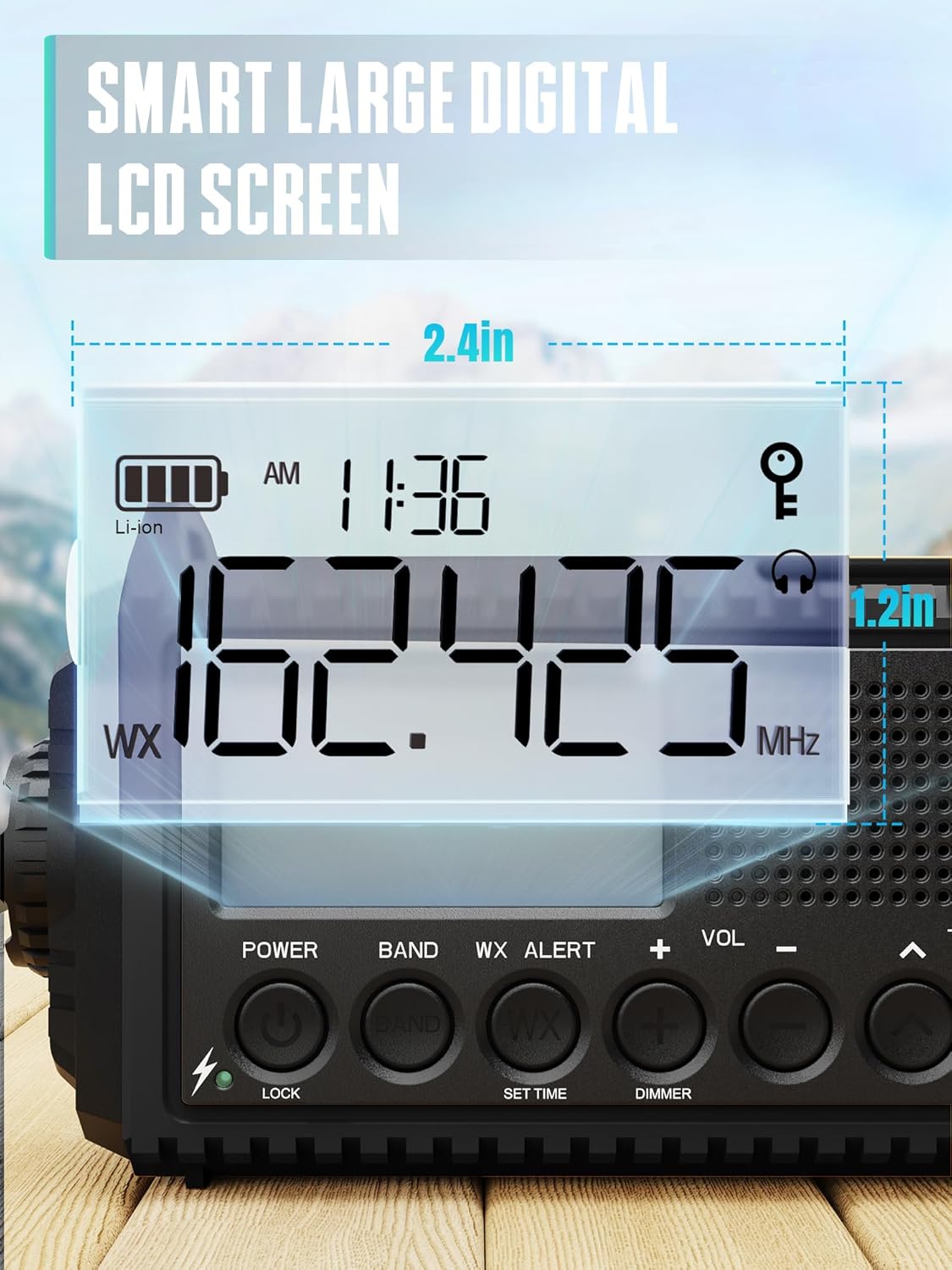
A close-up view of the radio's large digital LCD screen, showing the time, battery indicator, and radio frequency (162.425 MHz), with dimensions of 2.4 inches by 1.2 inches.
- Press and hold the SET TIME button. The hour display will flash.
- Use the TUNE ▲ and TUNE ▼ buttons to adjust the hour.
- Press SET TIME again to switch to minute adjustment, then use TUNE ▲ and TUNE ▼ buttons.
- Press SET TIME one more time to confirm and exit.
4.9 Charging External Devices (Power Bank)
Details on the radio's 5000mAh battery, indicating approximate usage times: 30 hours for radio, 20 hours for flashlight, 40 hours for reading lamp, and 6 hours for SOS alert. It can also charge external devices 1.8 times.
- Connect your smartphone or other USB-powered device to the radio's USB-A output port using your device's charging cable.
- The radio's internal 5000mAh battery will begin charging your device.
5. Maintenance
- Cleaning: Wipe the radio with a soft, damp cloth. Do not use abrasive cleaners or solvents.
- Storage: Store the radio in a cool, dry place away from direct sunlight and extreme temperatures. If storing for extended periods, ensure the internal battery is charged to at least 50% and recharge every 3-6 months to maintain battery health.
- Battery Care: Avoid fully discharging the internal battery frequently. If using AAA batteries, remove them if the radio will not be used for a long time to prevent leakage.
6. Troubleshooting
| Problem | Possible Cause | Solution |
|---|---|---|
| Radio does not turn on. | Low battery or no power source. | Charge the internal battery via USB, hand crank, or solar. Check if AAA batteries are inserted correctly and have charge. |
| Poor radio reception. | Antenna not extended, weak signal, or interference. | Fully extend the telescopic antenna. Reposition the radio. Try tuning to a stronger station. |
| Flashlight/Reading lamp not working. | Low battery. | Charge the internal battery. |
| External device not charging. | Radio battery too low, incorrect cable, or device incompatibility. | Ensure the radio's internal battery is sufficiently charged. Use a compatible USB cable. |
7. Specifications
- Model Number: CR1009-PRO-BLACK
- Brand: ROCAM
- Radio Bands: AM, FM, SW, WB (NOAA)
- Internal Battery: 5000mAh Rechargeable
- External Battery Option: 3 x AAA batteries (not included)
- Charging Inputs: USB-C (5V/2A), Hand Crank, Solar Panel
- Output: USB-A (for charging external devices)
- Flashlight Power: 3W (2 levels)
- Reading Lamp Power: 2.5W (2 levels)
- SOS Alarm: 116 dB with strobe light
- Water Resistance: IPX6
- LCD Screen Size: Approximately 2.4 inches x 1.2 inches
8. Warranty and Support
ROCAM products are designed for reliability and performance. For warranty information or technical support, please refer to the contact details provided with your purchase or visit the official ROCAM website. Please retain your proof of purchase for warranty claims.


