
1. Product Overview
The KNKA APH3000 Air Purifier Replacement Filter is designed to maintain the high performance of your KNKA APH3000 air purifier. This genuine filter ensures certified fit and optimal air purification, effectively capturing airborne particles and neutralizing odors.
- True HEPA Filtration: Captures particles as small as 0.3 microns, including pollen, pet dander, and dust.
- Activated Carbon Layer: Utilizes honeycomb-activated carbon particles to absorb and neutralize odors from smoke, pets, and cooking.
- Optimal Performance: Designed specifically for the APH3000 model to ensure maximum efficiency and longevity of your air purifier.
- Package Contents: Each package contains two (2) genuine KNKA APH3000 replacement filters.

Image: The KNKA APH3000 Air Purifier shown with its compatible replacement filter, highlighting the perfect fit.
2. Installation Instructions
Replacing your KNKA APH3000 air purifier filter is a simple process that requires no tools. Follow these steps for proper installation:
- Step 1: Power Off and Unplug
Turn off the air purifier and unplug the power cord from the electrical outlet. This ensures safety during the replacement process. - Step 2: Open Purifier Cover
Locate the notches on both sides of the air purifier cover. Gently pull the cover open to access the filter compartment. - Step 3: Remove Old Filter
Carefully remove the used filter from the compartment. Dispose of the old filter responsibly. - Step 4: Install New Filter
Unpack the new KNKA APH3000 replacement filter from its protective plastic bag. Insert the new filter into the compartment. Ensure the side marked "FRONT" faces outward, and the activated carbon side faces inward towards the purifier's interior. - Step 5: Close Cover and Power On
Close the air purifier cover securely. Plug the power cord back into the electrical outlet and turn on the air purifier. - Step 6: Reset Filter Indicator
Press and hold the filter button on the control panel for approximately 5 seconds until you hear three beeps. This action resets the filter indicator light, signaling that a new filter has been installed.

Image: A visual guide demonstrating the four key steps for replacing the KNKA APH3000 air purifier filter, from unplugging to resetting the indicator.
3. Operating Principles (Filter Function)
The KNKA APH3000 replacement filter employs a multi-stage filtration system to ensure comprehensive air purification:
- True HEPA Filter: This layer is designed to capture at least 99.97% of airborne particles as small as 0.3 microns. This includes common allergens like pollen, pet dander, dust mites, and mold spores.
- Honeycomb Activated Carbon Particles: The activated carbon layer is highly effective at adsorbing various odors and harmful gases. It neutralizes smells from pets, cooking, smoke, and volatile organic compounds (VOCs), contributing to a fresher indoor environment.

Image: A diagram illustrating the multi-layer filtration technology, including honeycomb activated carbon, H13 True HEPA filter, and electrostatic cotton.

Image: A magnified view of the True HEPA filter surface, depicting its ability to capture microscopic airborne pollutants.

Image: A representation of the honeycomb structure of activated carbon particles, illustrating their enhanced adsorption capacity for odors and gases.
4. Maintenance and Replacement Schedule
To ensure your KNKA APH3000 air purifier continues to operate at peak efficiency, regular filter replacement is essential. The lifespan of the filter can vary based on usage and environmental conditions.
- Recommended Replacement: The genuine KNKA APH3000 replacement filter typically has a service life of approximately 2200 hours. It is recommended to replace the filter every 6 to 8 months under normal operating conditions.
- Environmental Factors: In environments with higher levels of pollutants, pet dander, or smoke, the filter may require more frequent replacement.
- Filter Indicator: Pay attention to your air purifier's filter indicator light. When it illuminates, it signals that a filter replacement is due. Always reset the indicator after installing a new filter as described in the installation section.
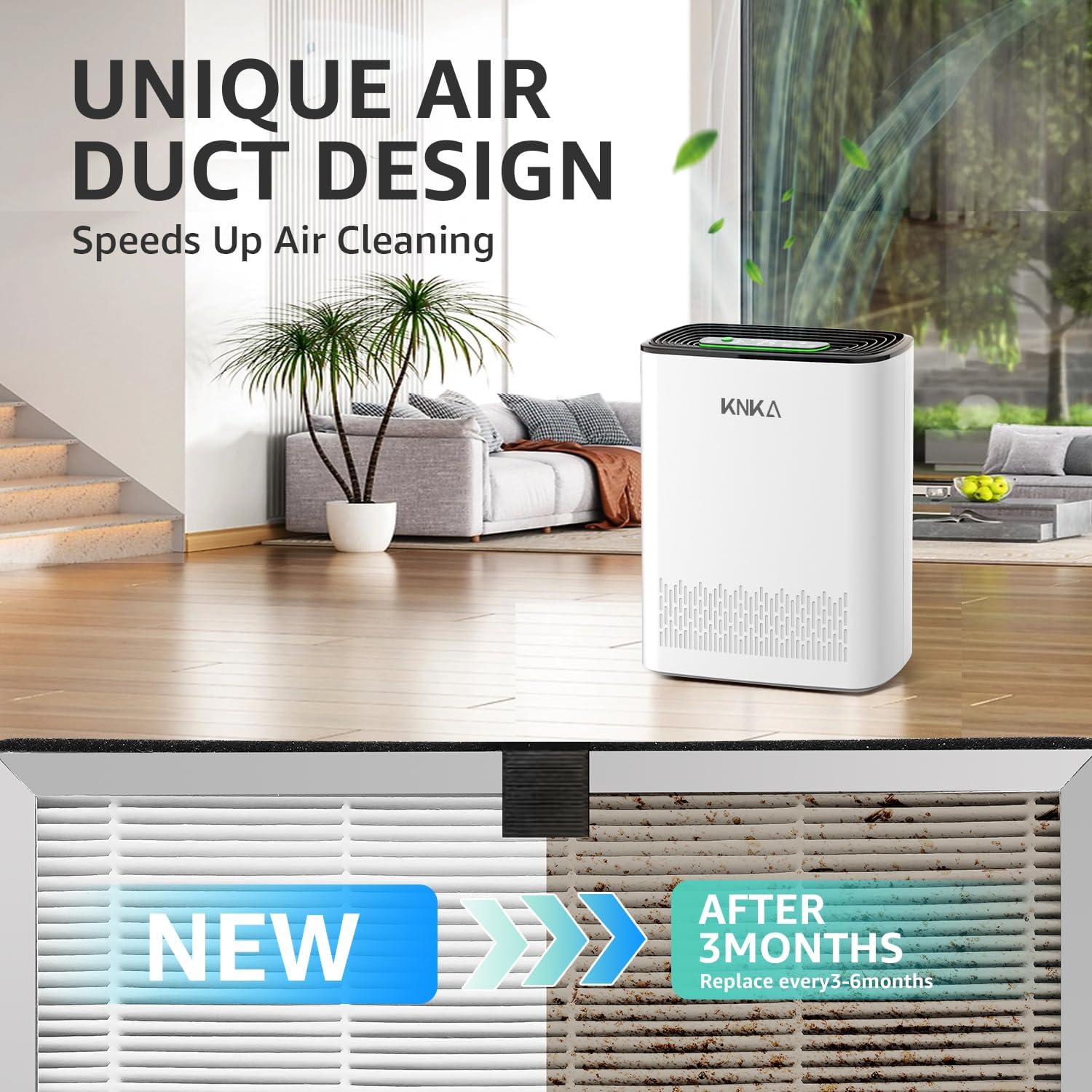
Image: The KNKA APH3000 replacement filter shown in its packaging, ready for installation.
5. Troubleshooting
If you encounter issues after replacing your filter, consider the following:
- Air Quality Not Improving:
- Ensure the new filter is genuine KNKA and correctly installed with the "FRONT" side facing outward.
- Verify that the protective plastic bag has been removed from the new filter.
- Confirm the filter indicator light has been reset (press and hold the filter button for 5 seconds until 3 beeps are heard).
- Check if the air purifier itself is functioning correctly.
- Filter Indicator Light Not Resetting:
- Make sure the air purifier is powered on and plugged in.
- Press and hold the filter button firmly for the full 5 seconds. Listen for the three beeps.
- If the issue persists, refer to your main KNKA APH3000 air purifier manual for further troubleshooting steps or contact customer support.
6. Specifications
| Feature | Detail |
|---|---|
| Brand | KNKA |
| Model Number | APH3000 |
| Product Dimensions | 10.12"L x 10.75"W x 3.46"Th (25.7 cm x 27.3 cm x 8.8 cm) |
| Item Weight | 1.26 pounds (0.57 Kilograms) |
| Material | Carbon Fiber (Activated Carbon), HEPA Filter Media |
| Compatible Devices | KNKA APH3000 Air Purifier |
| Number of Items | 2 (Two-piece Package) |
| UPC | 717331965600 |
7. Warranty Information
The KNKA APH3000 Air Purifier Replacement Filter is covered by a 2-Year Warranty from the date of purchase. This warranty covers manufacturing defects and ensures the product meets quality standards. Please retain your proof of purchase for warranty claims. For detailed warranty terms and conditions, refer to the documentation provided with your KNKA APH3000 air purifier or contact KNKA customer support.
8. Customer Support
For any questions, concerns, or assistance regarding your KNKA APH3000 Air Purifier Replacement Filter, please contact KNKA customer support. You can typically find contact information on the KNKA official website or within the original air purifier manual.
Note: Using non-genuine replacement filters may void your air purifier's warranty and can compromise performance and safety. Always use genuine KNKA replacement filters.


