
1. Introduction
Thank you for choosing the SHOKZ OpenRun Open-Ear Bluetooth Bone Conduction Sport Headphones. This manual provides essential information for the proper setup, operation, and maintenance of your headphones. Please read this manual thoroughly before use and retain it for future reference.
2. Product Overview
Key Features
- Open-Ear Comfort: Designed with a featherweight, wraparound frame and open-ear fit for comfortable, earbud-free listening.
- Safety & Connection: 8th generation bone conduction technology delivers quality audio while allowing awareness of surroundings.
- IP67 Waterproof Rated: Fully sweat and waterproof for workouts and running. Includes moisture detection alert for safe charging. (Not suitable for swimming.)
- 8 Hours of Music & Calls: Enjoy continuous audio with a 10-minute quick charge providing up to 1.5 hours of battery life.
- Outstanding Sound Quality: Bone conduction technology transmits sound through your cheekbone directly to your inner ear.
Components
The SHOKZ OpenRun headphones feature a flexible band that rests behind the head, with transducers positioned on the cheekbones in front of the ears. Control buttons are located on the side of the device.

Figure 2.1: SHOKZ OpenRun headphones in use, highlighting the open-ear design.

Figure 2.2: Overview of SHOKZ OpenRun technical features.
3. Setup
3.1 Charging the Headphones
Before initial use, fully charge your SHOKZ OpenRun headphones. A full charge provides up to 8 hours of use. A quick 10-minute charge can provide approximately 1.5 hours of battery life.
- Connect the magnetic charging cable to the charging port on the headphones.
- Connect the USB end of the cable to a compatible USB power source.
- The LED indicator will show red during charging and turn blue when fully charged.
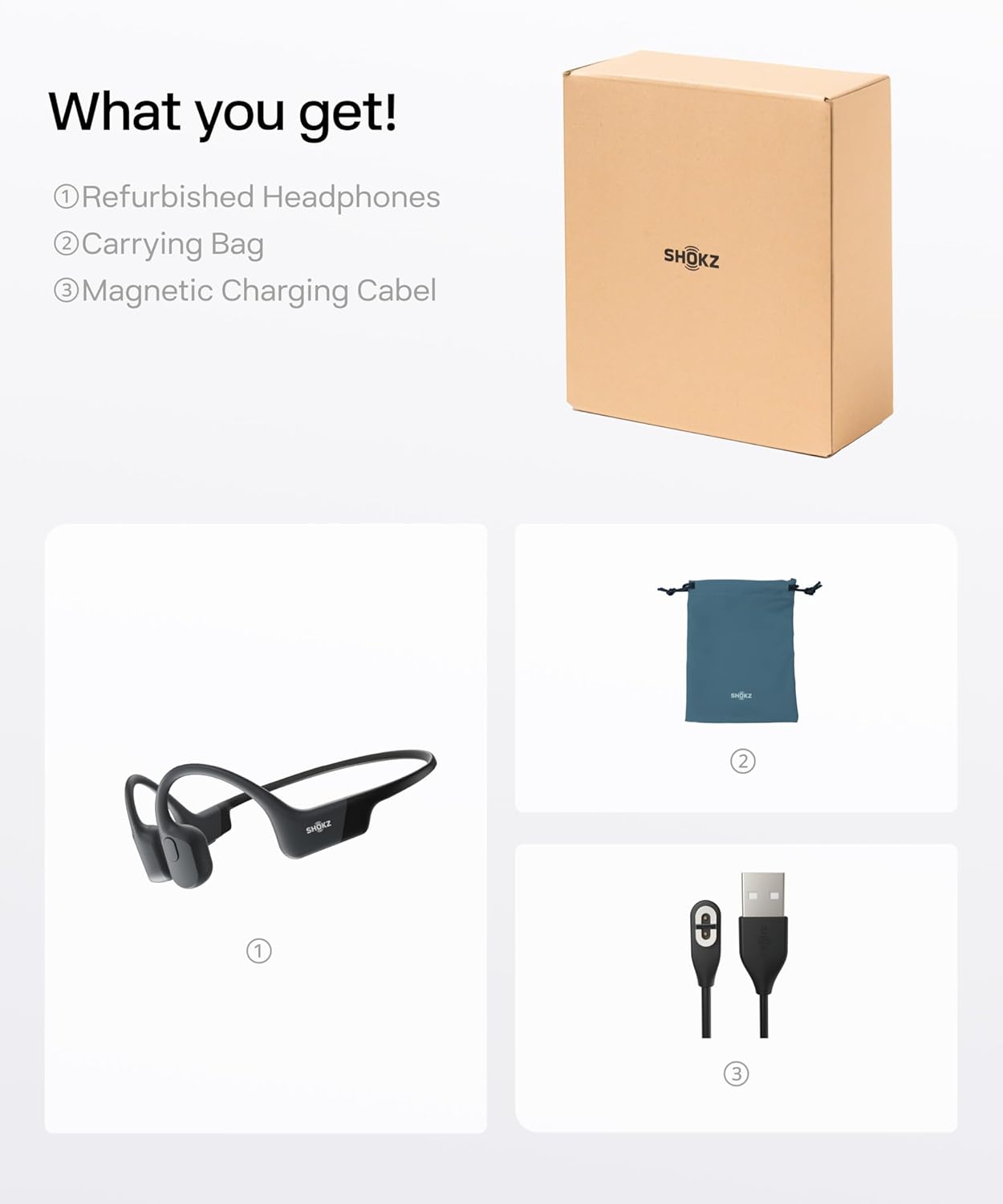
Figure 3.1: Included accessories: Refurbished Headphones, Carrying Bag, Magnetic Charging Cable.
3.2 Pairing with a Device
To connect your SHOKZ OpenRun headphones to a Bluetooth-enabled device:
- Ensure the headphones are turned off.
- Press and hold the power button until the LED indicator flashes red and blue, indicating pairing mode.
- On your device, enable Bluetooth and search for available devices.
- Select "SHOKZ OpenRun" from the list.
- Once connected, the LED indicator will flash blue intermittently.
4. Operating Instructions
4.1 Wearing the Headphones
Place the headphones with the band resting on the back of your neck and the transducers resting on your cheekbones, just in front of your ears. Adjust for a comfortable and secure fit.

Figure 4.1: Proper wearing of SHOKZ OpenRun headphones for optimal comfort and awareness.
4.2 Basic Controls
The headphones feature intuitive controls for media playback and calls:
- Play/Pause: Press the multi-function button once.
- Volume Up/Down: Use the dedicated volume buttons.
- Next Track: Double-press the multi-function button.
- Previous Track: Triple-press the multi-function button.
- Answer/End Call: Press the multi-function button once.
- Reject Call: Press and hold the multi-function button for 2 seconds.

Figure 4.2: Location of control buttons on the SHOKZ OpenRun headphones.
4.3 Water Resistance
The SHOKZ OpenRun headphones are IP67 rated, making them resistant to sweat and water splashes. A moisture detection alert will notify you if the charging port is wet, preventing damage during charging. Ensure the charging port is dry before connecting the charging cable.

Figure 4.3: SHOKZ OpenRun headphones demonstrating water resistance.
5. Maintenance
5.1 Cleaning
Regular cleaning helps maintain the performance and longevity of your headphones:
- Wipe the headphones with a soft, damp cloth after each use, especially after workouts.
- Ensure the charging port is clean and dry before charging.
- Do not use abrasive cleaners or immerse the headphones in water for extended periods.
5.2 Storage
Store your headphones in a cool, dry place away from direct sunlight and extreme temperatures. Use the provided carrying bag to protect them from dust and scratches when not in use.
6. Troubleshooting
If you encounter issues with your SHOKZ OpenRun headphones, try the following:
- No Power: Ensure the headphones are fully charged.
- Cannot Pair: Make sure the headphones are in pairing mode (red and blue flashing LED) and within range of your device. Try restarting both devices.
- No Sound: Check the volume levels on both the headphones and your connected device. Ensure the headphones are properly positioned on your cheekbones.
- Poor Sound Quality: Ensure there are no obstructions between the transducers and your cheekbones. Check for interference from other wireless devices.
For further assistance, refer to the official SHOKZ support resources.
7. Specifications
| Feature | Specification |
|---|---|
| Brand | SHOKZ |
| Model Number | S803 |
| Color | Black |
| Ear Placement | Open Ear |
| Form Factor | Behind The Neck |
| Water Resistance Level | IP67 Waterproof |
| Battery Average Life | 8 Hours |
| Battery Charge Time | 1 Hour (for full charge) |
| Connectivity Technology | Wireless (Bluetooth 5.0) |
| Audio Driver Type | Bone Conduction Driver |
| Item Weight | 26 Grams |
| Additional Features | Noise Cancelling, Sweat Resistant, Waterproof |
8. Warranty and Support
The SHOKZ OpenRun headphones come with a 2-year warranty. For warranty claims, technical support, or additional product information, please visit the official SHOKZ website or contact their customer service directly.


