
1. Introduction
This manual provides comprehensive instructions for the installation, operation, and maintenance of your Schütte Aquadot 99566 Digital Kitchen Faucet. Please read this manual thoroughly before installation and use to ensure proper function and safety.
2. Safety Instructions
- Ensure all water supply lines are turned off before beginning installation.
- Always use appropriate tools and wear protective gear during installation.
- Do not overtighten connections, as this may cause damage.
- If you are unsure about any part of the installation, consult a qualified plumber.
- Keep the control unit away from excessive moisture or direct water spray.
3. Package Contents
Verify that all components are present before proceeding with installation.
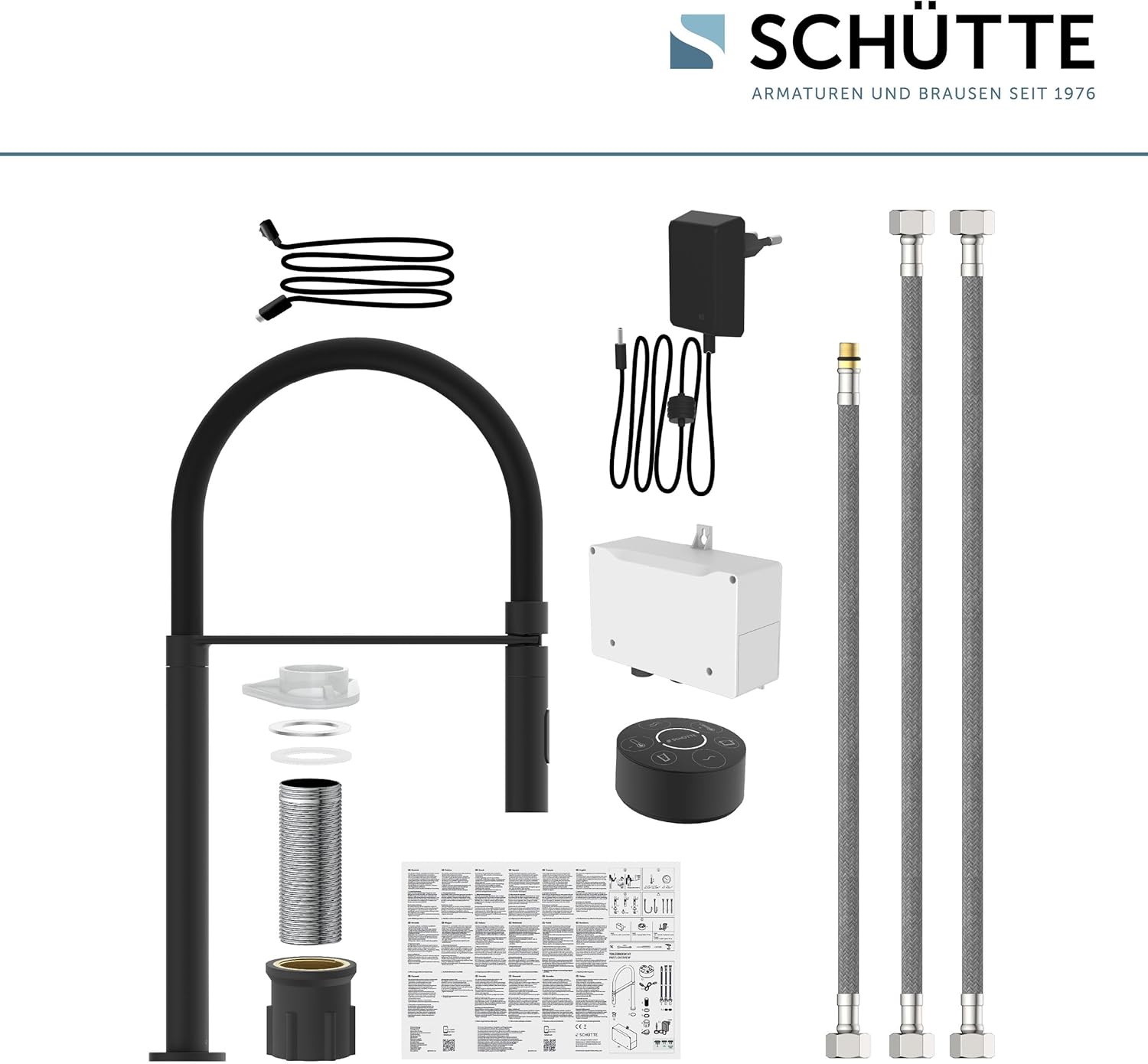
Image Description: An overhead view of all components included in the Schütte Aquadot faucet package. This includes the main faucet body, the separate digital control unit (DOT), mounting hardware, hot and cold water supply hoses, a power adapter, and the instruction manual.
- Schütte Aquadot Faucet Body
- Digital Control Unit (DOT)
- Mounting Hardware
- Hot and Cold Water Supply Hoses
- Power Adapter
- Instruction Manual
4. Installation
4.1 Pre-Installation Checks
- Ensure your sink has a single mounting hole with a diameter between 35-50 mm.
- Confirm access to hot and cold water supply lines and a power outlet for the control unit.
4.2 Mounting the Faucet
- Insert the faucet body into the mounting hole on your sink or countertop.
- From underneath the sink, secure the faucet using the provided mounting hardware. Ensure the faucet is stable and centered.
- Connect the hot and cold water supply hoses to the corresponding inlets on the faucet body and to your home's water supply lines. Use thread seal tape for a watertight connection.
- Connect the data cable from the faucet to the control box.
- Connect the power adapter to the control box and plug it into a power outlet.

Image Description: A diagram illustrating the easy installation process of the faucet, showing how the faucet body is secured from underneath the sink with a nut and washer, suitable for hole diameters of 35-50 mm.
4.3 Positioning the Digital Control Unit (DOT)
The DOT control unit is flexible and can be positioned up to 10 meters away from the faucet, depending on the environment.
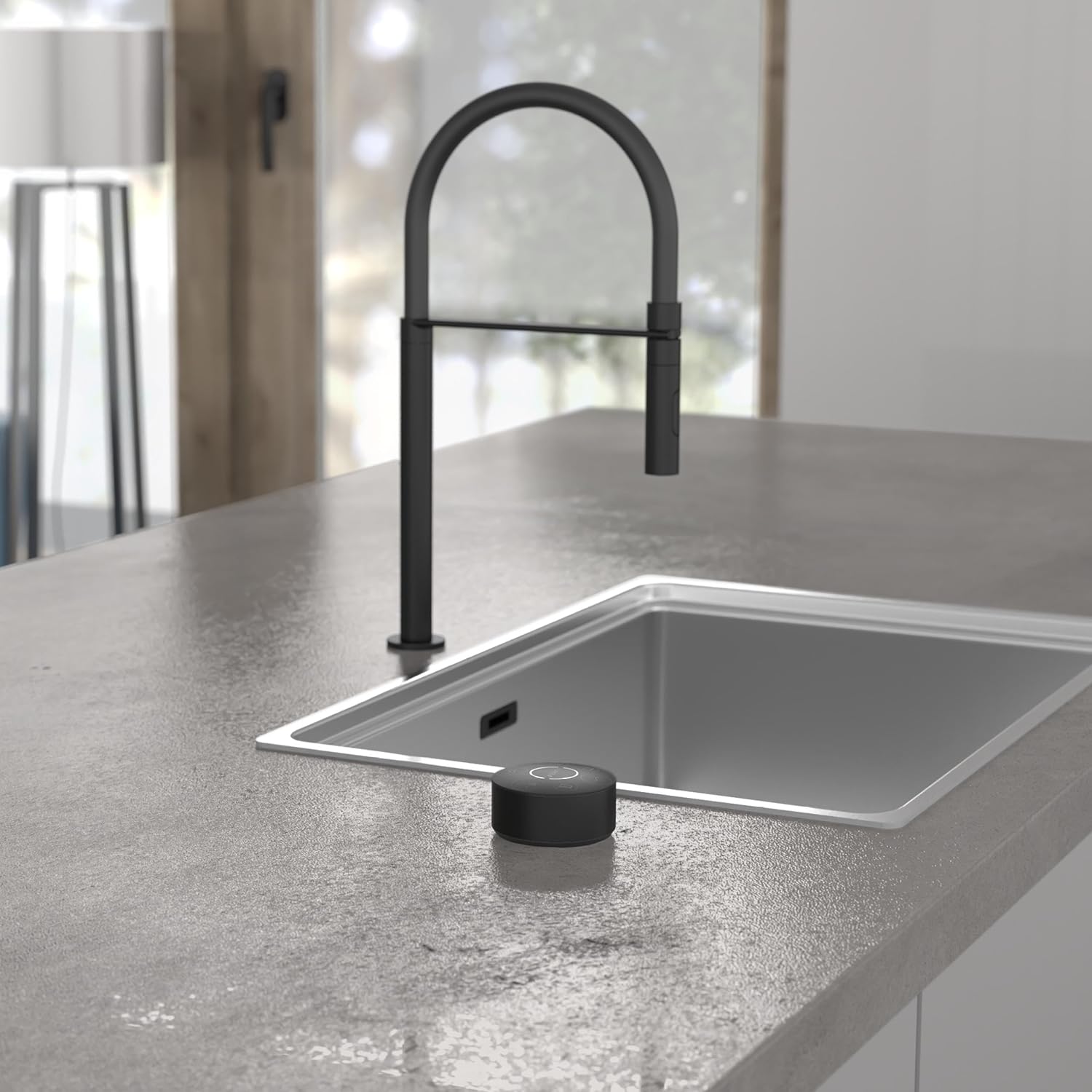
Image Description: The Schütte Aquadot faucet installed next to a sink, with the round digital control unit (DOT) placed on the countertop nearby, demonstrating its flexible positioning.
5. Operating Instructions
5.1 Basic Operation
The Aquadot faucet features an intelligent digital control unit (DOT) for precise water flow and temperature adjustment.

Image Description: A child washing hands under the Schütte Aquadot faucet, with the digital control unit visible on the countertop, illustrating the ease of use of the digital control.
5.2 Digital Control Unit (DOT) Functions
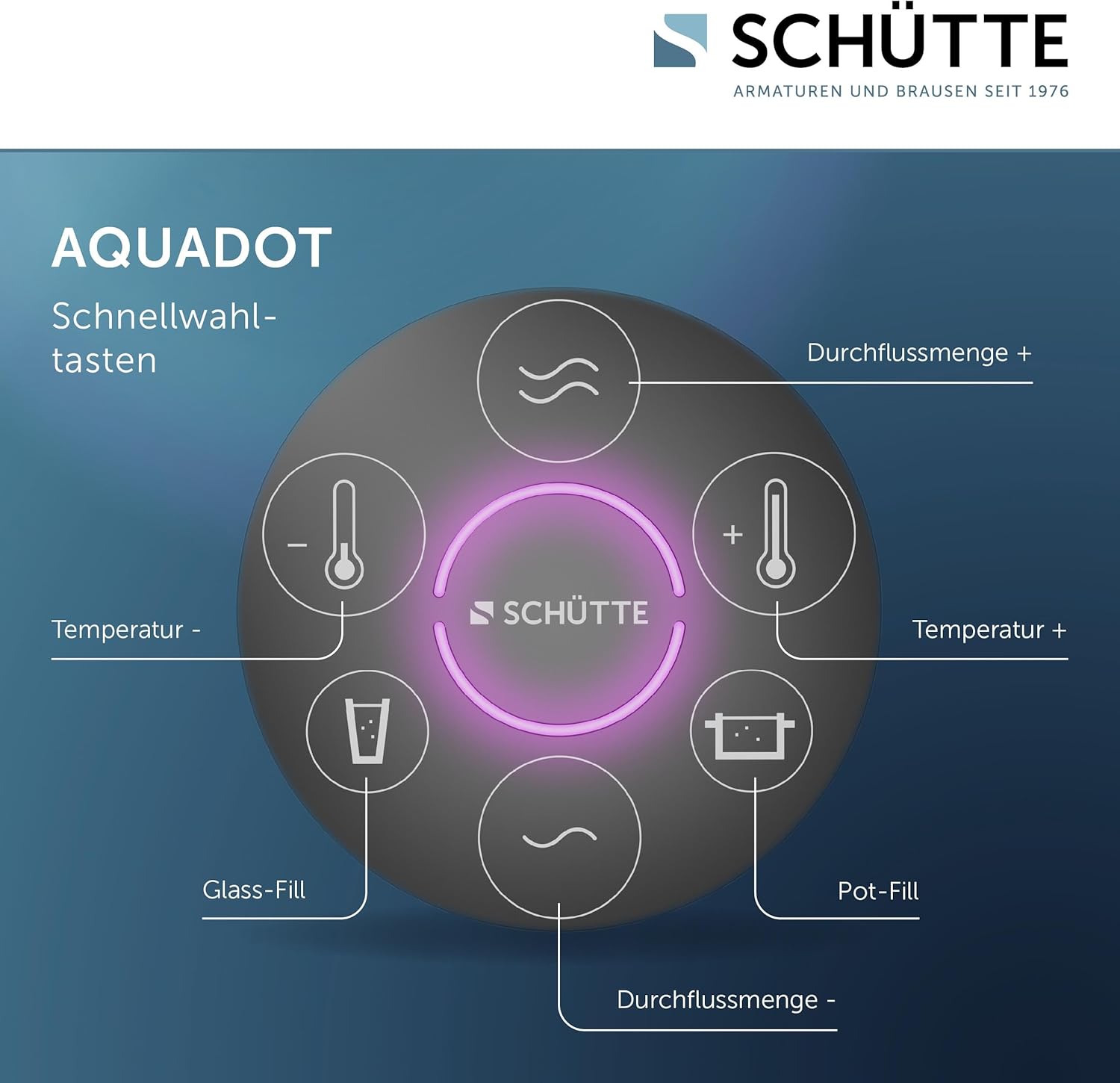
Image Description: A close-up view of the Aquadot digital control unit (DOT) showing its various buttons: Temperature -, Temperature +, Glass-Fill, Pot-Fill, and two flow rate adjustment buttons (represented by wavy lines).
- Temperature Adjustment: Use the Temperature - and Temperature + buttons to precisely adjust the water temperature. The optical temperature display will indicate the current temperature.
- Flow Rate Adjustment: Use the flow rate buttons (represented by wavy lines) to increase or decrease the water flow. The system signals minimal/maximal flow by blinking.
- Pot/Glass Fill Function: This feature allows you to program and dispense a preset amount of water.
- Press the Glass-Fill or Pot-Fill button.
- Adjust the desired water volume using the flow rate buttons.
- Press the selected fill button again to save the setting. The faucet will now dispense this preset volume with a single press.
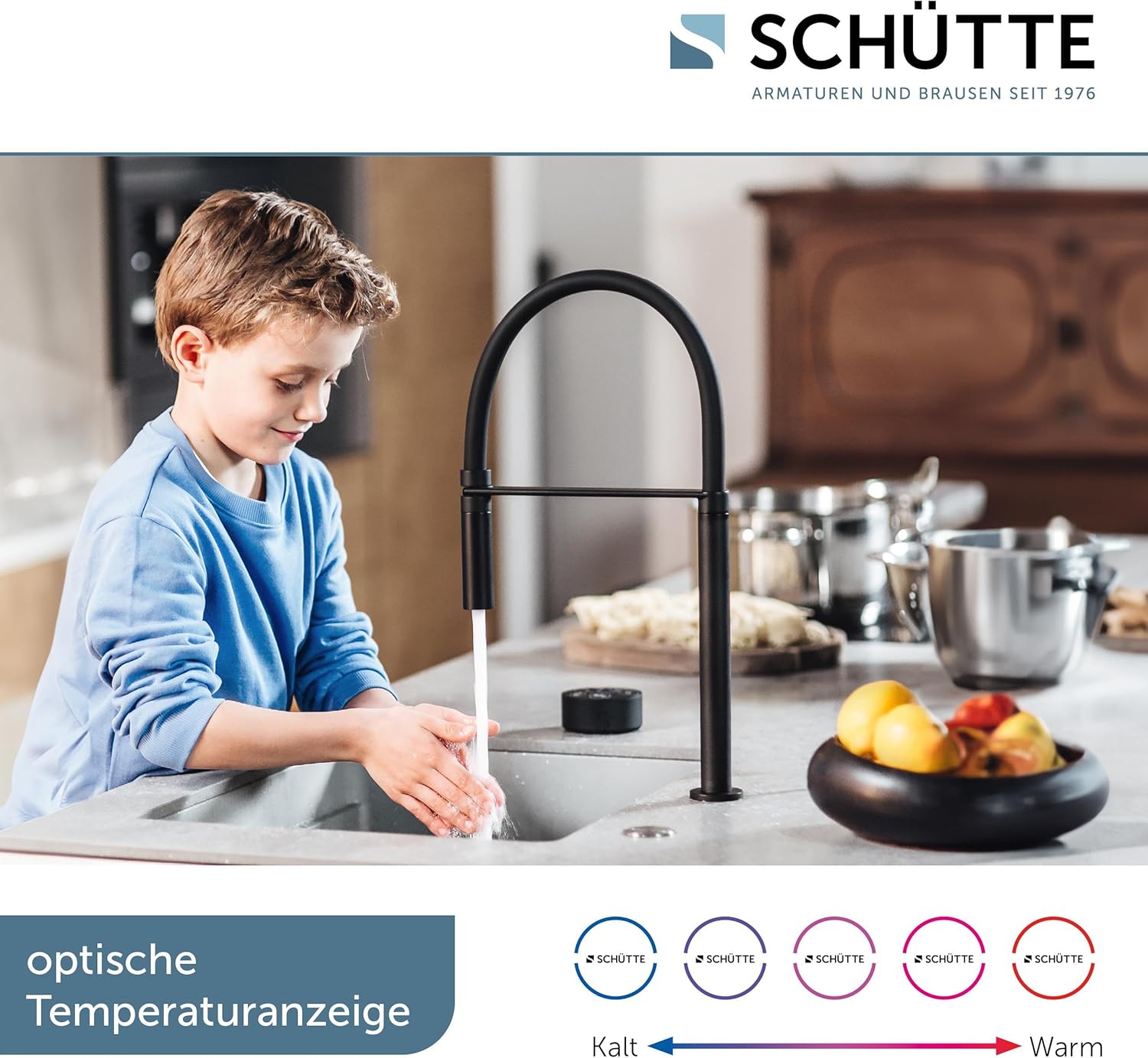
Image Description: A child washing hands under the faucet, with a visual representation of the optical temperature display changing colors from blue (cold) to red (hot) to indicate water temperature.

Image Description: A split image showing the faucet filling a glass and a pot, highlighting the programmable Glass-Fill and Pot-Fill functions on the digital control unit.
5.3 Pull-Out Spray Function
The faucet features a 360° swiveling spout and a 2-way adjustable pull-out spray for versatile use.
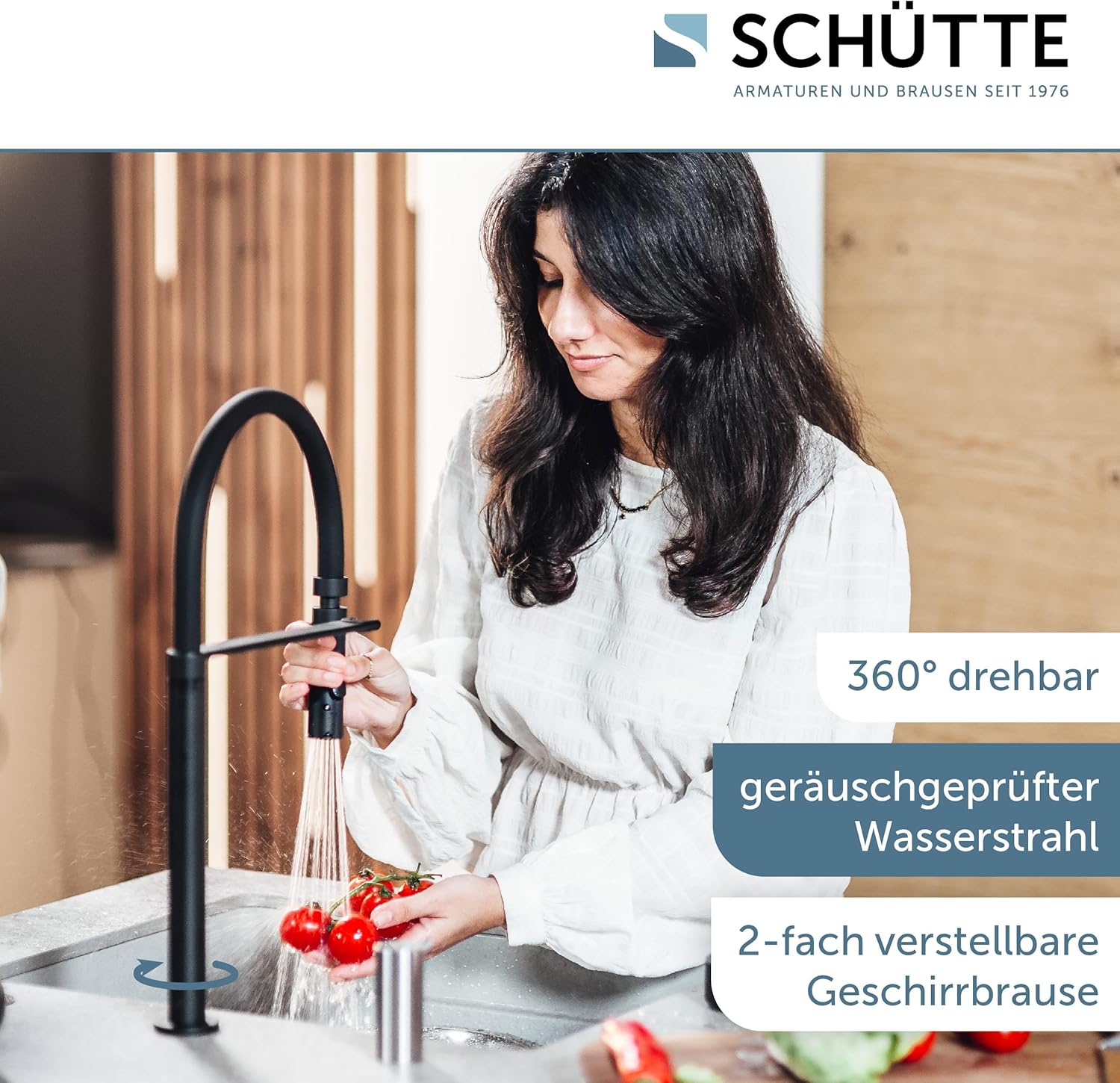
Image Description: A woman using the pull-out spray of the Schütte Aquadot faucet to rinse tomatoes in a sink, demonstrating the 360° swivel and the two-way adjustable spray function.
6. Maintenance
- Cleaning: Clean the faucet and control unit regularly with a soft cloth and mild soap. Avoid abrasive cleaners, scouring pads, or harsh chemicals, as these can damage the finish.
- Control Unit (DOT) Charging: The DOT has a long battery life (approx. 1 month, depending on usage). Recharge using the included USB-C cable with magnetic connection.
- Aerator Cleaning: Periodically unscrew and clean the aerator to remove any mineral deposits that may affect water flow.
7. Troubleshooting
| Problem | Possible Cause | Solution |
|---|---|---|
| No water flow | Water supply turned off; power outage; clogged aerator. | Check water supply valves; ensure power to control unit; clean aerator. |
| Inconsistent water temperature | Improper hot/cold water supply; control unit malfunction. | Verify hot and cold water connections; contact support if issue persists. |
| Control unit (DOT) unresponsive | Low battery; connection issue. | Recharge DOT unit; ensure proper connection to faucet control box. |
| Leaking from faucet base | Loose mounting nut; damaged O-rings. | Tighten mounting nut; inspect and replace O-rings if necessary. |
8. Specifications
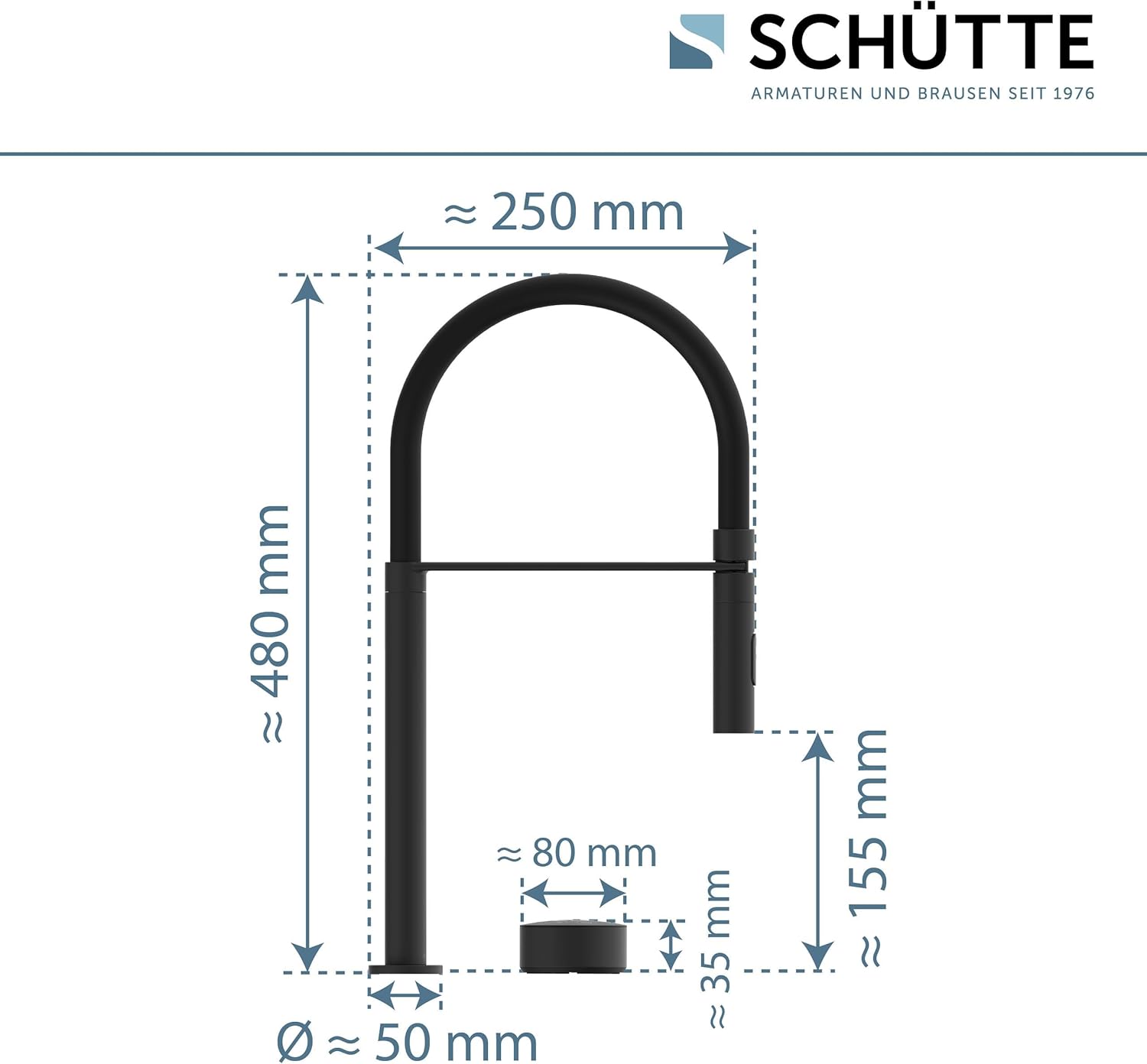
Image Description: A technical drawing of the Schütte Aquadot faucet with key dimensions labeled, including height (approx. 480 mm), spout reach (approx. 250 mm), and control unit dimensions.
- Model: Aquadot 99566
- Brand: Schütte
- Color: Black
- Material: Brass
- Finish: Powder Coating
- Installation Method: Single-hole, Deck Mounted
- Recommended Hole Diameter: 35-50 mm
- Number of Handles: 1 (Digital Control Unit)
- Special Features: Intelligent Control, Programmable Pot/Glass Fill Function, Optical Temperature Display, 360° Swivel Spout, 2-way Adjustable Spray
- Dimensions (approx.): 480 mm (Height), 250 mm (Spout Reach)
- Weight: 3.56 Kilograms
9. Warranty and Support
Schütte has been a leading German manufacturer of sanitary products for over 40 years. For any questions regarding the product, assembly, or claims, please contact our support team.
Contact Number: +49 (0) 5407-81529-0-3
Please refer to your purchase documentation for specific warranty terms and conditions.
