
1. Introduction
Thank you for choosing the WAIKIL Professional Hair Clipper Set. This manual provides essential information for the safe and effective use, maintenance, and troubleshooting of your new hair clipper. Please read these instructions thoroughly before first use and retain them for future reference.
2. Important Safety Instructions
When using electrical appliances, especially when children are present, basic safety precautions should always be followed, including the following:
- DANGER: To reduce the risk of electric shock:
- Do not reach for an appliance that has fallen into water. Unplug immediately.
- Do not use while bathing or in a shower.
- Do not place or store appliance where it can fall or be pulled into a tub or sink. Do not place in or drop into water or other liquid.
- Always unplug this appliance from the electrical outlet immediately after using.
- Unplug this appliance before cleaning.
- WARNING: To reduce the risk of burns, electric shock, fire, or injury to persons:
- This appliance should never be left unattended when plugged in.
- Close supervision is necessary when this appliance is used by, on, or near children or invalids.
- Use this appliance only for its intended household use as described in this manual. Do not use attachments not recommended by the manufacturer.
- Never operate this appliance if it has a damaged cord or plug, if it is not working properly, or if it has been dropped or damaged, or dropped into water.
- Keep the cord away from heated surfaces.
- Never drop or insert any object into any opening.
- Do not use outdoors or operate where aerosol (spray) products are being used or where oxygen is being administered.
- Do not use this appliance with a damaged or broken comb, as facial injury may occur.
- Always attach plug to appliance first, then to outlet. To disconnect, turn all controls to OFF, then remove plug from outlet.
3. Package Contents
Please check the package for the following items:
- WAIKIL Professional Hair Clipper
- Guide Combs (4 pieces)
- Cleaning Brush
- USB Charging Cable
- User Manual

Figure 3.1: Overview of the WAIKIL Professional Hair Clipper Set and its included accessories.
4. Product Features
The WAIKIL Professional Hair Clipper Set is designed for efficient and comfortable hair grooming. Key features include:
4.1 R-type Rounded Cutterhead
The clipper features an R-type rounded cutterhead designed to minimize friction and prevent skin irritation. The contact area between the cutter head and the skin is engineered for safe contact, protecting the scalp from injury during use.

Figure 4.1: The R-type rounded cutterhead ensures safe and comfortable trimming.
4.2 Powerful Motor
Equipped with a high-performance motor, the clipper provides sufficient power for efficient shaving of various hair types, including coarse and fine hair, without lagging. This ensures a smooth and consistent trimming experience.

Figure 4.2: The powerful motor ensures efficient and smooth cutting.
4.3 Low Noise Operation
The high-performance motor operates with minimal noise, providing a comfortable haircutting experience without disturbing others. This feature makes the clipper suitable for use on both adults and children.
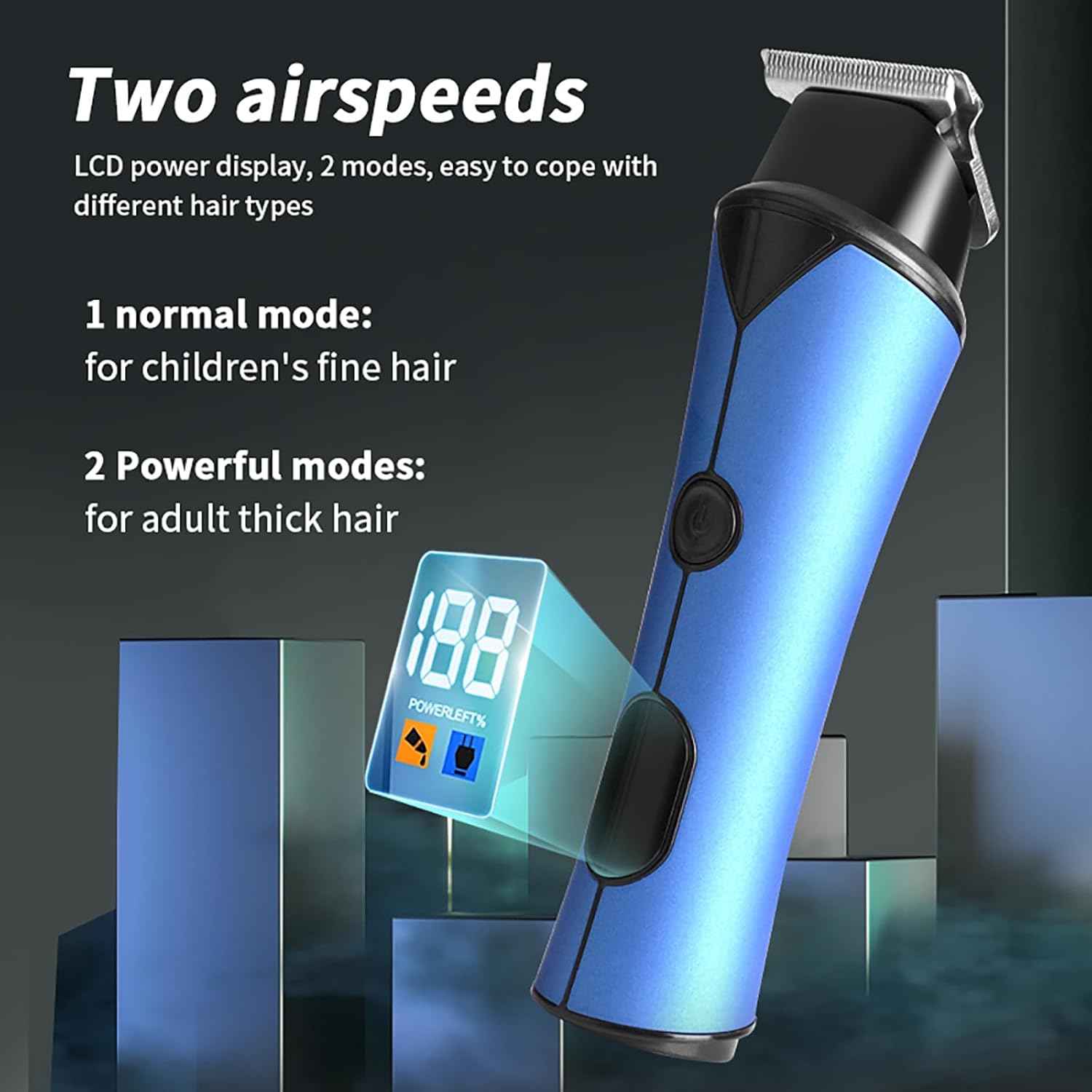
Figure 4.3: The low-noise design is ideal for family use, including children.
4.4 LED Display and Speed Modes
An integrated LED display shows the power level and selected speed mode. The clipper offers two speed modes: a normal mode suitable for children's fine hair and a powerful mode for adult thick hair, allowing flexible adaptation to different hair types.
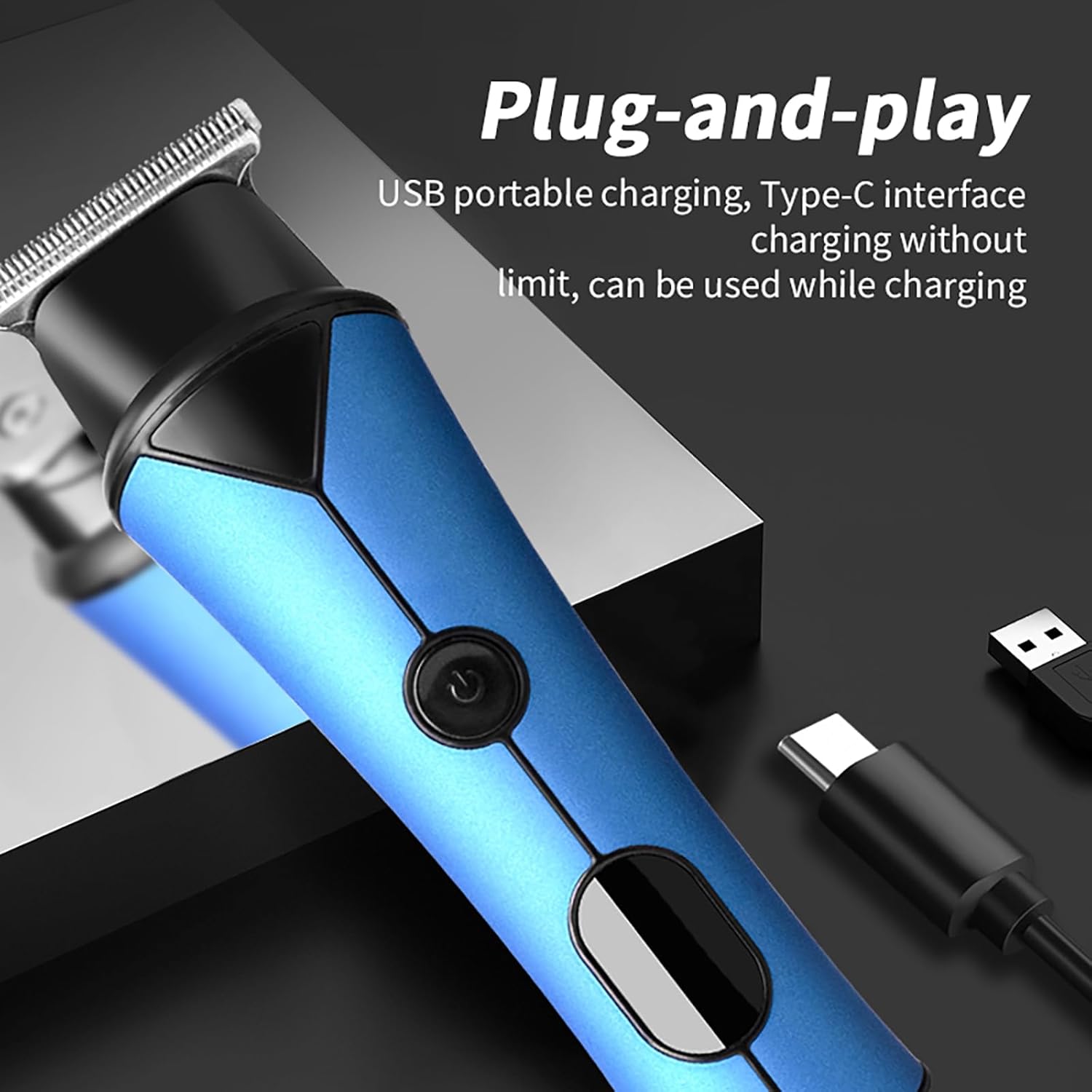
Figure 4.4: The LED display shows power and speed settings for precise control.
4.5 Cordless/Corded Portable Design
The clipper supports both cordless and corded operation. The cordless design provides portability and a long operating time after charging, making it convenient for travel. The corded option allows for continuous use while charging, ensuring uninterrupted grooming.
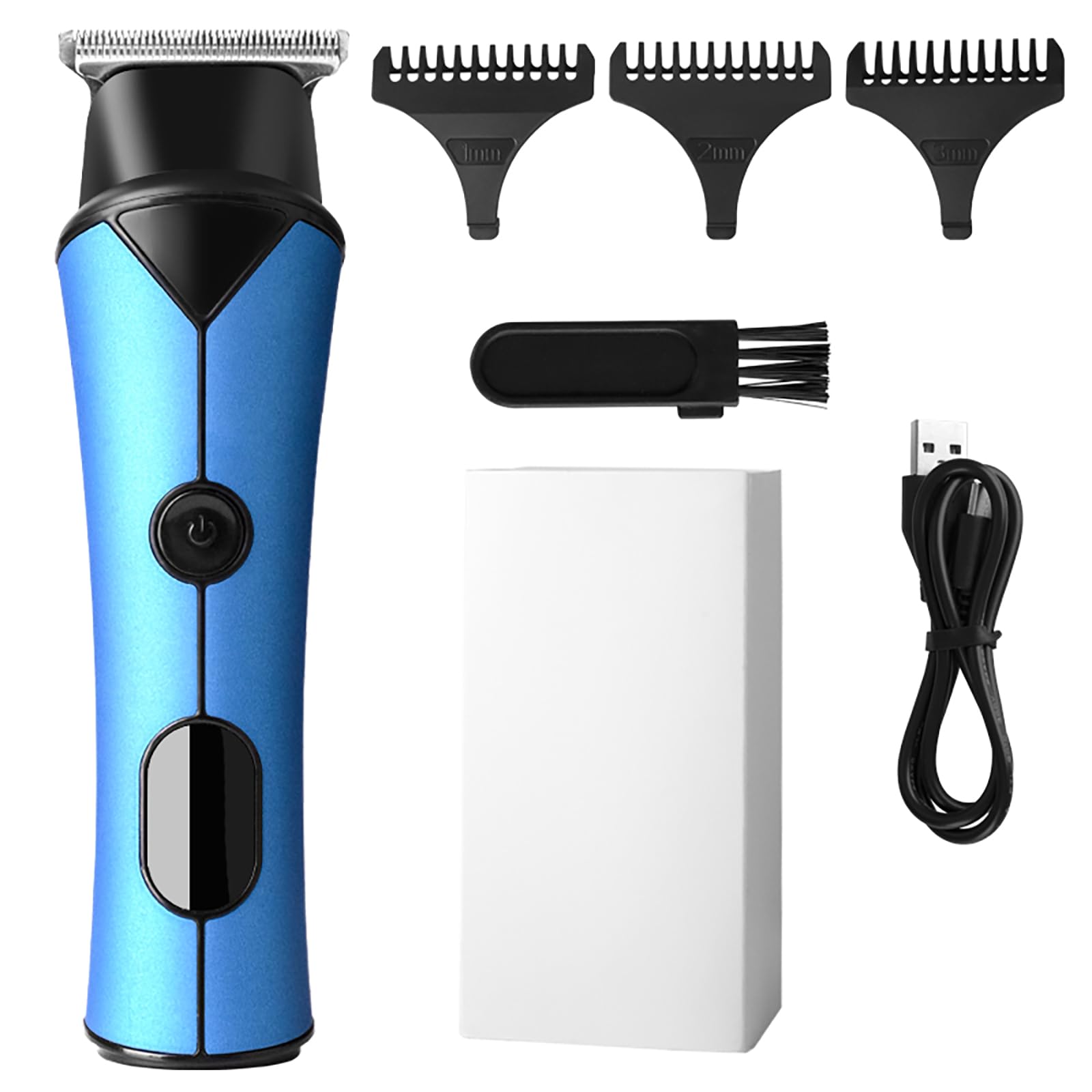
Figure 4.5: The clipper can be charged via USB-C and used corded or cordless.
5. Setup
5.1 Charging the Clipper
- Ensure the clipper is turned off before charging.
- Insert the USB charging cable into the charging port at the bottom of the clipper.
- Connect the other end of the USB cable to a compatible USB power adapter (not included) or a computer USB port.
- The LED display will indicate the charging status. A full charge is indicated when the battery percentage reaches 100%.
- Disconnect the charging cable once fully charged or before use.
5.2 Attaching Guide Combs
The clipper comes with four guide combs to achieve different hair lengths.
- Select the desired guide comb for your preferred hair length.
- Align the guide comb with the clipper blade.
- Gently push the guide comb onto the blade until it clicks securely into place. Ensure it is firmly attached to prevent it from detaching during use.
- To remove a guide comb, gently pull it upwards from the blade.
6. Operation
6.1 Powering On/Off
- To turn on the clipper, press the power button located on the front of the device.
- To turn off the clipper, press the power button again.
6.2 Adjusting Speed Modes
- The clipper features two speed modes. After powering on, the default mode is typically the normal speed.
- To switch between normal and powerful modes, press the speed adjustment button (refer to the LED display for current mode).
- Use the normal mode for finer hair or sensitive areas, and the powerful mode for thicker, coarser hair.
6.3 General Trimming Tips
- For best results, ensure hair is clean and dry before trimming.
- Always start with a longer guide comb and gradually switch to shorter ones if a closer cut is desired.
- Hold the clipper with the blade flat against the hair and move it slowly against the direction of hair growth.
- Use smooth, overlapping strokes to ensure an even cut.
- Regularly clear accumulated hair from the guide comb and blades during use to maintain optimal performance.
7. Maintenance
Proper maintenance ensures the longevity and optimal performance of your WAIKIL Hair Clipper.
7.1 Cleaning the Blades
- Turn off and unplug the clipper before cleaning.
- Remove any attached guide comb.
- Use the provided cleaning brush to brush away loose hair from the blades and the clipper body.
- For a more thorough cleaning, the blades can be carefully detached (refer to specific instructions if provided with your model for blade removal). Rinse the blades under running water if they are detachable and washable. Ensure they are completely dry before reattaching.
- Do not immerse the entire clipper in water.
7.2 Oiling the Blades
To maintain cutting efficiency and prevent rust, oil the blades regularly (after every few uses or as needed).
- Apply a few drops of clipper oil (not included) to the teeth and friction points of the blades.
- Turn on the clipper for a few seconds to allow the oil to distribute evenly.
- Wipe off any excess oil with a soft cloth.
7.3 Storage
- Store the clipper in a cool, dry place, away from direct sunlight and moisture.
- Keep the clipper and its accessories out of reach of children.
8. Troubleshooting
If you encounter any issues with your WAIKIL Hair Clipper, please refer to the following common problems and solutions:
| Problem | Possible Cause | Solution |
|---|---|---|
| Clipper does not turn on. | Battery is depleted. | Charge the clipper using the provided USB cable. |
| Clipper is not cutting effectively. | Blades are dull or clogged with hair. | Clean the blades thoroughly and apply clipper oil. If blades are dull, consider professional sharpening or replacement. |
| Clipper pulls hair. | Blades are dirty, un-oiled, or dull; hair is wet. | Clean and oil the blades. Ensure hair is dry before trimming. Use the powerful mode for thick hair. |
| Excessive noise or vibration. | Blades are not properly aligned or oiled. | Ensure blades are clean and well-oiled. Check for any loose parts. |
| Battery life is shorter than expected. | Battery not fully charged; aging battery. | Ensure the clipper is fully charged before use. Over time, battery capacity may decrease. |
If the problem persists after trying these solutions, please contact WAIKIL customer support.
9. Specifications
| Feature | Detail |
|---|---|
| Model | B0D9NVSFM6 |
| Brand | WAIKIL |
| Power Source | Battery Powered (Cordless/Corded) |
| Battery Type | 1 Lithium Polymer battery (included) |
| Charging Interface | USB Type-C |
| Material | Plastic |
| Color | Blue |
| Recommended Uses | Beard, Body, Face, Head, Neck |
10. Warranty and Customer Support
10.1 Warranty Information
WAIKIL products are manufactured with high-quality standards. For specific warranty details regarding your Professional Hair Clipper Set, please refer to the warranty card included in your package or visit the official WAIKIL website. The warranty typically covers manufacturing defects for a specified period from the date of purchase.
10.2 Customer Support
If you have any questions, concerns, or require assistance with your WAIKIL Professional Hair Clipper Set, please do not hesitate to contact our customer service team. Our professional team is dedicated to providing support and ensuring your satisfaction.
Contact Information:
Please refer to the contact details provided on the product packaging or the official WAIKIL website for the most up-to-date customer support information.
