
1. Introduction
Thank you for choosing the HUMMINGBIRD MK2 Compact Foil Shaver. This electric razor is designed for a close, comfortable shave, featuring dual, independent flexing foils that adapt to facial contours. Its compact and portable design, combined with a long-lasting battery and USB-C charging, makes it ideal for daily use and travel. Please read this manual thoroughly before first use to ensure proper operation and maintenance.
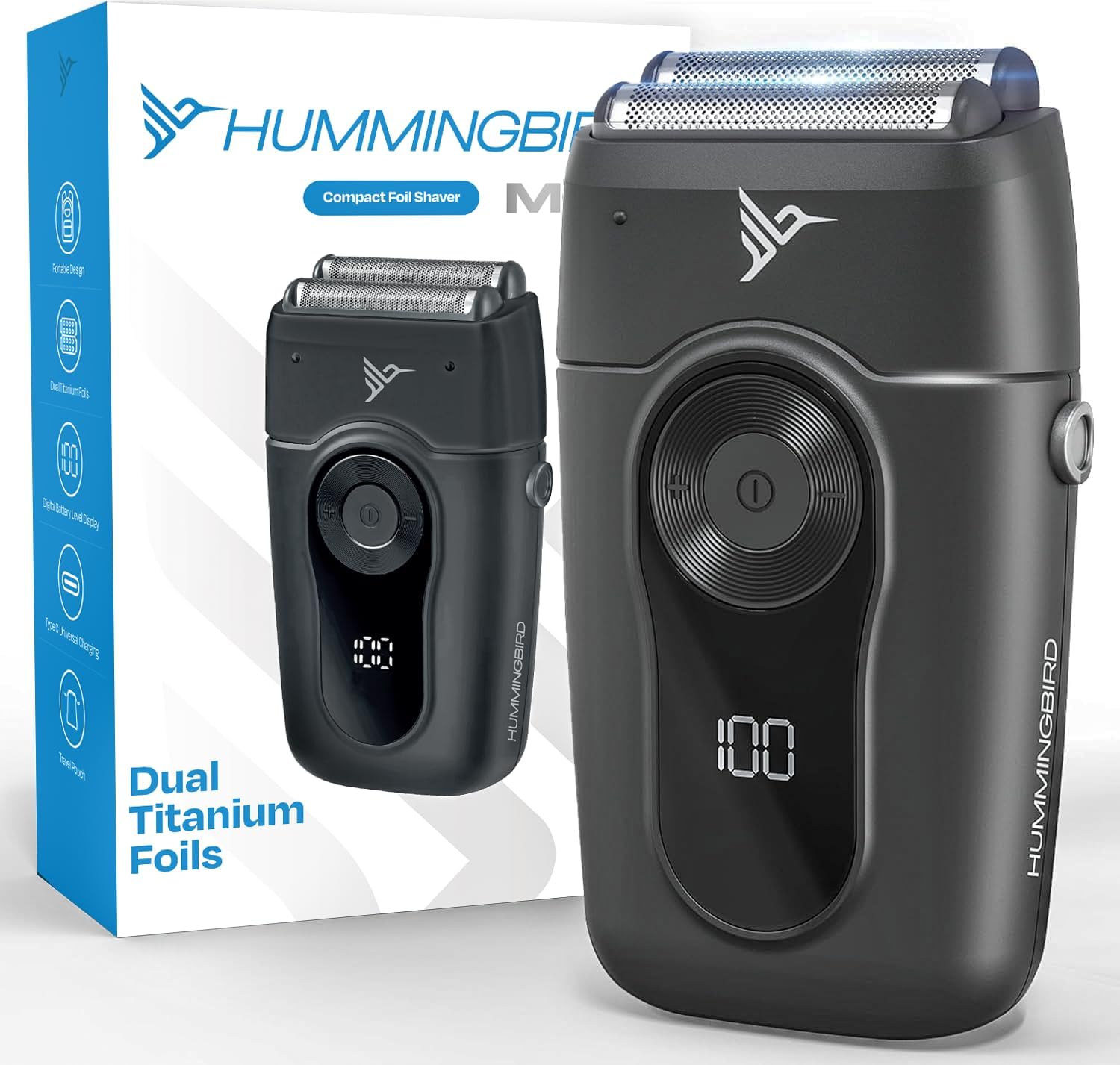
Image 1.1: The HUMMINGBIRD MK2 Compact Foil Shaver and its retail packaging.
2. Safety Information
- Avoid using the shaver on wet skin. This device is designed for dry shaving.
- Clean the shaver regularly to prevent bacterial growth and maintain hygiene.
- Do not expose the shaver to water or immerse it in liquids.
- Keep out of reach of children.
- Do not disassemble or attempt to repair the shaver yourself. Contact customer service for assistance.
3. Package Contents
Verify that all items are present in the package:
- HUMMINGBIRD MK2 Compact Foil Shaver
- Protective Foil Cover
- Cleaning Brush
- 4FT Braided USB-C Charging Cable
- Premium Microfiber Drawstring Travel Pouch
- Instruction Manual

Image 3.1: All items included in the HUMMINGBIRD MK2 Compact Foil Shaver package.
4. Setup
4.1 Charging the Shaver
Before first use, fully charge the shaver. The device features a real-time LED battery level display.
- Connect the provided USB-C charging cable to the shaver's charging port.
- Plug the other end of the USB-C cable into a compatible USB power adapter (not included) or a USB port.
- The LED display will indicate the charging status. A full charge takes approximately 110 minutes and provides up to 130 minutes of continuous runtime.

Image 4.1: The shaver's LED battery display and USB-C charging port.
5. Operating Instructions
5.1 Powering On/Off
- To turn on the shaver, press and hold the power button for 2 seconds.
- To turn off the shaver, press and hold the power button for 2 seconds.
5.2 Adjusting Speed Settings
The MK2 offers three variable speed settings to customize your shaving experience:
- Press the '+' button to increase the shaving speed for thicker or coarser hair.
- Press the '-' button to decrease the shaving speed for more sensitive skin.

Image 5.1: Demonstrating the variable speed settings for different hair types and skin sensitivities.
5.3 Shaving Technique
For optimal results and to minimize irritation:
- Ensure your skin is clean and dry before shaving.
- Hold the shaver at a right angle (90 degrees) to your skin.
- Gently stretch your skin with your free hand to make the hairs stand upright.
- Move the shaver in short, straight strokes against the direction of hair growth. Avoid pressing too hard.
- The dual, independent foils are designed to flex and pivot, adapting to the curves of your face, neck, and jaw for a close shave.

Image 5.2: The dual titanium foils independently flex to provide a close, irritation-free shave.
5.4 Travel Lock
The MK2 features an intelligent travel lock to prevent accidental activation during transport.
- To activate the travel lock, press and hold the power button for 3 seconds until a lock icon appears on the LED display.
- To deactivate the travel lock, press and hold the power button for 3 seconds until the lock icon disappears.
6. Maintenance
6.1 Cleaning the Shaver
Regular cleaning ensures optimal performance and hygiene.
- Ensure the shaver is turned off and disconnected from the charging cable.
- Press the QuickSwap button to detach the foil head and cutters.
- Use the included cleaning brush to remove any trapped hair from the foil head and the shaver body.
- For a more thorough clean, the detachable foil head and cutters can be rinsed under running water. Ensure they are completely dry before reattaching.
- Reattach the foil head by aligning it with the shaver body and pressing until it clicks into place.

Image 6.1: The QuickSwap blade removal system allows for easy cleaning and replacement of the foil head and cutters.
6.2 Foil and Cutter Replacement
For continued optimal shaving performance, it is recommended to replace the foil head and cutters periodically, depending on usage. Replacement QuickSwap foil heads and cutters are available for purchase.
6.3 Storage
Store the shaver in a cool, dry place. Use the protective foil cover and the travel pouch when not in use or when traveling to protect the shaver head.
7. Troubleshooting
| Problem | Possible Cause | Solution |
|---|---|---|
| Shaver does not turn on. | Battery is depleted. Travel lock is activated. | Charge the shaver. Deactivate the travel lock by pressing and holding the power button for 3 seconds. |
| Poor shaving performance / Does not cut effectively. | Foil head or cutters are dirty or dull. Hair is too long. | Clean the foil head and cutters. Consider replacing the foil head and cutters if they are dull. For longer hair, pre-trim with clippers before using the shaver. |
| Skin irritation or razor burn. | Incorrect shaving technique. Shaving too fast or with too much pressure. | Ensure skin is dry. Use lighter pressure and move in short, straight strokes. Try a slower speed setting. |
| Shaver not charging. | Cable or adapter issue. Charging port obstruction. | Ensure the USB-C cable is securely connected. Try a different USB power adapter or port. Check the charging port for debris. |
If the problem persists after attempting these solutions, please contact HUMMINGBIRD customer service.
8. Specifications
- Model Name: MK2
- Item Model Number: HBFS-001-BLK
- Product Dimensions: 1 x 2.5 x 4.75 inches
- Weight: 12.5 ounces
- Power Source: Battery Powered (1 Lithium Ion battery included)
- Battery Runtime: Up to 130 minutes (continuous)
- Charging Time: Approximately 110 minutes for a full charge
- Special Features: Detachable Head, Dry Shave, Ergonomic Design, Pivoting Head, Portable, LED Battery Display, Variable Speed Control, Travel Lock, USB-C Charging
- Recommended Uses: Clean Close Shave, Face, Head, Neck, Shaving on the Go
- Manufacturer: HUMMINGBIRD
9. Warranty and Support
9.1 Product Warranty
All HUMMINGBIRD products, including the MK2 Compact Foil Shaver, are covered by a one-year warranty from the date of purchase. This warranty covers manufacturing defects and issues arising from normal use. It does not cover damage caused by misuse, accidents, or unauthorized repairs.
9.2 Customer Service
At HUMMINGBIRD, customer satisfaction is a top priority. If you have any questions, concerns, or require assistance with your MK2 Compact Foil Shaver, please do not hesitate to contact our dedicated customer service team. We are based in New Jersey and are ready to help you get the most out of your purchase.
For support, please visit our official website or refer to the contact information provided on your product packaging.