
Spigen ACS08792
Spigen Ultra Hybrid MagFit Case for iPhone 16 Pro
User Manual
1. Introduction and Overview
Thank you for choosing the Spigen Ultra Hybrid MagFit Case for your iPhone 16 Pro. This case is engineered to provide robust protection while maintaining the sleek design and full functionality of your device, including seamless compatibility with MagSafe accessories. This manual will guide you through the features, installation, and care of your new case.
2. Product Features
The Spigen Ultra Hybrid MagFit case is designed with advanced technology and premium materials to offer superior protection and user experience:
- Premium Material Blend: Constructed from a durable combination of Polycarbonate (PC) and Thermoplastic Polyurethane (TPU) for optimal protection and flexibility.
- Military-Grade Drop Protection: Features Spigen's signature Air Cushion Technology in all corners to absorb shock and provide military-grade drop protection.
- MagSafe Compatibility: Integrated with powerful magnets for strong and snappy connection with all MagSafe accessories, ensuring efficient wireless charging and secure attachment.
- Anti-Yellowing Properties: Designed to resist yellowing over time, maintaining the case's clear aesthetic.
- Enhanced Screen & Camera Protection: Raised edges around the screen and camera cutouts provide additional clearance, safeguarding these vulnerable areas from scratches and direct impacts.
- Slim Profile & Precise Cutouts: Maintains the iPhone 16 Pro's slim silhouette with precise cutouts for easy access to all buttons, ports, and the new Camera Control button.

This image displays the Spigen Ultra Hybrid MagFit case, designed for the iPhone 16 Pro. It highlights the case's transparent material, allowing the phone's original design to show through, along with the integrated MagSafe ring.
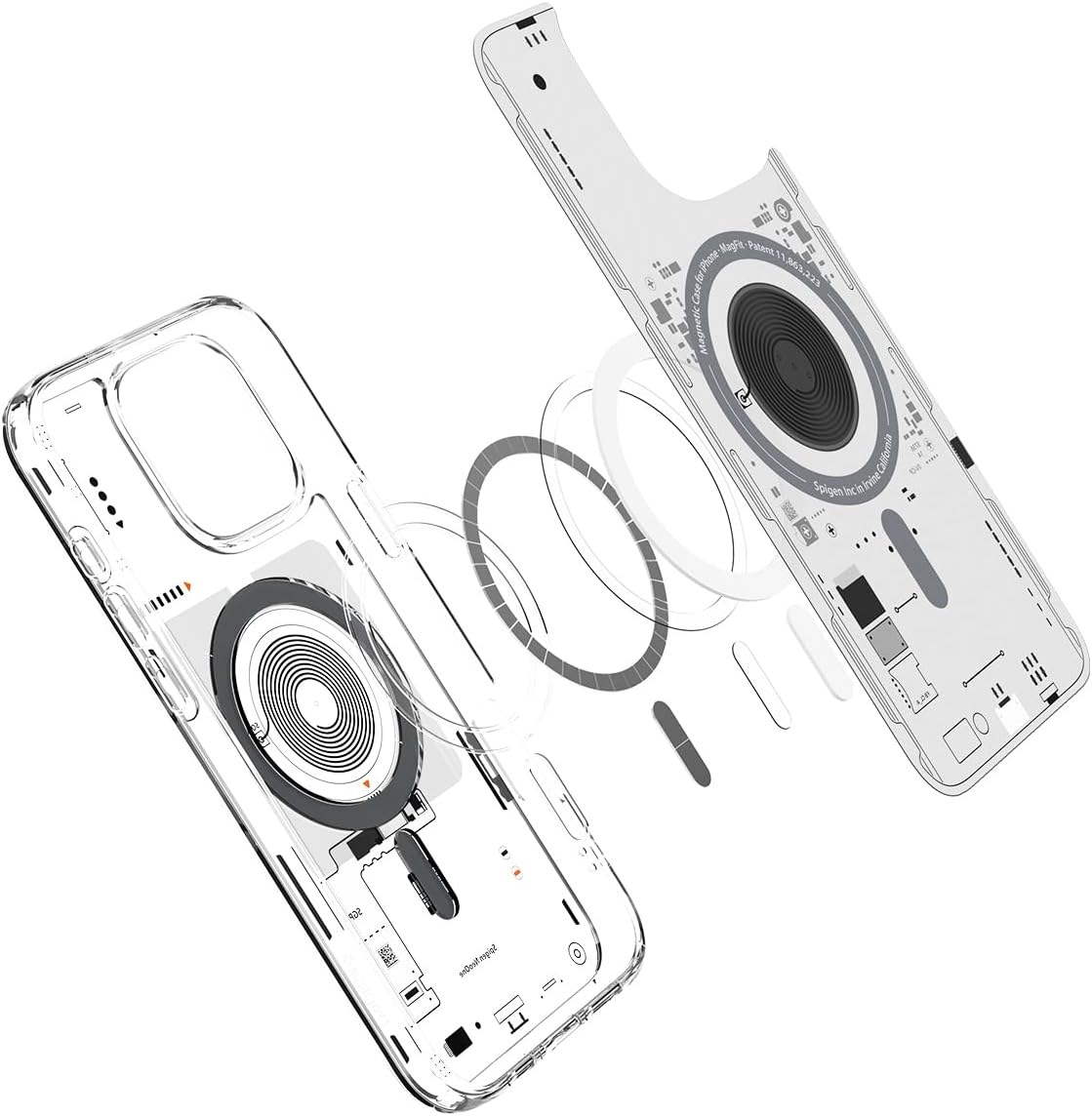
An exploded view illustrating the multi-layered construction of the Spigen Ultra Hybrid MagFit case, detailing how the MagSafe components are integrated within its design.

This image demonstrates the strong magnetic attraction of the Spigen Ultra Hybrid MagFit case to a compatible MagSafe accessory, ensuring a secure connection for charging or mounting.
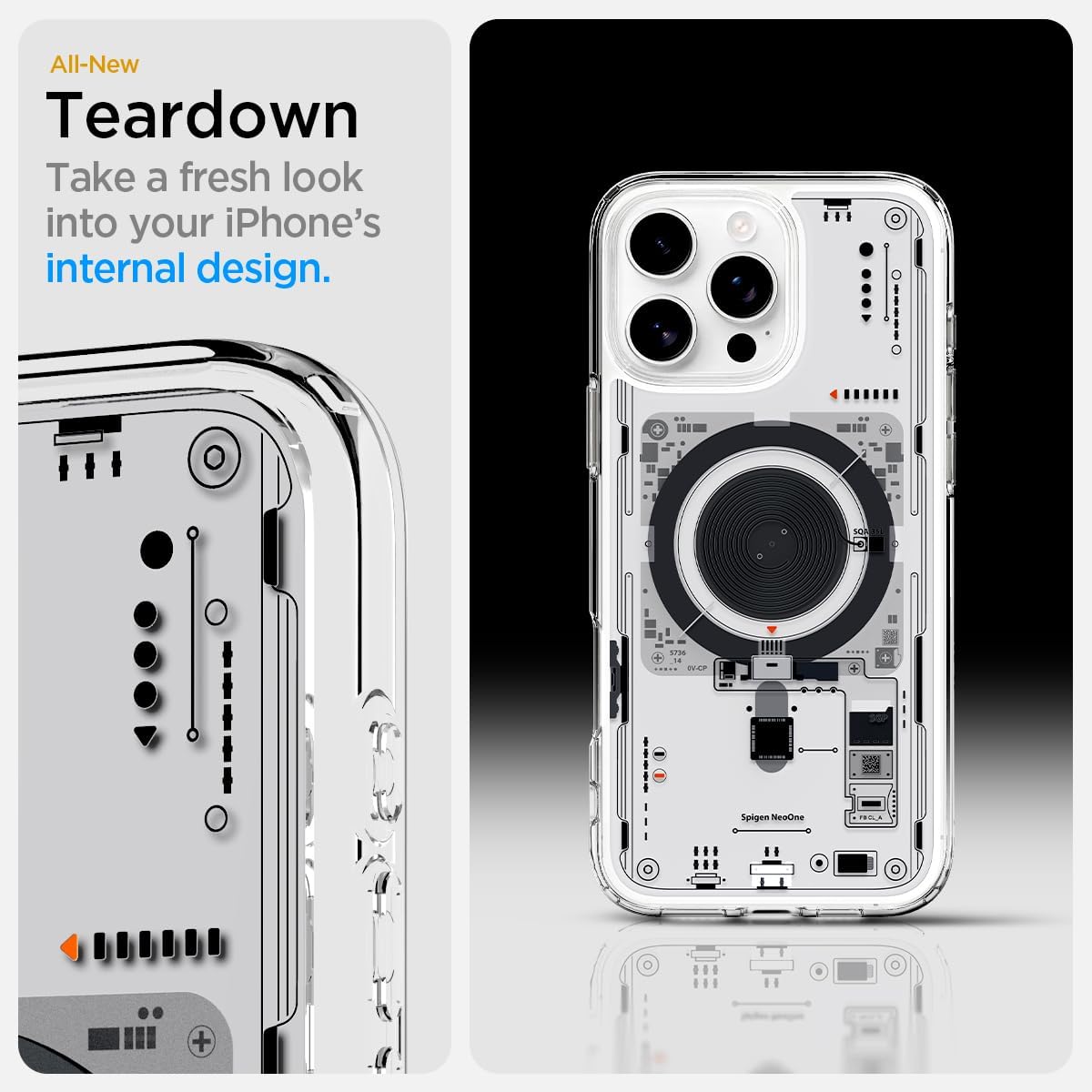
A detailed view of the Spigen case's design, emphasizing the raised edges around the camera module and screen, which provide enhanced protection against scratches and impacts when the phone is placed on flat surfaces.

This image shows the slim profile of the iPhone 16 Pro with the Spigen case installed, along with the precisely engineered cutouts that ensure easy access and tactile feedback for all buttons and ports.
3. What's in the Box
Your Spigen Ultra Hybrid MagFit Case package includes:
- 1 x Spigen Ultra Hybrid MagFit Basic Case for iPhone 16 Pro
4. Setup and Installation
Installing your Spigen case is a simple process:
- Ensure your iPhone 16 Pro is clean and free of dust or debris.
- Align the top edge of your iPhone with the top edge of the case, ensuring the camera cutout matches.
- Gently push the iPhone into the case, starting from the top, then working your way down to snap the bottom corners into place.
- Verify that all edges of the phone are securely seated within the case and that all buttons and ports are accessible through their respective cutouts.
5. Operating Instructions
Once installed, your Spigen case allows for full functionality of your iPhone 16 Pro:
- MagSafe Usage: Simply align any MagSafe compatible charger or accessory with the magnetic ring on the back of the case. The strong magnets will snap it securely into place for optimal charging and accessory use.
- Button Access: The case features precise button covers that maintain the tactile feedback of your iPhone's power and volume buttons. The cutout for the Camera Control button is also designed for easy access.
- Port Access: All ports, including the charging port and speaker grilles, are precisely cut out for unobstructed access and audio quality.
6. Maintenance
To keep your Spigen Ultra Hybrid MagFit Case in optimal condition:
- Cleaning: Wipe the case regularly with a soft, damp cloth to remove dust, fingerprints, and smudges. Avoid using harsh chemicals or abrasive materials, as these may damage the case's finish.
- Anti-Yellowing: While designed with anti-yellowing properties, prolonged exposure to direct sunlight or certain chemicals can affect the case's clarity over time. Store your case away from extreme conditions when not in use.
7. Troubleshooting
If you encounter any issues with your Spigen Ultra Hybrid MagFit Case, consider the following:
- MagSafe Connection Issues: Ensure that the MagSafe accessory is properly aligned with the magnetic ring on the case. Remove any foreign objects between the case and the accessory that might interfere with the magnetic connection.
- Case Fit: If the case does not seem to fit correctly, remove it and re-install, ensuring all corners and edges are fully seated.
- Button Responsiveness: If buttons feel stiff, ensure the case is correctly aligned and fully snapped onto the phone.
For further assistance, please refer to the Warranty and Support section.
8. Specifications
| Attribute | Detail |
|---|---|
| Product Dimensions | 3 x 0.4 x 6 inches |
| Item Weight | 1.2 ounces |
| ASIN | B0D9MXJT95 |
| Item Model Number | ACS08792 |
| Special Features | Slim Fit |
| Other Display Features | Wireless |
| Form Factor | Basic Case |
| Color | Neo One |
| Manufacturer | Spigen |
| Country of Origin | China |
| Date First Available | September 9, 2024 |
| Brand | Spigen |
| Compatible Phone Models | iPhone 16 Pro |
| Compatible Devices | iPhone 16 Pro |
| Material | Polycarbonate, Thermoplastic Polyurethane |
9. Warranty and Support
For warranty information, product support, or any inquiries not covered in this manual, please visit the official Spigen website or contact Spigen customer service directly. Keep your proof of purchase for warranty claims.
Spigen Official Website: www.spigen.com
Related documentsACS08792


Ask a question about this manual
Ask about setup, troubleshooting, compatibility, parts, safety, or missing instructions. Manuals+ will review the question and use this page’s manual context to help answer it.