
Introduction
Welcome to your new Haulvean Mingdaln 1.85-Inch Smartwatch. This manual provides detailed instructions on how to set up, operate, and maintain your device, ensuring you get the most out of its features, including sports fitness tracking, call management, and health monitoring.
What's in the Box
Upon opening your package, please verify that all components are present:
- Haulvean Mingdaln Smartwatch
- Charging Cable
- User Manual (this document)
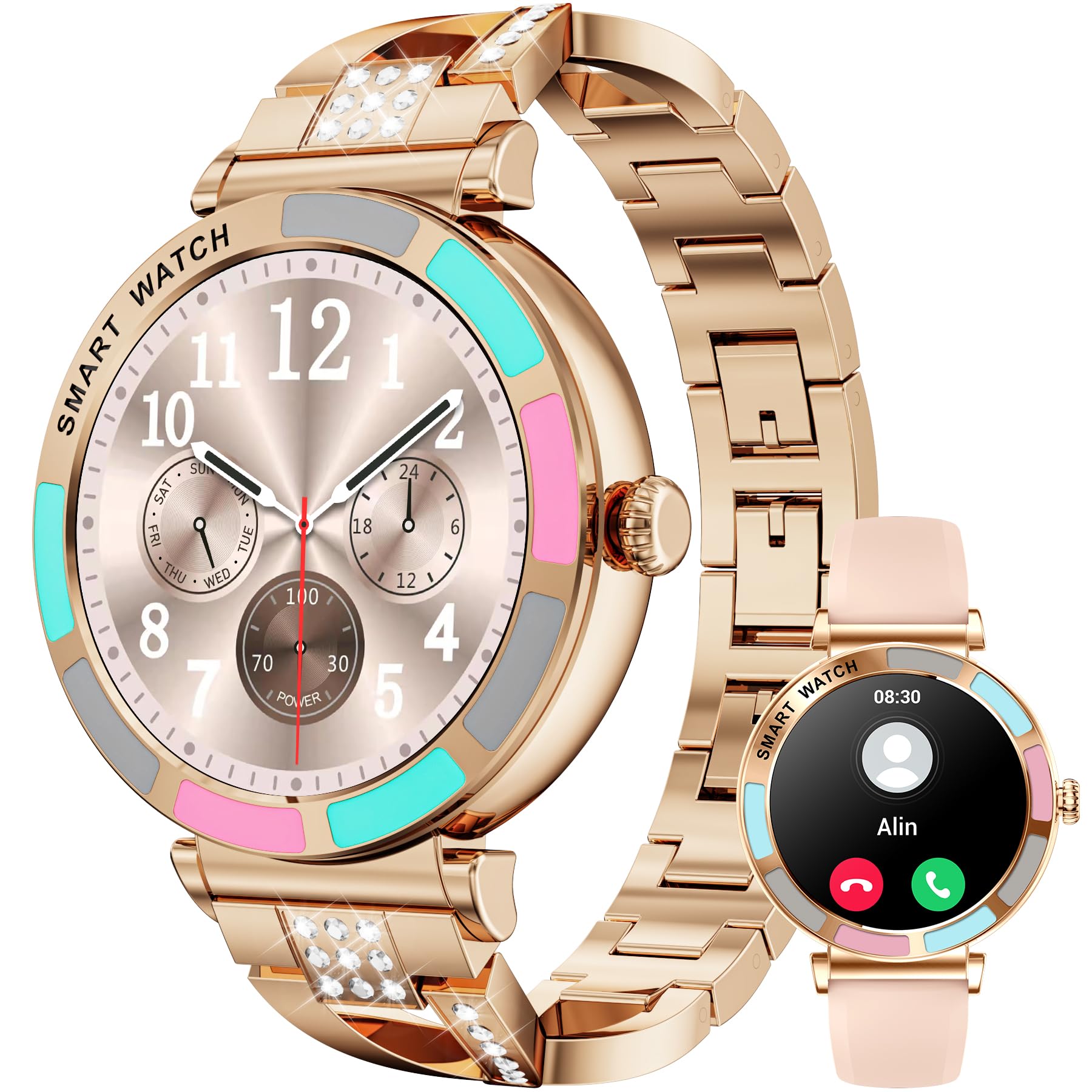
Image: The Haulvean Mingdaln Smartwatch, typically accompanied by its charging cable and user manual.
Setup Guide
1. Charging the Smartwatch
Before first use, fully charge your smartwatch. Connect the charging cable to the charging port on the back of the watch and plug the USB end into a standard USB power adapter (not included) or a computer's USB port. The watch display will indicate charging status.
Note: A full charge typically takes approximately 2 hours.
2. Downloading the Companion App
To unlock all features and synchronize data, download the official companion app on your smartphone. Search for "Haulvean Fit" in the Apple App Store (for iPhone) or Google Play Store (for Android).
Tip: You may also find a QR code on the watch screen or in the quick start guide to directly download the app.
3. Pairing with Your Smartphone
- Ensure your smartwatch is charged and powered on.
- Enable Bluetooth on your smartphone.
- Open the companion app and follow the on-screen instructions to create an account or log in.
- In the app, navigate to the "Device" or "Add Device" section.
- Select "Mingdaln Smartwatch" from the list of available devices.
- Confirm the pairing request on both your smartphone and the smartwatch.
Once paired, the watch will synchronize time and settings with your phone.
Operating Instructions
Basic Navigation
- Touchscreen: Swipe left/right, up/down to navigate through menus and features. Tap to select.
- Side Button: Press to wake the screen, return to the home screen, or access the app list. A long press may power on/off or activate a specific function.
Making and Receiving Calls
After successful Bluetooth pairing, your smartwatch can handle calls:
- Answering Calls: When a call comes in, tap the green icon on the watch screen.
- Rejecting Calls: Tap the red icon to reject an incoming call.
- Making Calls: Access the dial pad or contact list via the watch's menu to initiate calls directly from your wrist.
Sports and Fitness Tracking
The Mingdaln Smartwatch offers over 100 sports modes and comprehensive fitness tracking:
- Steps & Calories: Automatically tracks your daily steps, distance, and calories burned. View summaries on the watch or in the app.
- Sports Modes: Select a specific activity (e.g., running, cycling, yoga) from the sports menu to track performance metrics relevant to that activity.
- Activity Reminders: Set sedentary reminders in the app to encourage movement throughout the day.
All-day Health Monitoring
Monitor your health metrics continuously:
- Heart Rate: The watch continuously monitors your heart rate. View real-time data on the watch and historical trends in the app.
- Sleep Tracking: Automatically tracks your sleep patterns, including deep sleep, light sleep, and awake times.
- Blood Oxygen (SpO2): Measure your blood oxygen levels on demand.
- Stress Monitoring: Some models may offer stress level tracking. Consult the app for details.
Important: The health data provided by this device is for reference only and should not be used for medical diagnosis or treatment. Consult a medical professional for any health concerns.
Notifications
Receive notifications from your smartphone directly on your watch. Enable desired app notifications within the companion app settings.
Customizing Watch Faces
Personalize your smartwatch by changing watch faces. Access a variety of watch faces through the companion app or directly on the watch by long-pressing the home screen.
Maintenance and Care
Cleaning Your Smartwatch
Regularly clean your smartwatch to ensure optimal performance and hygiene:
- Wipe the screen and body with a soft, lint-free cloth.
- For stubborn smudges, slightly dampen the cloth with water. Avoid harsh chemicals or abrasive materials.
- Clean the charging contacts periodically to ensure good connection.
Water Resistance (IP67)
Your Mingdaln Smartwatch is IP67 waterproof, meaning it is resistant to dust and can withstand immersion in water up to 1 meter for 30 minutes. It is suitable for daily use, such as hand washing or light rain.
Caution: Do not use the watch for swimming, diving, or showering with hot water, as steam and high water pressure can compromise the seal. Avoid contact with hot water, corrosive liquids, or chemicals.
Battery Care
- Avoid extreme temperatures, which can degrade battery life.
- Charge the watch regularly, but avoid leaving it fully discharged for extended periods.
- Use only the provided charging cable.
Troubleshooting
| Problem | Possible Solution |
|---|---|
| Watch does not power on. | Ensure the watch is fully charged. Connect to the charger for at least 30 minutes. |
| Cannot pair with smartphone. |
|
| Inaccurate fitness data. |
|
| Notifications not received. |
|
Specifications
| Model Number | Mingdaln |
| Screen Size | 1.85 inches |
| Operating System | Android Wear 1.0 |
| Connectivity | Bluetooth |
| Special Features | Activity Tracker, Calls, Steps, Calorie Tracking, 100+ Sports Modes, All-day Health Monitoring |
| Water Resistance | IP67 |
| Battery Type | Lithium Ion |
| Compatibility | Android and iPhone |
Warranty and Support
Warranty Information
Your Haulvean Mingdaln Smartwatch comes with a standard manufacturer's warranty. Please refer to the warranty card included in your product packaging or visit the official Haulvean website for detailed terms and conditions regarding warranty coverage and duration.
Customer Support
For technical assistance, troubleshooting, or any questions regarding your smartwatch, please contact Haulvean customer support. Contact details can typically be found on the official Haulvean website or within the companion app's "About Us" or "Support" section.
Please have your model number (Mingdaln) and purchase information ready when contacting support.