Introduction
This user manual provides detailed instructions for the SCS Sentinel HCN0081 Indoor Programmable Electrical Outlet. This device allows you to automatically control the power supply to your electrical appliances, offering convenience and energy savings. Please read this manual carefully before use to ensure proper operation and safety.
Safety Instructions
- For indoor use only. Do not expose to moisture or extreme temperatures.
- Do not exceed the maximum load of 16A or 3600W. Overloading can cause damage or fire.
- Ensure the outlet is properly inserted into a grounded wall socket.
- Do not disassemble or attempt to repair the device. Refer all servicing to qualified personnel.
- Keep out of reach of children.
- Unplug the device from the wall socket before cleaning. Clean only with a dry cloth.
Product Overview
The SCS Sentinel HCN0081 is a compact and easy-to-use programmable electrical outlet designed for weekly scheduling. It features a clear LCD display and intuitive buttons for setting programs.

Figure 1: Front view of the programmable outlet, highlighting the LCD display, control buttons, and the integrated power socket.
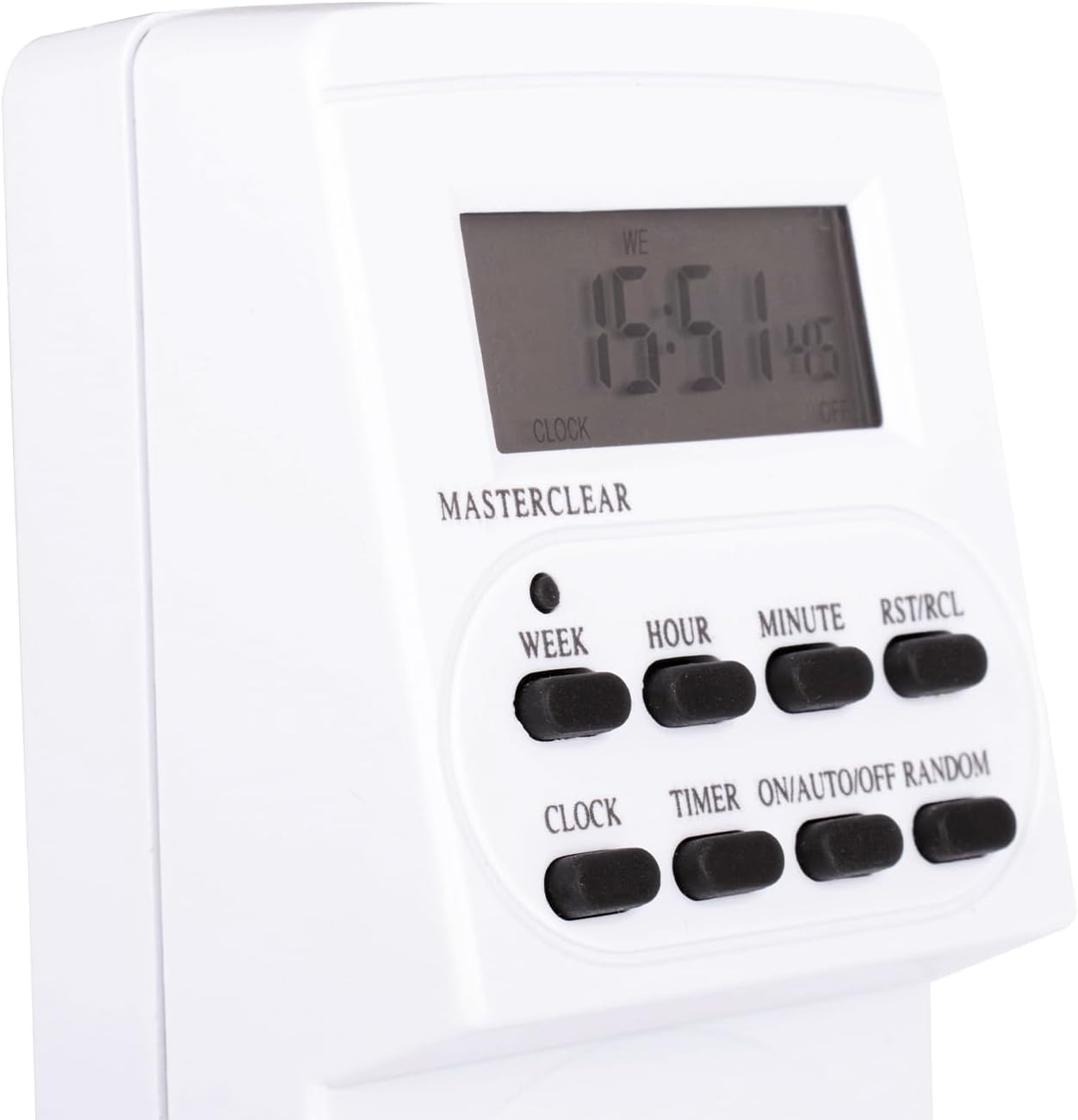
Figure 2: Close-up of the display and buttons, including WEEK, HOUR, MINUTE, RST/RCL, CLOCK, TIMER, ON/AUTO/OFF, and RANDOM.

Figure 3: Angled view of the programmable outlet, illustrating its form factor when plugged into a wall socket.
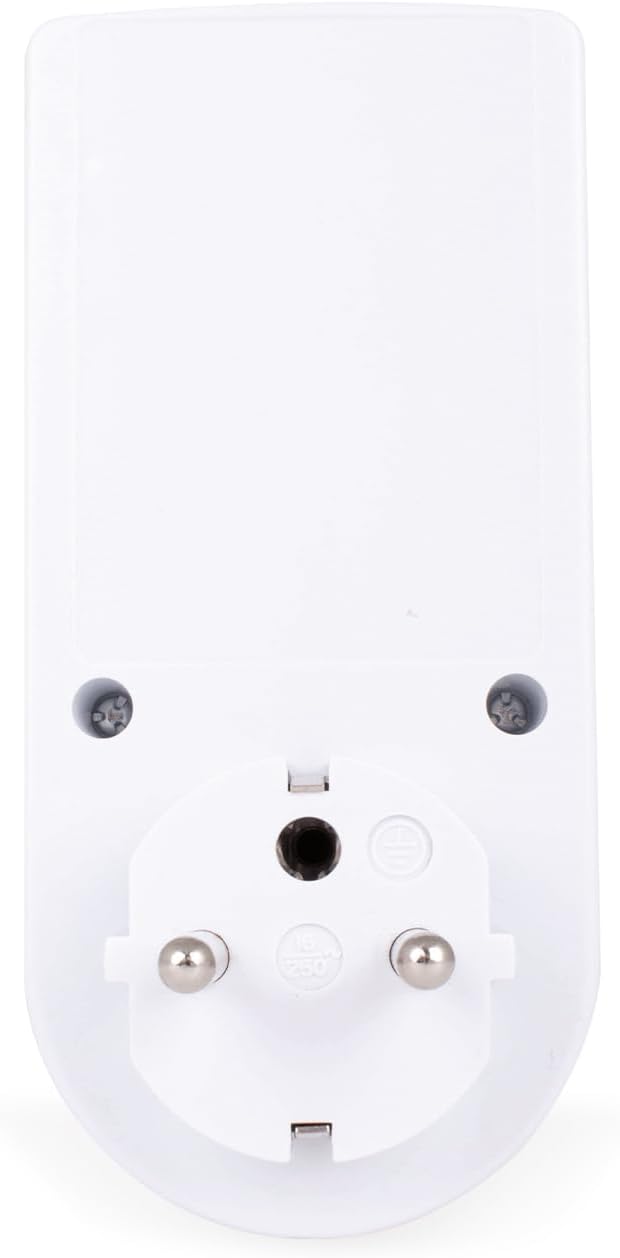
Figure 4: Back view of the programmable outlet, showing the European Type E/F compatible power prongs.
Setup and Initial Configuration
1. Initial Power-Up and Reset
Upon first use or after a long period of inactivity, the internal battery may be discharged. Plug the device into a live wall socket for at least 5-10 minutes to charge the internal battery. This battery maintains the clock and programmed settings during power outages.
To clear all previous settings and reset the device, locate the small "MASTER CLEAR" button (often recessed) and press it using a non-metallic pointed object (like a pen tip). The display will show "0:00" and all settings will be erased.
2. Setting the Current Time and Day
- Press and hold the CLOCK button.
- While holding CLOCK, press the WEEK button repeatedly to set the current day of the week (MO, TU, WE, TH, FR, SA, SU).
- While holding CLOCK, press the HOUR button repeatedly to set the current hour.
- While holding CLOCK, press the MINUTE button repeatedly to set the current minute.
- Release the CLOCK button. The time is now set.
To switch between 12-hour and 24-hour format, press the CLOCK and TIMER buttons simultaneously.
Operating Instructions
1. Programming On/Off Times (Up to 10 Programs)
The device allows for up to 10 ON/OFF programs. Each program consists of an ON time and an OFF time.
- Press the TIMER button once. The display will show "1 ON".
- Press WEEK to select the day(s) for this program. Options include individual days, weekdays, weekends, or all 7 days.
- Press HOUR to set the desired ON hour.
- Press MINUTE to set the desired ON minute.
- Press TIMER again. The display will show "1 OFF".
- Repeat steps 2-4 to set the desired OFF day(s), hour, and minute for program 1.
- Press TIMER to cycle through programs 2 to 10 and set them as needed.
- After setting all desired programs, press the CLOCK button to return to the current time display.
2. Activating Programs (ON/AUTO/OFF Mode)
Press the ON/AUTO/OFF button to cycle through the operating modes:
- ON: The outlet is continuously ON, ignoring all programs.
- AUTO: The outlet operates according to the set programs. This is the standard mode for automatic control.
- OFF: The outlet is continuously OFF, ignoring all programs.
Ensure the device is set to AUTO mode for your programs to function.
3. Random Function
The random function is useful for security purposes, making it appear as if someone is home. When activated, the device will randomly turn ON and OFF within a specified time window.
- Press the RANDOM button. An "R" will appear on the display.
- The random function typically operates between 6 PM and 6 AM, turning the connected appliance ON and OFF at random intervals (e.g., 10-31 minutes).
- To deactivate the random function, press the RANDOM button again. The "R" will disappear.
Maintenance
The SCS Sentinel HCN0081 requires minimal maintenance.
- Cleaning: Unplug the device from the wall socket before cleaning. Use a soft, dry cloth to wipe the exterior. Do not use liquid cleaners or abrasive materials.
- Storage: If storing the device for an extended period, ensure the internal battery is charged by plugging it in for a few hours every 3-6 months to prolong battery life. Store in a cool, dry place.
Troubleshooting
| Problem | Possible Cause | Solution |
|---|---|---|
| Display is blank or dim. | Internal battery is discharged. | Plug the device into a live wall socket for 5-10 minutes to charge the battery. |
| Programs are not running. | Device is not in AUTO mode. | Press ON/AUTO/OFF until "AUTO" is displayed. |
| Programs are incorrect or erratic. | Incorrect programming or accidental button presses. | Perform a MASTER CLEAR and reprogram the device. |
| Connected appliance does not turn ON/OFF. | Appliance is faulty, or exceeding maximum load. | Check the appliance. Ensure total load does not exceed 16A/3600W. |
Specifications
- Model: HCN0081
- Brand: SCS Sentinel
- Type: Indoor Programmable Electrical Outlet
- Voltage: 230V
- Maximum Load: 16A / 3600W
- Programs: Up to 10 ON/OFF programs
- Dimensions (L x W x H): Approximately 12 x 3 x 3 cm
- Weight: Approximately 180 grams
- Internal Battery: Yes (for clock and program retention)
- Plug Type: European Type E/F (Schuko compatible)
- Included: 1 Programmable outlet, 1 User Manual
Warranty and Support
SCS Sentinel guarantees the reliability of its products. This product comes with a 2-year warranty from the date of purchase.
For technical support, troubleshooting assistance, or warranty claims, please contact SCS Sentinel customer service through their official website or the retailer where the product was purchased. Please have your proof of purchase and product model number (HCN0081) ready when contacting support.
For more information, visit the official SCS Sentinel website: www.scs-sentinel.com


