1. Product Overview
The HUAWEI 4G+ CPE 5 Router (Model B636-336) is a high-performance LTE SIM router designed to provide fast and reliable internet connectivity. Featuring Cat 7+ LTE speeds, Wi-Fi 6 AX3000 technology, and multiple Ethernet ports, it is suitable for a wide range of home and business applications.
Key Features:
- AX3000 Wi-Fi 6: Provides triple speed and double coverage capacity compared to Wi-Fi 5 (AC1200), ensuring a faster and more stable wireless connection.
- Extra Fast CAT7+ Speed: Supports download speeds up to 400Mbps and upload speeds up to 200Mbps, ideal for demanding applications like online gaming, live streaming, and remote meetings.
- Viewing Wi-Fi Diagnostic: Allows users to check their home's Wi-Fi coverage map for optimal router placement and provides suggestions to resolve network issues.
- High Device Capacity: Connects up to 128 devices simultaneously, accommodating multiple users and smart home devices.
- Plug and Play: Simply insert a 4G SIM card to enjoy high-speed internet without complex configuration. Compatible with all operators' networks.

Figure 1: Front view of the HUAWEI 4G+ CPE 5 Router.
2. Package Contents
Before you begin, please verify that all items are present in your product package:
- Wireless gateway x 1 (HUAWEI 4G+ CPE 5 Router)
- Power adapter x 1
- Quick Start Guide x 1
- Warranty Card x 1
3. Setup Guide
3.1. SIM Card Installation
- Locate the SIM card slot on the router. This is typically found on the bottom or side of the device.
- Insert your 4G SIM card into the slot with the gold contacts facing down and the notched corner aligned correctly. Push until it clicks into place.
- Ensure the SIM card is fully inserted and flush with the router's surface.
3.2. Power Connection
- Connect the power adapter to the router's power port.
- Plug the other end of the power adapter into a wall outlet.
- The router will automatically power on and begin its startup sequence. Wait for the indicator lights to stabilize, indicating a successful connection to the 4G network.
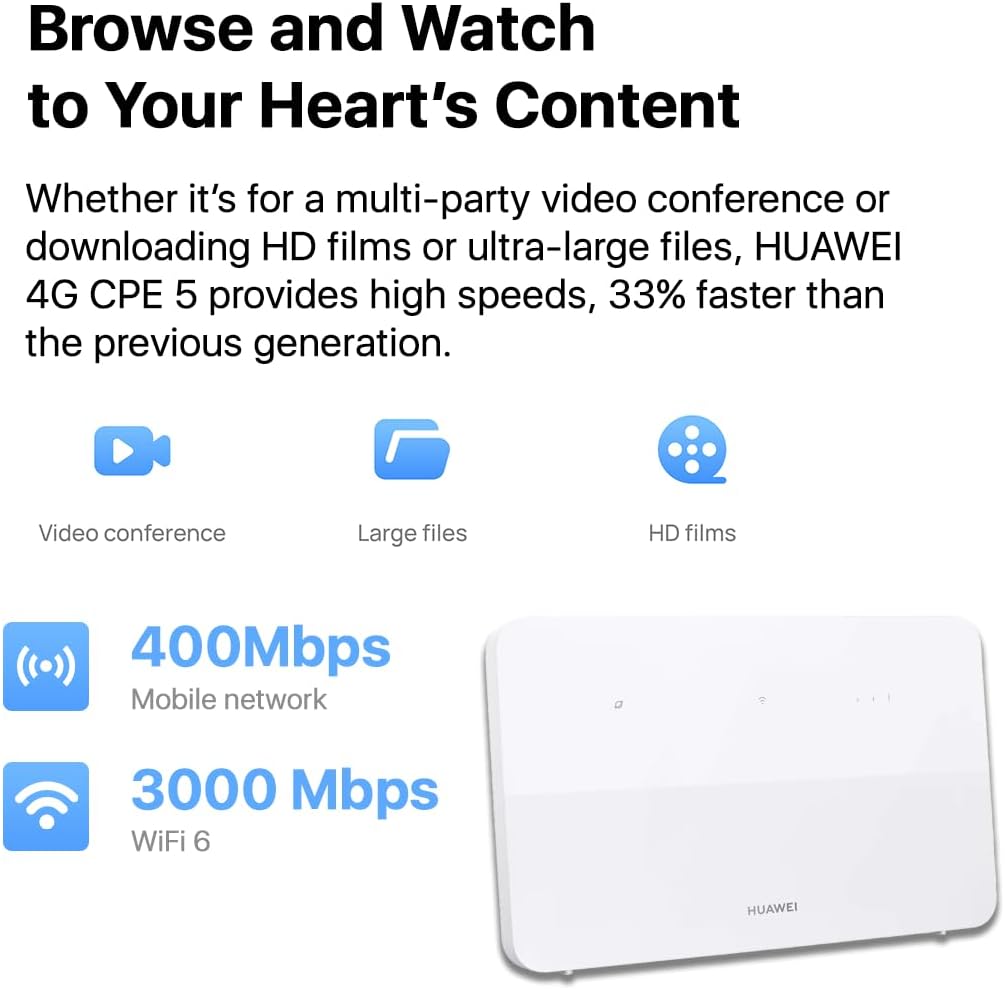
Figure 2: Rear view of the router with power and port connections.
4. Operating the Router
4.1. Connecting Devices
Wi-Fi Connection:
- Locate the Wi-Fi network name (SSID) and password on the label at the bottom of your router.
- On your device (smartphone, laptop, tablet), search for available Wi-Fi networks.
- Select your router's SSID and enter the password to connect. The router supports Wi-Fi 6 (802.11ax) for optimal performance and can connect up to 128 devices.
Ethernet Connection:
- The router features four Gigabit Ethernet ports (LAN1, LAN2, LAN3, LAN4/WAN).
- Connect an Ethernet cable from your computer or other wired device to any of the LAN ports on the router. The LAN4/WAN port supports auto-sensing for flexible connectivity.

Figure 3: High-speed connectivity for browsing and watching.

Figure 4: Router supports various usage scenarios including online courses, meetings, gaming, and mobile living.
4.2. Advanced Features
Wi-Fi Diagnosis:
Utilize the router's management interface (accessible via web browser or HUAWEI AI Life app) to access the Wi-Fi Diagnosis feature. This tool helps visualize your Wi-Fi coverage and provides recommendations for optimizing signal strength and resolving connectivity issues.
Seamless Network Roaming with HarmonyOS Mesh+:
For larger homes or multi-storey buildings, the HUAWEI 4G+ CPE 5 can be used as a primary router in conjunction with other HUAWEI routers to create a seamless mesh Wi-Fi network. This extends Wi-Fi coverage and ensures consistent connectivity throughout your property.

Figure 5: Seamless network roaming with HarmonyOS Mesh+.

Figure 6: HUAWEI Router provides full Wi-Fi coverage for your entire home.
Broader Signal Coverage with HPUE:
The router incorporates High Power User Equipment (HPUE) technology, which enhances the coverage of received base station signals by 30%. This feature ensures robust signal reception even in challenging environments such as dense buildings, remote areas, or locations with inherently poor signal reception.

Figure 7: Broader signal coverage powered by HPUE technology.
5. Maintenance
To ensure optimal performance and longevity of your HUAWEI 4G+ CPE 5 Router, follow these maintenance guidelines:
- Cleaning: Gently wipe the router's exterior with a soft, dry cloth. Avoid using liquid cleaners or abrasive materials.
- Ventilation: Ensure the router is placed in a well-ventilated area, away from direct sunlight and heat sources, to prevent overheating.
- Firmware Updates: Regularly check for and install firmware updates through the router's management interface. Updates often include performance improvements, security patches, and new features.
- Restarting: Periodically restart the router (unplug from power for 10 seconds, then plug back in) to refresh its connection and clear any temporary issues.

Figure 8: The router undergoes rigorous testing for durability and reliability.
6. Troubleshooting
If you encounter issues with your router, try the following troubleshooting steps:
- No Internet Connection:
- Check if the SIM card is correctly inserted and activated.
- Verify that the router's signal indicator lights are stable and show a strong 4G connection.
- Restart the router and your connected devices.
- Confirm your mobile data plan is active and has sufficient data.
- Slow Wi-Fi Speed:
- Ensure your devices are connected to the 5 GHz Wi-Fi band if supported, for faster speeds.
- Reduce the distance between your device and the router, and remove any obstructions.
- Use the Wi-Fi Diagnosis feature to identify interference or coverage gaps.
- Limit the number of connected devices or bandwidth-intensive activities.
- Cannot Connect to Wi-Fi:
- Double-check the Wi-Fi password.
- Ensure Wi-Fi is enabled on your device and the router.
- Try forgetting the network on your device and reconnecting.
- Router Not Responding:
- Unplug the power adapter, wait 10 seconds, and plug it back in.
- If the issue persists, perform a factory reset by pressing the reset button (usually a small pinhole) for about 5-10 seconds while the router is powered on. Note: This will erase all custom settings.
7. Specifications
| Feature | Description |
|---|---|
| Brand | HUAWEI |
| Model Name | B636-336 |
| Wireless Type | 802.11n, 802.11ax (Wi-Fi 6), 802.11b, 802.11g |
| Frequency Band Class | Dual-Band (2.4 GHz, 5 GHz) |
| LTE Category | Cat 7+ |
| Max Download Speed | 400 Mbps |
| Max Upload Speed | 200 Mbps |
| Ethernet Ports | 4 x Gigabit Ethernet (LAN/WAN auto-sensing) |
| Operating System | AI Life RouterOS |
| Dimensions | 21.9 x 13.6 x 8.4 cm |
| Item Weight | 500 g |
| Included Components | Wireless gateway, Power adapter, Quick Start Guide, Warranty Card |
8. Warranty and Support
Your HUAWEI 4G+ CPE 5 Router comes with a manufacturer's warranty. Please refer to the included Warranty Card for detailed terms and conditions, including the warranty period and coverage.
For technical support, troubleshooting assistance, or warranty claims, please contact HUAWEI customer service through their official website or the contact information provided in your Quick Start Guide or Warranty Card. Ensure you have your product model number (B636-336) and serial number ready when contacting support.

Figure 9: HUAWEI's long-standing expertise in communication technology.

Figure 10: HUAWEI's leadership in Wi-Fi technology patents.

Figure 11: HomeSec™ ensures chip-level internet security.


