
Introduction
Thank you for choosing the WAIKIL Professional Cordless Hair Clippers. This manual provides essential information for the safe and effective use, maintenance, and troubleshooting of your new hair clipper. Please read it thoroughly before first use and retain it for future reference.
Important Safety Instructions
When using an electrical appliance, basic precautions should always be followed, including the following:
- Read all instructions before using this appliance.
- Keep the appliance dry. Do not use it near water or in wet conditions.
- Do not immerse the appliance in water or other liquids.
- Keep the appliance away from children.
- Always unplug the appliance immediately after use and before cleaning.
- Do not operate the appliance with a damaged cord or plug, or if it malfunctions or has been dropped or damaged.
- Use this appliance only for its intended use as described in this manual.
- Do not use attachments not recommended by the manufacturer.
- Never drop or insert any object into any opening.
- Do not place or store the appliance where it can fall or be pulled into a tub or sink.
- Ensure the charging cable is not damaged and is used with a compatible power source.
Package Contents
Please check the package to ensure all items are present and in good condition:
- Hair Trimmer x 1
- User Manual x 1
- Limit Combs x 4 (1.5mm, 3mm, 6mm, 9mm)
- USB Type-C Charging Cable x 1
- Cleaning Brush x 1
- Lubricating Oil x 1
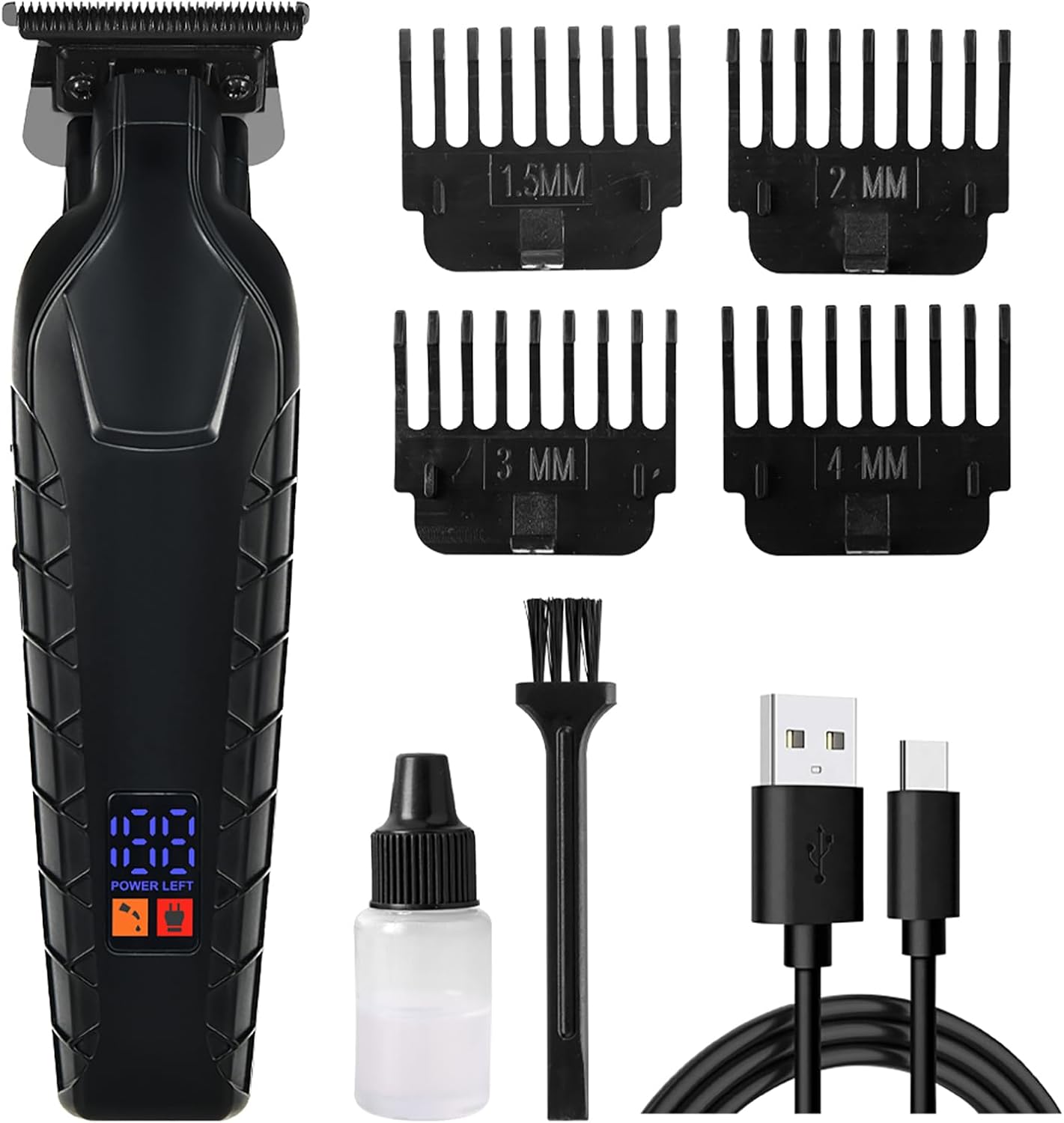
Figure 1: Contents of the WAIKIL Professional Hair Clipper package, including the clipper, four guide combs, a USB-C charging cable, a cleaning brush, and lubricating oil.
Product Overview and Features
The WAIKIL Professional Hair Clipper is designed for precise and efficient hair trimming. Key features include:
- Professional Blades: High-quality precision steel blades designed for sharpness and durability, suitable for various hair types.
- Washable Cutter Head: The clipper head can be rinsed under running water for easy cleaning.
- Fast Charging: Equipped with a Type-C charging port for quick and convenient charging.
- Intelligent Light Indicator: An LED display shows the battery status, indicating when charging is needed.
- Versatile Comb Options: Includes four guide combs (1.5mm, 3mm, 6mm, 9mm) for adjusting cutting length.

Figure 2: Close-up view of the precision steel blades, highlighting their sharpness and durability for effective hair cutting.

Figure 3: Illustration of the clipper's powerful internal motor, designed for efficient and snag-free trimming of various hair types.

Figure 4: The intelligent LED display showing the battery charge level, providing clear indication of power status during operation and charging.
Setup and Initial Use
1. Charging the Clipper
- Before first use, fully charge the clipper.
- Connect the USB Type-C charging cable to the charging port on the bottom of the clipper.
- Plug the other end of the USB cable into a compatible USB power source (e.g., computer, wall adapter, power bank).
- The LED display will indicate the charging status. A full charge is indicated when the display shows 100%.
- Once fully charged, disconnect the charging cable.
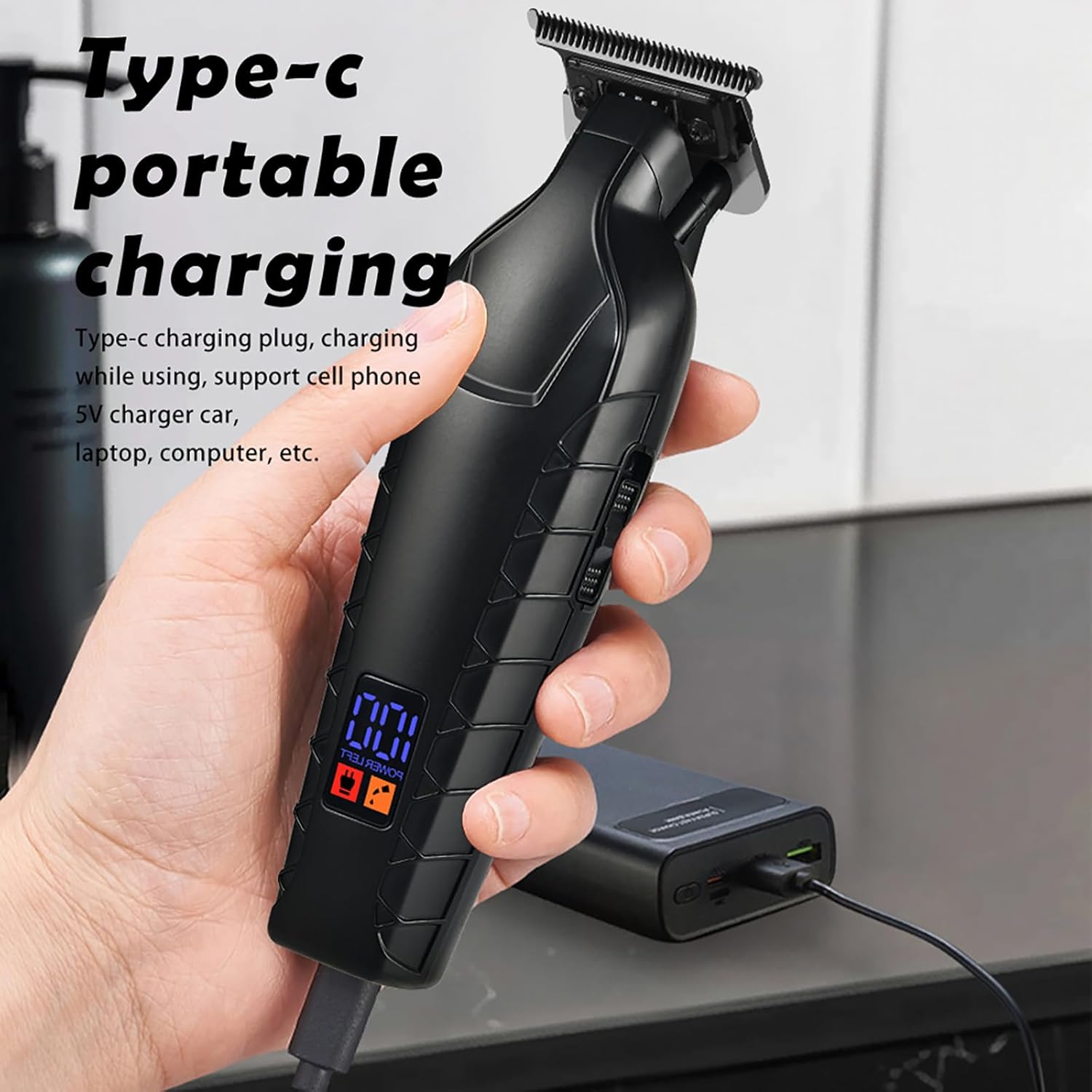
Figure 5: The clipper connected to a power source via its Type-C charging cable, demonstrating the portable charging capability.
2. Attaching Guide Combs
- Ensure the clipper is turned off before attaching or removing guide combs.
- Select the desired guide comb (1.5mm, 3mm, 6mm, or 9mm) based on the desired hair length.
- Align the comb with the clipper head and push it firmly until it clicks into place.
- To remove, gently pull the comb away from the clipper head.
Operating Instructions
1. Turning On/Off
- To turn on the clipper, press the power button located on the handle.
- To turn off the clipper, press the power button again.
2. Hair Trimming Techniques
- For best results, ensure hair is clean and dry before trimming.
- Always start with a longer guide comb if you are unsure of the desired length.
- Hold the clipper with the blades pointing downwards, against the direction of hair growth.
- Move the clipper slowly and steadily through the hair, using overlapping strokes.
- For detailing or outlining, remove the guide comb and use the bare blade carefully.

Figure 6: The WAIKIL hair clipper being used to trim hair on the back of the neck, demonstrating its application for precise haircuts and detailing.
Maintenance and Care
1. Cleaning the Clipper
- Turn off the clipper and disconnect it from any power source.
- Remove any attached guide combs.
- Use the provided cleaning brush to remove loose hairs from the blades and clipper body.
- The cutter head is washable. You may rinse the blade assembly under running water. Do not immerse the entire clipper body in water.
- After rinsing, ensure the cutter head is thoroughly dried to prevent rust and extend its lifespan.
2. Oiling the Blades
- After cleaning and drying, apply a small drop of lubricating oil (included) to the blades.
- Turn on the clipper for a few seconds to allow the oil to distribute evenly.
- Wipe off any excess oil with a soft cloth. Regular oiling helps maintain blade sharpness and smooth operation.
3. Storage
- Store the clipper in a cool, dry place, away from direct sunlight and moisture.
- Keep the guide combs and charging cable together with the clipper for easy access.
Troubleshooting
| Problem | Possible Cause | Solution |
|---|---|---|
| Clipper does not turn on. | Low battery or no charge. | Charge the clipper fully using the provided USB Type-C cable. |
| Clipper pulls hair or cuts poorly. | Blades are dull, dirty, or not oiled. | Clean the blades thoroughly and apply lubricating oil. If the problem persists, blades may need replacement. |
| Clipper makes unusual noise. | Blades are obstructed or require oiling. | Clean and oil the blades. Ensure no hair or debris is lodged in the blade mechanism. |
| Charging indicator not working. | Faulty charging cable or power source. | Try a different USB Type-C cable or a different power adapter. Ensure the connection is secure. |
Specifications
- Model: WAIKIL Professional Hair Clipper
- Power Source: Battery Powered (1 Lithium Polymer battery included)
- Charging: USB Type-C
- Blade Material: Precision Steel
- Body Material: Plastic
- Color: Black
- Guide Comb Lengths: 1.5mm, 3mm, 6mm, 9mm
- Recommended Uses: Beard, Body, Face, Head, Neck
- Manufacturer: WAIKIL
- ASIN: B0D9LNTPVL
Warranty and Support
For warranty information or technical support, please refer to the contact details provided on the product packaging or contact your retailer. Keep your purchase receipt as proof of purchase.
